
Introduction
Welcome to the Ibiza Sound TWS Columba-Karaoke speaker system. This powerful 1000W portable audio system is designed for karaoke, parties, and various events, offering versatile connectivity and a comprehensive microphone setup. Please read this manual carefully to ensure proper setup, operation, and maintenance of your device.
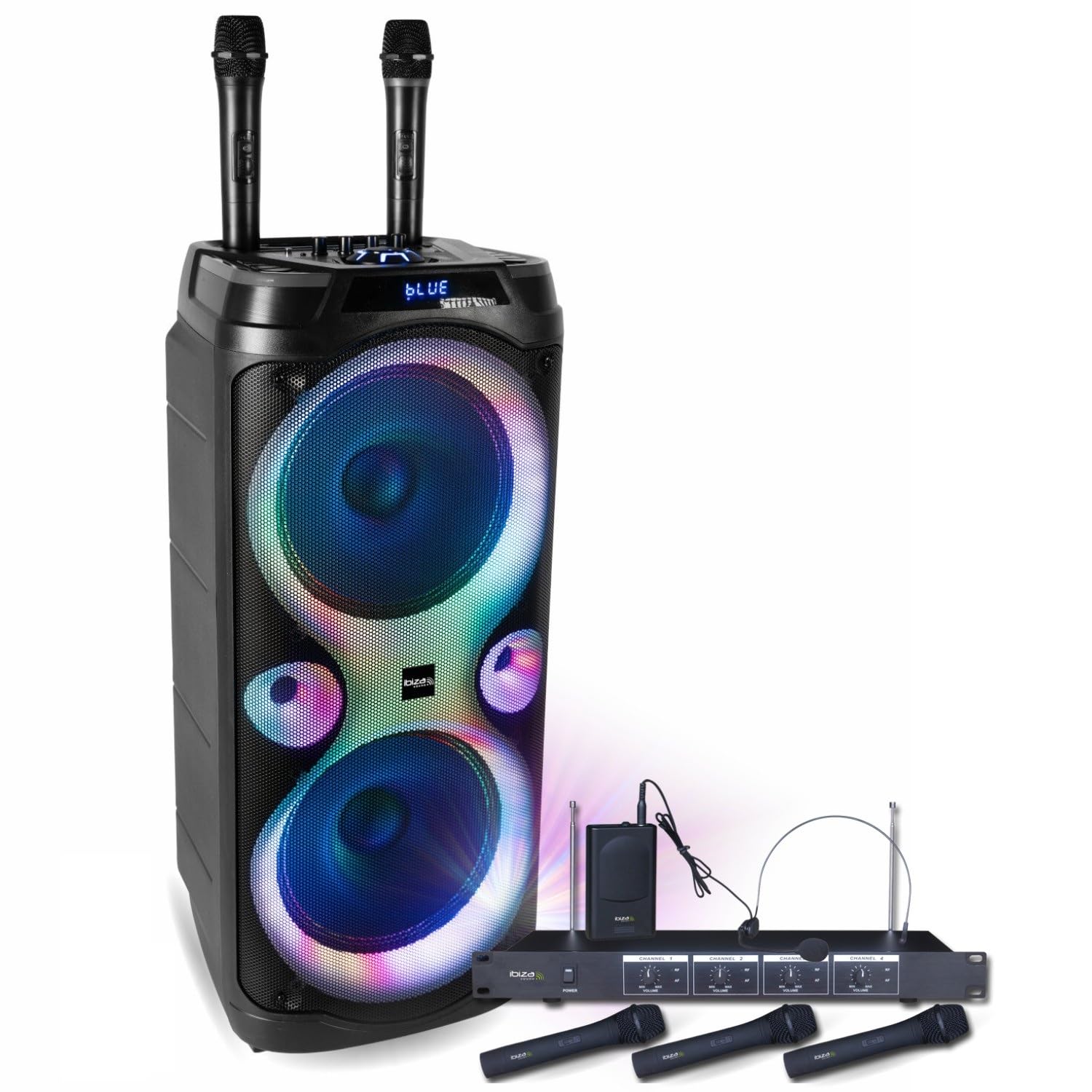
Image: People enjoying a karaoke night with the Ibiza Sound Columba-Karaoke speaker system.

Image: Front view of the Ibiza Sound Columba-Karaoke speaker with illuminated woofers and two wireless microphones.
Setup
- Unpacking: Carefully remove all components from the packaging. Verify that all items listed in the package contents are present. Package contents include: 1x COLUMBA-KARAOKE speaker, 2x Wireless VHF Microphones (included with speaker), 1x Ibiza VHF4 4-Microphone System (3 handheld, 1 headset with beltpack), Power adapter, Jack connection cables.
- Power Connection: Connect the speaker to a suitable power outlet using the provided power adapter. Ensure the speaker is fully charged before initial use for optimal battery performance.
- Speaker Placement: Place the speaker on a stable, flat surface. For optimal sound dispersion, position it centrally in the room or event space.
- Microphone System Setup:
- Speaker's Wireless Microphones: The two wireless VHF microphones included with the speaker are pre-paired. Simply insert batteries (not included) and power them on.
- Ibiza VHF4 4-Microphone System: Connect the receiver unit to a power source. Connect the receiver's audio output to one of the microphone inputs (Jack 6.35mm) on the COLUMBA-KARAOKE speaker using the provided cable. Insert batteries into the 3 handheld microphones and the beltpack transmitter for the headset microphone. Power on the microphones and the receiver.
- Initial Power On: Press and hold the power button on the speaker to turn it on. The LED display will illuminate.

Image: The Ibiza Sound Columba-Karaoke speaker with two wireless microphones positioned in front.

Image: The Ibiza VHF4 4-microphone system, including three handheld microphones, one headset microphone with a beltpack transmitter, and the receiver unit.

Image: Multiple views of the Ibiza Sound Columba-Karaoke speaker, showing its front, side, and rear panels.
Operating Instructions
- Power On/Off: Press and hold the POWER button to turn the speaker ON or OFF.
- Mode Selection: Press the MODE button to cycle through input sources: Bluetooth (BT), USB, AUX.
- Bluetooth Connection:
- Select BT mode on the speaker. The display will show "BLUE" or a similar indicator, and a pairing sound may be heard.
- On your smartphone, tablet, or other Bluetooth device, search for "COLUMBA-KARAOKE" in the Bluetooth settings.
- Select the speaker to pair. A confirmation sound will indicate successful pairing.
- USB Playback:
- Insert a USB flash drive containing MP3 audio files into the USB port.
- The speaker will automatically switch to USB mode and begin playing.
- Use the PLAY/PAUSE, PREV, and NEXT buttons to control playback.
- AUX Input:
- Connect an external audio device (e.g., TV, smartphone, laptop) to the AUX input (3.5mm Jack) using an audio cable.
- Select AUX mode on the speaker.
- Microphone Usage and Adjustments:
- Connecting Wired Microphones: Connect wired microphones to the 6.35mm Jack microphone inputs.
- Wireless Microphones: Ensure all wireless microphones (both the 2 included with the speaker and the 4-mic system) are powered on and properly connected/paired.
- Microphone Volume: Adjust the MIC VOL knob on the control panel to set the microphone volume.
- Microphone Reverb: Use the MIC REVERB knob to add echo or reverb effects to the microphone sound.
- Microphone Treble/Bass: Adjust MIC TREBLE and MIC BASS knobs for tone control.
- Microphone Priority (Talkover): Activate the TALKOVER function (if available) to automatically lower music volume when speaking into the microphone.
- Voice Change Functions: Use the MIC VOICE+ and MIC VOICE- buttons to apply various voice effects.
- True Wireless Stereo (TWS) Function:
- To pair two COLUMBA-KARAOKE speakers for stereo sound: Ensure both speakers are powered on and in Bluetooth mode, but not connected to any device.
- Press and hold the TWS button on one speaker. It will search for the other speaker.
- Once connected, a confirmation sound will be heard. You can now connect your Bluetooth device to the primary speaker, and audio will play in stereo across both units.
- Recording Function:
- Insert a USB drive.
- Press the REC button to start recording microphone input.
- Press REC again to stop recording. Recordings are saved to the USB drive.
- LED Light Effects:
- Press the LED MODE button to cycle through different LED light patterns or turn them off.

Image: Connectivity options for the Columba-Karaoke speaker.

Image: Microphone reverb and other audio adjustments on the control panel.
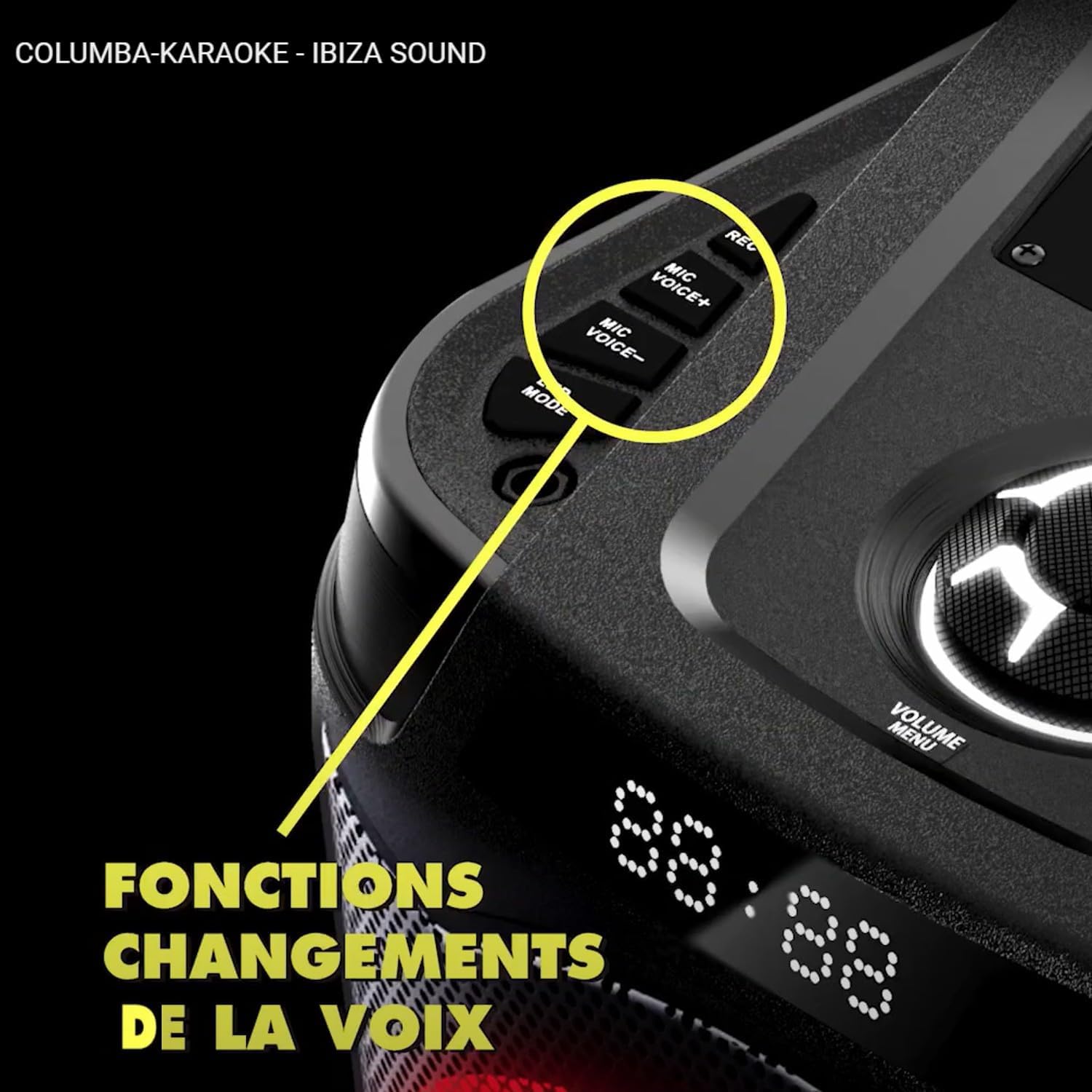
Image: Voice change functions on the control panel.

Image: The speaker's LED light effects in various colors.
Maintenance
- Cleaning: Wipe the speaker's exterior with a soft, dry cloth. Do not use abrasive cleaners, waxes, or solvents. Keep the speaker grilles free of dust and debris.
- Storage: Store the speaker in a cool, dry place away from direct sunlight and extreme temperatures. If storing for extended periods, ensure the battery is partially charged (around 50%) to prolong its lifespan.
- Battery Care: Avoid fully discharging the battery frequently. Charge the battery regularly, even if not in use, to maintain its health.
Troubleshooting
- No Power:
- Check if the power adapter is securely connected to both the speaker and the power outlet.
- Ensure the power outlet is functional.
- Check the speaker's battery level.
- No Sound:
- Verify the volume levels on both the speaker and the connected audio source (Bluetooth device, USB, AUX).
- Ensure the correct input mode (Bluetooth, USB, AUX) is selected.
- If using microphones, check their power, batteries, and volume knobs.
- Bluetooth Pairing Issues:
- Ensure the speaker is in Bluetooth mode and not already connected to another device.
- Move your Bluetooth device closer to the speaker.
- Try forgetting the speaker from your device's Bluetooth list and re-pairing.
- Microphone Not Working:
- Check microphone batteries.
- Ensure wireless microphones are powered on and within range.
- Verify the 4-microphone system receiver is powered on and connected to the speaker's input.
- Adjust MIC VOL and ensure TALKOVER is not excessively suppressing sound.
- TWS Pairing Failure:
- Ensure both speakers are in Bluetooth mode and not connected to any other device before initiating TWS pairing.
- Make sure both speakers are the same model and support TWS.
Specifications
| Model | COLUMBA-KARAOKE-VHF4 |
| Power Output | 1000 Watts (Max) |
| Speaker Drivers | 2 x 10" Woofers, 2 x Tweeters |
| Connectivity | Bluetooth, USB, USB-C (for charging/playback), AUX (3.5mm Jack), Microphone Inputs (2 x 6.35mm Jack), Guitar Input (6.35mm Jack) |
| Microphones Included | 2 x Wireless VHF Microphones (with speaker), 1 x Ibiza VHF4 4-Microphone System (3 handheld VHF, 1 headset VHF with beltpack transmitter) |
| Functions | TWS (True Wireless Stereo), Recording, Microphone Volume/Reverb/Treble/Bass Adjustment, Microphone Priority (Talkover), Voice Change, LED Light Effects |
| Material | Plastic |
| Dimensions | 31 x 32 x 71 cm |
| Weight | 12 kg |
| Power Source | Battery |
| Recommended Use | DJ, Party, Birthday, Karaoke |
| EU Spare Parts Availability | 2 Years |
Warranty
This product comes with a manufacturer's warranty. Please refer to the warranty card included in the packaging for specific terms and conditions. Spare parts availability in the EU is guaranteed for 2 years from the date of purchase.
Support
For technical assistance, troubleshooting, or warranty claims, please contact your retailer or visit the official Ibiza Sound website. You can also visit the Ibiza store on Amazon for more information: Ibiza Store on Amazon.


