
1. Introduction
Thank you for choosing the ChooChoo Bathroom Floor Cabinet. This manual provides essential information for the safe assembly, proper use, and maintenance of your new cabinet. Please read all instructions carefully before beginning assembly and retain this manual for future reference.
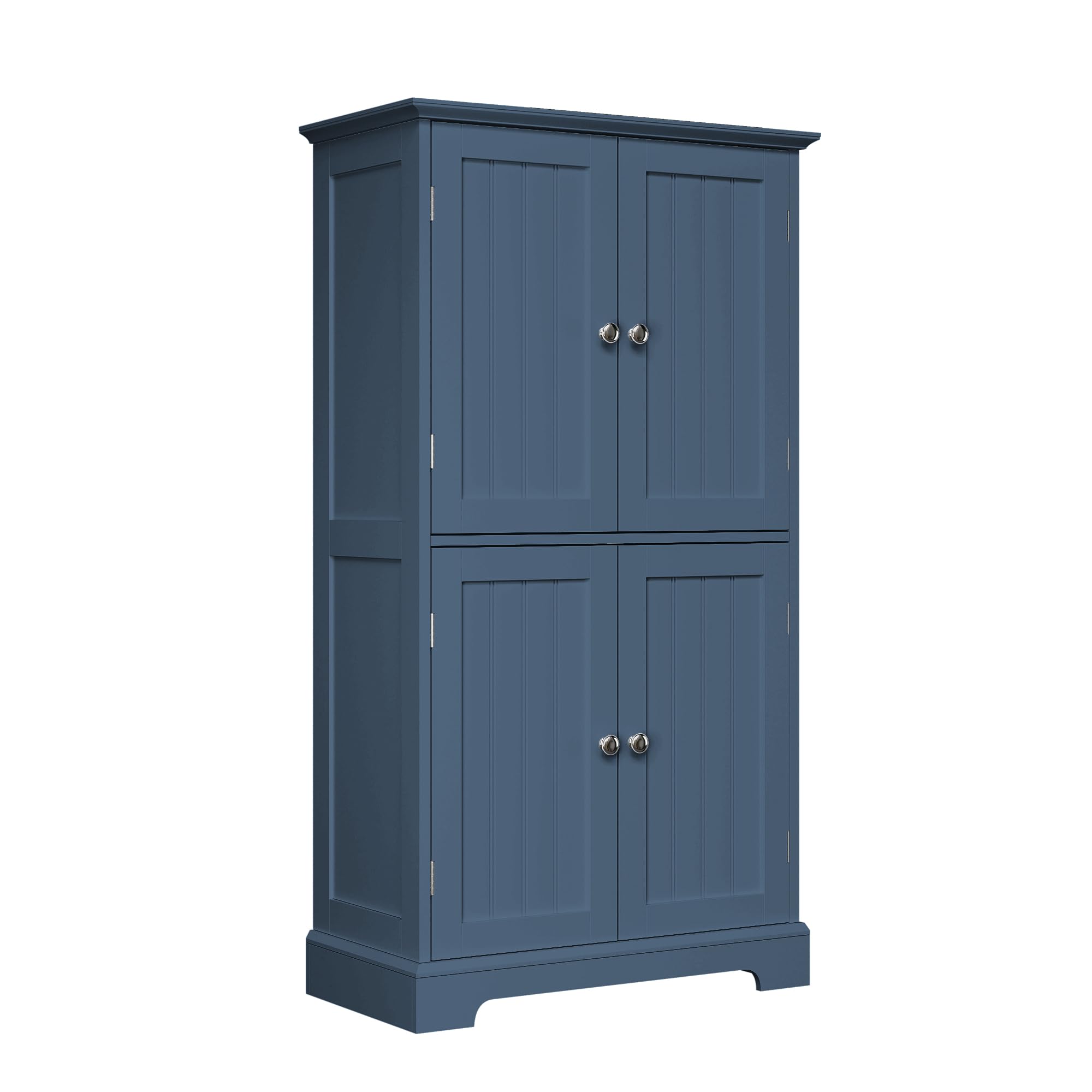
Image 1.1: ChooChoo Bathroom Floor Cabinet (Model SC2404-BU) in a bathroom setting.
2. Safety Information
- Read all instructions: Ensure you understand all assembly steps and safety warnings before proceeding.
- Keep children and pets away: Small parts can be a choking hazard. Keep them out of reach during assembly.
- Use on a level surface: Assemble the cabinet on a clean, flat, and soft surface to prevent scratches and ensure stability.
- Do not overtighten screws: Overtightening can damage the material. Hand-tighten screws until snug.
- Anti-tip device: Always install the included anti-tip device to prevent the cabinet from tipping over, especially in households with children.
- Weight limits: Do not exceed the recommended weight limits for shelves. Distribute weight evenly.
- Moisture resistance: While designed for humid environments, avoid prolonged exposure to standing water. Wipe spills immediately.
3. Package Contents
Before assembly, verify that all parts and hardware are present. Refer to the parts list provided in your packaging. If any items are missing or damaged, contact customer support.
- Cabinet panels (top, bottom, sides, back, shelves, doors)
- Hardware pack (screws, dowels, cam locks, hinges, handles, magnetic door closures)
- Anti-tip kit
- Assembly instructions
4. Assembly Instructions (Setup)
Follow these steps carefully for proper assembly. It is recommended to have two people for assembly.
- Unpack and Identify Parts: Lay out all components on a soft, clean surface. Match each part to the corresponding label in the parts list.
- Assemble the Frame: Connect the side panels to the bottom and top panels using the provided hardware (dowels, cam locks, screws). Ensure all connections are secure.
- Install Back Panel: Slide or attach the back panel into the designated grooves or using small nails/screws. This adds stability to the cabinet.
- Attach Hinges to Doors: Secure the hinges to the cabinet doors. Ensure they are aligned correctly.
- Mount Doors to Frame: Attach the doors to the cabinet frame using the hinges. Adjust as necessary for proper alignment and smooth opening/closing.
- Install Handles: Attach the decorative handles to the doors.
- Insert Adjustable Shelves: Place the shelf pins into the desired height holes inside the cabinet. Then, rest the adjustable shelves on these pins. The cabinet features 3 adjustable shelves with 5 height options each.
- Install Anti-Tip Device: Securely attach the anti-tip device to the back of the cabinet and to a wall stud, following the specific instructions in the anti-tip kit. This is a critical safety step.

Image 4.1: Key features and components for assembly.

Image 4.2: Adjustable shelves for customized storage.
5. Operating Instructions (Usage)
The ChooChoo Bathroom Floor Cabinet is designed for versatile storage in various rooms.
- Adjusting Shelves: To adjust shelf height, remove items from the shelf, lift the shelf, reposition the shelf pins to the desired height, and then place the shelf back onto the pins.
- Storage: Utilize the upper and lower cabinet sections for organizing towels, toiletries, cosmetics, kitchen pantry items, or living room essentials. The magnetic door closures ensure items remain securely stored.
- Placement: This freestanding cabinet is suitable for bathrooms, living rooms, entryways, or kitchens. Ensure it is placed on a stable, level surface.

Image 5.1: Cabinet interior demonstrating storage capacity.

Image 5.2: Example of cabinet use as kitchen pantry storage.
Video 5.1: Overview of the ChooChoo Bathroom Cabinet Series, showcasing its design and functionality in various settings.
Video 5.2: Demonstration of the ChooChoo Bathroom Storage Cabinet's features and storage capabilities.
6. Maintenance
- Cleaning: Wipe the cabinet surfaces with a soft, damp cloth. Avoid harsh chemicals or abrasive cleaners, which can damage the finish.
- Spill Management: Immediately wipe up any water or liquid spills to prevent moisture damage, especially in humid environments like bathrooms.
- Hardware Check: Periodically check all screws and connections to ensure they remain tight. Retighten if necessary, but do not overtighten.
- Avoid Overloading: Do not place excessively heavy items on shelves or the cabinet top to prevent structural damage.
7. Troubleshooting
| Problem | Possible Cause | Solution |
|---|---|---|
| Cabinet wobbles | Uneven floor; loose connections; anti-tip device not installed | Ensure cabinet is on a level surface. Check and tighten all screws. Install the anti-tip device as instructed. |
| Doors do not close properly | Misaligned hinges; magnetic catch not aligned | Adjust hinge screws to align doors. Check alignment of magnetic door closures and adjust if necessary. |
| Shelves are not stable | Shelf pins not fully inserted; incorrect pin placement | Ensure shelf pins are fully inserted into the holes. Verify pins are placed at the same height on both sides. |
| Odor from cabinet | New product off-gassing from protective paint coating | This is normal and will dissipate within a few days to a week. Ensure good ventilation in the room. |
8. Specifications
- Model Number: SC2404-BU
- Brand: ChooChoo
- Color: Blue
- Material: Engineered Wood
- Product Dimensions (D x W x H): 11.81" x 23.62" x 43.31"
- Item Weight: 37.9 Pounds
- Number of Doors: 4
- Number of Shelves: 3 (adjustable)
- Assembly Required: Yes
- Special Features: Adjustable Shelf, Anti-Tip Kit Included

Image 8.1: Product dimensions and internal measurements.
9. Warranty and Support
For any questions, missing parts, or assistance with assembly, please contact ChooChoo customer support. Refer to your purchase documentation for specific warranty details. Typically, products come with a limited warranty covering manufacturing defects.
Customer Service: Please visit the ChooChoo Store on Amazon or refer to the contact information provided in your product packaging.