Introduction
This manual provides essential instructions for the safe and effective use of your XWNV Car Charger. This charger is designed to power compatible portable electronic devices, specifically Trexonic TRX-1580 and TRX-1680 Portable DVD Players, directly from your vehicle's 12-volt power outlet. Please read this manual thoroughly before use and retain it for future reference.
Product Overview
The XWNV Car Charger is a compact and portable power solution for your compatible devices. It features a coiled power cord for flexible reach and a standard DC output plug. A built-in indicator light confirms when the charger is receiving power.
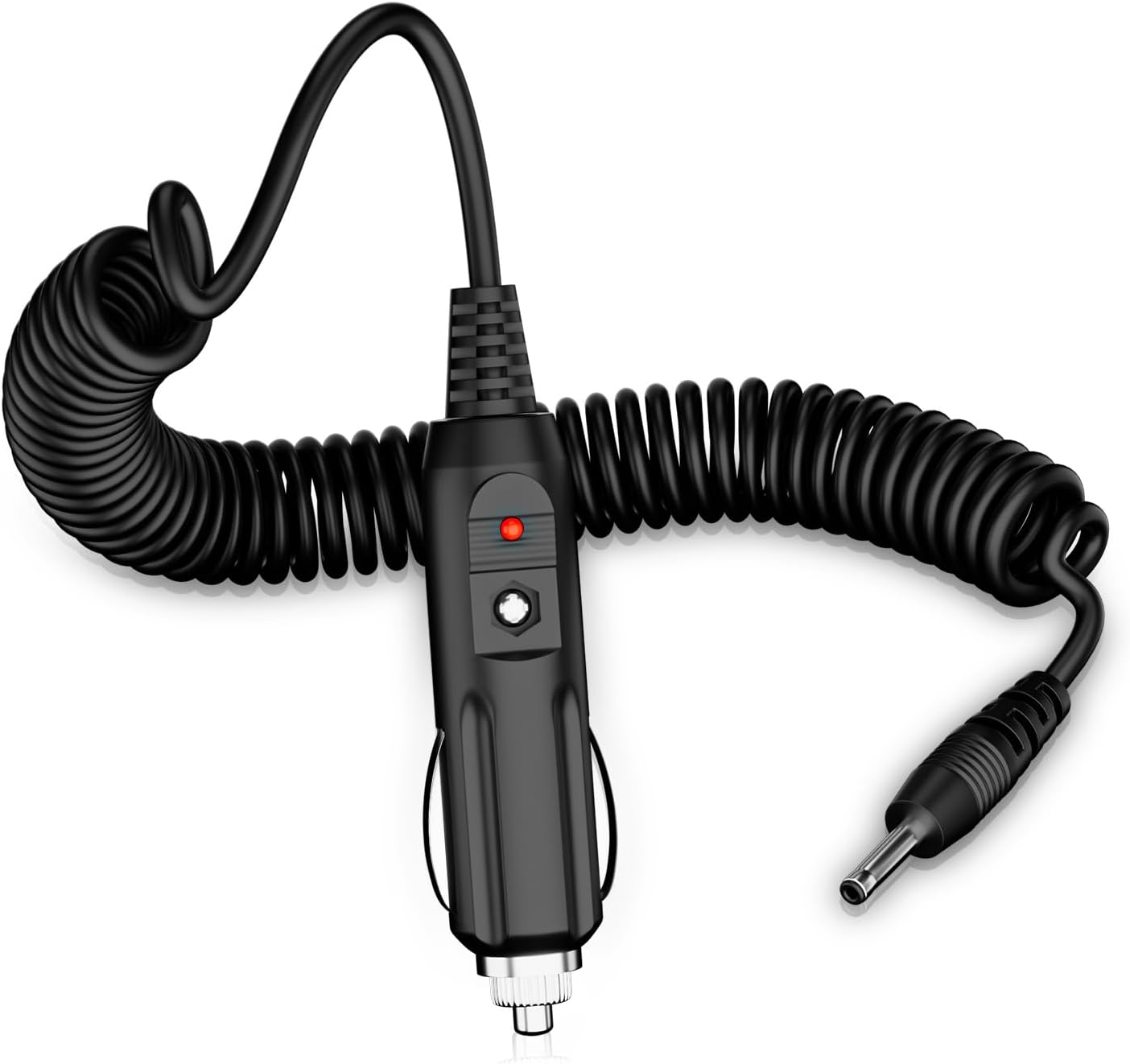
Figure 1: XWNV Car Charger. This image displays the main components of the car charger, including the car cigarette lighter plug, the coiled power cord, and the DC output plug.
Key components of the car charger include:
- Car Plug: Connects to your vehicle's 12V power outlet.
- Work Indicator Light: Illuminates when the charger is active.
- DC Output Plug: Connects to your portable electronic device.

Figure 2: Car Charger Component Diagram. This diagram highlights the positive pole, negative pole, and the work indicator light on the car charger's plug.
Setup
- Verify Compatibility: Ensure your device, such as the Trexonic TRX-1580 or TRX-1680 Portable DVD Player, requires a 12-volt input and has a compatible DC 5.5x2.1mm round connector.
- Connect to Device: Insert the DC output plug of the car charger firmly into the power input port of your portable DVD player or other compatible device.
- Connect to Vehicle: Insert the car plug end of the charger into your vehicle's 12-volt accessory power outlet (cigarette lighter socket).
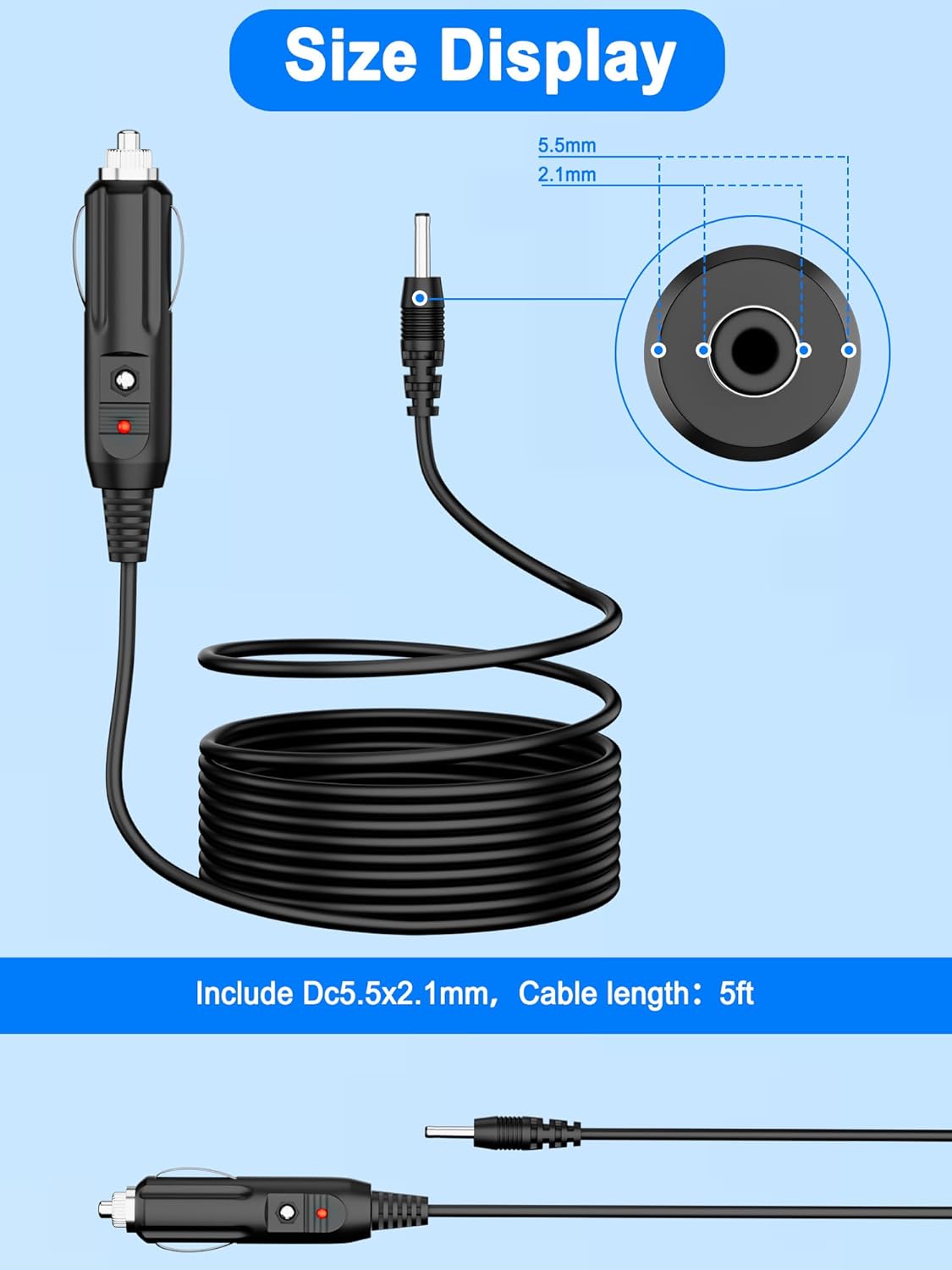
Figure 3: DC Plug Dimensions. This image illustrates the DC plug dimensions (5.5mm outer diameter, 2.1mm inner diameter) and the cable length (5 feet).
Operating Instructions
Once both ends of the charger are securely connected, the work indicator light on the car plug will illuminate, indicating that power is being supplied to your device. Your device should now power on or begin charging, depending on its design.
To disconnect, first remove the car plug from the vehicle's power outlet, then disconnect the DC output plug from your device.
Safety Information
The XWNV Car Charger incorporates multiple protection features to ensure safe operation:
- Over Voltage Protection: Safeguards against excessive voltage input.
- Over Current Protection: Prevents damage from excessive current draw.
- Short Circuit Protection: Protects against damage from short circuits.
- Overheating Protection: Monitors and prevents the charger from reaching unsafe temperatures.
- Overcharge Protection: Helps protect connected devices from overcharging.
- Electrostatic Protection: Guards against electrostatic discharge.

Figure 4: Safety Protection Features. This image displays icons representing the comprehensive safety protections integrated into the car charger.
General Safety Precautions:
- Do not expose the charger to water or extreme temperatures.
- Do not attempt to disassemble or modify the charger.
- Ensure proper ventilation around the charger during prolonged use.
- Keep out of reach of children.
Maintenance
To maintain the longevity and performance of your car charger:
- Clean the charger periodically with a soft, dry cloth.
- Avoid using abrasive cleaners or solvents.
- Store the charger in a cool, dry place when not in use.
- Inspect the cable and connectors for any signs of damage before each use.
Troubleshooting
If your car charger is not functioning as expected, consider the following:
- No Power Indicator Light:
- Ensure the car charger is fully inserted into the vehicle's 12V power outlet.
- Check your vehicle's fuse for the power outlet.
- Verify the vehicle's ignition is on, if required for the outlet to be active.
- Device Not Charging/Powering On:
- Confirm the DC output plug is securely connected to your device.
- Ensure your device is compatible with a 12V input and the 5.5x2.1mm connector.
- Test the charger with another compatible device, if available, to isolate the issue.
Specifications
| Brand | XWNV |
| Model | Car Charger (Compatible with Trexonic TRX-1580, TRX-1680) |
| Input Voltage | 12 Volts DC |
| Connector Type | Round (DC 5.5mm x 2.1mm) |
| Cable Length | 5 feet (approx. 1.5 meters) |
| Special Features | Over Voltage Protection, Over Current Protection, Short Circuit Protection, Overheating Protection, Overcharge Protection, Electrostatic Protection |
| Compatible Devices | Trexonic TRX-1580, TRX-1680 Portable DVD Players, and other devices requiring 12V DC with a 5.5x2.1mm round connector (e.g., Laptops, Speakers, Tablets as specified by manufacturer) |
| Color | Black |
| Item Weight | 3 Ounces (approx. 85 grams) |
| Manufacturer | Dongguan Lewe Electronics Co. , LTD |
| ASIN | B0DZH2N48Q |
Support
For any questions, concerns, or further assistance regarding your XWNV Car Charger, please do not hesitate to contact our customer support. We are committed to providing assistance and ensuring your satisfaction.
Please refer to your purchase documentation or the retailer's website for specific contact methods.


