
1. Introduction
Thank you for purchasing the SMILE STATION OJD-132A 5-in-1 Magnetic Wireless Charger. This device integrates wireless charging for multiple Apple devices, a Bluetooth speaker, and a night light into a single compact unit. Please read this manual carefully before use to ensure proper operation and to maximize the product's lifespan.
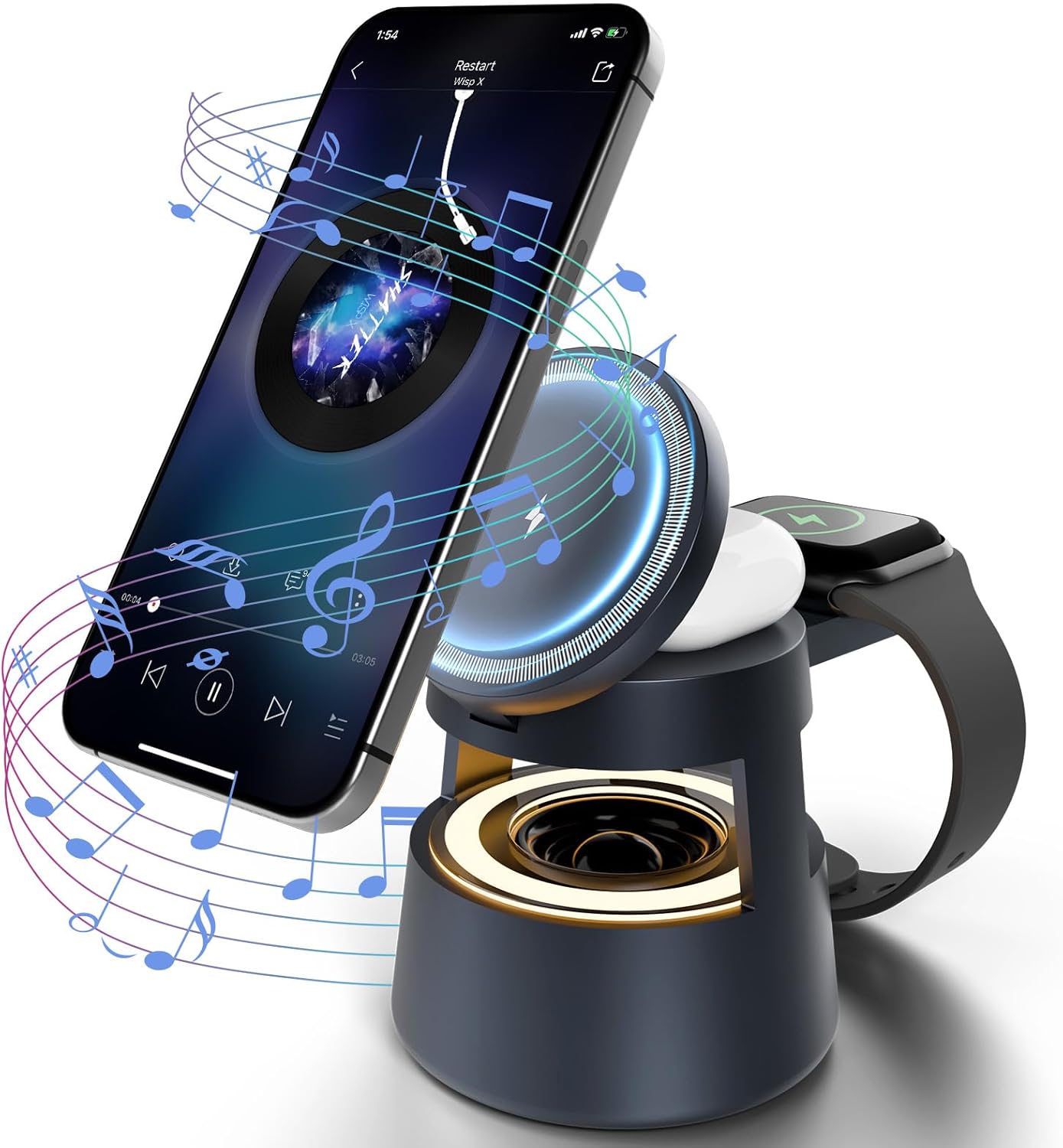
Image: The 5-in-1 Magnetic Wireless Charger in use, charging an iPhone, Apple Watch, and AirPods, with music notes indicating the speaker function.
2. Package Contents
Please verify that all items are included in your package:
- SMILE STATION OJD-132A 5-in-1 Magnetic Wireless Charger
- USB Type-C Charging Cable
- User Manual (this document)
3. Product Overview
The OJD-132A combines multiple functions for convenience. Refer to the image below for a visual guide to its components.

Image: Labeled diagram of the 5-in-1 Wireless Charging Station, highlighting its five main functions: phone charging, earphone charging, watch charging, Bluetooth speaker, and night light.
Key Features:
- Magnetic Wireless Phone Charging: Provides up to 15W charging for compatible iPhones.
- Apple Watch Charging: Dedicated charging spot for Apple Watch.
- AirPods Charging: Wireless charging for AirPods.
- Bluetooth Speaker: Integrated speaker for audio playback.
- Night Light: Dimmable LED light with touch control.
- Foldable Design: Allows for compact storage and portability.
4. Setup
- Unpack the Device: Carefully remove the charging station and all accessories from the packaging.
- Connect Power: Connect the provided USB Type-C cable to the charging port on the back of the device and plug the other end into a suitable power adapter (not included). For optimal performance, use a power adapter that supports 9V input voltage and 15W output.
- Unfold the Charger: The device features a foldable design. Gently unfold the magnetic phone charging pad and the Apple Watch charging arm to their operational positions.
Video: This video demonstrates the setup and various functions of the 5-in-1 Magnetic Wireless Charger, including charging multiple devices simultaneously and using the Bluetooth speaker.
5. Operating Instructions
5.1. Wireless Charging
The OJD-132A supports simultaneous wireless charging for compatible iPhones, Apple Watches, and AirPods.

Image: The charging station actively charging an iPhone (15W), AirPods (3W), and Apple Watch (3W) at the same time.
- For iPhone (Magnetic Charging): Place your MagSafe-compatible iPhone (iPhone 12 series and newer) onto the magnetic charging pad. The phone will automatically align and begin charging. It can be charged vertically or horizontally.
- For Apple Watch: Place your Apple Watch onto the dedicated charging module on the side. Ensure it is properly seated to initiate charging.
- For AirPods: Place your AirPods charging case onto the designated wireless charging area at the base of the unit.
Note: For iPhone 8/X/11 and AirPods 2/3/4, a charging magnetic case is required for magnetic charging functionality.

Image: A close-up view of an iPhone securely attached to the magnetic charging pad, demonstrating the strong magnetic attraction.
5.2. Bluetooth Speaker Operation
The integrated Bluetooth 5.3 speaker allows for audio playback from your connected device.
- Power On: Ensure the charging station is powered on.
- Pairing: On your smartphone or other Bluetooth-enabled device, navigate to Bluetooth settings and search for available devices. Select "OJD-132A" (or similar name) to pair. A confirmation sound will indicate successful pairing.
- Audio Playback: Once paired, audio from your device will play through the speaker. Adjust volume via your connected device.

Image: A group of people gathered around the charging station, which is playing music through its built-in Bluetooth speaker.
5.3. Night Light Operation
The night light features touch control for adjusting brightness levels.
- Turn On/Off: Touch the designated light control area (usually indicated by a light bulb icon) to turn the night light on or off.
- Adjust Brightness: Continue touching the control area to cycle through the 3 adjustable brightness levels.

Image: The night light function of the charging station, demonstrating its three adjustable brightness levels controlled by touch.
6. Compatibility
The SMILE STATION OJD-132A is compatible with a wide range of devices:
- iPhone Series: iPhone 17 Pro Max, iPhone 17 Pro, iPhone 17 Air, iPhone 17, iPhone 16e, iPhone 16 Pro Max, iPhone 16 Pro, iPhone 16, iPhone 16 Plus, iPhone 15 Pro Max, iPhone 15 Pro, iPhone 15, iPhone 15 Plus, iPhone 14 Pro Max, iPhone 14 Pro, iPhone 14, iPhone 14 Plus, iPhone 13, iPhone 13 Pro, iPhone 13 Pro Max, iPhone 13 Pro Mini, iPhone 12 Pro, iPhone 12 Pro Max, iPhone 12, iPhone 12 mini.
- AirPods: AirPods 4, AirPods 3, AirPods Pro 3, AirPods Pro 2, AirPods Pro, AirPods (3rd generation), AirPods 2 Wireless Charging Case.
- Apple Watch: Apple Watch 11/10/9/8/7/6/5/4/3/2/1, Apple Watch SE/3 & Ultra Series.
- Huawei Phone: Mate RS/20 Pro/20 RS/P30 Pro/P40 Pro/P40 Pro +/30/30 Pro/30E Pro/40/40 Pro/40 Pro+/40 RS/40E 5G.
- Samsung Buds: Galaxy Buds Pro/ Buds Live/ Buds Plus + Wireless Charging Case.
Note: For devices without built-in MagSafe compatibility (e.g., iPhone 8/X/11, older AirPods), a magnetic charging case is required to utilize the magnetic phone charging feature.
7. Safety Guidelines
To ensure safe operation and prevent damage, please observe the following:
- Do not disassemble, modify, or repair the device.
- Keep the device away from water, moisture, and high temperatures.
- Avoid dropping or subjecting the device to strong impacts.
- Do not place metal objects or foreign materials on the charging pads, as this may interfere with charging or cause overheating.
- Use only a compatible power adapter (9V input recommended) to power the device.
- This device includes multiple safety protections: over-current, over-voltage, over-temperature, and foreign object detection (FOD).

Image: A visual representation of the charging station's safety mechanisms, including protection against over-current, under-voltage, over-temperature, and foreign object detection.
8. Maintenance
To maintain your charging station in optimal condition:
- Cleaning: Disconnect the power before cleaning. Use a soft, dry cloth to wipe the surface of the device. Do not use abrasive cleaners or solvents.
- Storage: When not in use for extended periods, store the device in a cool, dry place. The foldable design allows for compact storage.

Image: The charging station being folded into a compact shape, demonstrating its flexible and portable design for easy storage or travel.
9. Troubleshooting
If you encounter issues with your device, refer to the following common problems and solutions:
| Problem | Possible Cause | Solution |
|---|---|---|
| Device not powering on. | No power connection or faulty cable/adapter. | Ensure the USB-C cable is securely connected and the power adapter is functional. Try a different cable or adapter. |
| Wireless charging not working. | Device not aligned, foreign object, incompatible case, or device not supported. | Ensure your device is centered on the charging pad. Remove any metal objects or thick cases. Verify device compatibility (MagSafe required for magnetic charging). |
| Slow charging. | Insufficient power input or background apps. | Use a power adapter with sufficient wattage (e.g., 15W or higher). Close unnecessary background applications on your device. |
| Bluetooth speaker not pairing. | Bluetooth not enabled or device too far. | Ensure Bluetooth is enabled on your device and the charging station is within range. Restart both devices and try pairing again. |
| Night light not responding. | Power issue or faulty touch sensor. | Check power connection. Ensure the touch control area is clean and dry. |
10. Specifications
| Feature | Detail |
|---|---|
| Model Number | OJD-132A |
| Product Dimensions | 3.15 x 3.15 x 4.13 inches |
| Item Weight | 8.8 ounces |
| Input Voltage | 9 Volts |
| Wattage | 15 watts (Max for phone) |
| Connector Type | USB Type C |
| Bluetooth Version | 5.3 |
| Night Light Levels | 3 adjustable brightness levels |
| Safety Features | Over Current Protection, Under Voltage Protection, Over Temperature Protection, Foreign Object Detection |
11. Warranty and Support
SMILE STATION products are designed for reliability and performance. For warranty information, technical support, or customer service inquiries, please refer to the contact details provided with your purchase or visit the official SMILE STATION website.
Please retain your proof of purchase for any warranty claims.