
1. Introduction
Thank you for choosing the iClever BTH20 Active Noise Cancelling Headphones for Kids. These headphones are designed with your child's safety and comfort in mind, featuring an 80dBA volume limit and robust construction. Enjoy extended playtime, fast charging, and effective noise reduction for an immersive audio experience.
2. What's in the Box
- iClever BTH20 Active Noise Cancelling Headphones
- USB-C Charging Cable
- 3.5mm Audio Cable
- User Manual
- Carrying Pouch (may vary by package)
3. Product Overview
The iClever BTH20 headphones are designed for ease of use and durability. Key components include:
- Adjustable Headband: Features 10 levels of adjustment for a perfect fit for children aged 3 and up. Padded for comfort.
- Soft Earmuffs: 90° rotatable and made with pressure-reducing, skin-like texture for comfortable wear during extended periods.
- Intuitive Controls: Large, easily accessible buttons for power, volume, and Active Noise Cancellation (ANC) modes.
- Connectivity Ports: Includes a USB-C port for charging and a 3.5mm audio jack for wired connection.
- Foldable Design: The headphones can be folded for compact storage and portability.
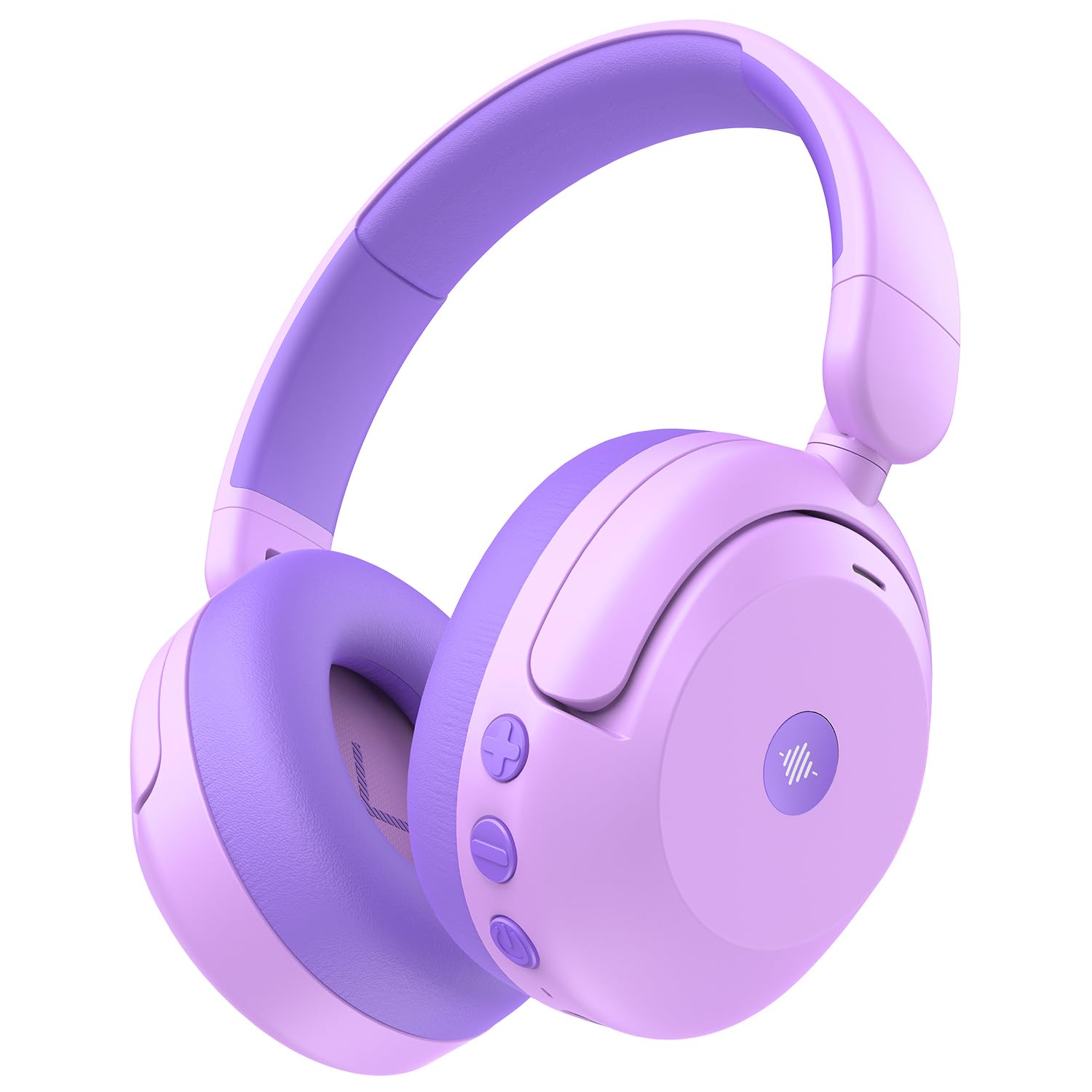
Image: iClever BTH20 headphones in purple, showcasing their over-ear design and vibrant color.

Video: A close-up view of the iClever BTH20 headphones, highlighting the control buttons, charging port, and audio jack. This video demonstrates the physical features and connectivity options.
4. Setup
4.1 Charging the Headphones
- Connect the provided USB-C charging cable to the charging port on the headphones.
- Plug the other end of the USB-C cable into a compatible USB power adapter (not included) or a computer's USB port.
- The LED indicator will show charging status (e.g., red for charging, blue for fully charged).
- A full charge takes approximately 2 hours. A 10-minute fast charge provides about 5 hours of use.
4.2 Bluetooth Pairing
- Ensure the headphones are charged and powered off.
- Press and hold the Power button until the LED indicator flashes blue and red, indicating pairing mode.
- On your device (smartphone, tablet, etc.), enable Bluetooth and search for available devices.
- Select "iClever BTH20" from the list of devices.
- Once connected, the LED indicator will turn solid blue.
4.3 Wired Connection
For devices without Bluetooth or when the battery is low, use the included 3.5mm audio cable:
- Plug one end of the 3.5mm audio cable into the audio jack on the headphones.
- Plug the other end into the 3.5mm audio output of your device.
- Note: Active Noise Cancellation (ANC) is not available when using a wired connection.
5. Operating Instructions
5.1 Power On/Off
- Power On: Press and hold the Power button for 2-3 seconds until the LED indicator lights up.
- Power Off: Press and hold the Power button for 3-5 seconds until the LED indicator turns off.
5.2 Volume Control
The headphones feature an 80dBA volume limit to protect young hearing. Use the dedicated volume buttons:
- Volume Up: Press the '+' button.
- Volume Down: Press the '-' button.
5.3 Active Noise Cancellation (ANC)
The BTH20 headphones offer two noise reduction modes for different environments:
- Activating ANC: Press the ANC button (often marked with a wave icon) to cycle through modes.
- Low Noise Reduction Mode: Provides a gentler ear pressure, suitable for environments with moderate background noise.
- High Noise Reduction Mode: Blocks out most engine and mechanical noises, ideal for travel (e.g., airplanes).

Image: Diagram illustrating the Active Noise Cancellation feature and its effectiveness in reducing ambient sound.
5.4 Microphone Usage
The headphones include an inbuilt microphone for basic voice chat and calls when connected via Bluetooth.
- Answering/Ending Calls: Press the Multi-function button (often the Power button) once.
- Rejecting Calls: Press and hold the Multi-function button for 2 seconds.
6. Comfort and Fit
The iClever BTH20 headphones are designed for maximum comfort for children:
- Adjustable Headband: The 10-level adjustable headband ensures a snug yet comfortable fit for various head sizes, accommodating children from 3 years old and up.
- Soft Ear Cushions: The ear cushions are made from a pressure-reducing, skin-like texture, providing a gentle fit that prevents discomfort during long listening sessions.
- Lightweight Design: Weighing only 220 grams, these headphones are light enough for children to wear without feeling burdened.

Image: A child wearing the iClever BTH20 headphones, demonstrating the comfortable and secure fit.
7. Maintenance
To ensure the longevity and optimal performance of your iClever BTH20 headphones, follow these maintenance guidelines:
- Cleaning: Use a soft, dry cloth to wipe the headphones. Avoid using harsh chemicals or abrasive materials.
- Storage: When not in use, fold the headphones and store them in the provided carrying pouch to protect them from dust and damage. Store in a cool, dry place.
- Avoid Water: These headphones are not water-resistant. Avoid exposure to liquids, moisture, or extreme temperatures.
- Handle with Care: Although durable, avoid excessive bending or dropping the headphones to prevent damage to internal components.
8. Troubleshooting
| Problem | Solution |
|---|---|
| Headphones won't turn on. | Ensure the headphones are fully charged. Connect to a power source using the USB-C cable. |
| Cannot pair via Bluetooth. | Make sure the headphones are in pairing mode (flashing blue/red LED). Turn off and on Bluetooth on your device. Ensure no other devices are connected. |
| No sound or low volume. | Check volume levels on both headphones and the connected device. Ensure the headphones are properly paired or the 3.5mm cable is securely connected. |
| ANC is not working. | Ensure the headphones are powered on and not connected via the 3.5mm audio cable (ANC is only for Bluetooth mode). Press the ANC button to cycle through modes. |
| Microphone not working. | Ensure headphones are connected via Bluetooth. Check microphone settings on your connected device. |
9. Specifications
| Feature | Detail |
|---|---|
| Model Name | BTH20 |
| Brand | iClever |
| Connectivity Technology | Wireless (Bluetooth 5.4) / Wired (3.5mm Jack) |
| Bluetooth Version | 5.4 |
| Bluetooth Range | 10 Meters |
| Noise Control | Active Noise Cancellation (up to 40dB) |
| Volume Limit | 80dBA (iClever Sound Refiner Technology) |
| Audio Driver Size | 40 Millimeters |
| Frequency Range | 20Hz - 20,000Hz |
| Battery Life (ANC Off) | Up to 60 Hours |
| Battery Life (ANC On) | Up to 35 Hours |
| Battery Charge Time | 2 Hours (10-min fast charge for 5 hours playtime) |
| Charging Port | USB-C |
| Material | Acrylonitrile Butadiene Styrene (ABS), Leather, POK (BPA/PVC free) |
| Item Weight | 220 Grams |
| Age Range | 3+ Years |
| Water Resistance | Not Water Resistant |
10. Warranty & Support
iClever products come with a standard warranty. For specific warranty details and to register your product, please refer to the warranty card included in your package or visit the official iClever website.
For technical support, troubleshooting assistance, or any questions regarding your iClever BTH20 headphones, please contact iClever Customer Service:
- Website: Visit the official iClever website for FAQs and support resources.
- Email: Refer to your product packaging or the iClever website for customer support email addresses.


