
1. Product Overview
The Sonix Puffy Laptop and Tablet Sleeve is designed to provide protective storage for your electronic devices. Its quilted and padded construction offers cushioning for tablets, iPads, and 13-14 inch laptops. The exterior is made from water-resistant nylon fabric, and the interior is lined with soft nylon. It features a secure zippered closure and an internal sleeve pocket for small accessories.
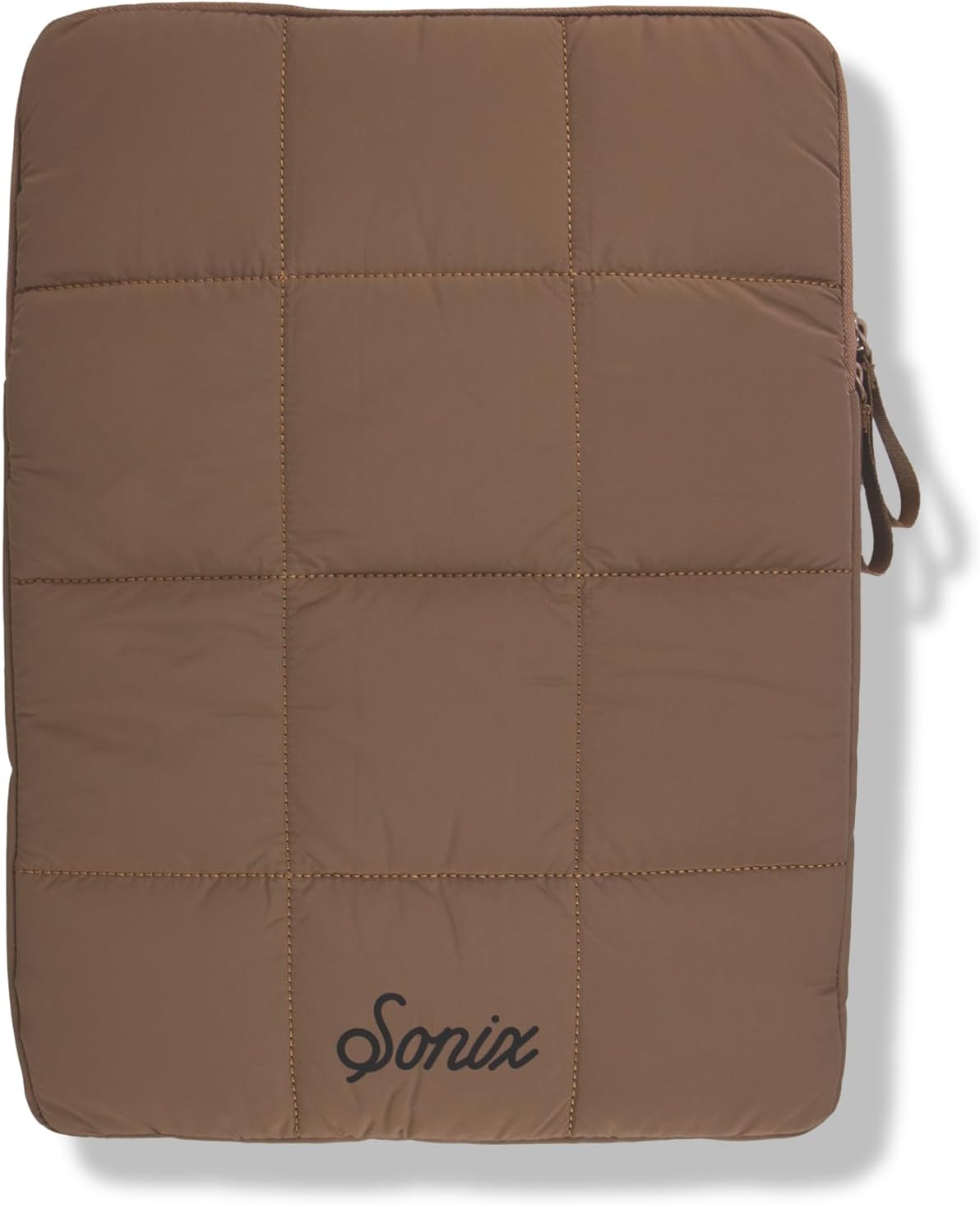
Image 1.1: Top-down view of the Sonix Puffy Laptop Sleeve in Mocha, showcasing its quilted design and the Sonix logo.

Image 1.2: A laptop resting on the open Sonix Puffy Laptop Sleeve, demonstrating its use as a protective surface.
2. Key Features
- Padded Protection: Quilted and stuffed design provides cushioning for devices.
- Water-Resistant Exterior: Constructed from durable nylon fabric to resist water.
- Soft Interior Lining: Lined with soft nylon to prevent scratches.
- Secure Closure: Features a reliable zippered closure.
- Inner Pocket: Includes an internal sleeve pocket for small items.
- Compatibility: Designed for 13-14 inch devices, including various laptops and iPads.

Image 2.1: Visual representation of the sleeve's key features, including its quilted padding, sturdy dual zipper, spacious design for up to 14-inch devices, and water-resistant material.
3. Usage Instructions
To use the Sonix Puffy Laptop Sleeve, simply open the zipper and carefully slide your laptop or tablet into the main compartment. Ensure the device is fully seated within the sleeve before closing the zipper. The internal pocket can be used for storing small accessories such as charging cables or a stylus.

Image 3.1: Demonstrates a laptop being slid into the Sonix Puffy Laptop Sleeve, illustrating the ease of insertion.
4. Dimensions and Compatibility
The sleeve is designed to accommodate devices up to 14 inches. Please refer to the dimensions below to ensure proper fit for your specific device.

Image 4.1: A diagram illustrating the physical dimensions of the sleeve, measuring 15 inches in length, 11 inches in width, and 1.2 inches in thickness.
Compatible Devices:
- Apple MacBook Air
- Dell XPS
- Lenovo ThinkPad
- HP Spectre
- ASUS ZenBook
- Microsoft Surface
- Acer Swift Go
- Lenovo Legion
- Acer Chromebook
- HP OmniBook
- iPad Pro
5. Care and Maintenance
To maintain the appearance and integrity of your Sonix Puffy Laptop Sleeve, it is recommended to spot clean with a damp cloth and mild soap if necessary. Allow to air dry completely. Do not machine wash, bleach, tumble dry, or iron, as this may damage the material and padding.
6. Troubleshooting
Device Does Not Fit:
If your device feels too snug or does not fit, verify its dimensions against the sleeve's stated compatibility (up to 14 inches). Some devices, especially those with external accessories like USB plugs or thick cases, may require a slightly larger sleeve than their screen size suggests. Ensure the device is inserted straight and not at an angle.
7. Product Specifications
| Feature | Detail |
|---|---|
| Brand | Sonix |
| Model | Puffy Laptop Sleeve Case |
| Color | Mocha |
| Compatible Devices | Laptops, Tablets (13-14 inch) |
| Material | Water-resistant nylon fabric (exterior), Soft nylon (lining) |
| Closure Type | Zipper |
| Special Features | Dust Resistant, Inner Pocket, Lightweight, Scratch Resistant |
| Item Weight | 6.7 ounces |
| Package Dimensions | 14.02 x 12.05 x 2.32 inches |
| Manufacturer | Lenntek |
8. Warranty and Support
For information regarding warranty coverage or product support, please visit the official Sonix website or contact their customer service department. Specific warranty details may vary by region and purchase location.
You can find more information and contact details on the Sonix Brand Store.