
Introduction
Thank you for choosing the Invicta Digital Essentials Digital Watch, model ACW8082-006. This manual provides detailed instructions for setting up, operating, and maintaining your new timepiece. Please read this manual thoroughly to ensure proper use and to maximize the lifespan of your watch.
1. Initial Setup
1.1. Watch Overview and Button Functions
Familiarize yourself with the watch's layout and button functions:
- LIGHT (Top Left): Activates the backlight for visibility in low-light conditions.
- MODE (Bottom Left): Cycles through different modes such as Time, Alarm, and Chronograph (Stopwatch).
- SPORT (Middle Left): May have specific functions depending on the active mode, often related to sport timing or data display.
- START (Top Right): Used to start or increment values during setting, or to start the chronograph.
- RESET (Bottom Right): Used to reset values during setting, or to stop and reset the chronograph.
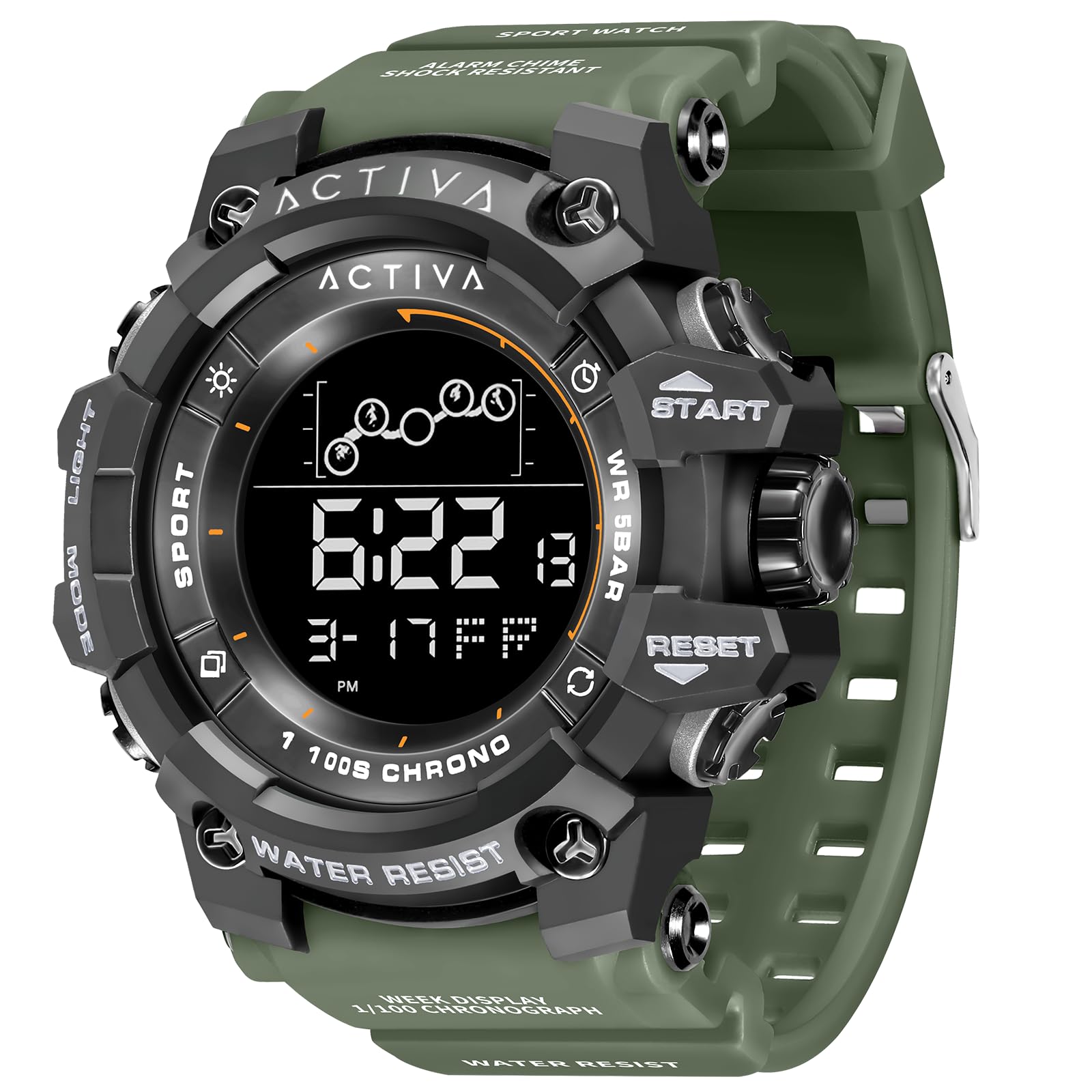
This image displays the Invicta Digital Essentials Digital Watch, model ACW8082-006. The watch features a digital display showing '7:42:18' and '3-15 WE' (March 15, Wednesday). Key buttons are visible: 'LIGHT' on the top left, 'MODE' on the bottom left, 'SPORT' on the middle left, 'START' on the top right, and 'RESET' on the bottom right. The watch has an army green resin band and a black plastic/resin case. Text on the watch face includes 'WATER RESIST', however, please refer to the specifications for actual water resistance level.
1.2. Setting Time and Date
- From the normal time display, press the MODE button repeatedly until you enter the time setting mode (often indicated by flashing digits).
- Use the START button to adjust the flashing digit (hours, minutes, seconds, month, day, year).
- Press the RESET button to move to the next digit or setting field.
- Once all settings are correct, press the MODE button again to exit the setting mode and return to the normal time display.
2. Operating Your Watch
2.1. Time Display
In the default mode, your watch displays the current time, including hours, minutes, seconds, and the date (month, day, and day of the week).
2.2. Using the Chronograph (Stopwatch)
- Press the MODE button until you reach the Chronograph mode (often indicated by 'CHRONO' or 'STW' on the display).
- Press the START button to begin timing.
- Press the START button again to pause the timing.
- Press the RESET button to clear the stopwatch to zero.
2.3. Alarm Function
To set the alarm:
- Press the MODE button until you reach the Alarm mode.
- Press and hold the RESET button (or MODE, depending on the specific model) to enter alarm setting mode.
- Use the START button to adjust the hour and minute digits.
- Press the RESET button to move between hour and minute settings.
- Press the MODE button to exit alarm setting.
To activate/deactivate the alarm, typically press the START button while in Alarm mode.
2.4. Backlight
Press the LIGHT button (top left) to illuminate the display for a few seconds, allowing you to read the time in dark environments.
3. Care and Maintenance
3.1. Cleaning
Wipe your watch regularly with a soft, dry cloth to remove dirt and dust. Avoid using harsh chemicals, solvents, or abrasive cleaners, as these can damage the watch's finish and components.
3.2. Battery Replacement
When the display becomes dim or the watch stops functioning, the battery may need replacement. It is recommended to have the battery replaced by a qualified watch technician to ensure proper sealing and functionality.
3.3. Water Resistance
Important Note: Despite any markings on the watch face, the official product specifications state that this watch is NOT water resistant. To prevent damage, avoid all exposure to water, including rain, splashes, showering, swimming, or submersion.
4. Troubleshooting
4.1. Display is Blank or Faint
- The battery may be low or depleted. Consider battery replacement.
- Ensure the watch has not been exposed to extreme temperatures.
4.2. Time is Incorrect
- Re-set the time and date following the instructions in Section 1.2.
- Check if the watch has been subjected to strong magnetic fields, which can affect accuracy.
4.3. Buttons Not Responding
- Check for any debris or foreign objects lodged around the buttons.
- A low battery can sometimes affect button responsiveness.
If these steps do not resolve the issue, please contact customer support.
5. Product Specifications
| Model Number | ACW8082-006 |
| Display Type | Analog-Digital |
| Watch Movement Type | Quartz |
| Power Source | Battery Powered |
| Water Resistance Level | Not Water Resistant |
| Additional Features | Scratch Resistant |
| Band Material Type | Resin (Note: Product image and included components indicate resin band, despite other listed material types.) |
| Case Material Type | Plastic/Resin (Note: Product image indicates plastic/resin case, despite other listed material types.) |
| Crystal | Mineral Glass |
| Clasp Type | Buckle |
| Department | Unisex-Adult |
| Item Weight | 0.15 Kilograms |
6. Warranty Information
For detailed warranty information, please refer to the warranty card included with your purchase or contact Invicta customer service directly. Warranty terms and conditions may vary by region and retailer.
7. Customer Support
If you encounter any issues or have questions not covered in this manual, please contact your retailer or visit the official Invicta website for support. Please have your watch model number (ACW8082-006) ready when contacting support.