
1. Introduction
Thank you for choosing the SASKATE LCD Thermostat Smart Boiler Temperature Controller. This device is designed to provide precise and efficient temperature management for your boiler system, offering convenience through its LCD display, remote control capabilities, and smart home integration. This manual will guide you through the installation, operation, and maintenance of your new thermostat.

Figure 1.1: Front view of the SASKATE Smart Boiler Thermostat.
Key Features:
- LCD Digital Display: Clear and easy-to-read temperature and status information.
- Multiple Control Modes: Remote control, intelligent timing, touch control, and programmed time control.
- Smart Home Compatibility: Integrates with Tuya App and supports voice control via Tmall Genie and DuerOS.
- Energy Saving: Designed for low power consumption and efficient temperature regulation.
2. Setup and Installation
Before installation, ensure the main power supply to your boiler system is turned off to prevent electrical shock. It is highly recommended that installation be performed by a qualified electrician.
2.1 Package Contents
- 1 x SASKATE Temperature Controller
- 1 x Instruction Manual (this document)
- 2 x Mounting Screws
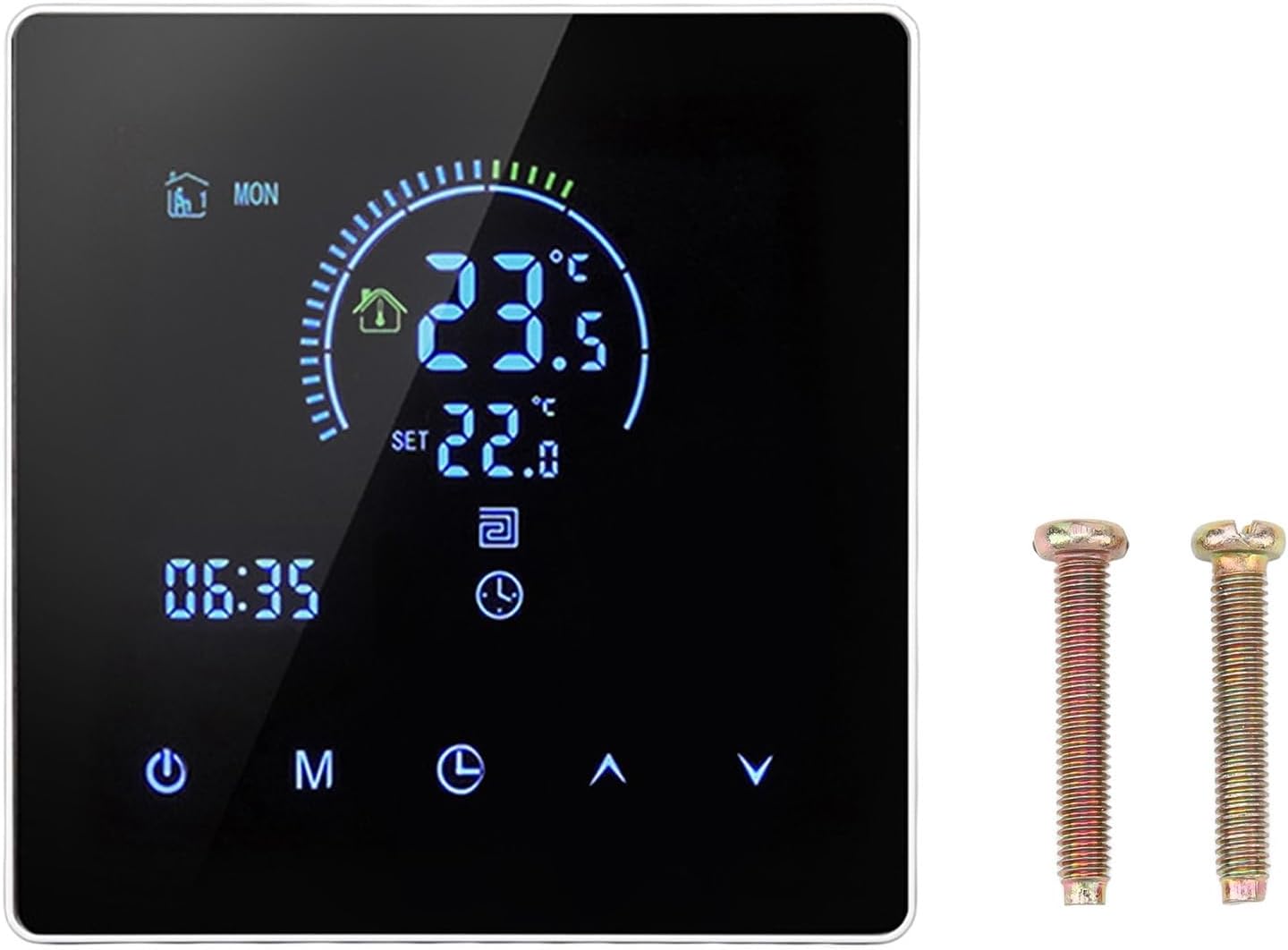
Figure 2.1: Thermostat and included mounting screws.
2.2 Wiring Instructions
The thermostat requires AC90-240V input voltage and has a load current of 3A for pipe type systems, with a maximum load of 3A and maximum power of 3500W. Refer to the wiring diagram on the back of the unit for correct connections.

Figure 2.2: Back view with wiring terminals.
- Power Off: Ensure all power to the boiler system is disconnected at the circuit breaker.
- Mounting: Secure the thermostat base to a standard electrical wall box using the provided screws.
- Connect Wires: Carefully connect the live (L), neutral (N), normally open (NO), and normally closed (NC) wires according to your boiler system's requirements and the diagram on the thermostat's back. Ensure secure connections.
- Attach Front Panel: Once wiring is complete and verified, snap the front panel of the thermostat onto its base.
- Power On: Restore power to the boiler system. The thermostat display should illuminate.
3. Operating Instructions
The SASKATE thermostat features an intuitive LCD display and touch controls for easy operation.
3.1 LCD Display Overview

Figure 3.1: Close-up of the LCD display.
The LCD display shows:
- Current Temperature: The actual room temperature.
- Set Temperature: Your desired temperature.
- Time: Current time.
- Mode Indicators: Icons for heating, fan, and other operational modes.
- Day of the Week: Indication for programmed schedules.
3.2 Button Functions
The thermostat features several touch-sensitive buttons:
- Power Button (⏻): Turns the thermostat On/Off.
- Mode Button (M): Cycles through different operating modes (e.g., Manual, Auto, Program).
- Time/Clock Button (⏱): Used to set the current time and access programming settings.
- Up Arrow (⌃): Increases the set temperature or navigates menu options.
- Down Arrow (⌄): Decreases the set temperature or navigates menu options.
3.3 Control Modes
The thermostat supports four primary control modes:
- Remote Control: Operate the thermostat using a compatible remote control device (if applicable, sold separately).
- Intelligent Timing: Set specific times for the thermostat to adjust temperature automatically.
- Touch Control: Directly adjust settings using the touch buttons on the device.
- Programming Time Control: Create custom weekly schedules to optimize energy usage and comfort.
3.4 Temperature Setting
The temperature setting range is 5-60℃. To adjust the set temperature, press the Up (⌃) or Down (⌄) arrow buttons. The new set temperature will be displayed prominently.
3.5 Smart Home Integration
This thermostat is compatible with the Tuya App for remote control and smart features. It also supports voice control through Tmall Genie and DuerOS. Refer to the Tuya App documentation for detailed setup instructions for smart home integration.
4. Maintenance
Proper maintenance ensures the longevity and optimal performance of your thermostat.
- Cleaning: Wipe the display and casing with a soft, dry cloth. Do not use abrasive cleaners, solvents, or spray directly onto the unit.
- Avoid Obstructions: Ensure the thermostat's vents (if any) are not blocked, as this can affect temperature readings.
- Environmental Conditions: Operate the thermostat within its specified operating environment (-5-50℃) to prevent damage.
5. Troubleshooting
If you encounter issues with your thermostat, try the following solutions:
| Problem | Possible Cause | Solution |
|---|---|---|
| Display is blank | No power; incorrect wiring | Check circuit breaker; verify wiring connections (consult electrician if unsure). |
| Thermostat not controlling boiler | Incorrect mode; wiring issue; boiler problem | Ensure thermostat is in heating mode; re-check wiring; verify boiler is operational. |
| Inaccurate temperature reading | Sensor obstruction; thermostat location | Ensure no drafts or heat sources are directly affecting the thermostat; relocate if necessary. |
| Cannot connect to Tuya App | Wi-Fi issue; incorrect pairing steps | Ensure stable Wi-Fi connection; follow Tuya App pairing instructions carefully. |
If the problem persists after attempting these solutions, please contact customer support.
6. Specifications
| Feature | Specification |
|---|---|
| Item Type | Intelligent Thermostat |
| Material | ABS |
| Temperature Sensor | NTC |
| Temperature Accuracy | ±1℃ |
| Display | LCD Display |
| Operating Environment | -5-50℃ |
| Power Consumption | <1W |
| Temperature Setting Range | 5-60℃ |
| Display Range | 0-50℃ |
| Input Voltage | AC90-240V |
| Load Current | 3A (Pipe Type) |
| Maximum Load | 3A |
| Maximum Power | 3500W |
| Control Modes | Remote Control, Intelligent Timing, Touch Control, Programming Time Control |
| Package Dimensions | 4.33 x 3.94 x 2.76 inches |
| Item Weight | 7.5 ounces |
| Country of Origin | China |
7. Warranty and Support
Specific warranty information for the SASKATE LCD Thermostat Smart Boiler Temperature Controller is not provided in this manual. For details regarding warranty coverage, returns, or technical support, please contact the seller or manufacturer directly through your purchase platform.
For general inquiries or assistance with product operation, refer to the troubleshooting section or visit the manufacturer's official website (if available).