
1. Introduction
Thank you for choosing the Choetech B735 Magnetic Power Bank. This device is designed to provide convenient and efficient charging for your smartphones, smartwatches, and wireless earbuds, featuring both wired and wireless charging capabilities, along with an integrated adjustable stand. Please read this manual carefully before using the product to ensure proper operation and to maximize its lifespan. Keep this manual for future reference.
2. Product Features
- 20W Wired Fast Charging: Provides rapid charging for compatible devices via the integrated USB-C cable.
- 7.5W Magnetic Wireless Charging: Offers convenient wireless charging for Qi-enabled devices with magnetic alignment.
- Integrated USB Type-C Cable: A built-in cable for wired charging and easy portability.
- Adjustable Stand: Features a foldable stand for hands-free viewing of your device in various orientations.
- 10000mAh High Capacity: Sufficient power to charge multiple devices or provide extended use for a single device.
- Compact and Portable Design: Easy to carry and use on the go.
- Digital LED Display: Clearly shows the remaining battery percentage.
- Multi-layer Safety Protection: Built-in safeguards against over-charge, over-temperature, over-voltage, over-current, and smart IC chip protection.
3. Package Contents
Please check the package for the following items:
- 1 x Choetech B735 Magnetic Power Bank
- 1 x Integrated USB-C Cable
- 1 x User Manual

Image: The Choetech B735 power bank, its integrated USB-C cable, the user manual, and the product packaging box, indicating a 2-year warranty.
4. Setup
4.1 Initial Charging of the Power Bank
- Before first use, fully charge your Choetech B735 power bank.
- Connect the integrated USB-C cable to a compatible USB power adapter (not included).
- The digital LED display will show the charging progress. It is fully charged when the display shows "100".
4.2 Understanding the Digital LED Display
The LED display indicates the current battery percentage of the power bank. This allows you to monitor the power level and know when to recharge the power bank.
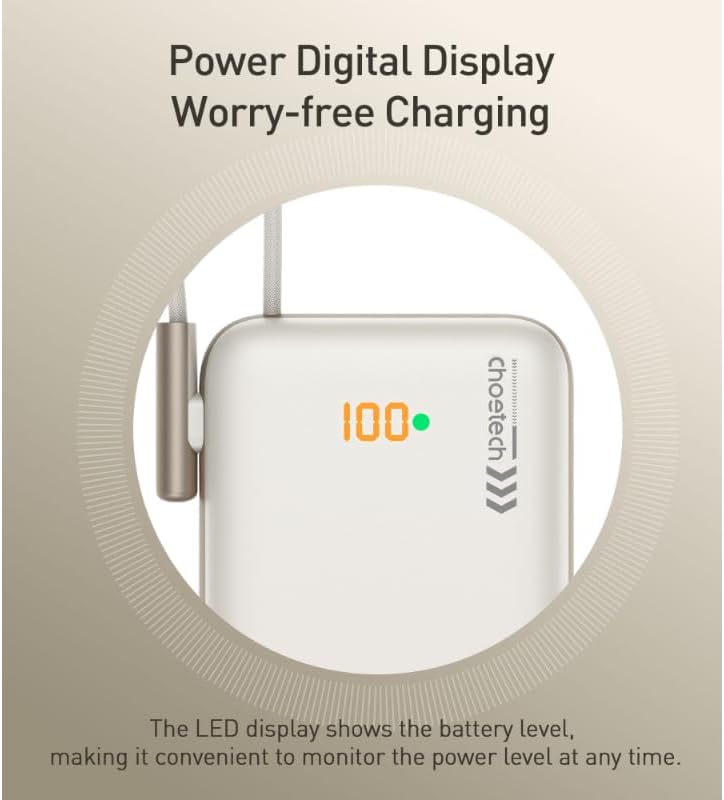
Image: A close-up of the power bank's LED digital display showing "100" and a green dot, indicating a full charge and the battery level monitoring feature.
5. Operating Instructions
5.1 Wired Charging
- Pull out the integrated USB-C cable from its storage slot on the power bank.
- Connect the USB-C end of the cable directly to your device's charging port.
- The power bank will automatically begin charging your device. The LED display will show the power bank's remaining charge.
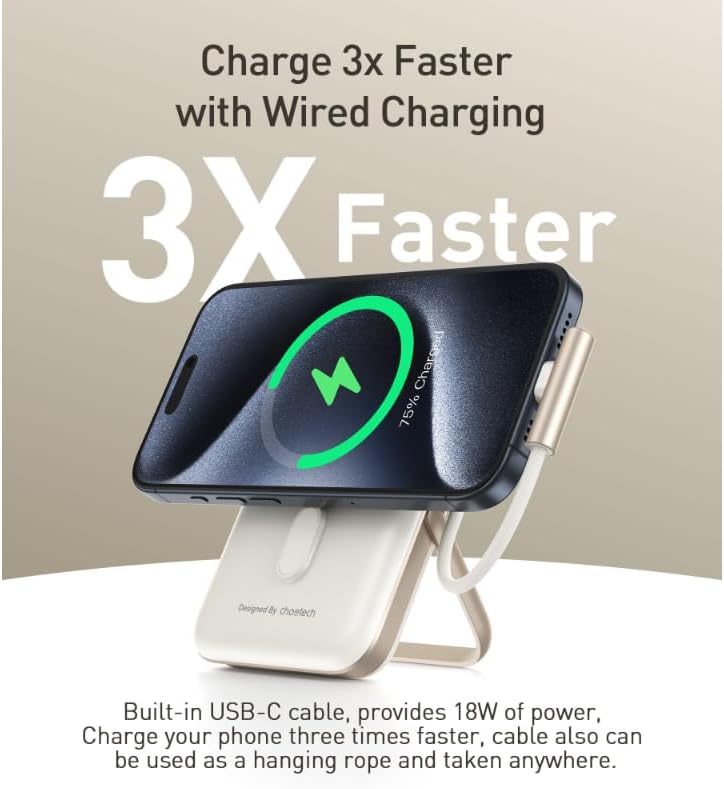
Image: A smartphone connected to the power bank via the integrated USB-C cable, with a graphic indicating rapid wired charging.
5.2 Wireless Charging
- Ensure your device supports Qi wireless charging and has magnetic alignment capabilities (e.g., iPhone 12 series and newer).
- Align your device with the magnetic charging pad on the front of the power bank. The magnets will help snap your device into the correct position.
- Wireless charging will begin automatically. The LED display will show the power bank's remaining charge.
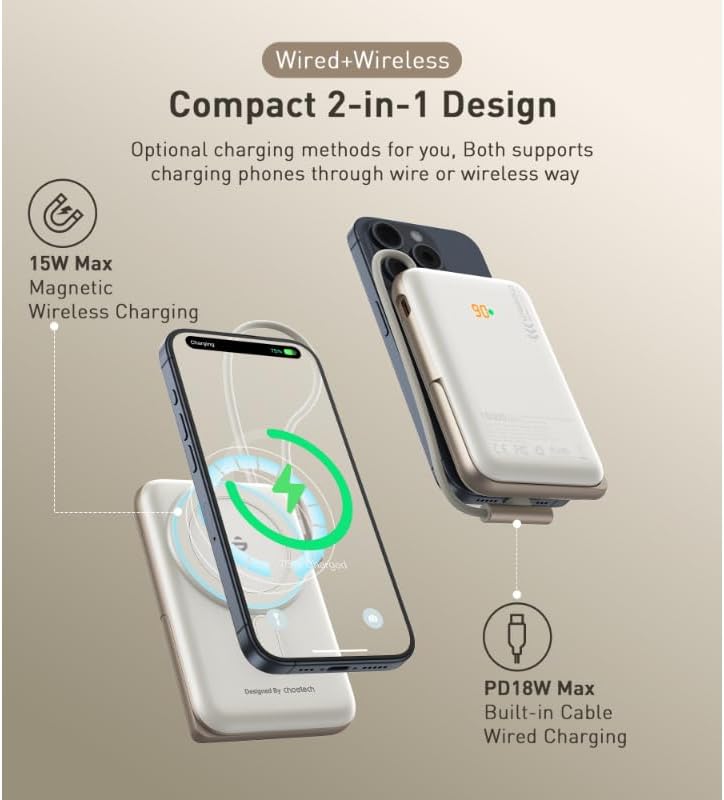
Image: An illustration showing the power bank simultaneously charging a phone wirelessly via its magnetic pad and another phone via its integrated USB-C cable, highlighting its dual charging capabilities.
5.3 Using the Adjustable Stand
- Gently pull out the integrated stand from the back of the power bank.
- Adjust the stand to your desired viewing angle.
- Attach your smartphone to the magnetic charging pad. The stand allows for both horizontal and vertical viewing while charging.
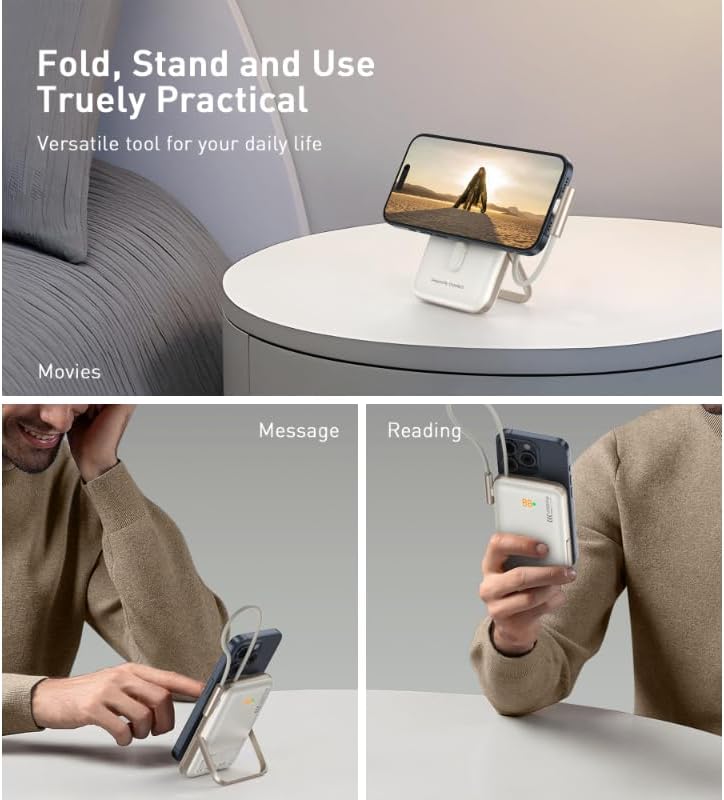
Image: A multi-panel image showing the power bank's adjustable stand being used in different scenarios: holding a phone for watching movies, for checking messages, and for reading.
5.4 Device Compatibility
The Choetech B735 is widely compatible with various devices:
- iOS Devices: iPhone 12, 13, 14, 15 Series (for magnetic wireless charging).
- Android Devices: Samsung Galaxy S Series, Google Pixel (for wired charging and Qi wireless charging without magnetic alignment).
- Wireless Qi-enabled Earbuds: AirPods Pro, Sony WF, and other compatible earbuds.
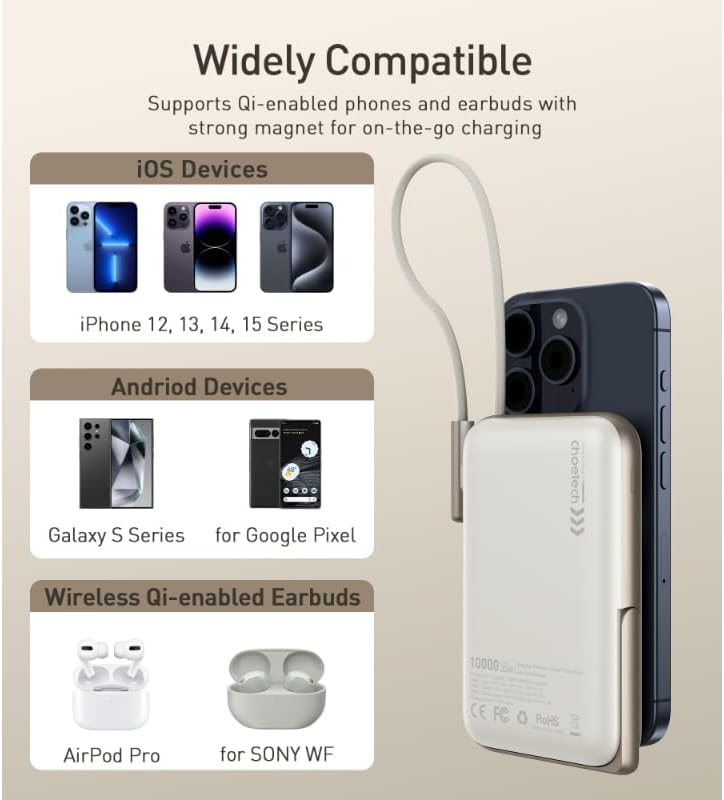
Image: An image displaying the power bank attached to a smartphone, with sections illustrating compatibility with various iOS devices, Android devices, and wireless Qi-enabled earbuds.
6. Maintenance
- Cleaning: Use a soft, dry cloth to clean the power bank. Do not use liquid cleaners or aerosols.
- Storage: Store the power bank in a cool, dry place away from direct sunlight and extreme temperatures.
- Battery Care: To prolong battery life, fully charge the power bank at least once every three months if not in regular use. Avoid completely draining the battery frequently.
- Handling: Do not drop, disassemble, or attempt to repair the power bank yourself. This may void the warranty and cause damage.
7. Troubleshooting
| Problem | Possible Solution |
|---|---|
| Power bank not charging. |
|
| Device not charging (wired). |
|
| Device not charging (wireless). |
|
| Slow charging. |
|
8. Specifications
| Feature | Detail |
|---|---|
| Model Name | B735 |
| Brand Name | Choetech |
| Color | White |
| Connector Type | USB Type-C (integrated cable) |
| Wired Charging Output | Up to 20W |
| Wireless Charging Output | Up to 7.5W (Magnetic) |
| Battery Capacity | 10000mAh |
| Number of Ports | 2 (1x integrated USB-C, 1x wireless pad) |
| Compatible Devices | Smartphones (iOS & Android), Wireless Qi-enabled Earbuds |
| Product Dimensions (L x W x T) | 8.7 x 10.7 x 17.2 cm |
| Special Features | Fast Charging, Wireless Charging, Adjustable Stand, Digital Display |

Image: A hand holding the compact power bank attached to a smartphone, with text indicating "10000mAh" capacity and charging estimates (1.8 charges for iPhone 13, 2 charges for iPhone 12).
9. Safety Information
Please observe the following safety precautions to prevent damage to the product or injury to yourself:
- Do not expose the power bank to water, moisture, or extreme temperatures.
- Avoid dropping or subjecting the power bank to strong impacts.
- Do not attempt to disassemble, repair, or modify the device.
- Keep out of reach of children.
- Do not place metal objects or magnetic cards near the wireless charging pad during operation.
- Use only compatible charging adapters and cables.
- Dispose of the power bank responsibly according to local regulations.

Image: A diagram illustrating the internal protection mechanisms of the power bank, including Over-Charge, Over-Temp, Over-Voltage, Over-Current, and Smart IC Chip Protection.
10. Warranty and Support
The Choetech B735 Magnetic Power Bank comes with a 2-year warranty from the date of purchase. This warranty covers manufacturing defects and ensures the product meets its specified performance standards under normal use.
For technical support, warranty claims, or any questions regarding your product, please contact Choetech customer service through their official website or the retailer where you purchased the product. Please have your purchase receipt and product model number (B735) ready when contacting support.
