
1. Setup
Before first use, please follow these steps to ensure proper function and ice quality.
- Unpacking: Carefully remove the ice maker from its packaging. Inspect for any damage during transit.
- Placement: Place the ice maker on a stable, level surface away from direct sunlight and heat sources. Ensure adequate ventilation around the unit.
- Cleaning: Before initial use, clean the interior of the ice maker. Refer to the Maintenance section for detailed cleaning instructions.
- Add Water: Open the lid and fill the water reservoir with clean, potable water up to the MAX fill line. Do not overfill.
- Power Connection: Plug the ice maker into a grounded 110V electrical outlet.

Image: The ecozy ice maker positioned on a kitchen countertop, illustrating its compact size and placement.
2. Operating Instructions
Follow these steps to produce ice with your ecozy ice maker.
- Power On: Press the ON/OFF button on the control panel to start the ice making cycle. The Power indicator light will illuminate.
- Select Ice Size: Press the SELECT button to choose between Small (S) or Large (L) bullet-shaped ice cubes. The corresponding indicator light will illuminate.
- Small Ice: Ideal for quick chilling and beverages where ice melts faster.
- Large Ice: Suitable for drinks requiring slower melting ice.
- Ice Production: The ice maker will begin producing ice. The first batch typically takes approximately 6-15 minutes, depending on the selected size and ambient temperature.
- Ice Full Indicator: When the ice basket is full, the ICE FULL indicator light will turn on, and the ice making cycle will pause automatically. Remove ice from the basket to resume production.
- Add Water Indicator: If the water reservoir is low, the ADD WATER indicator light will illuminate. Add more water to the reservoir to continue ice production.
- Power Off: To stop the ice maker, press the ON/OFF button again.

Image: Close-up of the ice maker's control panel, highlighting the ON/OFF, SELECT buttons, and indicator lights for ADD WATER, ICE FULL, POWER, SMALL, and LARGE.
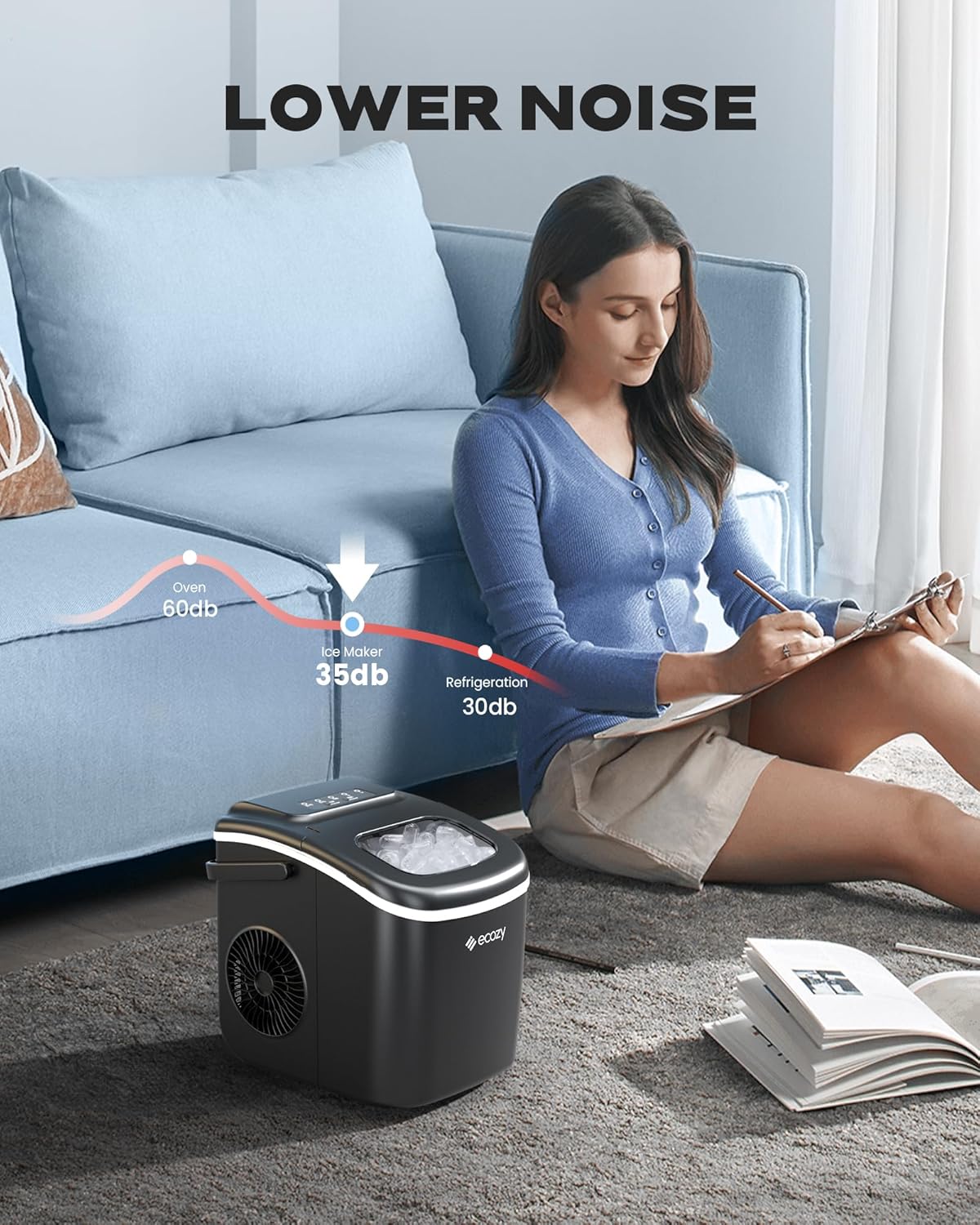
Image: A visual comparison of the two available ice cube sizes (Small and Large) produced by the machine.
3. Maintenance and Cleaning
Regular maintenance ensures optimal performance and extends the lifespan of your ice maker.
3.1 Self-Cleaning Function
The ecozy ice maker features a convenient one-touch self-cleaning function.
- Empty Water: Ensure the ice maker is empty of ice and water.
- Add Water: Fill the water reservoir with clean water up to the MAX fill line.
- Start Self-Clean: Press and hold the SELECT button for 3-5 seconds to activate the self-cleaning cycle. The unit will circulate water to clean internal components.
- Drain Water: After the cycle completes (approximately 15 minutes), drain the water from the unit using the built-in drain plug located at the bottom.
- Rinse: Rinse the reservoir with fresh water and drain again to remove any residue.

Image: The ice maker's internal components during a self-cleaning cycle, demonstrating water circulation.
3.2 Regular Cleaning
- Wipe the exterior with a soft, damp cloth.
- Clean the ice basket and scoop with mild detergent and warm water. Rinse thoroughly.
- For long-term storage, ensure the unit is completely dry before storing.
4. Troubleshooting
Refer to this section for common issues and their solutions.
| Problem | Possible Cause | Solution |
|---|---|---|
| Ice maker not producing ice. | No water in reservoir; unit not plugged in; ambient temperature too high. | Fill water reservoir; ensure power cord is securely plugged in; operate in a cooler environment. |
| "ADD WATER" indicator is on. | Water level is too low. | Add clean, potable water to the reservoir up to the MAX fill line. |
| "ICE FULL" indicator is on. | Ice basket is full. | Remove ice from the basket. Ice production will resume automatically. |
| Ice cubes are small or cloudy. | Water quality; selected ice size; ambient temperature. | Use purified water; select "Large" ice size; ensure proper ventilation. |
| Unusual noise during operation. | Normal operation sounds (compressor, water pump); unit not level. | Ensure the unit is on a stable, level surface. If noise persists or is excessive, contact support. |
5. Specifications
| Feature | Detail |
|---|---|
| Brand | ecozy |
| Model Name | IM-BS260C |
| Product Dimensions (D x W x H) | 8.74" x 11.57" x 11.42" |
| Ice Production Capacity | Up to 26 lbs per 24 hours |
| Voltage | 110 Volts |
| Refrigerant | R600a |
| Material Type | Plastic |
| Included Components | Ice maker, Ice basket, Ice scoop |

Image: Diagram illustrating the dimensions of the ecozy ice maker (8.74"D x 11.57"W x 11.42"H).
6. Warranty and Support
6.1 Warranty Information
This ecozy ice maker is covered by a manufacturer's warranty. Please refer to the warranty card included with your product for specific terms and conditions, including coverage duration and claim procedures. Keep your purchase receipt as proof of purchase.
6.2 Customer Support
For technical assistance, troubleshooting not covered in this manual, or warranty claims, please contact ecozy customer support. You can find contact information on the official ecozy website or through the retailer where you purchased the product.
Visit the official ecozy store for more information: ecozy Store