
PGST PGST A105F
PGST Home Alarm System User Manual
Model: PGST A105F
Brand: PGST
1. Product Overview
The PGST Home Alarm System is a comprehensive wireless security solution designed to protect your home with advanced features and ease of use. This 21-piece kit includes a FullTouch Screen control panel, door/window sensors, and motion detectors, providing robust protection without the need for monthly fees.
The system supports 4G SMS and phone app instant alerts, ensuring you are notified of any security events from anywhere. It is compatible with popular smart home platforms like Google Assistant and the Smart Life/Tuya App for convenient control.

Figure 1: Complete PGST Home Alarm System 21-Piece Kit
Key Features:
- Real-Time Alerts & No Monthly Fees: Receive instant notifications via the Smart Life/Tuya App and 4G GSM card (for calls/SMS) without recurring charges.
- Multiple Alarm Modes: Supports Arm, Disarm, and Stay at Home modes for flexible security management.
- Intelligent & Precise Control: Accurately detects intrusions and can be expanded with additional PGST accessories like smoke detectors and security cameras.
- Easy DIY Installation: Designed for simple setup in key areas of your home.
- Voice Control: Compatible with Google Assistant and Amazon Alexa for hands-free operation.
- Multi-Language Support: The system supports 11 languages for user convenience.

Figure 2: Multi-Language Support for the Alarm System
2. Setup Guide
This section provides instructions for the initial setup and installation of your PGST Home Alarm System.
2.1 Unboxing and Component Check
Carefully unpack all components and verify that all items listed in the product packaging are present. The 21-piece kit typically includes the main control panel, door/window sensors, motion detectors, remote controls, and RFID tags.
2.2 Main Control Panel Installation
Choose a central location in your home for the main control panel, ideally near your Wi-Fi router. The panel can be mounted on a wall using screws (Screw-In Installation Type) or placed on a flat surface. Ensure it is within range of all sensors.
2.3 Sensor Placement and Installation
Install door/window sensors on entry points such as doors and windows. Motion detectors should be placed in areas where intruders are likely to pass, covering a wide detection range (e.g., 110-degree field of view for motion sensors).

Figure 3: Recommended placement for Door/Window and Motion Sensors
2.4 Network Configuration (Wi-Fi & 4G GSM)
The system supports 2.4GHz Wi-Fi and a 4G GSM card for connectivity. Follow the on-screen instructions on the FullTouch screen to connect to your home Wi-Fi network. For 4G SMS/call alerts, insert a compatible 4G GSM SIM card (not included) into the control panel.

Figure 4: Network Configuration Steps
2.5 Pairing Sensors and Accessories
Refer to the control panel's menu for instructions on pairing the included door/window sensors and motion detectors. The system allows for easy addition of more sensors and accessories, such as sirens, cameras, smoke detectors, and water immersion detectors, from the PGST store.
3. Operating Your System
The PGST Home Alarm System offers various modes and features for daily security management.
3.1 Arming and Disarming
You can arm or disarm the system using the FullTouch screen, the mobile app, or the provided remote controls. The system supports scheduled arming and disarming to fit your daily routine.

Figure 5: Automatic Arm/Disarm Scheduling
3.2 Mobile App Control
Download the Smart Life or Tuya App from your device's app store. Once connected, you can remotely monitor your home, arm/disarm the system, receive alerts, and manage connected accessories.
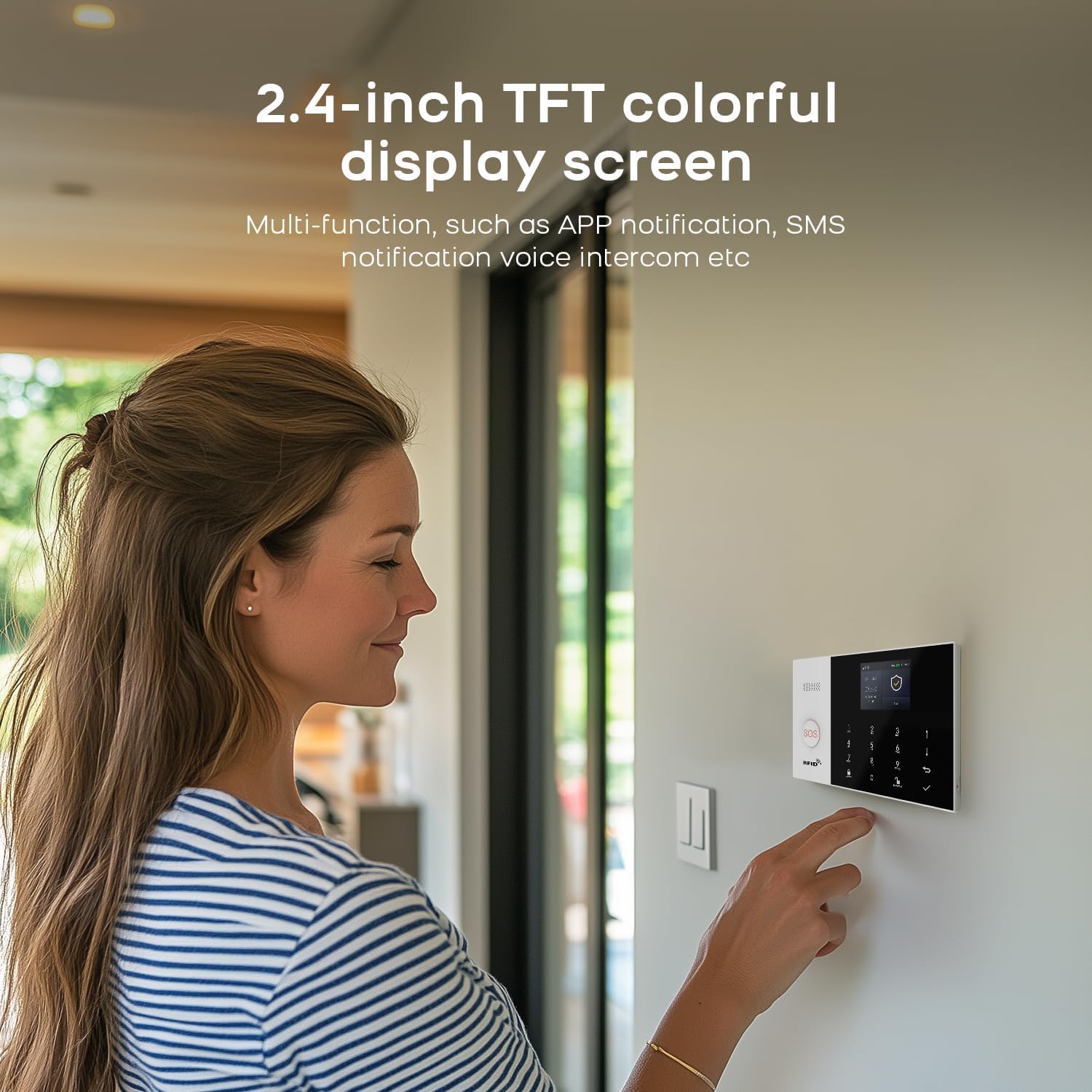
Figure 6: FullTouch Screen Interface
3.3 Voice Control Integration
Integrate your alarm system with Google Assistant or Amazon Alexa for convenient voice commands. Simply say "Alexa, Disarm my home!" or similar commands to control your system.

Figure 7: Voice Control via Smart Assistants
3.4 Alarm Notifications and Voice Intercom
When an anomaly is detected, the system triggers an alarm and sends instant alerts to your mobile app. If a 4G GSM card is installed, it can also make calls or send SMS messages to preset numbers. For connected cameras, the voice intercom feature allows you to speak through the camera to deter intruders.

Figure 8: Preset Alarm Calls ensure no missed alerts
Video 1: PGST105 Home Security Alarm System Overview. This video demonstrates various features including anti-theft detection (0:08-0:22), voice intercom to deter intruders (0:24-0:29), SOS alarm for emergencies (0:31-0:49), smart doorbell prompt (0:51-1:01), water immersion detection (1:04-1:08), smoke detection (1:09-1:14), and solar siren functionality (1:15-1:17).
3.5 SOS Alarm Function
The system includes an SOS button (or can be paired with one) for emergency situations. When pressed, it triggers an immediate alarm and sends alerts to pre-configured emergency contacts, providing timely assistance, especially for the elderly or those in need.

Figure 9: SOS Button for Emergency Alerts
3.6 Anti-Demolition Alarm
The main control panel features an anti-demolition alarm. If the device is forcibly removed from its installed location, it will beep an alarm locally and send a call or text message to the host, alerting you to tampering.

Figure 10: Anti-Demolition Alarm Mechanism
4. Maintenance
Proper maintenance ensures the longevity and optimal performance of your alarm system.
4.1 Battery Monitoring
The system provides alerts for low battery levels in wireless sensors. When a door magnet or infrared sensor detects low voltage, it sends signals to the host, which then pushes information to your app.

Figure 11: Wireless Sensor Low Battery Alert
4.2 Cleaning
Regularly clean the control panel and sensors with a soft, dry cloth. Avoid using abrasive cleaners or solvents that could damage the surfaces.
4.3 Firmware Updates
Check the Smart Life/Tuya App periodically for any available firmware updates for your alarm system. Keeping the firmware updated ensures optimal performance and access to new features.
5. Troubleshooting
This section addresses common issues you might encounter with your PGST Home Alarm System.
5.1 Connectivity Issues
- System not connecting to Wi-Fi: Ensure your Wi-Fi is 2.4GHz (5G Wi-Fi is not supported). Check your Wi-Fi password and signal strength.
- 4G GSM card not working: Verify the SIM card is active and has sufficient balance/data. Ensure it is correctly inserted.
5.2 Sensor Malfunctions
- Sensor not triggering alarm: Check sensor battery levels (refer to Maintenance section). Ensure the sensor is properly paired with the main panel. Verify correct installation and alignment for door/window sensors.
- False alarms: Ensure motion detectors are placed away from direct sunlight, heat sources, or areas with pets that might trigger them. Adjust sensitivity settings if available.
5.3 App Related Issues
- App not receiving alerts: Check app notification settings on your phone. Ensure the app is running in the background and has necessary permissions. Verify stable internet connection on both the alarm system and your phone.
- Difficulty with setup or operation: If you encounter difficulties, please refer to the detailed operation videos provided by the manufacturer.
6. Specifications
| Feature | Detail |
|---|---|
| Brand | PGST |
| Model Number | PGST A105F |
| Style | 21 PIECE KITS |
| Power Source | Battery Powered |
| Compatible Devices | Smartphone (iOS/Android) |
| Item Dimensions (L x W x H) | 8 x 6 x 4 inches |
| Connectivity Technology | Wireless (2.4GHz Wi-Fi, 4G GSM) |
| Installation Type | Screw-In |
| Alert Type | Audio & Motion, App Push, SMS, Phone Call |
| Control Method | App, Touch Screen, Remote Control, Voice (Alexa/Google) |
| Included Components | 1 X PGST105F Alarm System (21-piece kit includes various sensors and accessories) |
| Sensor Technology | Motion Sensor, Door/Window Sensor |
| UPC | 704444503058 |
| Item Weight | 2.57 pounds |
7. Warranty and Support
PGST is committed to providing reliable and innovative home security solutions. Your satisfaction is our priority.
7.1 Warranty Information
The PGST Home Alarm System comes with a 1-Year Warranty from the date of purchase. This warranty covers manufacturing defects and ensures the product functions as intended under normal use. Please retain your proof of purchase for warranty claims.
7.2 Customer Support
If you have any questions, require assistance with setup, operation, or troubleshooting, or need to make a warranty claim, please do not hesitate to contact us. We are dedicated to providing comprehensive support.
Additional operation videos and support resources may be available. Please check the official PGST website or contact our customer service team for further assistance.
Related documentsPGST A105F


Ask a question about this manual
Ask about setup, troubleshooting, compatibility, parts, safety, or missing instructions. Manuals+ will review the question and use this page’s manual context to help answer it.