
Introduction
This manual provides detailed instructions for the safe and efficient use of your bototek Surge Protector Power Strip. Please read this manual thoroughly before operating the device and retain it for future reference.
The bototek Surge Protector Power Strip is designed to provide power to multiple electronic devices while offering protection against power surges. It features 6 AC outlets and 6 USB charging ports, making it suitable for various home, office, and dorm environments.

Image: Overview of the bototek Surge Protector Power Strip, showcasing its 6 AC outlets, 6 USB ports, and 6-foot cord.
Safety Instructions
To ensure safe operation and prevent damage, please observe the following safety precautions:
- Do not exceed the maximum power rating of 1625W or 13A. Overloading the power strip can cause overheating and fire hazards.
- This device is for indoor use only. Do not expose it to moisture, rain, or wet conditions.
- Do not disassemble or modify the power strip. Refer all servicing to qualified personnel.
- Keep away from heat sources, direct sunlight, and flammable materials.
- Ensure the power cord is fully inserted into a grounded wall outlet.
- Do not use with aquariums or other water-related products.
- Avoid running the power cord under carpets or rugs, as this can cause overheating.
- Do not plug one power strip into another.
Product Features
The bototek Surge Protector Power Strip offers a range of features for convenient and safe power distribution:
- Multiple Outlets: Equipped with 6 standard AC outlets and 6 USB charging ports, allowing simultaneous power for up to 12 devices.
- Advanced Surge Protection: Features 3 complementary surge protection circuits (TVS, MOV, GDT) with a minimum energy-absorbing capacity of 2100 Joules, providing enhanced protection against power surges. A "SURGE PROTECTED" indicator light confirms active protection.
- Smart USB Charging: Each USB port delivers up to 5V/2.4A, automatically detecting and providing the optimal charging current for connected devices.
- Comprehensive Safety: Built-in high-current, over-load, and short-circuit protection for all charging ports ensures 100% safe charging.
- Flat Plug Design: The low-profile flat plug saves space and allows furniture to be placed closer to the wall.
- Long Extension Cord: A 6-foot power cord provides flexibility in placement.
- Mountable Design: Keyhole slots on the back allow for easy wall or desk mounting.

Image: Diagram illustrating the "ONE for ALL" capability with 6 USB ports, 6 AC outlets, and a 6-foot extension cord.

Image: Illustration of the superior and multiple protection features, including short-circuit, over-current, overload, and surge protection, along with fireproof material.

Image: Comparison showing the space-saving benefit of the flat plug design, allowing furniture to be placed closer to the wall.
Setup
- Unpack: Carefully remove the surge protector from its packaging.
- Placement: Choose a dry, indoor location away from heat sources and direct sunlight. Ensure the 6-foot extension cord can reach a grounded wall outlet without being stretched or obstructed.
- Mounting (Optional): If desired, use the keyhole slots on the back of the power strip to mount it to a wall or under a desk. Ensure appropriate screws and anchors are used for secure installation.
- Plug In: Insert the flat plug of the surge protector firmly into a standard 3-prong grounded 125V AC wall outlet.
- Power On: Flip the red ON/OFF switch to the "ON" position. The "Grounded" and "Protected" indicator lights should illuminate, confirming proper grounding and active surge protection.
- Connect Devices: Plug your electronic devices into the AC outlets and/or USB charging ports.
Operating Instructions
Using your bototek Surge Protector Power Strip is straightforward:
- AC Outlets: Plug devices requiring AC power directly into any of the 6 AC outlets. Ensure the total wattage of all connected AC devices does not exceed 1625W.
- USB Charging Ports: Connect your USB-powered devices (e.g., smartphones, tablets, smartwatches) to any of the 6 USB ports using their respective charging cables. The smart charging technology will automatically deliver the optimal current up to 2.4A per port.
- Power Switch: The red ON/OFF switch controls power to all AC outlets and USB ports. Flip it to "OFF" to cut power to all connected devices.
- Indicator Lights:
- Grounded (Green): Illuminates when the power strip is properly grounded.
- Protected (Green): Illuminates when the surge protection is active and functioning. If this light goes out, the surge protection has been compromised, and the unit should be replaced.

Image: Illustration of multiple devices, including a tablet and smartphone, simultaneously fast charging via the 6 USB ports.
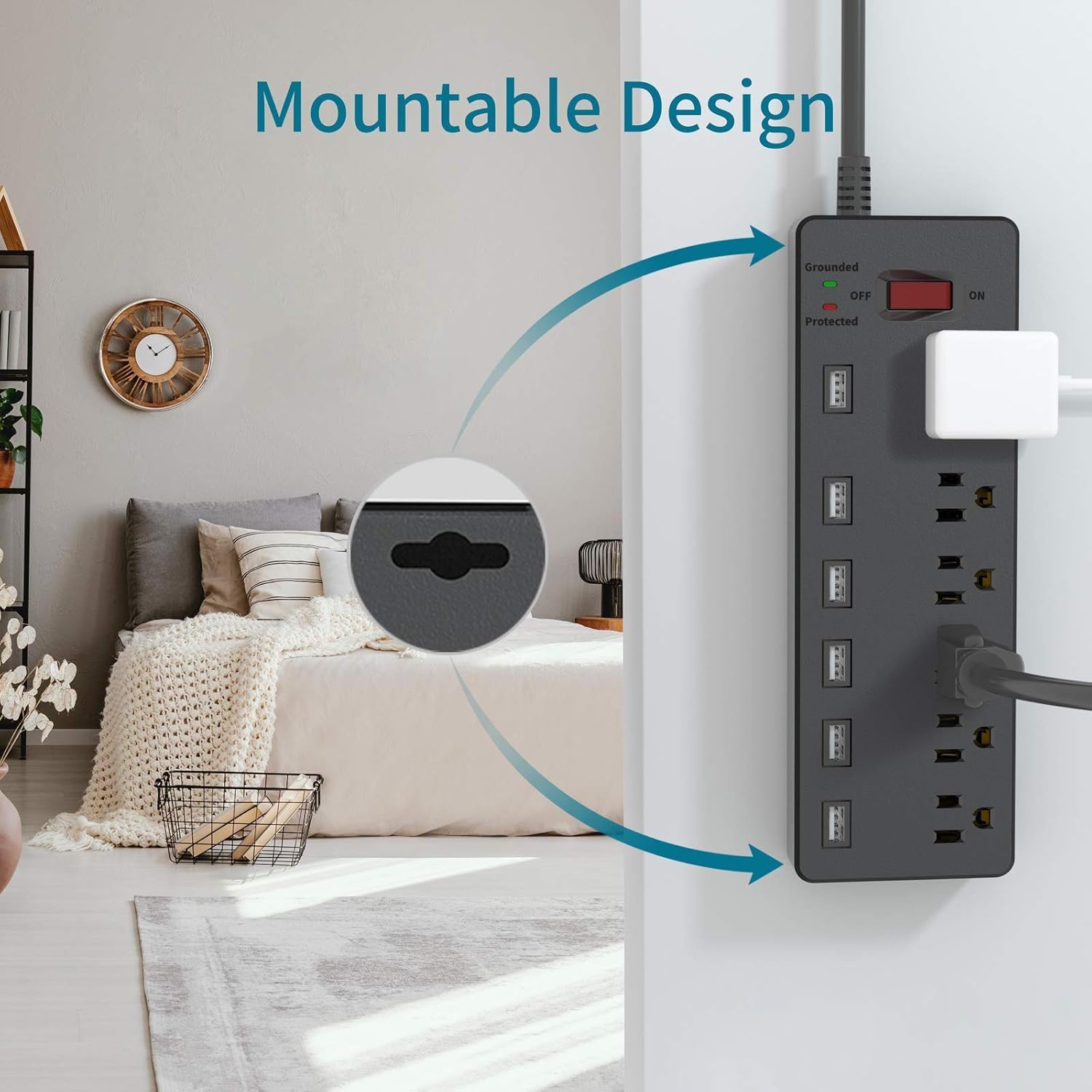
Image: Close-up of the mountable design feature, showing the keyhole slots for secure installation on a wall or under a desk.
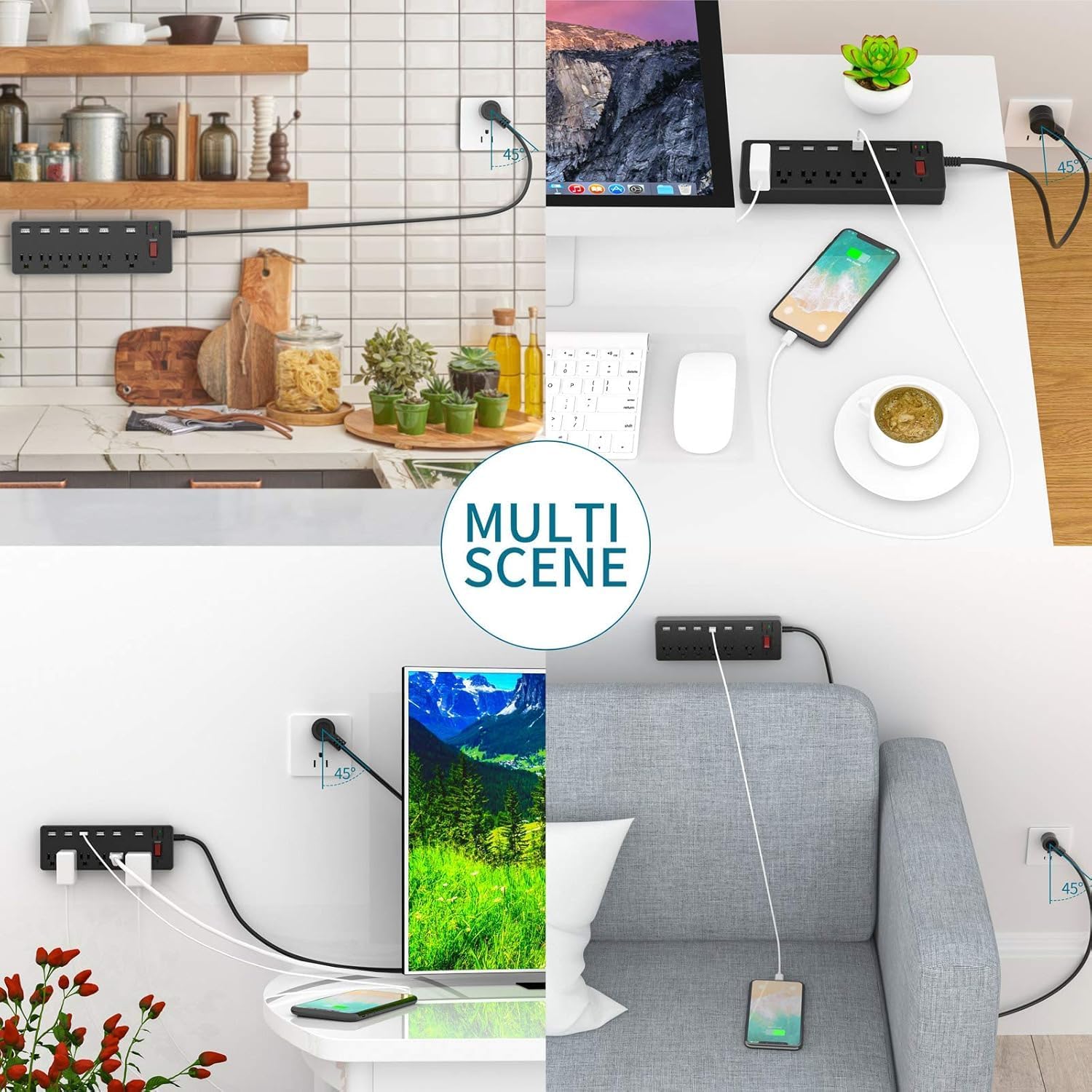
Image: Examples of the bototek Surge Protector being used in multiple settings, such as a kitchen, office, and living room, demonstrating its versatility.
Maintenance
Proper maintenance ensures the longevity and safe operation of your surge protector:
- Cleaning: Disconnect the power strip from the wall outlet before cleaning. Use a soft, dry cloth to wipe the exterior. Do not use liquid cleaners or aerosols.
- Inspection: Periodically inspect the power cord and the unit for any signs of damage, such as frayed wires, cracks, or discoloration. If damage is found, discontinue use and replace the unit.
- Surge Protection Indicator: Regularly check the "Protected" indicator light. If it is off, the surge protection components have absorbed a significant surge and are no longer active. The unit will still function as a power strip, but it will not protect against future surges. In this case, replace the surge protector to maintain protection for your devices.
Troubleshooting
If you encounter issues with your bototek Surge Protector, refer to the following common problems and solutions:
| Problem | Possible Cause | Solution |
|---|---|---|
| No power to connected devices. |
|
|
| "Protected" indicator light is off. | Surge protection components have been consumed by a power surge. | The power strip will still function as a multi-outlet strip, but it no longer provides surge protection. Replace the unit to ensure continued surge protection for your devices. |
| USB ports not charging devices. |
|
|
Specifications
| Feature | Specification |
|---|---|
| Brand | bototek |
| Model Number | 6AU6U |
| AC Outlets | 6 |
| USB Ports | 6 (5V/2.4A each) |
| Total Power Output | 1625W |
| Maximum Current | 13 Amps |
| Voltage | 125V |
| Surge Protection Rating | 2100 Joules |
| Cord Length | 6 Feet |
| Plug Type | Type B - 3 pin (North American) |
| Material | Polycarbonate, Polyvinyl Chloride |
| Color | Black |
| Compatible Devices | PC, Phone/Fax/Modem, Printer, Stereo, iPhone, iPad, Samsung Galaxy, Nexus, Kindle, Tablet |
Warranty and Support
Your bototek Surge Protector Power Strip comes with a 1-Year Warranty as specified by the manufacturer. Additionally, bototek provides 24-month worry-free support and Lifetime technical support with friendly customer service.
For technical assistance, warranty claims, or any questions regarding your product, please contact bototek customer service through their official channels or the retailer where the product was purchased.
Please retain your purchase receipt as proof of purchase for warranty purposes.