
1. Introduction
This manual provides detailed instructions for the assembly, operation, and maintenance of your ODK 48-inch Vintage Computer Desk. Please read this manual thoroughly before beginning assembly or use to ensure proper setup and safe operation. Retain this manual for future reference.

Image 1.1: The ODK 48-inch Vintage Computer Desk, showcasing its design and capacity for multiple devices.
2. Product Overview
The ODK 48-inch Vintage Computer Desk is designed for home office and study environments, offering a functional workspace with a vintage aesthetic. Key features include:
- Durable Construction: Features a reinforced metal frame and an engineered wood desktop.
- Scratch and Water Resistant Desktop: The desktop surface is designed to resist daily wear and tear.
- Integrated Headphone Hook: A convenient hook is included for organizing headphones or bags.
- Stable Design: Incorporates an X-bracket for enhanced structural stability.
- Compact Size: At 48 inches, it is suitable for small spaces while accommodating essential equipment.
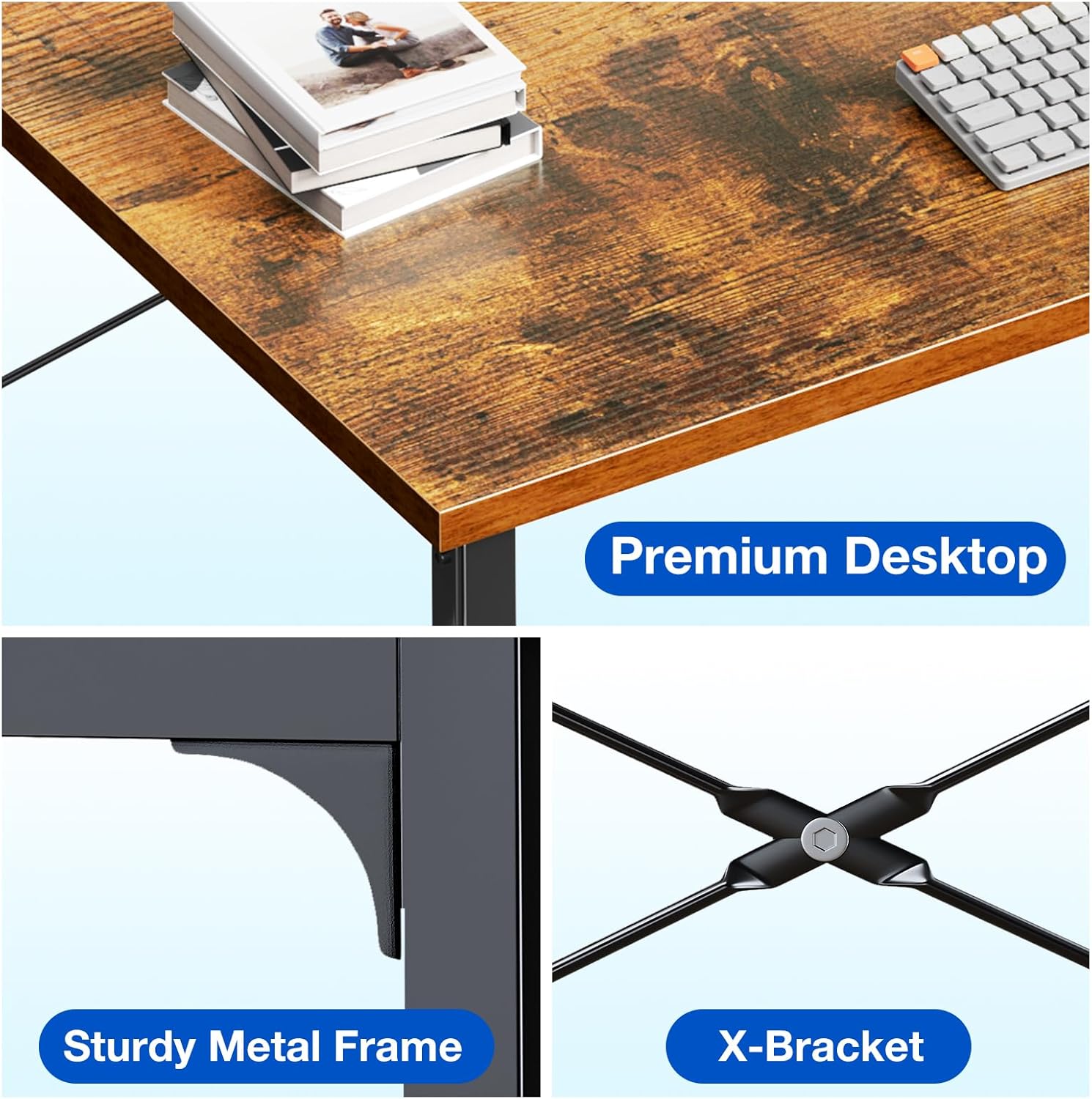
Image 2.1: Details of the desk's construction, highlighting the desktop material, metal frame, and X-bracket.
3. Safety Instructions
Adhere to the following safety guidelines during assembly and use:
- Ensure all components are present before beginning assembly.
- Assemble the desk on a soft, clean surface to prevent scratches.
- Tighten all screws and bolts securely, but do not overtighten.
- Do not stand or sit on the desk.
- Distribute weight evenly across the desktop.
- Keep small parts away from children during assembly.
- Regularly check all connections for tightness to maintain stability.
4. Setup & Assembly
Assembly of the ODK Computer Desk typically takes approximately 30 minutes. All necessary tools are included. Follow these steps:
- Unpack Components: Carefully remove all parts from the packaging and verify against the parts list (not provided in this manual, refer to included physical instructions).
- Assemble Frame: Connect the side frames using the crossbars. Ensure all connections are finger-tight initially.
- Install X-Bracket: Attach the X-bracket to the rear of the frame for added stability.
- Attach Desktop: Place the desktop onto the assembled frame and secure it with the provided screws.
- Install Headphone Hook: Attach the headphone hook to the desired location on the side frame.
- Final Tightening: Once all parts are in place, fully tighten all screws and bolts.

Image 4.1: Visual guide for the desk assembly process.
5. Operation
The ODK 48-inch Vintage Computer Desk provides a stable surface for various activities:
- Workspace: Suitable for laptops, desktop monitors (including dual monitor setups), keyboards, and other office essentials.
- Study Area: Provides ample space for books, notebooks, and study materials.
- Headphone Hook Usage: Utilize the integrated hook to keep headphones, bags, or cables organized and off the desktop.

Image 5.1: The desk configured for a dual monitor setup, illustrating its capacity and organization features.
6. Maintenance
To ensure the longevity and appearance of your ODK Computer Desk, follow these maintenance guidelines:
- Cleaning: Wipe the desktop surface with a soft, damp cloth. Avoid abrasive cleaners or harsh chemicals that may damage the finish.
- Spills: Promptly wipe up any spills to prevent water damage, as the desktop is water-resistant but not entirely waterproof.
- Inspection: Periodically check all screws and connections to ensure they remain tight. Retighten as necessary.
- Avoid Excessive Heat: Do not place hot items directly on the desktop without a protective coaster.
7. Troubleshooting
If you encounter issues with your ODK Computer Desk, refer to the following common solutions:
| Problem | Possible Cause | Solution |
|---|---|---|
| Desk wobbles or is unstable. | Screws are loose; uneven floor surface. | Ensure all assembly screws are fully tightened. Adjust floor levelers if present, or place shims under legs on uneven surfaces. |
| Parts do not align during assembly. | Incorrect orientation of parts; screws not fully loosened. | Review the assembly instructions carefully. Loosen all screws slightly, adjust alignment, then retighten. |
| Missing components. | Packaging error. | Contact ODK customer support with your purchase details. |
8. Specifications
Detailed specifications for the ODK 48-inch Vintage Computer Desk:
| Feature | Detail |
|---|---|
| Brand | ODK |
| Model Number | B010116SPD11USDF-2 |
| Product Dimensions (L x W x H) | 48"D x 18.9"W x 29.13"H |
| Color | Vintage |
| Style | Modern |
| Top Material Type | Engineered Wood |
| Base Material | Metal |
| Item Weight | 20.5 Pounds |
| Included Components | Headphone Hook |
| Assembly Required | Yes |
| Assembly Tools Included | Yes |

Image 8.1: Key dimensions and weight capacity of the ODK 48-inch Computer Desk.
9. Warranty and Customer Support
For warranty information, missing parts, or any other inquiries regarding your ODK 48-inch Vintage Computer Desk, please contact ODK customer support. Refer to your purchase documentation for specific contact details or visit the official ODK website.
ODK Official Store: Visit the ODK Store on Amazon


