
Thunelec U9
Thunelec U9 Wireless Earbuds User Manual
Model: U9
Brand: Thunelec
Product Overview
The Thunelec U9 Wireless Earbuds are designed to provide a superior audio experience with advanced features such as Bluetooth 5.4 connectivity, Active Noise Cancellation (ANC), Environmental Noise Cancellation (ENC), and a multifunctional touch screen charging case. This manual will guide you through the setup, operation, and maintenance of your new earbuds.

Image: Thunelec U9 Wireless Earbuds and their multifunctional touch screen charging case.
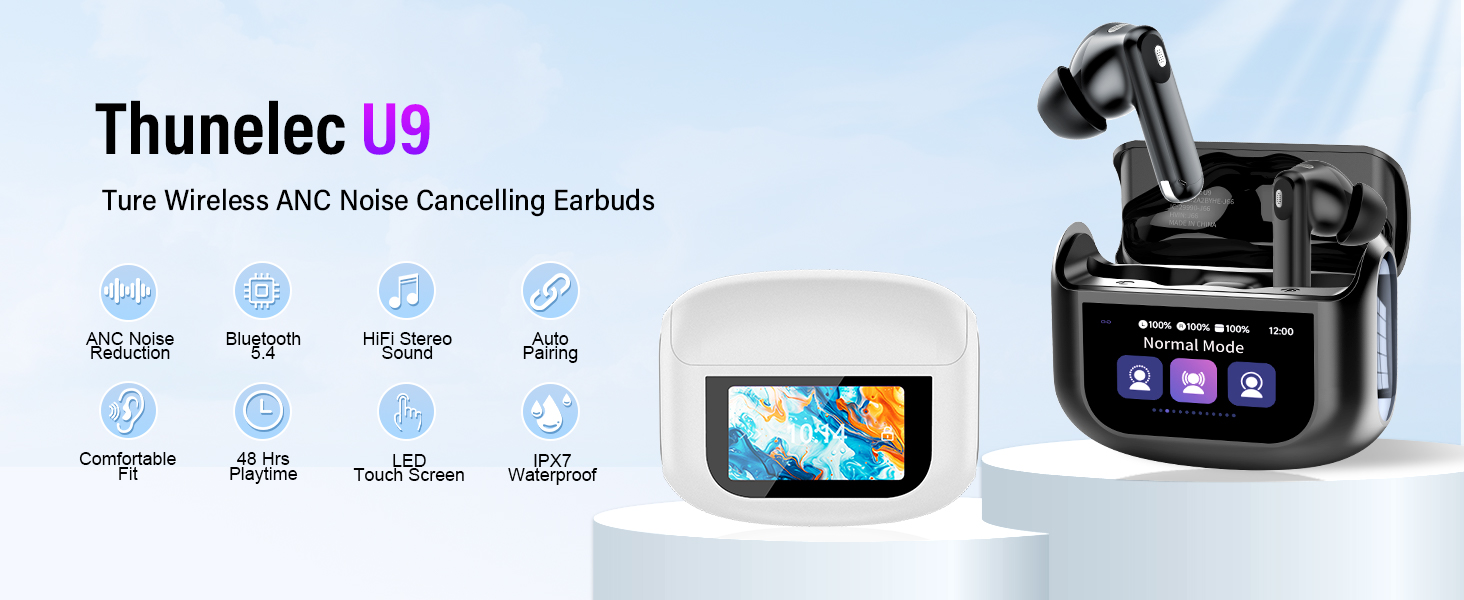
Image: Overview of key features including ANC Noise Reduction, Bluetooth 5.4, HiFi Stereo Sound, Auto Pairing, Comfortable Fit, 48 Hrs Playtime, LED Touch Screen, and IPX7 Waterproofing.
What's in the Box
Upon opening your Thunelec U9 package, please verify that all the following components are included:
- U9 Wireless Earbuds (2 units)
- Multifunctional Touch Charging Case (1 unit)
- USB Type-C Charging Cable (1 unit)
- User Manual (1 unit)
- Eartips (S / M / L sizes)
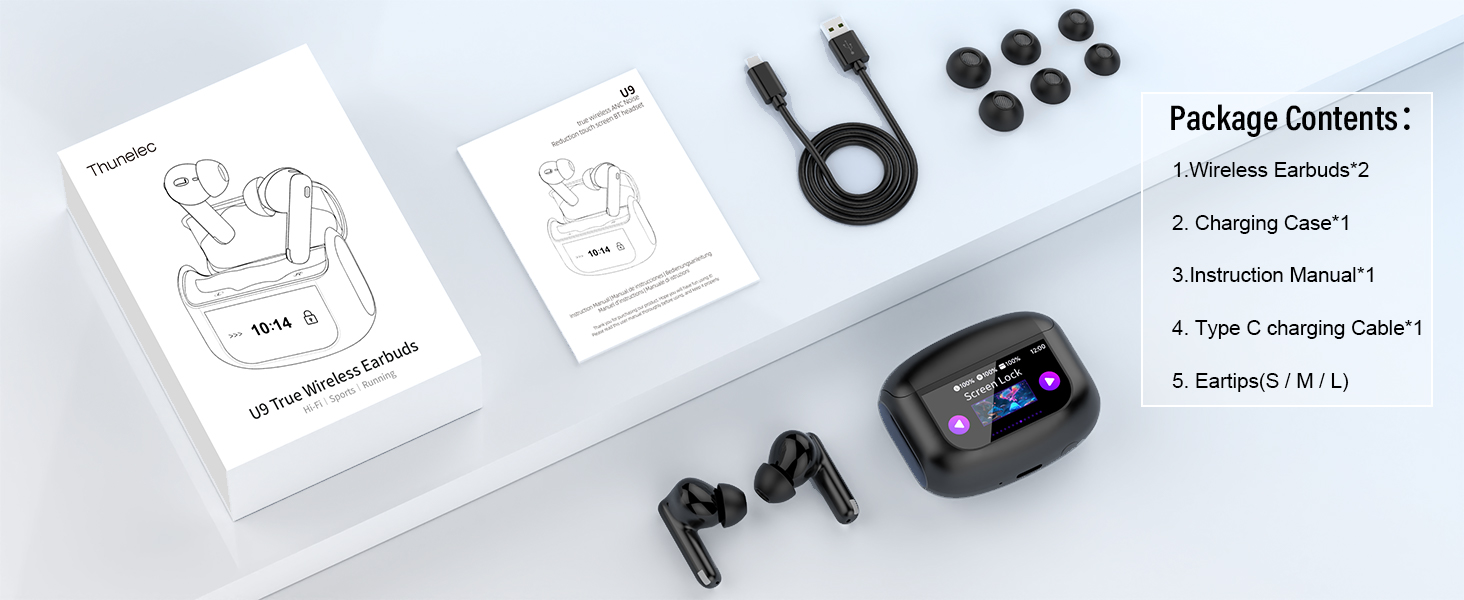
Image: All items included in the Thunelec U9 Wireless Earbuds package.
Setup Guide
1. Initial Charging
Before first use, ensure the charging case and earbuds are fully charged. Connect the provided USB Type-C cable to the charging port on the case and a compatible USB power source. The touch screen display on the case will indicate the charging status.
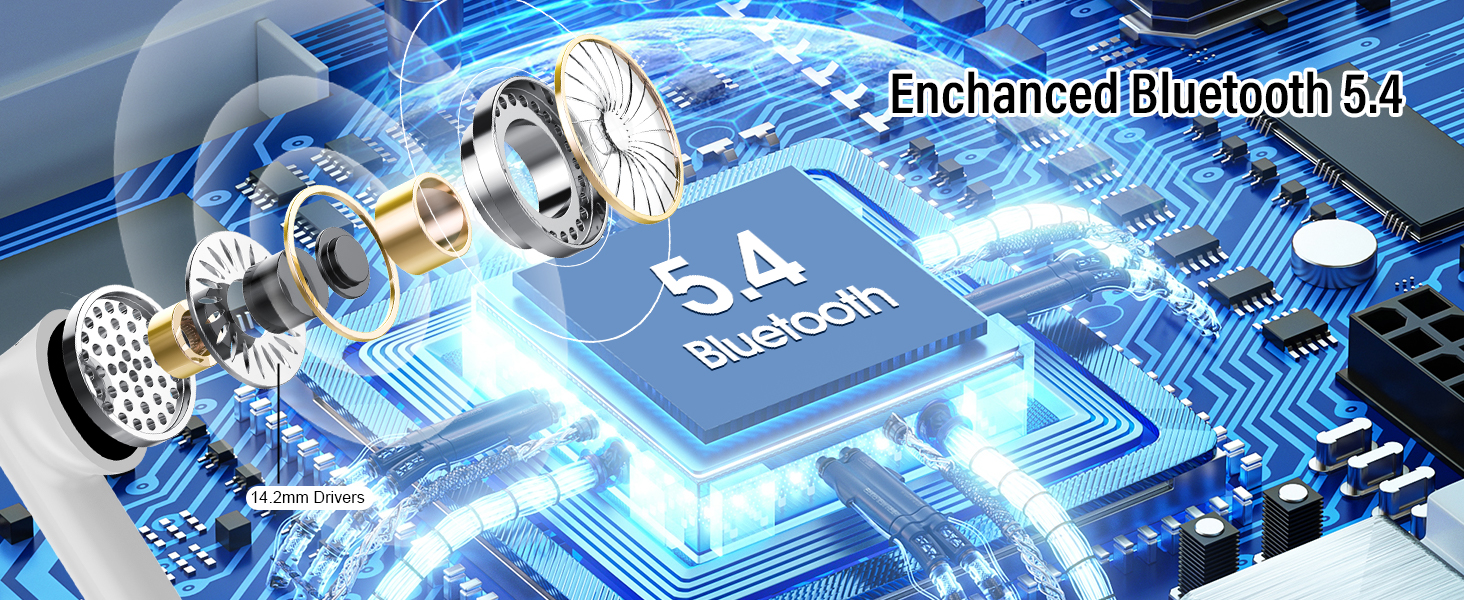
Image: The Thunelec U9 charging case connected via USB-C for charging, illustrating the 48-hour total playtime and 1.5-hour charging time.
2. Bluetooth Pairing
The Thunelec U9 earbuds feature one-step pairing for convenience.
- Open the charging case. The earbuds will automatically enter pairing mode.
- On your device (smartphone, tablet, laptop), navigate to the Bluetooth settings.
- Select "U9" from the list of available devices.
- Once connected, the earbuds will indicate successful pairing, and the case display will show connection status.
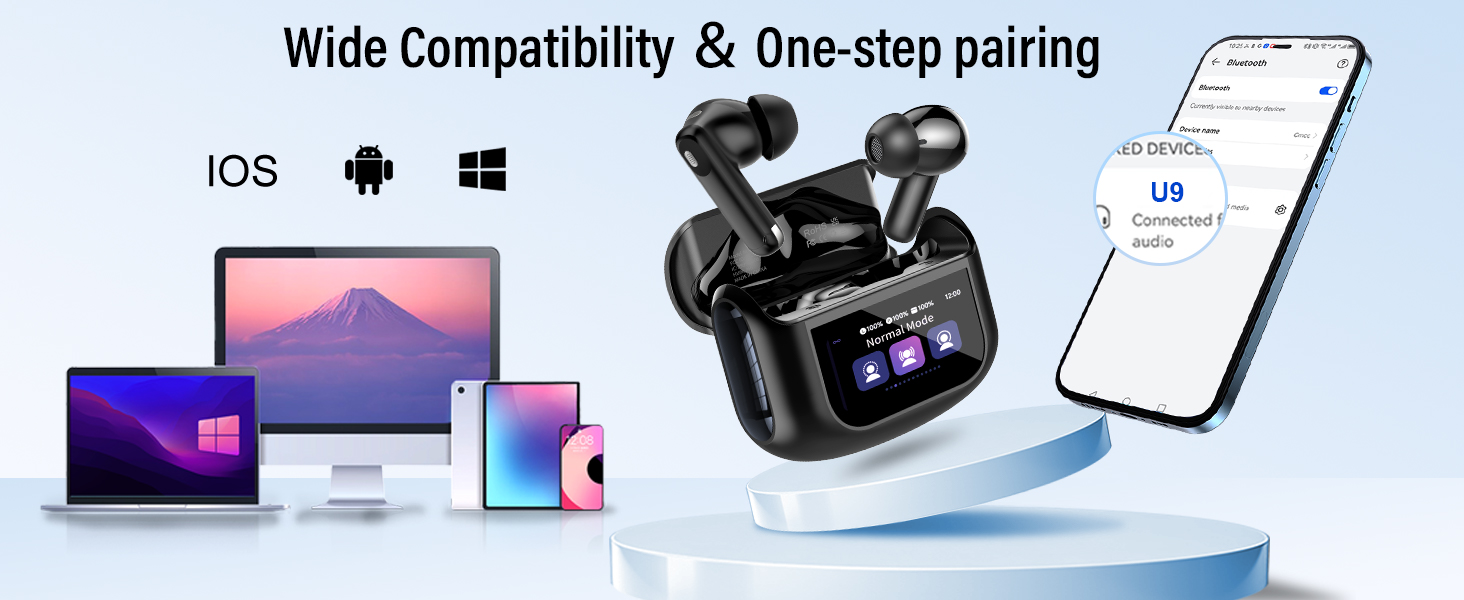
Image: Illustration of the Thunelec U9 earbuds' wide compatibility and one-step pairing process with various devices.
Operating Instructions
Touch Controls
The U9 earbuds feature intuitive touch controls for various functions. Please note that volume control is primarily managed via the charging case screen or your connected mobile device.
| Action | Function |
|---|---|
| Long press L/R for 2 seconds | Previous Song / Next Song |
| Double-tap (2 times) | Play / Pause Music |
| Triple-tap (3 times) | ANC Mode Switching (Active Noise Cancellation, Transparency Mode, Normal Mode) |
| Single-tap (1 time) | Answer Incoming Call |
| Triple-tap Left Earbud (3 times) | Activate Voice Assistant |
| Long press for 2 seconds during call | Hang Up Call / Reject Incoming Call |
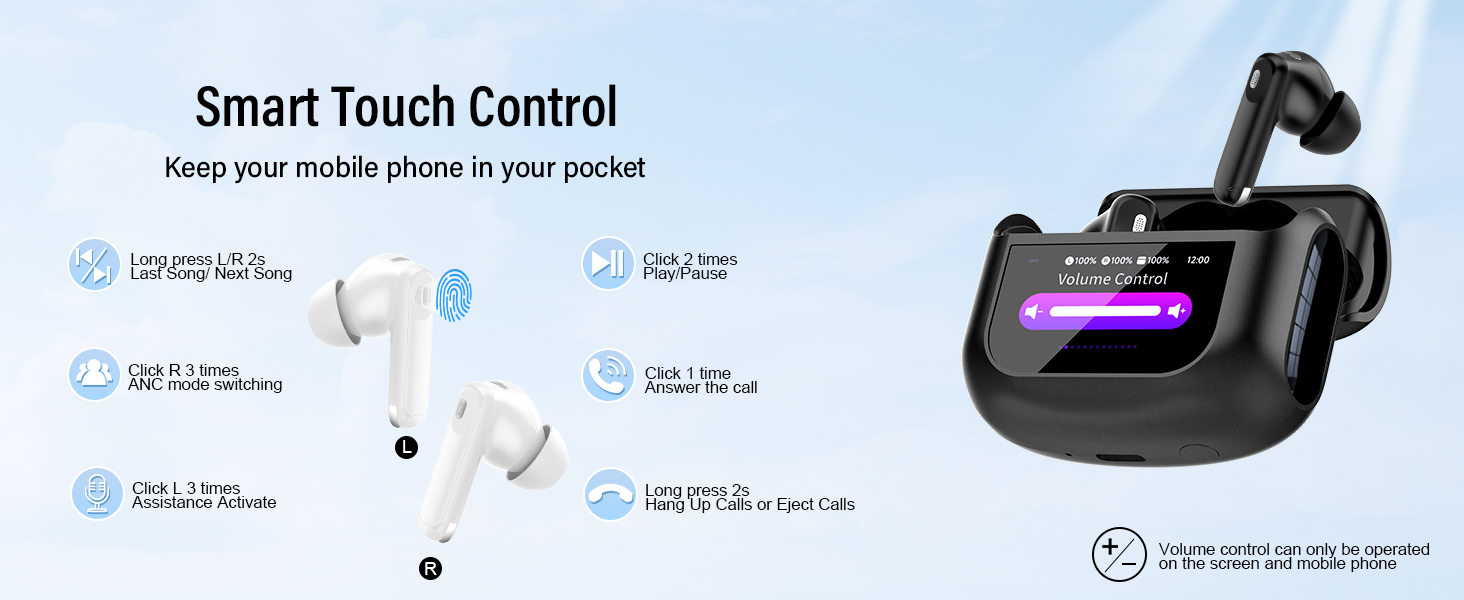
Image: Detailed diagram of the smart touch controls on the Thunelec U9 earbuds.
Multifunctional Touch Screen Case
The charging case features a full-color touch screen that provides access to various settings and functions without needing your phone.
- Battery Status: View individual earbud battery levels and charging case battery.
- Noise Control Modes: Switch between Active Noise Cancellation (ANC), Transparency Mode, and Normal Mode directly from the screen.
- Music Playback: Control play/pause, skip tracks, and adjust volume.
- Call Management: Answer or reject calls.
- EQ Modes: Select from 5 preset Equalizer modes (Normal, Pop, Classic, Rock, etc.) to personalize your sound experience.
- Find My Earphone: Locate misplaced earbuds by playing a sound.
- Settings: Adjust screen brightness, language, set timers, and access other system settings.
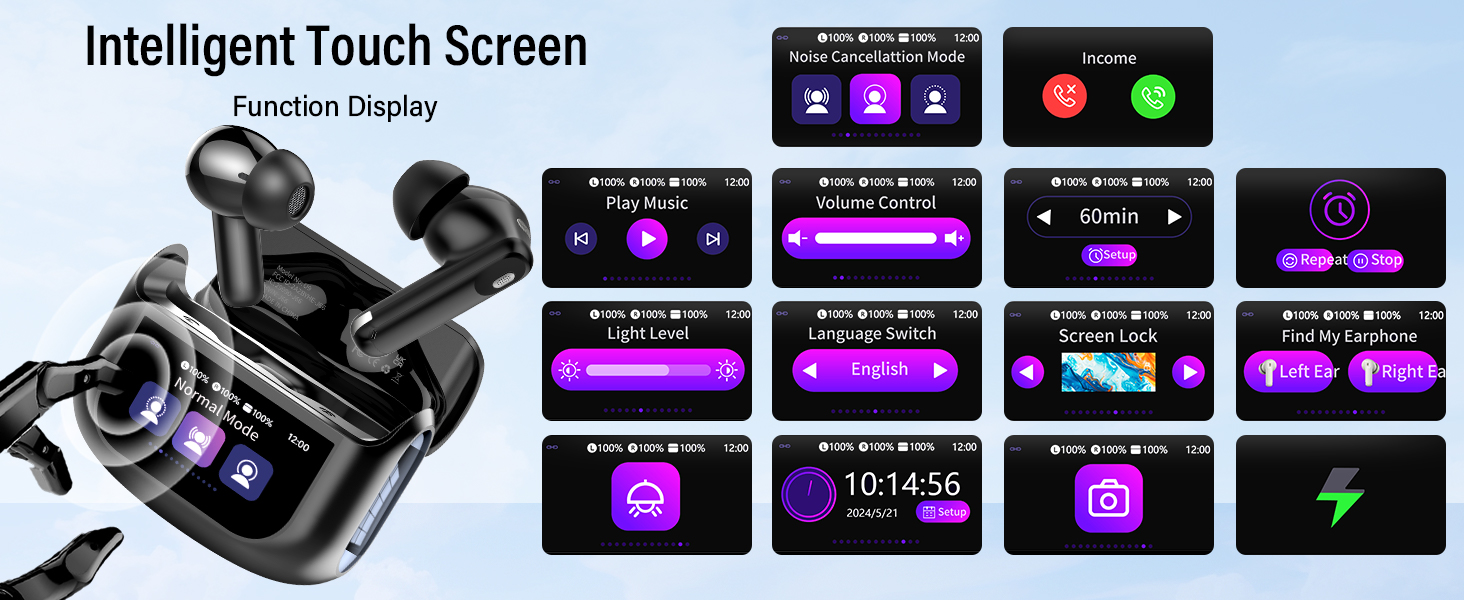
Image: Various functions displayed on the intelligent touch screen of the Thunelec U9 charging case.
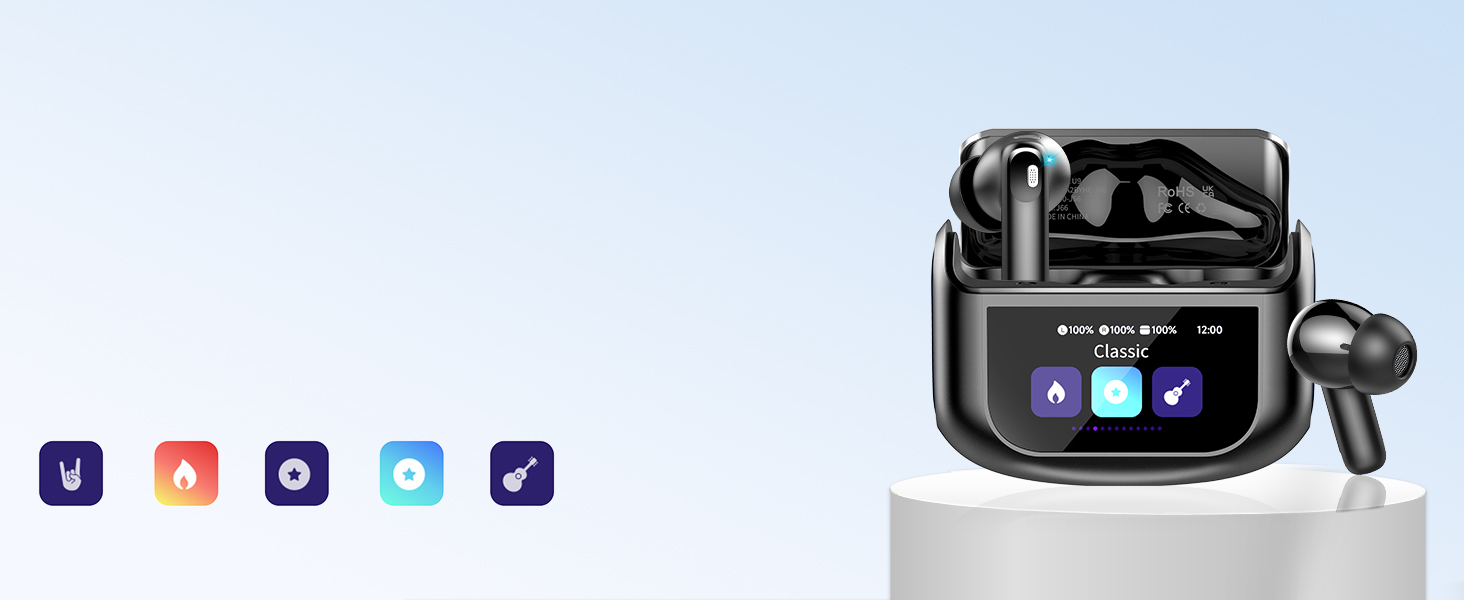
Image: The 5 EQ Modes available on the Thunelec U9 earbuds for personalized sound.
Noise Control Modes (ANC & Transparency)
The U9 earbuds offer versatile noise control options:
- Active Noise Cancellation (ANC): Reduces external noise for an immersive listening experience. Ideal for travel or noisy environments.
- Transparency Mode: Allows you to hear your surroundings while still enjoying your audio. Useful for staying aware of traffic or conversations.
- Normal Mode: Standard audio playback without noise cancellation or transparency.
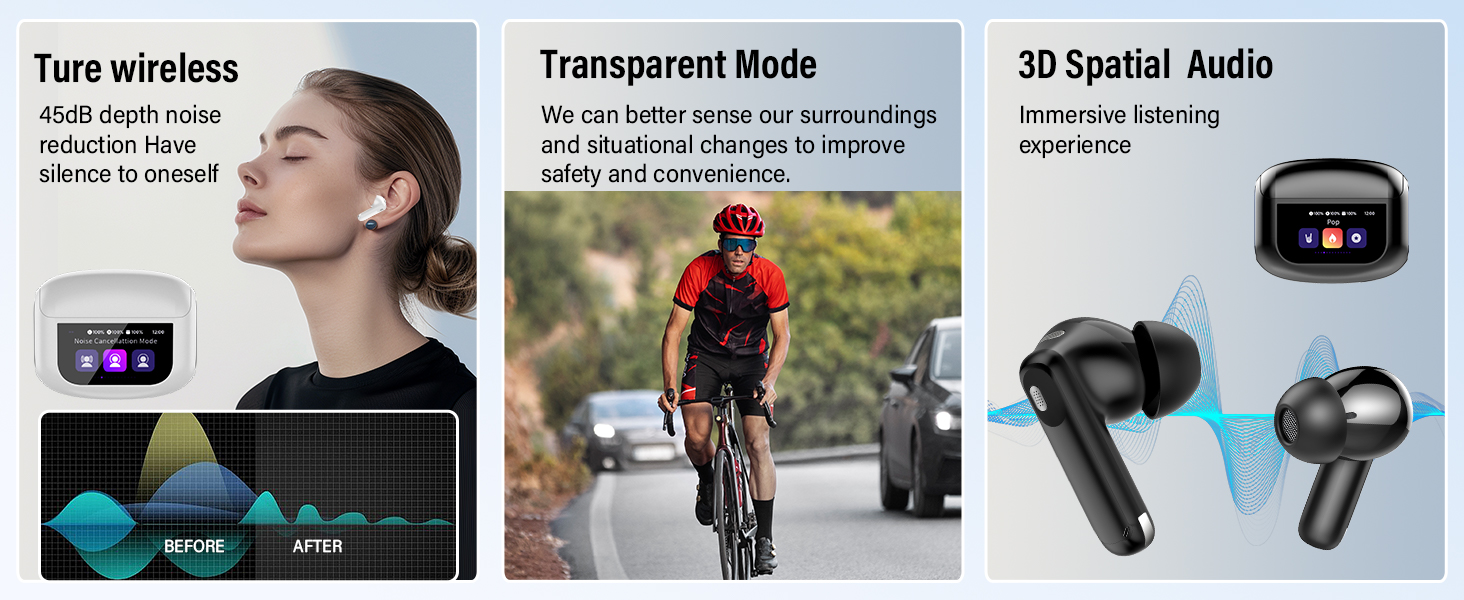
Image: Visual representation of Active Noise Cancellation, Transparency Mode, and 3D Spatial Audio features.
Maintenance and Care
Proper maintenance ensures the longevity and optimal performance of your Thunelec U9 earbuds.
- Cleaning: Regularly wipe the earbuds and charging case with a soft, dry, lint-free cloth. Do not use abrasive cleaners or solvents. Clean the charging contacts on both the earbuds and the case periodically to ensure proper charging.
- Storage: When not in use, store the earbuds in their charging case to protect them and keep them charged. Avoid exposing them to extreme temperatures, humidity, or direct sunlight.
- Battery Care: To preserve battery life, avoid fully discharging the earbuds and case frequently. Charge them regularly, even if not used for extended periods.
- Water Resistance: The earbuds are IPX7 waterproof, meaning they can withstand submersion in up to 1 meter of water for 30 minutes. However, the charging case is not waterproof. Avoid exposing the charging case to water or excessive moisture.

Image: Illustration highlighting the IPX7 waterproof rating of the Thunelec U9 earbuds.
Troubleshooting
If you encounter any issues with your Thunelec U9 earbuds, please refer to the following common solutions:
- Earbuds not pairing:
- Ensure both earbuds are in the charging case and have sufficient battery.
- Turn off Bluetooth on your device, then turn it back on.
- Forget "U9" from your device's Bluetooth list and attempt to re-pair.
- Perform a factory reset via the charging case touch screen if available (refer to "Multifunctional Touch Screen Case" section).
- No sound from one or both earbuds:
- Check the volume level on both your device and the charging case screen.
- Ensure earbuds are properly seated in your ears.
- Reconnect the earbuds to your device.
- Clean the earbud mesh and charging contacts.
- Charging issues:
- Ensure the charging cable is securely connected to both the case and the power source.
- Try a different USB Type-C cable and power adapter.
- Clean the charging contacts on the earbuds and inside the case.
- Touch controls unresponsive:
- Ensure your fingers are clean and dry when touching the sensors.
- Restart the earbuds by placing them in the case and closing the lid for a few seconds, then reopening.
Specifications
Key technical specifications for the Thunelec U9 Wireless Earbuds:
| Feature | Detail |
|---|---|
| Model Name | U9 |
| Brand | Thunelec |
| Connectivity Technology | Wireless (Bluetooth) |
| Wireless Communication Technology | Bluetooth 5.4 |
| Control Type | Touch Control |
| Ear Placement | In Ear |
| Form Factor | In Ear |
| Noise Control | Active Noise Cancellation, Passive Noise Cancellation, Sound Isolation |
| Water Resistance Level | Waterproof (IPX7 for earbuds) |
| Frequency Range | 20Hz - 20,000Hz |
| Audio Driver Type | Dynamic Driver |
| Audio Driver Size | 14.2 Millimeters |
| Item Weight | 3.52 ounces |
| Power Source | Rechargeable Batteries (included) |
Official Product Video
Watch the official product video for a visual guide to the Thunelec U9 Wireless Earbuds' features and functions.
Video: "U9 Multi-Function Touch Screen Earbuds" - This video demonstrates the key features of the Thunelec U9 earbuds, including the touch screen interface, noise cancellation, and battery life.
Warranty and Support
Thunelec stands behind the quality of its products. For warranty information, technical support, or any inquiries not covered in this manual, please refer to the contact information provided on the product packaging or visit the official Thunelec website. Please retain your proof of purchase for warranty claims.
For further assistance, you may also contact the seller directly through the platform where you purchased the product.
Ask a question about this manual
Ask about setup, troubleshooting, compatibility, parts, safety, or missing instructions. Manuals+ will review the question and use this page’s manual context to help answer it.