
ODK B010111SPD70USDF-1
ODK 63 Inches Large Computer Desk User Manual
Model: B010111SPD70USDF-1
1. Introduction
Thank you for choosing the ODK 63 Inches Large Computer Desk. This modern and spacious desk is designed to enhance your home office, study, or gaming setup. Its robust construction and thoughtful features provide a comfortable and efficient workspace. Please read this manual carefully before assembly and use to ensure proper setup and long-lasting enjoyment of your new desk.
2. Safety Instructions
- Always assemble the desk on a soft, clean surface to prevent scratches.
- Ensure all screws and fasteners are securely tightened before use. Periodically check and re-tighten as necessary.
- Do not overload the desk. Refer to the specifications for maximum weight capacity.
- Keep small parts and packaging materials away from children and pets to prevent choking hazards.
- Avoid placing hot items directly on the desktop surface without protective padding.
- Do not stand or sit on the desk.
3. Package Contents
Before beginning assembly, verify that all parts listed below are present and undamaged. If any parts are missing or damaged, please contact ODK customer service for assistance.
| Part | Description | Quantity |
|---|---|---|
| A | Desktop Panel | 1 pc |
| B | Left Leg Frame | 1 pc |
| C | Right Leg Frame | 1 pc |
| D | Crossbar | 1 pc |
| E | Long Screws | 6 pcs |
| F | Short Screws | 1 pc |
| G | Adjustable Foot Pads | 4 pcs |
| H | Hex Key (Allen Wrench) | 1 pc |
| I | Headphone Hook | 1 pc |
4. Setup & Assembly Instructions
Assembly is designed to be quick and straightforward, typically taking around 30 minutes. Follow these steps carefully:
- Step 1: Assemble Leg Frames
Attach the crossbar (D) to one of the leg frames (B or C) using the long screws (E). Do not fully tighten the screws yet.

Image: Diagram showing the initial assembly of the leg frames and crossbar.
- Step 2: Attach Second Leg Frame
Connect the second leg frame (B or C) to the other end of the crossbar (D) using the remaining long screws (E). Again, do not fully tighten the screws at this stage.
- Step 3: Attach Desktop Panel
Carefully place the desktop panel (A) upside down on a soft, clean surface. Align the assembled leg frames with the pre-drilled holes on the underside of the desktop. Secure the leg frames to the desktop using the short screws (F).
- Step 4: Tighten All Screws & Attach Foot Pads
Once all parts are aligned, gradually tighten all screws (E and F) using the provided hex key (H). Ensure the desk is stable and level. Screw the adjustable foot pads (G) into the bottom of each leg frame. These can be adjusted to stabilize the desk on uneven surfaces.

Image: Visual representation of the desk's dimensions (63"L x 22"W x 28.3"H) and a 110 lb weight capacity indicator.
- Step 5: Attach Headphone Hook
Locate the desired position on the side of the desk for the headphone hook (I). Attach it securely using the provided small screw. This hook is designed for convenient storage of headphones, bags, or cables.

Image: A close-up view of the headphone hook attached to the side of the desk, holding a pair of headphones.
Your ODK Computer Desk is now ready for use!
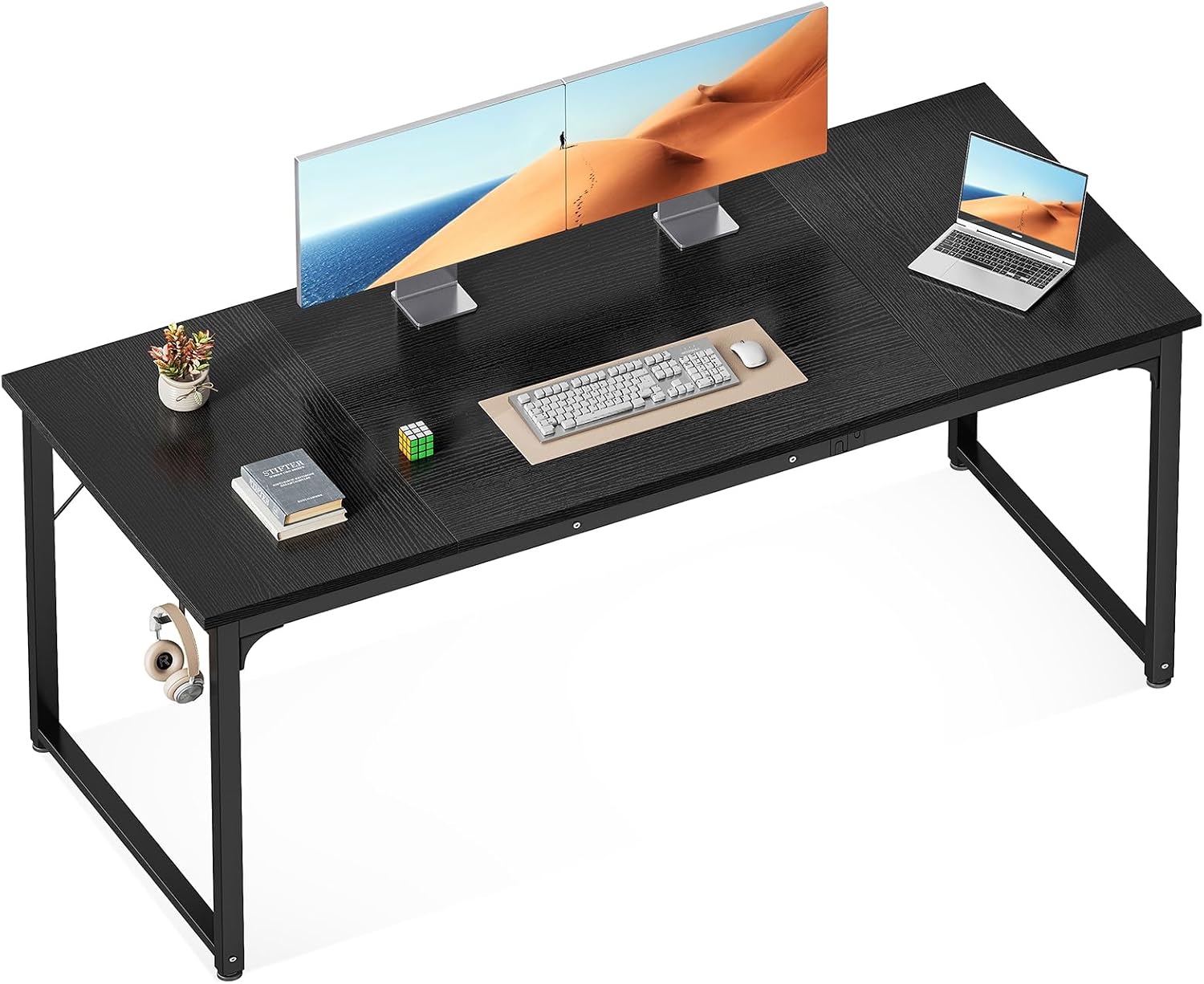
Image: The ODK 63 Inches Large Computer Desk, black, with two monitors, a keyboard, mouse, and a laptop, showcasing its spacious surface.

Image: The ODK 63 Inches Large Computer Desk in a bright home office setting, featuring two large monitors, a laptop, and various office accessories.

Image: The ODK 63 Inches Large Computer Desk configured for a gaming setup, complete with multiple monitors, a gaming PC, and ambient LED lighting.
5. Operating the Desk
The ODK Computer Desk is designed for simplicity and functionality. Once assembled, it requires no special operation. Simply place your computer, monitors, and other office essentials on its spacious surface. The integrated headphone hook provides a convenient spot to hang your headphones or other accessories, keeping your workspace tidy.
The adjustable foot pads (G) allow you to fine-tune the desk's stability on uneven floors. Simply twist each foot pad clockwise or counter-clockwise to raise or lower the corresponding corner of the desk until it is level and stable.
6. Care and Maintenance
To keep your ODK Computer Desk in optimal condition, follow these simple care instructions:
- Cleaning: Wipe the desktop surface with a soft, damp cloth. For stubborn marks, use a mild soap solution and dry immediately. Avoid harsh chemicals or abrasive cleaners, as they may damage the finish.
- Spills: Immediately wipe up any spills to prevent staining or damage to the particle board tabletop.
- Protection: Use coasters for drinks and protective pads under hot items or sharp objects to prevent scratches and heat damage.
- Stability Check: Periodically check all screws and connections to ensure they remain tight. Re-tighten if necessary to maintain stability.
- Avoid Direct Sunlight: Prolonged exposure to direct sunlight may cause fading or discoloration over time.
7. Troubleshooting
Desk Wobbles After Assembly
- Check all screws: Ensure all assembly screws are fully tightened. Sometimes, screws may loosen slightly during initial use.
- Adjust foot pads: Use the adjustable foot pads on the bottom of the legs to level the desk on uneven flooring. Twist them clockwise or counter-clockwise until the desk is stable.
- Verify assembly: Double-check that all parts were assembled according to the instructions and that no components are inverted or misaligned.
Missing or Damaged Parts
- If you find any missing or damaged parts upon opening the package, please contact ODK customer support immediately with your purchase details and a description of the issue. Do not attempt to assemble the desk with missing or damaged components.
8. Specifications
| Feature | Detail |
|---|---|
| Brand | ODK |
| Model Number | B010111SPD70USDF-1 |
| Product Dimensions | 63"D x 21.65"W x 28.95"H |
| Color | Black |
| Style | Modern |
| Top Material Type | Engineered Wood |
| Base Material | Metal (feet Pad) |
| Finish Type | Polished |
| Item Weight | 28 Pounds |
| Recommended Uses | Gaming, Home Office |
| Special Feature | Headphone Hook, Adjustable Foot Pads |
| Required Assembly | Yes |
| Includes All Assembly Tools | Yes |
9. Warranty and Support
ODK products are manufactured with quality and durability in mind. For specific warranty information regarding your ODK 63 Inches Large Computer Desk, please refer to the warranty card included in your product packaging or visit the official ODK website. If you have any questions, require assistance with assembly, or need to report missing/damaged parts, please contact ODK customer support. Our team is dedicated to providing you with the best possible service.
Contact Information:
- Website: Visit the ODK Store on Amazon
- (Please refer to your product packaging for direct customer service email or phone number, if available.)
Ask a question about this manual
Ask about setup, troubleshooting, compatibility, parts, safety, or missing instructions. Manuals+ will review the question and use this page’s manual context to help answer it.