
1. Introduction
Welcome to the user manual for your new Bmax Mini PC B4. This compact and powerful desktop computer is designed for a variety of applications, from office work and home entertainment to light gaming and educational use. Featuring an Intel Alder Lake N95 processor, 16GB of RAM, and a 512GB SSD, it offers efficient performance in a small form factor. This manual provides essential information on setting up, operating, maintaining, and troubleshooting your device.

Figure 1: Bmax Mini PC B4 (N95 16GB+512GB)
The Bmax Mini PC B4 is a compact and versatile computing solution, ideal for space-saving setups. Its sleek design integrates powerful components for everyday tasks.
2. What's in the Box
Please check the package contents to ensure all items are present:
- 1 x Bmax B4 Mini PC
- 1 x HDMI Cable
- 1 x US Power Adapter
- 1 x User Manual (this document)
- 1 x VESA Mount with Screws

Figure 2: Package Contents
This image displays all the items included in the Bmax Mini PC B4 retail package, ensuring you have everything needed for initial setup.
3. Product Overview
3.1. Ports and Connectors
The Bmax Mini PC B4 is equipped with a variety of ports to connect your peripherals and displays.

Figure 3: Front and Rear Ports
This diagram illustrates the location and type of all available ports on the Bmax Mini PC B4, including USB, HDMI, Ethernet, and audio jacks.
- Front Panel: Power Button, 3.5-mm Stereo Headset Jack, 2x USB 3.0 ports.
- Rear Panel: DC Port (Power In), RJ45 (Gigabit Ethernet), 2x HDMI 2.0 ports, 2x USB 2.0 ports.
3.2. Key Features
- Processor: 12th Gen Intel Alder Lake N95 (4 Cores/4 Threads, up to 3.4GHz).
- Memory: 16GB SO-DIMM DDR4 3200MHz for efficient multitasking.
- Storage: 512GB M.2 SATA SSD, with support for DIY 2.5-inch SSD/HDD expansion up to 2TB (not included).
- Graphics: Integrated Intel UHD Graphics, supporting 4K UHD video playback.
- Display Output: Dual HDMI 2.0 ports for connecting two 4K displays simultaneously.
- Network: Gigabit Ethernet (RJ45) and Dual-Band WiFi 5 (802.11 a/b/g/n/ac) for stable connectivity.
- Wireless: Bluetooth 4.2 for connecting various peripherals.
- Cooling: Smart fan system for efficient heat dissipation and quiet operation.
- Operating System: Pre-installed with Windows 11 Pro, also supports Ubuntu.

Figure 4: Overview of Core Features
This graphic highlights the main technical specifications of the Bmax Mini PC B4, including its processor, memory, storage, and display capabilities.

Figure 5: Compact Size
The image demonstrates the compact and lightweight design of the Bmax Mini PC B4, showing its small footprint compared to a typical smartphone.
4. Setup Guide
Follow these steps to set up your Bmax Mini PC B4:
- Connect Display: Connect your monitor(s) to the HDMI ports on the rear of the Mini PC using the provided HDMI cable or your own. The B4 supports dual 4K displays.
- Connect Peripherals: Plug in your keyboard and mouse to the available USB 2.0 or USB 3.0 ports.
- Connect Network (Optional): For a wired internet connection, connect an Ethernet cable from your router/modem to the RJ45 port. For wireless, ensure your WiFi network is available during initial setup.
- Connect Power: Connect the US Power Adapter to the DC Port on the rear of the Mini PC, then plug the adapter into a power outlet.
- Power On: Press the Power Button on the front panel of the Mini PC. The system will boot up.
- Initial Setup: Follow the on-screen instructions to complete the Windows 11 Pro setup, including language, region, network connection, and user account creation.
VESA Mount Installation: If you wish to mount the Mini PC behind a monitor or on a wall, use the included VESA mount and screws. Attach the VESA mount to the back of your monitor (if VESA compatible) or a suitable surface, then slide the Mini PC onto the mount.
5. Operating Instructions
5.1. Operating System
Your Bmax Mini PC B4 comes with Windows 11 Pro pre-installed. You can also install other operating systems like Ubuntu if desired.
- Windows 11 Pro: Utilize the familiar Windows interface for productivity, browsing, and entertainment. Ensure regular updates for security and performance.
- Ubuntu Support: The Mini PC is compatible with Ubuntu, offering an alternative open-source operating system experience.
5.2. Dual Display Setup
The Bmax Mini PC B4 supports connecting two monitors simultaneously via its dual HDMI 2.0 ports, enabling an extended desktop experience for enhanced productivity or immersive entertainment.

Figure 6: Dual Monitor Setup
This image shows the Bmax Mini PC B4 connected to two external monitors, demonstrating its dual display capability for multitasking and expanded workspace.
5.3. Storage Expansion
The 512GB SSD provides ample storage, but for additional space, you can expand it with a 2.5-inch SSD/HDD (not included) in the detachable empty base.
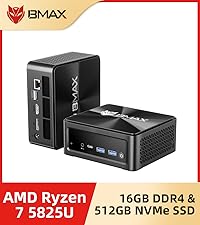
Figure 7: Internal Components (RAM and SSD)
This image provides a view of the internal layout of the Bmax Mini PC B4, specifically highlighting the 16GB DDR4 RAM and the 512GB M.2 SSD.

Figure 8: Storage Expansion Slot
This image illustrates the available slot for adding a 2.5-inch SSD or HDD to the Bmax Mini PC B4 for expanded storage capacity.
5.4. Usage Scenarios
The Bmax Mini PC B4 is versatile and can be used in various environments:
- Home Application: Ideal for general computing, web browsing, streaming 4K content, and light productivity tasks.
- Office Work: Suitable for daily office applications, presentations, and multi-monitor setups.
- Home Theater: Connect to your TV for an immersive 4K viewing experience.
- Light Gaming: Capable of running less demanding games.
Video 1: Bmax Mini PC B4 Overview and Applications
This video provides a visual overview of the Bmax Mini PC B4, showcasing its compact design, various ports, internal components, and demonstrating its suitability for different usage scenarios such as home, office, and entertainment.
6. Maintenance
6.1. Cooling System
The Bmax Mini PC B4 features a smart fan and heatsink design for efficient heat dissipation, ensuring stable performance and quiet operation.
- Ensure proper ventilation around the Mini PC. Do not block the air vents.
- Periodically clean dust from the vents using compressed air to maintain optimal cooling performance.

Figure 9: Efficient Cooling System
This diagram illustrates the internal cooling mechanism of the Bmax Mini PC B4, highlighting the smart fan and heatsink designed for effective heat dissipation.
6.2. Software Updates
Regularly update your operating system and drivers to ensure optimal performance, security, and compatibility.
- For Windows 11 Pro, go to Settings > Windows Update to check for and install updates.
- For Ubuntu, use the built-in software updater or command line tools.
6.3. One-key Smart Recovery
The Bmax Mini PC B4 includes a "One-key Smart Recovery" feature. This function allows you to restore the system to its factory default state in case of system crashes or severe software issues. This is a comprehensive reset option that replaces the current system configuration with a new, clean configuration. Refer to the specific instructions provided with your device for accessing and utilizing this feature.
7. Troubleshooting
If you encounter issues with your Bmax Mini PC B4, refer to the following common troubleshooting steps:
| Problem | Possible Cause | Solution |
|---|---|---|
| No power/Does not turn on | Power adapter not connected, faulty power outlet, power button issue. | Ensure power adapter is securely connected to both the PC and the outlet. Try a different outlet. Press and hold the power button for 5-10 seconds. |
| No display on monitor | Loose HDMI cable, incorrect monitor input, display driver issue. | Check HDMI cable connections. Ensure monitor input is set to the correct HDMI port. Try a different HDMI cable or monitor. |
| Slow performance | Too many background applications, low disk space, outdated drivers. | Close unnecessary applications. Free up disk space. Update Windows/Ubuntu and drivers. Check for malware. |
| Wi-Fi/Bluetooth connectivity issues | Driver issues, interference, incorrect settings. | Restart the Mini PC. Check Wi-Fi/Bluetooth settings. Update network drivers. Move closer to the router or reduce interference. |
| System crashes/freezes | Software conflict, overheating, hardware issue. | Ensure proper ventilation. Update all drivers and OS. Run system diagnostics. Consider using the One-key Smart Recovery feature if software related. |
8. Specifications
Detailed technical specifications for the Bmax Mini PC B4:
| Feature | Description |
|---|---|
| Processor | Intel Alder Lake N95 (4C/4T, 6M Cache, up to 3.4GHz) |
| RAM | 16GB SO-DIMM DDR4 3200MHz |
| Storage | 512GB M.2 SATA SSD (Expandable with 2.5-inch SSD/HDD up to 2TB) |
| Graphics | Integrated Intel UHD Graphics |
| Operating System | Windows 11 Pro (Supports Ubuntu) |
| Video Output | 2x HDMI 2.0 (Supports 4K UHD Dual Screen Display) |
| USB Ports | 2x USB 3.0, 2x USB 2.0 |
| Network | Gigabit Ethernet (RJ45), WiFi 5 (802.11 a/b/g/n/ac) Dual Band 2.4GHz/5GHz |
| Bluetooth | Bluetooth 4.2 |
| Audio | 3.5-mm Stereo Headset Jack |
| Dimensions (W x L x H) | 12.5 cm x 11.2 cm x 4.4 cm (4.92 x 4.4 x 1.73 inches) |
| Weight | 0.61 kg (1.34 pounds) |
| Color | Space Grey |
9. Warranty and Support
Bmax is committed to providing excellent customer service and support for your Mini PC B4.
- Technical Support: Bmax offers lifetime technical support for your product.
- Online Service: 7 days/24 hours online service is available for any inquiries or assistance you may need.
- Warranty: Please refer to your purchase documentation for specific warranty period details.
- Contact: If you have any questions or require support, please do not hesitate to contact Bmax customer service through the platform where you purchased the product or via the official Bmax support channels.