
Introduction
Thank you for choosing the RedLemon 75x60 Inch L-Shaped Electric Standing Desk. This manual provides essential information for the safe and efficient use of your new desk, including assembly instructions, operational guidelines, maintenance tips, and troubleshooting advice. Please read this manual thoroughly before assembly and use, and retain it for future reference.
Important Safety Information
WARNING: Failure to follow these safety instructions may result in injury or damage to the product.
- Always follow assembly instructions carefully.
- Do not operate the desk if any parts are damaged or missing.
- Keep the power cord away from heat sources and liquids.
- Do not adjust the desk height while in use by a person or while objects are unstable on the surface.
- Keep fingers and other body parts away from moving parts during height adjustment.
- Do not use the desk if the LED lights are damaged or flickering.
- Always unplug the desk before cleaning or performing maintenance.
- Keep the desk away from high-traffic areas to prevent accidental collisions.
- Ensure the desk is placed on a level surface to maintain stability.
Product Features
1. Adjustable Electric Height
The desk features an electric lifting mechanism allowing for height adjustments from 28 inches to 46 inches. It includes four memory presets for quick transitions between preferred sitting and standing heights.

Image: Overview of the RedLemon L-Shaped Electric Standing Desk, highlighting its adjustable height range (28.5" to 46"), load capacity (175 lbs), and low noise operation (55db). Dimensions for the L-shape are also shown.

Image: Detailed view of the electric control panel, showing the digital height display and four programmable memory buttons, along with up and down adjustment arrows.
2. Integrated RGB LED Lighting
Enhance your workspace ambiance with built-in RGB LED lights. The desk offers 12 scene modes and multiple color options, controllable via a wireless remote. This feature allows for personalized lighting to suit various activities, from focused work to immersive gaming.
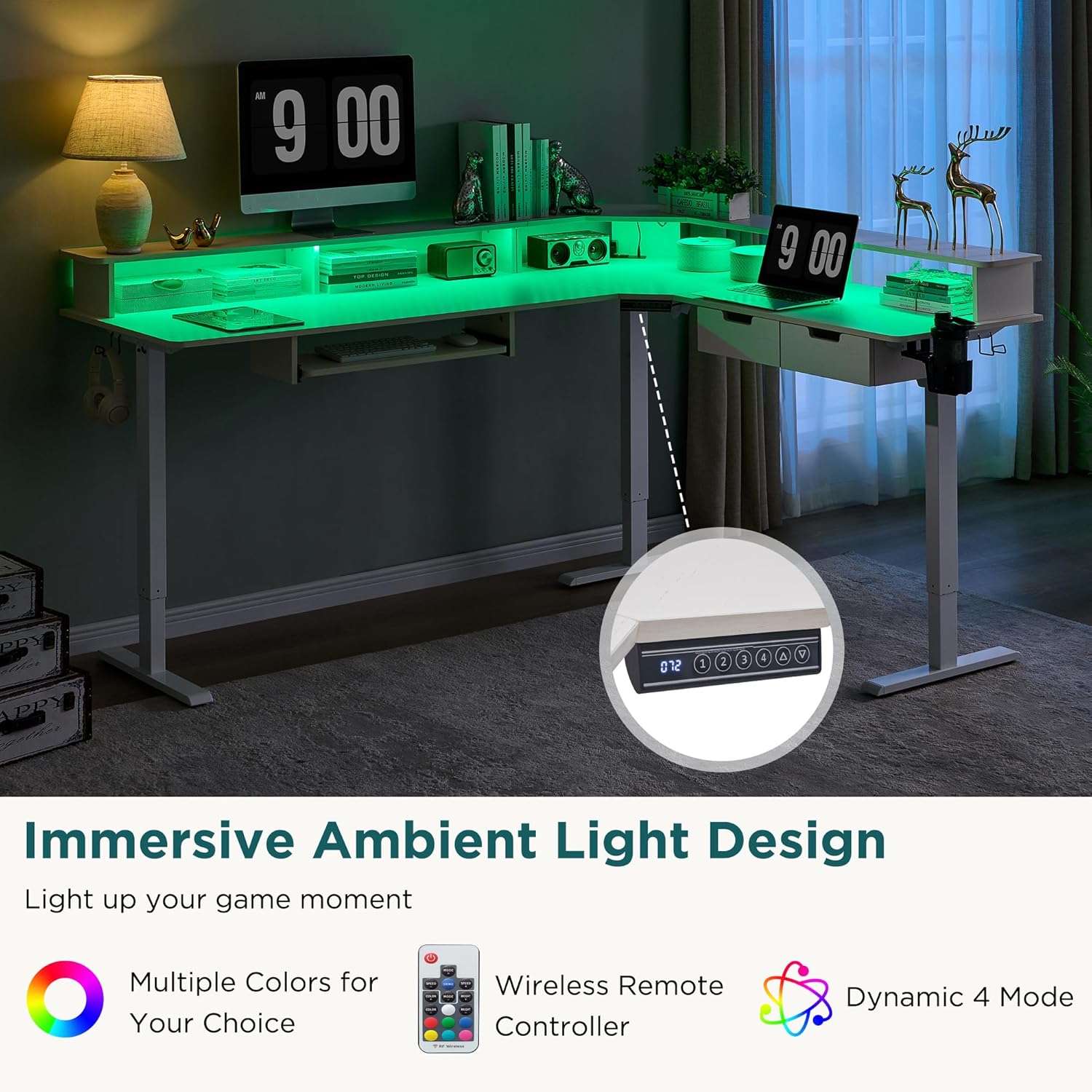
Image: The L-shaped desk illuminated with vibrant green LED lights, showcasing the ambient lighting feature. A monitor and various desk accessories are visible.

Image: A wireless remote control for the LED lights is shown alongside the desk, which is currently lit with blue ambient lighting. This demonstrates the ease of controlling the lighting effects.
3. Spacious L-Shaped Workspace
The 75x60 inch L-shaped design provides an expansive surface, ideal for separating work and personal tasks. A monitor shelf offers ergonomic viewing height and additional storage, helping to maintain an organized and comfortable environment.
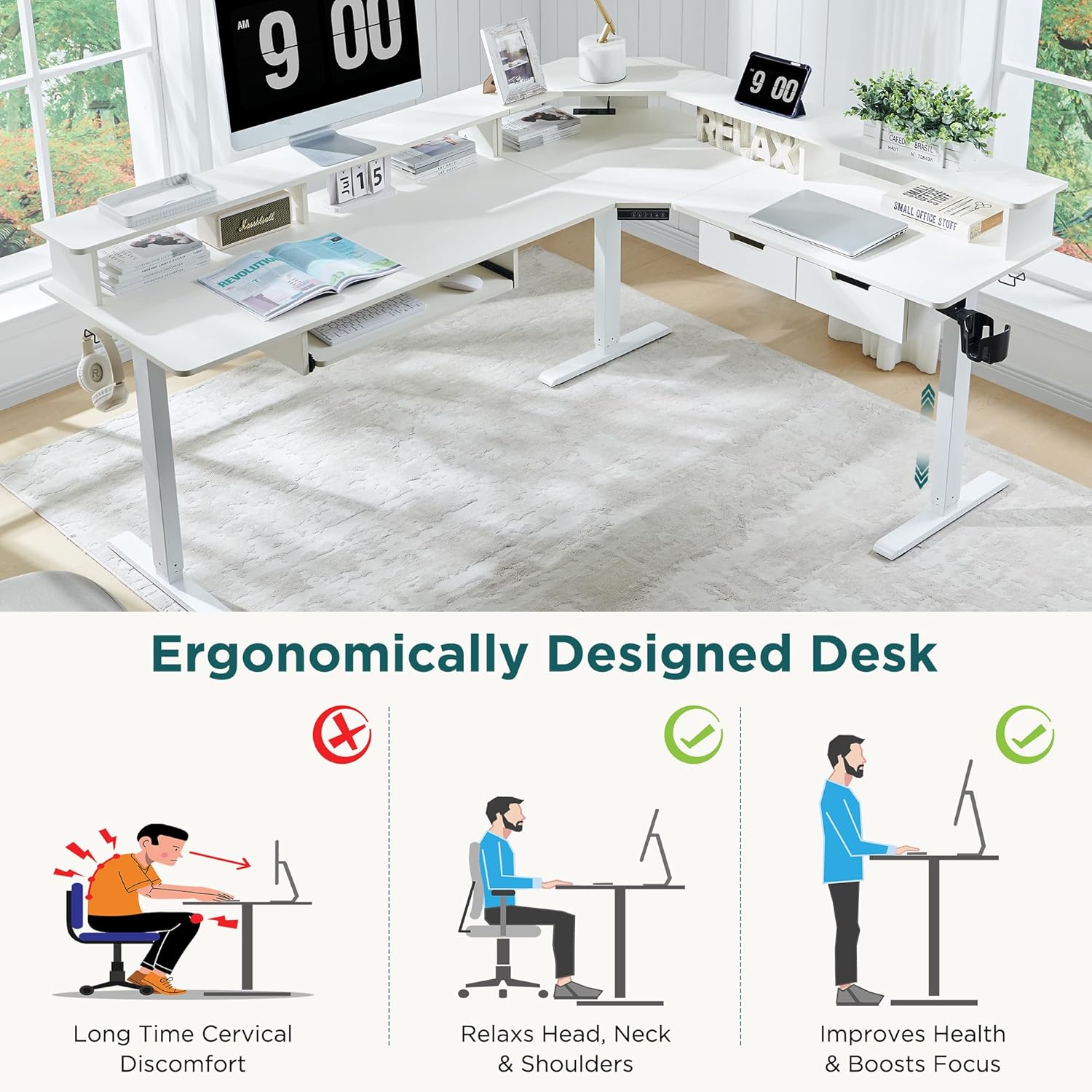
Image: An illustration demonstrating the ergonomic benefits of the desk, showing correct sitting and standing postures compared to an incorrect, hunched posture.

Image: A top-down view of the L-shaped desk, highlighting the monitor shelf and integrated drawers, emphasizing the comfortable and spacious design for various office environments.

Image: A close-up view of the monitor shelf, showing its elevated design for ergonomic monitor placement and additional space for small items.
4. Convenient Integrated Features
The desk includes several thoughtful additions for improved functionality: built-in power outlets (2 AC, 1 USB-A, 1 USB-C) for easy device charging, multifunctional hooks for headphones or bags, a 360-degree rotatable cup holder to prevent spills, a keyboard tray for comfortable typing, and two drawers for organized storage of small items.

Image: A composite image showcasing the desk's additional features: a built-in power strip, a multifunctional hook, a 360-degree rotatable cup holder, and leveling glides for stability.

Image: A close-up of the built-in power strip, featuring two standard power outlets, one USB-A port, and one USB-C port, designed for convenient desktop charging.

Image: A close-up view of the rotatable cup holder attached to the side of the desk, designed to securely hold beverages.
Setup and Assembly
The RedLemon L-Shaped Electric Standing Desk is designed for straightforward assembly. Clear instructions and labeled parts are included to facilitate the process. While assembly can be completed by one person, having a second person may assist with handling larger components. An Allen wrench is provided, but a ratchet screwdriver with appropriate bits can make assembly easier.
Packaging: The product is shipped in sturdy boxes with thick foam and wooden protective panels to minimize damage during transit. Please inspect all components upon arrival for any damage or missing parts before beginning assembly.
Operating Instructions
1. Height Adjustment
The desk's height is controlled via a digital display panel located on the front edge of the desk.
- Manual Adjustment: Use the Up (▲) and Down (▼) arrow buttons to manually raise or lower the desk to your desired height. The current height in inches will be displayed on the digital screen.
- Memory Presets: The control panel features four numbered buttons (1, 2, 3, 4) for saving and recalling preferred heights.
- Adjust the desk to your desired height using the manual adjustment buttons.
- Press and hold one of the numbered preset buttons (1-4) until the display flashes or beeps, indicating the height has been saved.
- To recall a saved height, simply press the corresponding numbered button. The desk will automatically move to the programmed position.
2. LED Light Operation
The integrated RGB LED lights are controlled using the provided wireless remote control.
- Power On/Off: Use the Power button on the remote to turn the LED lights on or off.
- Color Selection: Select from various static colors using the dedicated color buttons (e.g., Red, Green, Blue, White) on the remote.
- Mode Selection: Cycle through 12 different scene modes using the MODE+ and MODE- buttons.
- Brightness Adjustment: Adjust the brightness of the lights using the BRIGHT+ and BRIGHT- buttons.
- Speed Adjustment: For dynamic modes, adjust the speed of the light effects using the SPEED+ and SPEED- buttons.
- Demo Mode: Press the DEMO button to activate a demonstration of various colors and modes.
Maintenance
To ensure the longevity and optimal performance of your RedLemon Electric Standing Desk, follow these maintenance guidelines:
- Cleaning: Unplug the desk before cleaning. Use a soft, damp cloth to wipe down surfaces. Avoid abrasive cleaners or harsh chemicals that could damage the finish or electronic components.
- Cable Management: Regularly check and organize cables to prevent tangles and strain on connections.
- Motor Care: The electric motor is designed for durability. Avoid overloading the desk beyond its specified weight capacity (175 lbs).
- Inspection: Periodically inspect all screws and connections to ensure they are tight. Retighten if necessary.
- LED Lights: If LED lights appear dim or flicker, ensure connections are secure. If issues persist, contact customer support.
Troubleshooting
If you encounter any issues with your desk, please refer to the following common troubleshooting steps:
| Problem | Possible Cause | Solution |
|---|---|---|
| Desk does not move up or down. | Power cord is disconnected; overload protection activated. | Ensure power cord is securely plugged in. Reduce weight on the desk. Unplug for 10 minutes and plug back in to reset. |
| LED lights are not working or flickering. | Loose connection; remote control battery low. | Check all LED strip connections. Replace remote control battery. Ensure remote is pointed at the receiver. |
| Desk movement is uneven or noisy. | Uneven load; loose screws. | Distribute weight evenly on the desk surface. Check and tighten all assembly screws. |
| Memory presets are not saving/recalling. | Incorrect saving procedure. | Ensure you press and hold the preset button until the display confirms saving. |
If these steps do not resolve the issue, please contact RedLemon customer support for further assistance.
Product Specifications
| Feature | Detail |
|---|---|
| Brand | RedLemon |
| Model Number | ELD75LS-AWT |
| Shape | L-Shape |
| Product Dimensions (D x W x H) | 60"D x 75"W x 46"H |
| Color | Antique White |
| Minimum Height | 28 Inches |
| Maximum Height | 46 Inches |
| Lifting Mechanism | Electric |
| Number of Height Positions | 3 (Programmable Presets: 4) |
| Top Material Type | Engineered Wood |
| Base Material | Metal |
| Item Weight | 103 Pounds |
| Max Load Capacity | 175 lbs |
| Included Components | Built-in USB Port, Keyboard Tray, 2 Drawers, Monitor Shelf, LED Lights, Cup Holder, Hooks |
| Required Assembly | Yes |
Warranty and Support
The RedLemon L-Shaped Electric Standing Desk comes with a limited warranty. For specific details regarding warranty coverage, please refer to the documentation included with your purchase or contact RedLemon customer service.
Customer Support: RedLemon is committed to providing excellent after-sales service. If you have any questions, require assistance with assembly, or encounter any issues not covered in this manual, please contact our customer support team. Our clear assembly instructions and labeled parts are designed to make setup a breeze, and our support team is ready to help with any further needs.
Returns: This product is eligible for 30-day easy returns. Please refer to your purchase platform's return policy for detailed instructions.