
Definitive Technology DEFAW450WHTHEOSAMPHS2
Definitive Technology AW-450 Outdoor Speakers and Denon HEOS Wireless Streaming Amplifier User Manual
Model: DEFAW450WHTHEOSAMPHS2
Introduction
This manual provides comprehensive instructions for the installation, operation, and maintenance of your Definitive Technology AW-450 All-Weather Outdoor Speakers and Denon HEOS Wireless Streaming Amplifier. Please read this manual thoroughly before use to ensure proper setup and optimal performance.
Included Components:
- 2 Definitive Technology AW-450 Outdoor Speakers
- 1 Denon HEOS Wireless Streaming Amplifier
- Installation Manual (this document)
- Wall Mount Template
Safety Information
Always follow basic safety precautions when using electrical products to reduce the risk of fire, electric shock, and injury to persons. Keep this manual for future reference.
- Do not expose the amplifier to dripping or splashing liquids.
- Ensure proper ventilation for the amplifier.
- Use only specified power sources.
- Do not attempt to service the unit yourself. Refer all servicing to qualified service personnel.
- The AW-450 speakers are designed for outdoor use and are IP66 rated for weather protection. However, avoid submerging them in water.
Setup and Installation
1. Unpacking
Carefully remove all components from the packaging. Retain packaging materials for future transport or storage.
2. Speaker Placement
For optimal sound dispersion, position the AW-450 speakers in a location that allows for clear sound projection across your listening area. Consider mounting them at ear level when seated, if possible.
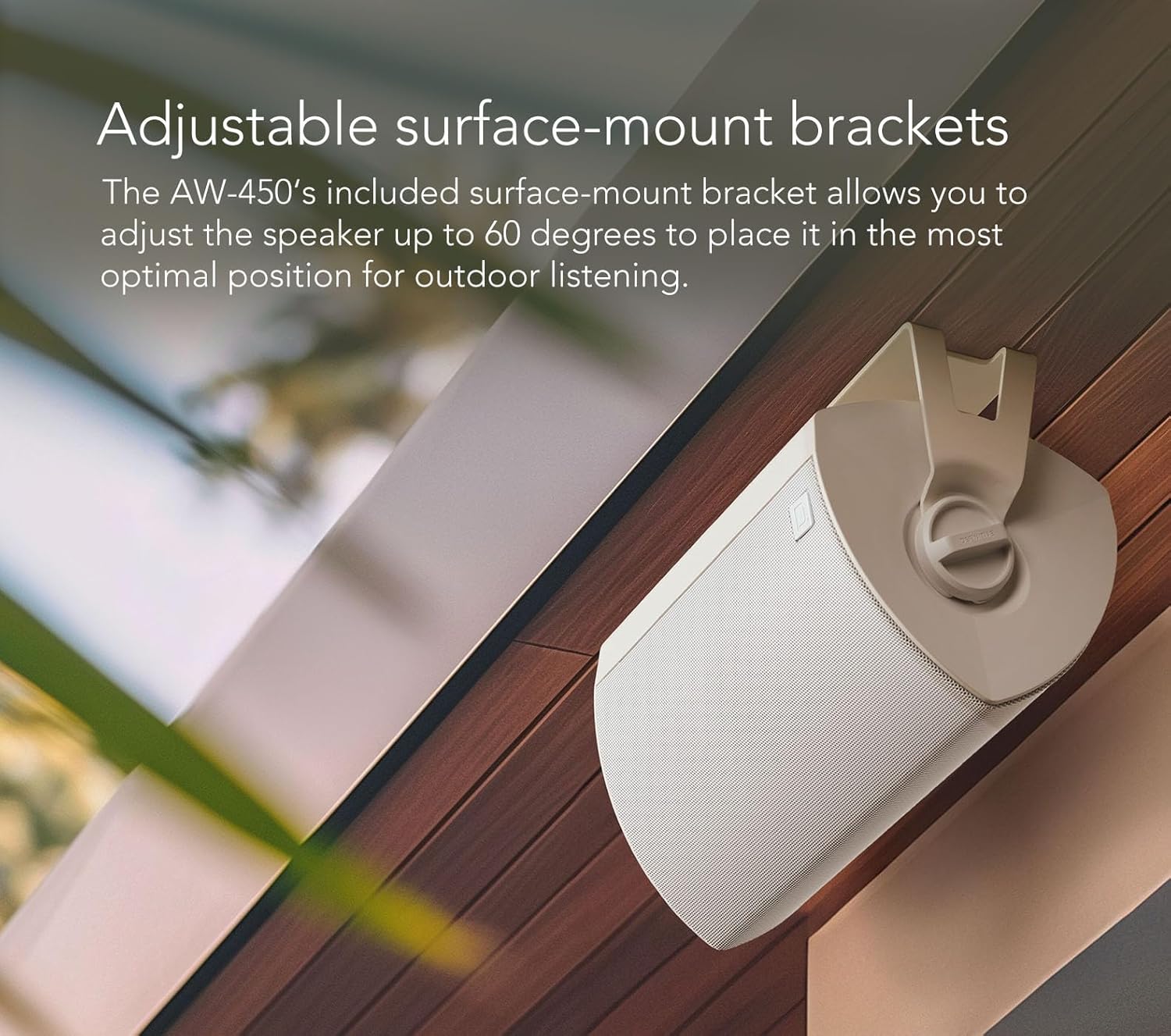
Image: A white Definitive Technology AW-450 outdoor speaker mounted on a wooden surface, showcasing its adjustable surface-mount bracket. The bracket allows for angling the speaker to direct sound.
The AW-450 speakers feature adjustable surface-mount brackets. These brackets allow you to adjust the speaker's angle up to 60 degrees to achieve the most optimal sound direction for your outdoor listening environment.

Image: Two white Definitive Technology AW-450 outdoor speakers mounted on the exterior wall of a modern house, overlooking an outdoor patio area. This demonstrates typical installation for outdoor sound.
3. Speaker Mounting
Use the provided wall mount template to mark drilling locations. Ensure the mounting surface is sturdy enough to support the weight of the speakers. Secure the brackets firmly before attaching the speakers.
4. Wiring the Speakers to the HEOS Amplifier
Connect the speaker wires from the AW-450 speakers to the appropriate speaker terminals on the Denon HEOS Wireless Streaming Amplifier. Ensure correct polarity (positive to positive, negative to negative) for each speaker.

Image: A pair of white Definitive Technology AW-450 outdoor speakers shown alongside a black Denon HEOS Wireless Streaming Amplifier. This illustrates the complete system components.
5. HEOS Amplifier Setup
Connect the HEOS amplifier to a power outlet. Download the HEOS app on your Android or iOS device. Follow the in-app instructions to connect the amplifier to your home Wi-Fi network and configure your audio zone.
The HEOS amplifier supports both Wi-Fi and Bluetooth connectivity for versatile music streaming.
Operating Instructions
1. Powering On/Off
The HEOS amplifier will power on automatically when connected to power. Use the HEOS app to put the amplifier into standby mode or to power it off completely.
2. Music Streaming via HEOS App
Open the HEOS app on your smartphone or tablet. Select your HEOS amplifier from the device list. You can then choose music from various streaming services, local music libraries, or other connected sources.
3. Bluetooth Connectivity
To stream audio via Bluetooth, select the Bluetooth input in the HEOS app. On your device, search for available Bluetooth devices and select your HEOS amplifier to pair.
4. Adjusting Volume and Playback
All volume and playback controls (play, pause, skip) are managed through the HEOS app.
Maintenance
1. Cleaning
For the AW-450 speakers, wipe the enclosures with a soft, damp cloth. Avoid using harsh chemicals or abrasive cleaners. For the HEOS amplifier, use a dry, soft cloth to clean the surfaces.
2. Weather Protection
The AW-450 speakers are IP66 rated, meaning they are protected against dust ingress and powerful water jets. While designed for all-weather use, regular inspection for any physical damage or debris accumulation is recommended, especially after severe weather conditions.

Image: A triptych showing scenes of heavy rain, falling snow, and dust particles in the air. This visually represents the all-weather protection capabilities of the speakers against various environmental elements.
Troubleshooting
No Sound from Speakers
- Ensure the HEOS amplifier is powered on and connected to the network.
- Check speaker wire connections at both the amplifier and the speakers for secure contact and correct polarity.
- Verify the volume level in the HEOS app is not muted or set too low.
- Confirm the correct input source is selected in the HEOS app.
HEOS Amplifier Not Connecting to Wi-Fi
- Ensure your Wi-Fi router is powered on and functioning correctly.
- Move the amplifier closer to the Wi-Fi router to improve signal strength.
- Restart your Wi-Fi router and the HEOS amplifier.
- Follow the Wi-Fi setup instructions in the HEOS app carefully.
Bluetooth Pairing Issues
- Ensure the HEOS amplifier is in Bluetooth pairing mode (selected via the HEOS app).
- Make sure your device's Bluetooth is enabled and it is within range of the amplifier.
- Try unpairing and re-pairing the device.
Specifications
| Feature | Specification |
|---|---|
| Product Model | DEFAW450WHTHEOSAMPHS2 |
| Speaker Type | All-Weather Outdoor Speakers |
| Woofer | 4.5" Mineral-filled |
| Tweeter | 1" Dome |
| Passive Bass Radiator | 4.5" x 6" Advanced |
| Speaker Maximum Output Power | 100 Watts |
| IP Rating (Speakers) | IP66 |
| Amplifier Connectivity | Wi-Fi, Bluetooth |
| Product Dimensions (Speakers) | 7.95"D x 6.61"W x 11.42"H |
| Item Weight (Total) | 11.67 Pounds |
| UPC | 747192147310 |
Warranty and Support
For warranty information and technical support, please refer to the official Definitive Technology website or contact their customer service. Keep your purchase receipt as proof of purchase for warranty claims.
Online Resources:
Related documentsDEFAW450WHTHEOSAMPHS2


Ask a question about this manual
Ask about setup, troubleshooting, compatibility, parts, safety, or missing instructions. Manuals+ will review the question and use this page’s manual context to help answer it.