
Introduction
Thank you for choosing the Coleshome Nightstand. This nightstand is designed to enhance your bedroom with convenient storage, integrated charging capabilities, and ambient LED lighting. It features three fabric drawers, an open storage shelf, a power outlet, two USB ports, and multi-color LED lights with adjustable brightness. This manual provides essential information for assembly, operation, and maintenance to ensure safe and optimal use of your product.
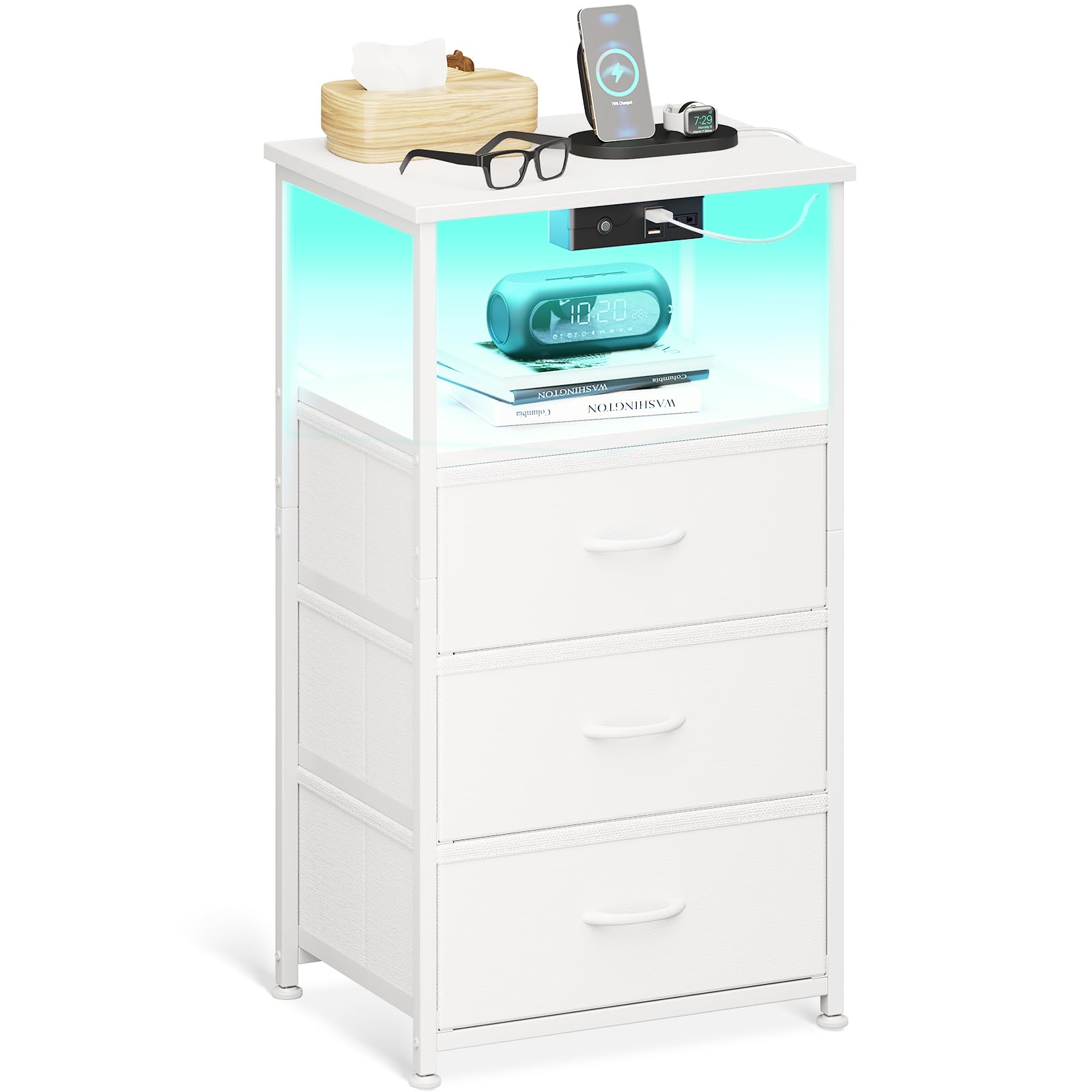
Image: The Coleshome nightstand, fully assembled and illuminated, positioned next to a bed.
Safety Information
Please read all safety instructions before assembly and use. Keep this manual for future reference.
- Ensure all components are securely fastened during assembly. Loose parts can cause instability.
- Do not overload the drawers or shelves. Refer to the specifications for weight limits.
- Always use the provided anti-tip safety anchor to secure the nightstand to the wall. This prevents accidental tipping, especially in households with children or pets.
- Keep electrical components (power outlet, USB ports, LED strip) away from water or excessive moisture.
- Do not attempt to modify the electrical components. Contact customer support if issues arise.
- Place the nightstand on a stable, level surface. Use the adjustable feet to compensate for uneven floors.

Image: Detail showing the adjustable feet at the base of the nightstand, ensuring stability on various floor types.
Package Contents
Before assembly, verify that all parts are present and undamaged. If any parts are missing or damaged, please contact customer support.
- Metal Frame Components
- Wooden Top Panel
- Fabric Drawers (3 units)
- Power Outlet and USB Charging Module
- LED Light Strip with Power Adapter
- Adjustable Feet
- Assembly Hardware (screws, bolts, anti-tip anchor)
- Assembly Tools (screwdriver, Allen key)
Assembly Instructions
Self-assembly is required. A screwdriver is the recommended tool. Follow these general steps for assembly:
- Unpack and Identify Parts: Lay out all components and hardware. Refer to the included assembly diagram to identify each piece.
- Assemble the Metal Frame: Connect the metal frame components using the provided screws and tools. Ensure all connections are tight and stable. The reinforced steel structure provides exceptional stability.
- Attach the Wooden Top: Secure the wooden top panel to the assembled metal frame.
- Install Power Module: Mount the power outlet and USB charging module into its designated slot on the top shelf. Connect its power cable.
- Insert Fabric Drawers: Place the three fabric drawers into their respective slots within the frame. These drawers are designed for quiet operation and privacy.
- Attach LED Light Strip: Adhere the LED light strip to the underside of the top shelf or as indicated in the specific instructions. Connect it to the integrated power adapter.
- Adjust Feet: Screw in the adjustable feet at the base of the nightstand. Adjust them to ensure the nightstand is level and stable on your floor.
- Secure with Anti-Tip Anchor: Attach the anti-tip safety anchor to the back of the nightstand and secure it to a wall stud using appropriate hardware (not always included, but recommended).

Image: Illustration of the robust steel frame with X-shaped reinforcement, highlighting structural stability.
Operating Instructions
LED Lighting System
The nightstand features innovative multi-color LED light strips with a touch-sensitive control button.
- Power On/Off: Lightly touch the control button to turn the LED lights on or off.
- Change Color: With the lights on, short press the touch button to cycle through 11 different color options.
- Adjust Brightness: Long press the touch button to adjust the brightness level. There are 10 levels of brightness (10%-100%).
- Memory Function: The LED system includes a power-off memory function, which means it will recall your last color and brightness setting when turned back on.

Image: The nightstand showcasing its LED lights with various color and brightness options, controlled by a touch button.
Integrated Charging Station
The nightstand is equipped with a convenient charging station to power your devices.
- Power Outlet: Plug in any standard electrical device into the 120V/12A power outlet.
- USB Ports: Use the two 5V/2A USB ports to charge smartphones, tablets, or other USB-powered devices.
- Ensure the nightstand's main power cord is securely plugged into a wall outlet for the charging station to function.

Image: A detailed view of the integrated power outlet, two USB charging ports, and the LED touch control button located on the nightstand.
Maintenance
Regular maintenance will help prolong the life and appearance of your nightstand.
- Cleaning the Frame and Top: Wipe the metal frame and wooden top with a soft, damp cloth. Avoid using abrasive cleaners or harsh chemicals, as they may damage the finish.
- Cleaning Fabric Drawers: The fabric drawers can be spot cleaned with a mild detergent and a damp cloth. Allow them to air dry completely. Do not machine wash or tumble dry.
- Electrical Components: Ensure the power outlet and USB ports are free from dust and debris. Do not use liquid cleaners directly on electrical parts.
- Periodic Checks: Periodically check all screws and connections to ensure they remain tight. Retighten if necessary.

Image: A close-up view of a fabric drawer, illustrating its material and design.
Troubleshooting
If you encounter any issues, refer to the following troubleshooting guide:
| Problem | Possible Cause | Solution |
|---|---|---|
| LED lights do not turn on. | 1. Power cord not plugged in. 2. LED strip not connected properly. 3. Faulty LED strip or adapter. | 1. Ensure the main power cord is securely plugged into a wall outlet. 2. Check the connection of the LED strip to its adapter. 3. Contact customer support for replacement. |
| Charging ports (USB/Outlet) are not working. | 1. Main power cord unplugged. 2. Power module not fully seated. 3. Device not compatible or cable faulty. | 1. Verify the nightstand's main power cord is plugged in. 2. Check the connection of the power module within its slot. 3. Try a different device or charging cable to rule out external issues. |
| Nightstand is unstable or wobbly. | 1. Uneven floor. 2. Loose assembly screws. 3. Adjustable feet not properly set. | 1. Adjust the leveling feet at the bottom of the nightstand. 2. Retighten all assembly screws. 3. Ensure all feet are making firm contact with the floor. |
Specifications
Key technical specifications for the Coleshome Nightstand:
| Feature | Detail |
|---|---|
| Model Number | Coleshome-4-3 |
| Dimensions (W x D x H) | 40 x 30 x 70 cm (15.7 x 11.8 x 27.6 inches) |
| Item Weight | 5 Kilograms (11 lbs) |
| Frame Material | Metal |
| Top Material | Wood |
| Drawer Material | Fabric |
| Color | White |
| Number of Drawers | 3 |
| Power Outlet | 120V/12A |
| USB Ports | 2 x 5V/2A |
| LED Lights | 11 Color Changes, 10 Brightness Levels (10%-100%), Memory Function |
| Assembly Required | Yes (Self-assembly) |
| Recommended Tools | Screwdriver |

Image: Detailed dimensions of the nightstand, including overall size and drawer measurements.
Warranty and Support
Coleshome is committed to providing high-quality products and excellent customer service.
- Return and Exchange: Coleshome offers a 30-day worry-free return and exchange guarantee from the date of purchase.
- Customer Service: Our professional customer service team is available 24/7 to provide efficient solutions for any questions or concerns you may have regarding your product.
- For assistance, please refer to the contact information provided with your purchase or visit the official Coleshome website.