
1. Introduction
Thank you for choosing the PHYSEN JKD-514COM-W 2-in-1 WLAN Smoke and Carbon Monoxide Detector. This device is designed to provide early warning of both smoke and carbon monoxide (CO) hazards in your home or office. It features a high-precision LCD digital display, a test button, and connects to your 2.4 GHz WiFi network for app notifications. Please read this manual thoroughly before installation and use to ensure proper operation and safety.
2. Important Safety Information
- This detector is designed for indoor use only.
- Do not paint the detector. Paint can clog the sensing chambers and prevent the unit from operating correctly.
- Do not install in areas with high humidity, excessive dust, or insect infestation.
- Regularly test the detector as described in the Maintenance section.
- Never ignore an alarm. Investigate the cause immediately.
- This device is not a substitute for proper ventilation and maintenance of fuel-burning appliances.
3. Product Overview
The PHYSEN JKD-514COM-W detector combines photoelectric smoke sensing and electrochemical CO sensing in one compact unit. It provides continuous monitoring and alerts you to potential dangers.
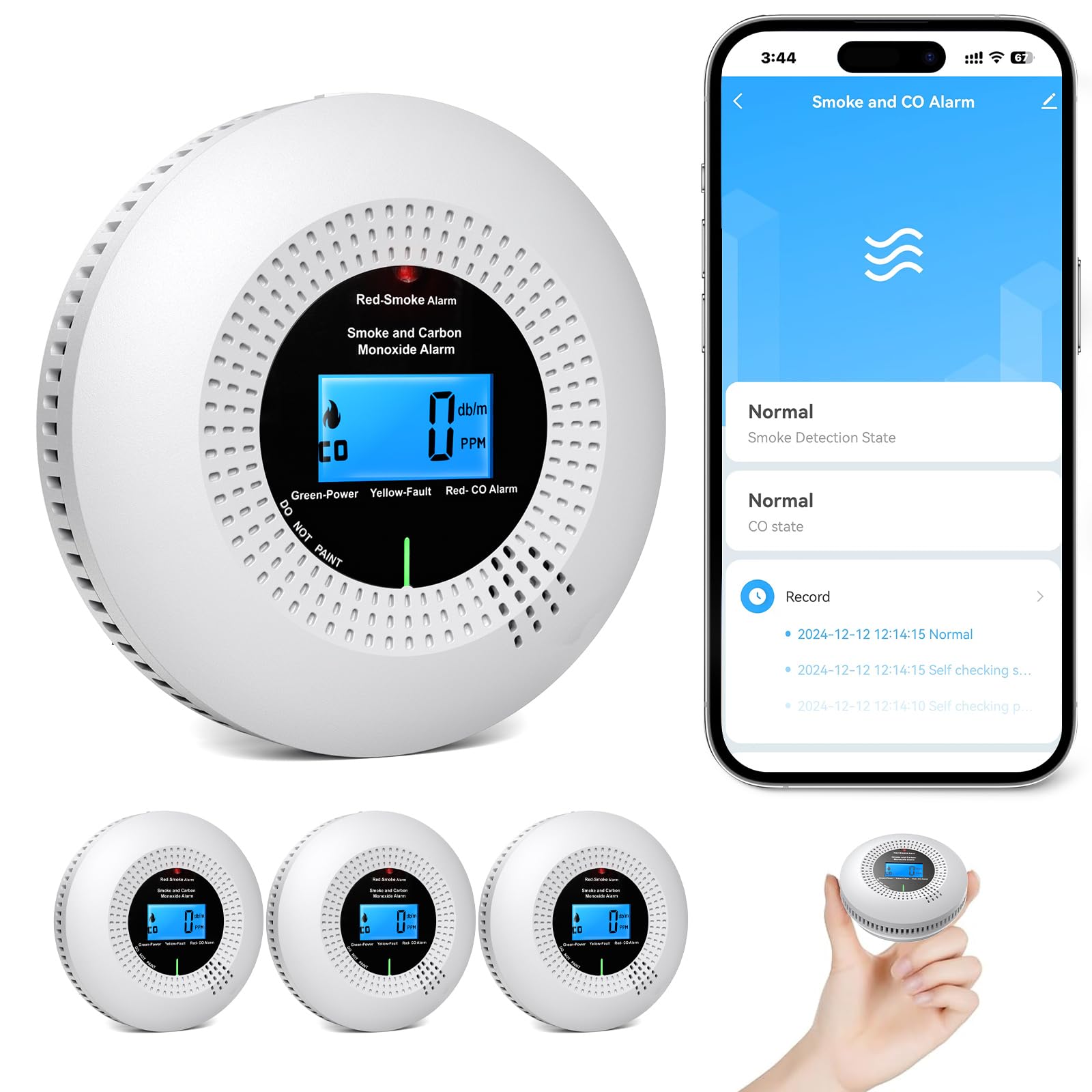
Image 1: Front view of the PHYSEN JKD-514COM-W 2-in-1 WLAN Smoke and CO Detector, showing the LCD screen and test button.
Key Components:
- LCD Digital Display: Shows battery level and CO concentration in PPM.
- Test/Silence Button: Used to test the alarm and silence false alarms.
- LED Status Lights: Green for normal operation, Red for alarm status.
- Buzzer: Emits a loud 85 dB alarm sound.
4. Setup and Installation
4.1 Battery Installation
- Remove the mounting bracket by twisting the detector counter-clockwise.
- Open the battery compartment cover.
- Insert two 1.5V AA alkaline batteries, ensuring correct polarity (+ and -).
- Close the battery compartment cover. The detector will emit a short beep and the green LED will flash, indicating it is powered on.
4.2 Choosing a Mounting Location
For optimal protection, install detectors in all sleeping areas and on every level of your home. Consider the following:
- Smoke Detection: Mount on the ceiling in the center of a room or at least 10 cm (4 inches) from a wall. Avoid corners.
- CO Detection: Install at breathing height, typically 1.5 meters (5 feet) from the floor.
- Avoid installing near windows, doors, or vents where drafts could affect readings.
- Keep away from cooking appliances, bathrooms, and areas with high humidity.
4.3 Mounting the Detector
- Using the mounting bracket as a template, mark two drill holes on the wall or ceiling.
- Drill the holes and insert the provided wall plugs.
- Screw the mounting bracket firmly into place.
- Align the detector with the mounting bracket and twist clockwise until it locks securely.
- Perform a test by pressing the Test/Silence button.
5. WLAN (Wi-Fi) Connection and App Setup
The detector connects to your 2.4 GHz WiFi network via the "Smart Life" or "Tuya" app for remote monitoring and notifications.
- Download the App: Search for "Smart Life" or "Tuya Smart" in your smartphone's app store (iOS or Android) and install it.
- Register/Log In: Open the app and create an account or log in if you already have one.
- Add Device: Tap the "+" icon or "Add Device" in the app. Select "Security & Video Surveillance" > "Smoke Detector (Wi-Fi)" or "CO Detector (Wi-Fi)".
- Enter Wi-Fi Details: Ensure your phone is connected to a 2.4 GHz Wi-Fi network. Enter your Wi-Fi password in the app.
- Pairing Mode: On the detector, press and hold the Test/Silence button for 5-10 seconds until the LED indicator flashes rapidly. Confirm this in the app.
- Connect: The app will search for and connect to the detector. Once connected, you can name the device (e.g., "Living Room Smoke/CO Detector") for easy identification of alarm sources.
- Share Device: You can share access to the detector with up to 12 family members or friends through the app, allowing them to receive alarm notifications.
6. Operation
6.1 Normal Operation
During normal operation, the green LED indicator will flash approximately every 40 seconds, and the LCD will display the current battery level and CO concentration (if any) in PPM. A new measurement is carried out every 40 seconds.
6.2 Alarm Conditions
- Smoke Alarm: The red LED will flash rapidly, and the buzzer will emit a loud, continuous alarm sound. The app will send an immediate notification.
- Carbon Monoxide (CO) Alarm: The red LED will flash rapidly, and the buzzer will emit a series of short beeps. The LCD will display the detected CO level. If the CO value exceeds 200 ppm, an alarm will be sent via the app.
- Low Battery Warning: The detector will chirp periodically, and the LCD will show a low battery icon. Replace batteries immediately.
- Malfunction Warning: The detector constantly monitors itself. If a malfunction is detected, it will indicate an error, and the app will notify you.
6.3 Test Function
Press and hold the Test/Silence button for a few seconds. The detector will sound the alarm and flash the red LED, confirming that its electronic circuitry, horn, and battery are working. Release the button to stop the test.
6.4 Silence Function
In case of a non-emergency alarm (e.g., cooking smoke), you can temporarily silence the alarm by pressing the Test/Silence button. The alarm will silence for a short period (typically 5-10 minutes) before re-evaluating the air quality. If the hazard persists, the alarm will reactivate.
7. Maintenance
7.1 Regular Testing
Test your detector weekly by pressing the Test/Silence button. If the alarm does not sound, replace the batteries or contact support.
7.2 Cleaning
Clean the detector at least once a month to remove dust and debris. Use a soft, damp cloth to wipe the exterior. Do not use cleaning sprays or solvents. You may also use a vacuum cleaner with a soft brush attachment to gently clean around the vents.
7.3 Battery Replacement
When the low battery warning sounds (periodic chirp and low battery icon on LCD), replace both 1.5V AA alkaline batteries immediately. Refer to section 4.1 for battery installation steps.
7.4 End-of-Life Indication
The detector has a sensor life of 10 years. After this period, the unit will indicate its end-of-life, and it should be replaced to ensure continued protection.
8. Troubleshooting
| Problem | Possible Cause | Solution |
|---|---|---|
| Detector chirps periodically | Low battery | Replace both 1.5V AA alkaline batteries. |
| False alarm (smoke) | Cooking fumes, steam, dust, high humidity | Press the Test/Silence button. Ventilate the area. Clean the detector. Relocate if false alarms persist. |
| No alarm during test | Dead batteries, faulty unit | Replace batteries. If still no alarm, the unit may be faulty and needs replacement. |
| Cannot connect to Wi-Fi/App | Incorrect Wi-Fi password, 5 GHz network, detector not in pairing mode, weak signal | Ensure 2.4 GHz Wi-Fi. Re-enter password. Put detector in pairing mode (rapid flashing LED). Move detector closer to router. |
| Detector shows error on LCD | Internal malfunction | Contact customer support for assistance. The unit may need replacement. |
9. Specifications
- Model: JKD-514COM-W
- Sensor Type: Photoelectric (Smoke), Electrochemical (CO)
- Power Source: 2 x 1.5V AA Alkaline Batteries
- Alarm Loudness: 85 dB at 3 meters
- CO Detection Range: 0-999 PPM
- Operating Temperature: 0°C to 40°C (32°F to 104°F)
- Operating Humidity: 0% to 95% RH (non-condensing)
- Dimensions: 10.5 x 10.5 x 3.85 cm (4.13 x 4.13 x 1.52 inches)
- Weight: Approximately 500 g (0.5 kg)
- Certifications: EN14604, EN50291
- Sensor Life: 10 Years
10. Warranty and Support
The PHYSEN JKD-514COM-W detector is designed for a long service life, with a sensor life of 10 years. For technical support, troubleshooting assistance, or warranty inquiries, please refer to the contact information provided with your purchase or visit the official PHYSEN website. Always ensure you have your model number (JKD-514COM-W) and purchase details ready when contacting support.

