
Introduction
Thank you for choosing the SEDETA 59-inch Filing Cabinet. This manual provides essential information for the safe assembly, proper operation, and effective maintenance of your new filing cabinet. Please read these instructions carefully before beginning assembly and retain them for future reference.
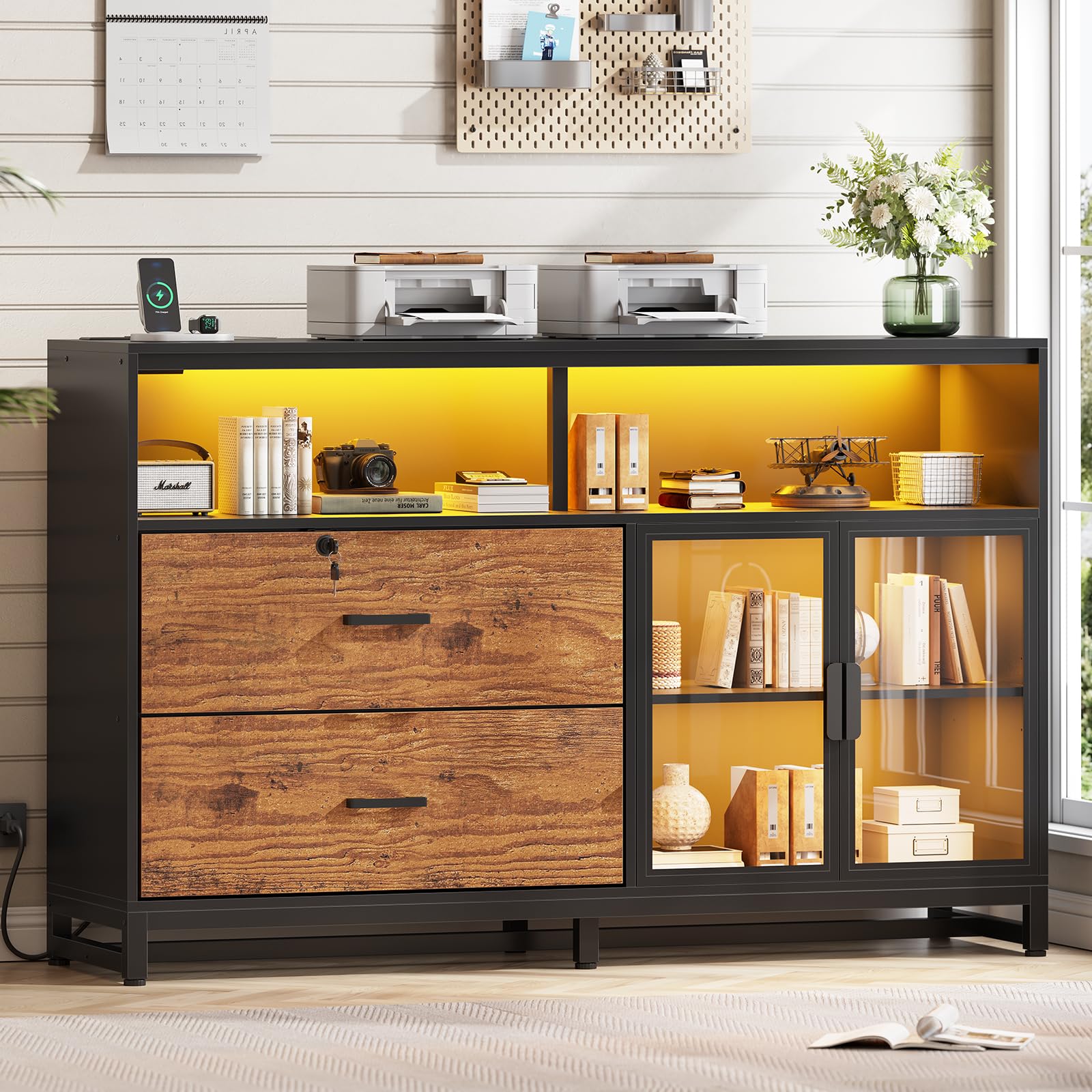
Overall view of the SEDETA 59-inch filing cabinet, highlighting its dimensions, two lockable drawers, display cabinet, and power strip.
Safety Information
For your safety and to prevent damage to the product, please adhere to the following guidelines:
- Always unplug the power strip when not in use.
- Do not overload the drawers.
- Secure the cabinet to the wall using the provided anti-tip hardware to prevent tip-over, especially in households with children or pets.
- Keep the area around the cabinet clear of flammable materials.
- Ensure all connections for the power strip are secure before use.
Package Contents
Verify that all components are present before beginning assembly. The filing cabinet is typically shipped in two separate boxes (Box A and Box B), which may arrive on different days.
- Cabinet panels and frame components
- 2 File Drawers with locking mechanism
- 1 Power Strip with 2 AC outlets and 2 USB ports
- 4 Storage Shelves (2 fixed, 2 adjustable within display cabinet)
- 2 Acrylic Cabinet Doors
- LED Light Strip
- Keys for lockable drawer
- Flexible hanging rods for file drawers
- Assembly hardware (screws, dowels, etc.)
- Illustrated Instruction Manual

Image showing the filing cabinet with its various components and dimensions, indicating it ships in two boxes.
Setup and Assembly
Assembly typically requires two individuals and approximately 3-4 hours. Follow the included illustrated instructions carefully. Do not overtighten screws to avoid damaging the engineered wood.
Required Tools (Not Included):
- Phillips head screwdriver
- Hammer (optional, for dowels)
Assembly Steps:
- Unpack Components: Carefully remove all parts from the packaging. Lay them out on a clean, soft surface to prevent scratches. Verify all parts against the parts list in the instruction manual.
- Assemble Frame: Follow the numerical sequence in the manual to connect the main frame components.
- Install Drawers: Assemble the two file drawers according to the instructions. Ensure the drawer slides are correctly oriented for smooth operation.
- Attach Power Strip: Secure the power strip into its designated slot on the cabinet top.
- Install Shelves and Doors: Place the fixed shelves and install the adjustable shelves within the display cabinet. Attach the acrylic doors.
- Apply LED Light Strip: Adhere the LED light strip to the interior of the cabinet as shown in the manual. Ensure the surface is clean and dry for optimal adhesion.
- Install Adjustable Feet: Screw in the adjustable feet at the base of the cabinet. Adjust them to ensure the cabinet is level and stable on uneven floors.
- Secure Anti-Tip Hardware: Attach the anti-tip bracket to the back of the cabinet and secure it to a wall stud using appropriate hardware.

Adjustable feet allow for stable placement on uneven surfaces.
Operating Instructions
File Drawers:
The cabinet features two file drawers. The top drawer is lockable for securing sensitive documents. Use the provided keys to lock and unlock this drawer.
The drawers are designed to accommodate Legal, Letter, and A4 size files. Flexible hanging rods can be adjusted to fit your specific file dimensions. To adjust, remove the hanging rods and reposition them in the appropriate slots within the drawer.

File drawers support Legal, Letter, and A4 sizes with adjustable hanging rods.

Easily change the size of stored files using an adjustable lever.
Integrated Power Strip:
The cabinet includes a power strip with 2 standard AC outlets (125V/12A) and 2 USB ports (5V/2A) for convenient charging of up to four devices simultaneously. Connect the cabinet's power cord to a wall outlet. Ensure the total power consumption of connected devices does not exceed the strip's maximum rating.
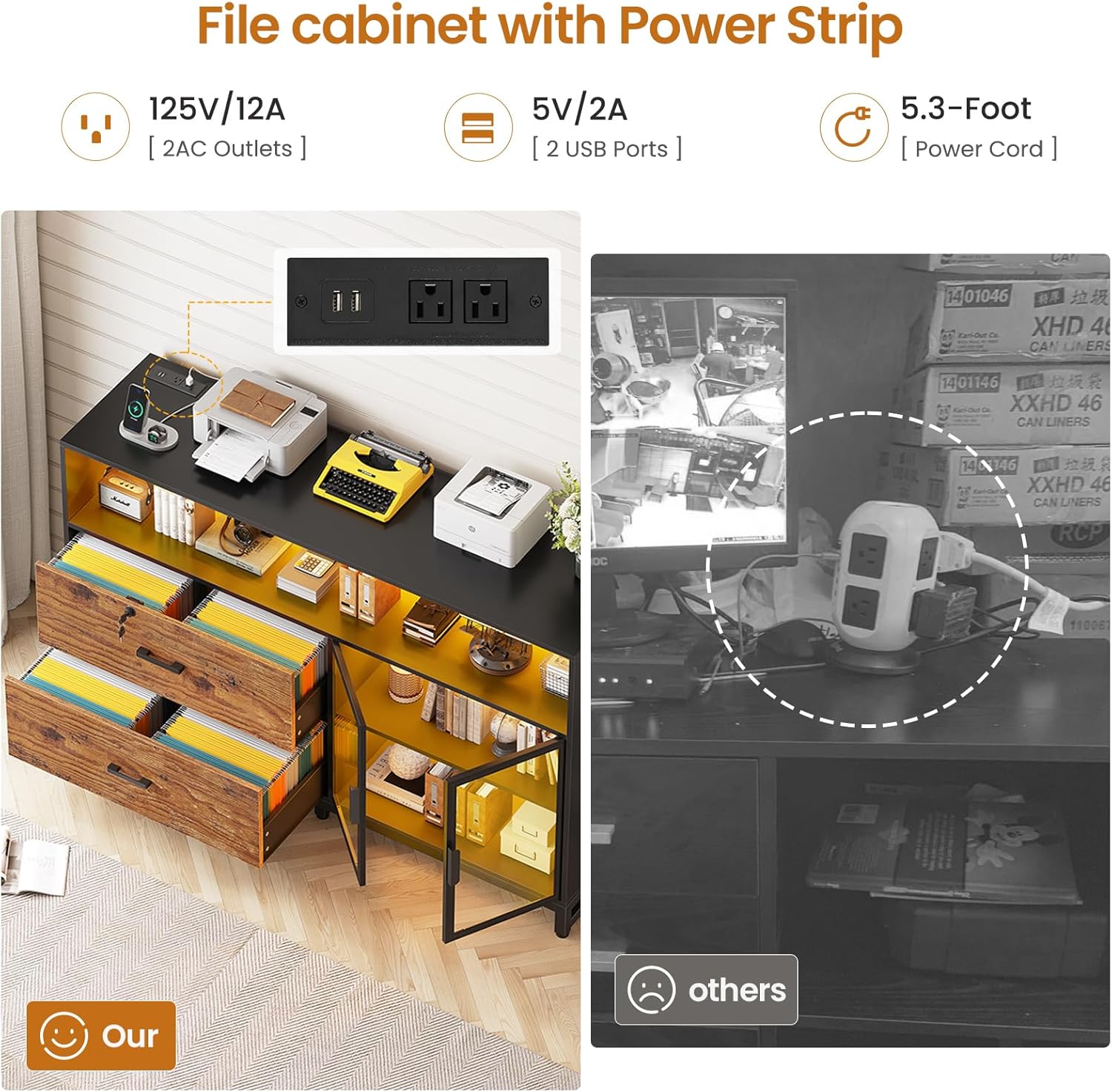
Integrated power strip for convenient device charging.
Acrylic Display Cabinet:
The display cabinet features clear acrylic doors, allowing for visibility of stored items while protecting them from dust. The interior shelves are adjustable, allowing you to customize the storage space. To adjust a shelf, carefully lift it and reposition it into the desired peg holes.

Adjustable shelves within the acrylic display cabinet for customized storage.
LED Light Strips:
The integrated LED light strip provides ambient lighting. Refer to the specific instructions included with the LED light kit for details on power, color selection, and any available control options (e.g., remote control, app control).
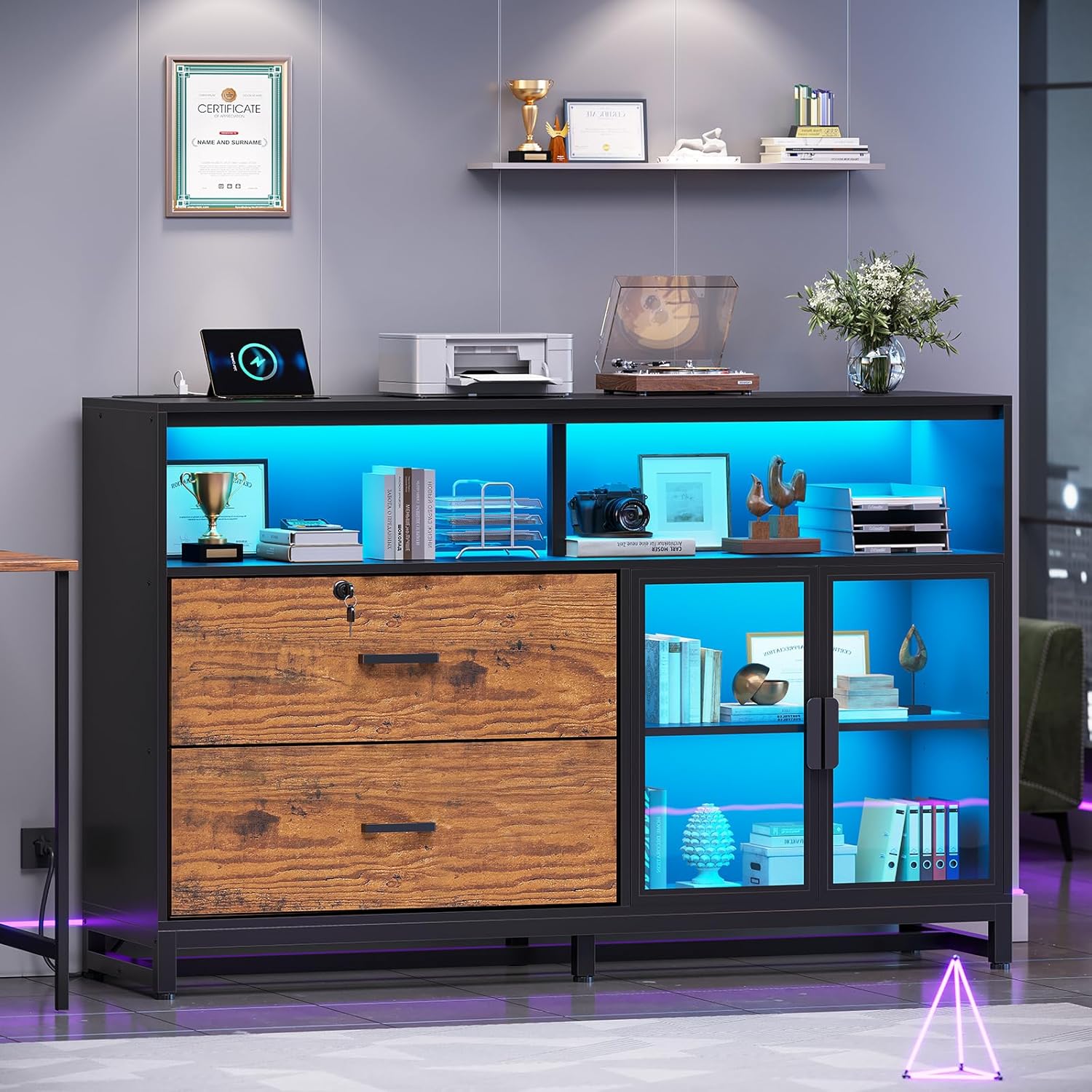
Cabinet illuminated with blue LED lighting.
Product Videos:
This video demonstrates the functionality of the SEDETA 59-inch filing cabinet, including the operation of its lockable drawers and the display cabinet.
This video provides a closer look at the two file drawers of the SEDETA 59-inch filing cabinet, showcasing their capacity and smooth operation.
Maintenance
Cleaning:
- Wipe surfaces with a soft, damp cloth. Avoid harsh chemicals or abrasive cleaners, which can damage the finish.
- For acrylic doors, use a soft cloth and a mild, non-abrasive cleaner specifically designed for acrylic or glass.
General Care:
- Periodically check all screws and connections to ensure they remain tight. Retighten if necessary, but do not overtighten.
- Avoid placing hot items directly on the cabinet surface. Use coasters or protective pads.
- Keep the cabinet away from direct sunlight and excessive moisture to prevent warping or discoloration.
Troubleshooting
- Issue: Difficulty during assembly or missing parts.
- Solution: Refer to the detailed illustrated instructions provided. Ensure all parts are accounted for by checking the parts list. If parts are missing or damaged, contact customer support immediately for free replacements.
- Issue: LED light strip not adhering properly.
- Solution: Ensure the surface where the LED strip is applied is clean, dry, and free of dust or oils. If the adhesive is insufficient, consider using additional adhesive strips (e.g., Command Strips) for better hold.
- Issue: Cabinet doors are not aligned or do not close properly.
- Solution: Check the hinge adjustments. Most cabinet hinges allow for minor adjustments to align doors. Refer to the assembly manual for specific hinge adjustment instructions. Ensure the cabinet is level using the adjustable feet.
- Issue: Drawers are stiff or do not slide smoothly.
- Solution: Ensure the drawer slides are correctly installed and free from obstructions. A small amount of silicone lubricant can be applied to the slides if needed.
Specifications
| Feature | Detail |
|---|---|
| Brand | SEDETA |
| Model Number | B0DZ68VQ53 |
| Color | Rustic Brown |
| Material | Engineered Wood |
| Product Dimensions (D x W x H) | 15.7"D x 59"W x 41.3"H |
| Item Weight | 110 pounds |
| Maximum Load Capacity | 300 pounds |
| Number of Drawers | 2 (lockable) |
| File Compatibility | Legal, Letter, A4 sizes |
| Power Strip | 2 AC Outlets (125V/12A), 2 USB Ports (5V/2A) |
| Number of Shelves | 4 |
| Door Style | Acrylic |
| Mounting Type | Freestanding (with anti-tip hardware) |

Maximum load capacity of 300 lbs on the desktop.
Warranty and Support
SEDETA products are designed for quality and durability. If your item arrives damaged, scratched, or with missing parts, please contact the seller, goodgoodsstore, directly through your Amazon order page. They will assist you with free replacements or offer a partial refund as applicable.
For general inquiries or further assistance, please refer to the contact information provided with your purchase or visit the SEDETA brand store on Amazon.
Seller: goodgoodsstore
Amazon Store: Visit the SEDETA Store