
LEICKE EP18263
LEICKE Construction Site Radio User Manual
Model: EP18263
1. Introduction
Thank you for choosing the LEICKE Construction Site Radio. This robust and versatile radio is designed to provide high-quality audio in demanding environments, featuring DAB+, FM, Bluetooth, and AUX connectivity. This manual provides essential information for safe operation, setup, and maintenance of your device. Please read it thoroughly before use and keep it for future reference.
2. Safety Instructions
- Do not expose the radio to extreme temperatures, direct sunlight, or high humidity.
- Ensure the charging port cover is securely closed when not in use to maintain IP54 protection.
- Do not attempt to disassemble or modify the radio. Refer all servicing to qualified personnel.
- Keep the radio away from strong magnetic fields.
- Use only the provided charger or a compatible charger with the correct voltage and current specifications.
- Avoid listening at excessively high volumes for prolonged periods to prevent hearing damage.
3. Package Contents
Please check the package for the following items:
- LEICKE Construction Site Radio (Model EP18263)
- USB-C Cable
- AUX Cable
- Power Adapter/Charger
- User Manual (this document)

Image: LEICKE Construction Site Radio with its charger, user manual, and product packaging.
4. Product Overview
The LEICKE Construction Site Radio is built for durability and performance. It features a robust housing with IP54 protection against dust and splashing water, making it ideal for challenging work environments. Enjoy powerful stereo sound from its two 15W speakers and clear information display on the 2.4-inch LCD screen.

Image: Front-left view of the LEICKE Construction Site Radio, highlighting its rugged design and control panel.
Key Features:
- Multifunctional Reception: DAB+ (174 - 240 MHz) and FM (87.5 - 108 MHz) for a wide range of stations.
- Bluetooth V5.3: Seamless wireless connection to other devices.
- AUX Input: 3.5mm jack for wired audio connections.
- Powerful Sound: Two 15W speakers deliver strong stereo audio.
- Long-lasting Battery: Integrated 4000 mAh rechargeable battery provides up to 15 hours of operation at 50% volume.
- USB Charging Port: 5V/1A USB port for charging smartphones.
- Durable Design: Robust housing with handle and IP54 protection against dust and splashing water.
- LCD Display: 2.4-inch color LCD for clear display of settings and information.

Image: The radio demonstrating its IP54 dust and splash water protection.
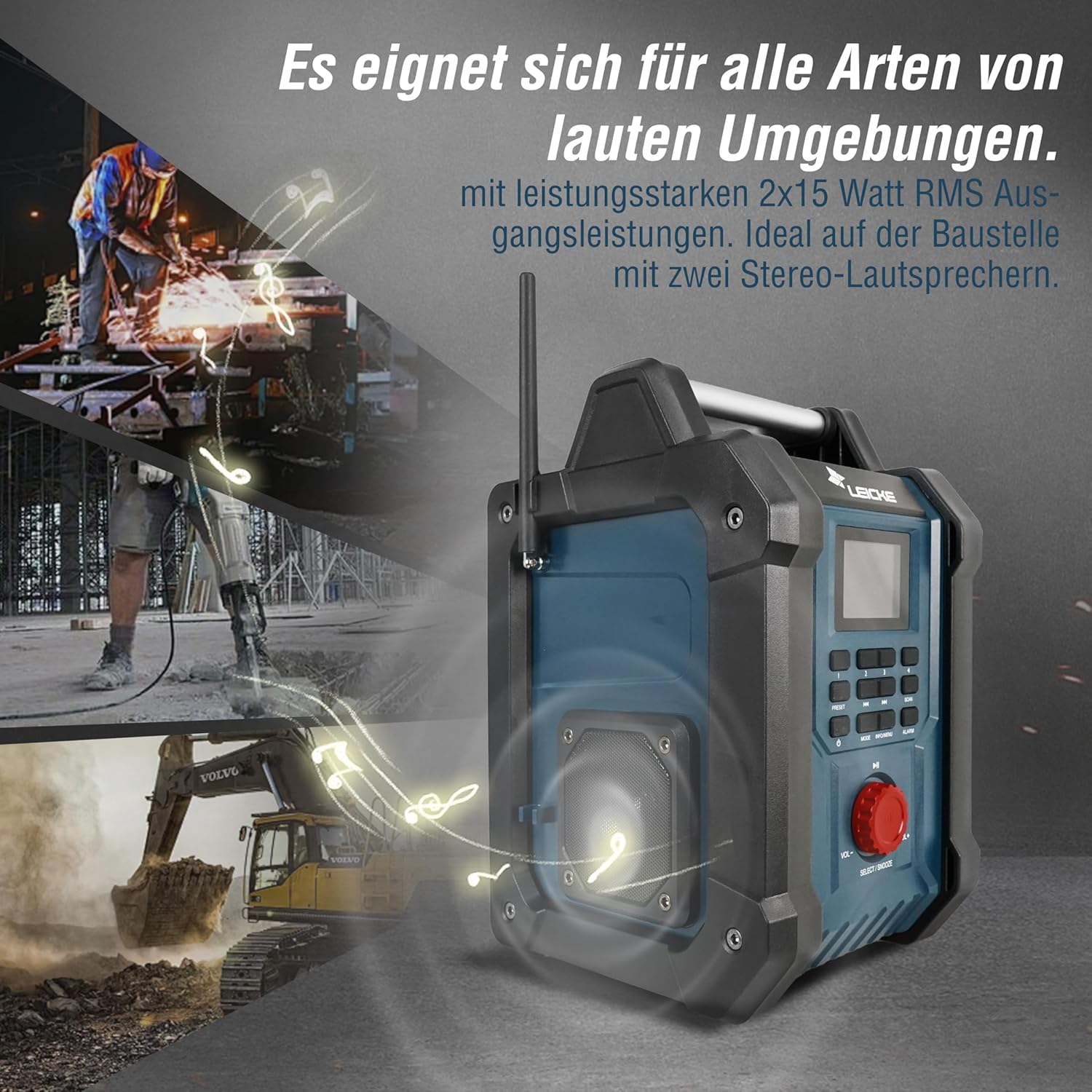
Image: The radio providing powerful sound in a loud construction environment.

Image: Detail of the radio's connectivity options and internal phone charging compartment.
5. Setup
5.1 Initial Charging
Before first use, fully charge the radio's internal battery. Connect the provided power adapter to the DC 9V/2A input port on the radio and plug it into a power outlet. The charging indicator on the display will show the charging status. A full charge takes approximately 3 hours.

Image: Visual representation of the 4000mAh battery capacity.
5.2 Antenna Setup
Extend the telescopic antenna fully for optimal DAB+ and FM radio reception. Adjust its position to improve signal strength if needed.

Image: Detail of the radio's extendable antenna for signal reception.
6. Operating Instructions
6.1 Power On/Off
Press the POWER button (usually labeled with a power symbol) to turn the radio on or off.
6.2 Mode Selection
Press the MODE button to cycle through available modes: DAB+, FM, Bluetooth, and AUX.
6.3 Radio Operation (DAB+/FM)
- Automatic Scan: In DAB+ or FM mode, press the SCAN button to automatically search for and store available stations. The radio can store up to 30 stations.
- Manual Tuning: Use the PREV/NEXT buttons (◀◀ / ►►) to manually tune to frequencies.
- Preset Stations: Use the numbered preset buttons (1-4) or the PRESET button to recall saved stations. To save a station, tune to the desired station, then press and hold a preset button until the display confirms it's saved.
6.4 Bluetooth Operation
In Bluetooth mode, the radio will enter pairing mode automatically. On your smartphone or other Bluetooth device, search for "LEICKE EP18263" (or similar name) and connect. Once paired, you can stream audio wirelessly to the radio.

Image: User connecting a smartphone to the radio via Bluetooth.
6.5 AUX Input
Connect an external audio device (e.g., MP3 player) to the 3.5mm AUX IN port using the provided AUX cable. Switch the radio to AUX mode to play audio from the connected device.
6.6 Volume Control
Rotate the large red VOL-/VOL+ knob to adjust the volume level.
6.7 Alarm Function
The radio features a dual alarm function. Press the ALARM button to set alarm times and choose between a buzzer or radio as the alarm sound. Refer to the on-screen menu for detailed alarm settings.
6.8 USB Charging Port
Open the side compartment to access the USB charging port (5V/1A). You can use this port to charge your smartphone or other small USB-powered devices while the radio is on or charging.

Image: The radio's practical design with a handle and a hidden USB charging port.

Image: A smartphone charging within the radio's dedicated compartment.
7. Maintenance
7.1 Cleaning
Wipe the radio with a soft, damp cloth. Do not use abrasive cleaners, solvents, or strong chemicals, as these may damage the surface. Ensure all port covers are closed before cleaning.
7.2 Storage
When not in use for extended periods, store the radio in a cool, dry place, away from direct sunlight and extreme temperatures. It is recommended to charge the battery every 3-6 months to maintain its lifespan.
8. Troubleshooting
| Problem | Possible Cause | Solution |
|---|---|---|
| Radio does not turn on. | Battery is depleted. | Connect the radio to the power adapter and charge it. |
| Poor radio reception (DAB+/FM). | Antenna not extended or poor signal area. | Fully extend the antenna and try repositioning the radio. Perform an automatic scan. |
| Bluetooth device cannot connect. | Radio not in Bluetooth mode or device too far. | Ensure radio is in Bluetooth mode. Move device closer to the radio. Unpair and re-pair the device. |
| No sound from speakers. | Volume too low or muted. Incorrect mode selected. | Increase volume. Check if radio is muted. Ensure correct mode (DAB+, FM, Bluetooth, AUX) is selected. |
| Smartphone not charging via USB. | Radio off or cable faulty. | Ensure the radio is powered on. Try a different USB cable. |
9. Specifications
| Feature | Specification |
|---|---|
| Brand | LEICKE |
| Model Number | EP18263 |
| Connectivity Technology | Bluetooth V5.3, AUX (3.5mm) |
| Tuner Technology | DAB+, FM |
| DAB+ Frequency Range | 174 - 240 MHz |
| FM Frequency Range | 87.5 - 108 MHz |
| Speaker Output | 2 x 15W RMS |
| Battery Capacity | 4000 mAh |
| Battery Life (approx.) | Up to 15 hours (at 50% volume) |
| Charging Time (approx.) | 3 hours |
| USB Charging Output | 5V/1A |
| Display Type | 2.4" Color LCD |
| Protection Class | IP54 (Dust and Splash Water Protected) |
| Product Dimensions (L x W x H) | 22 x 18.5 x 31 cm |
| Power Source | Battery and Wired |
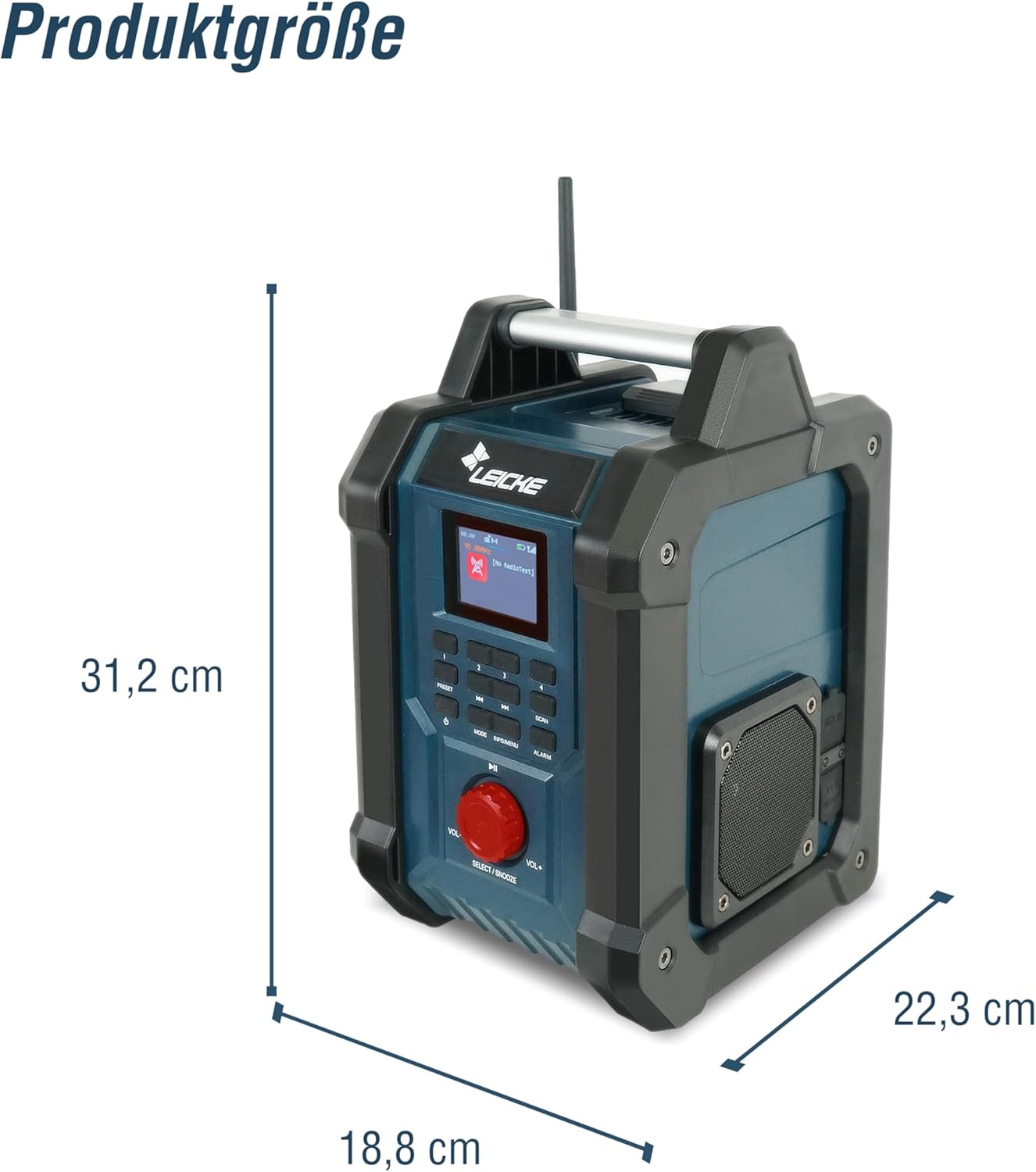
Image: Product dimensions diagram.
10. Warranty and Support
LEICKE products are designed for reliability and performance. For warranty information and technical support, please refer to the warranty card included with your purchase or visit the official LEICKE website. If you encounter any issues not covered in this manual, please contact LEICKE customer service for assistance.
No official product videos from the seller were found for embedding in this manual.
Related documentsEP18263


Ask a question about this manual
Ask about setup, troubleshooting, compatibility, parts, safety, or missing instructions. Manuals+ will review the question and use this page’s manual context to help answer it.