
TABWEE W90
TABWEE W90 Android 15 Tablet User Manual
Model: W90 | Brand: TABWEE
1. Introduction
Welcome to the user manual for your new TABWEE W90 Android 15 Tablet. This guide provides essential information to help you set up, operate, and maintain your device, ensuring you get the most out of its advanced features, including the latest Android 15 operating system, Gemini AI, and powerful hardware.

Image: The TABWEE W90 Android 15 Tablet, showcasing its sleek design and key features like 4G LTE, Widevine L1, Gemini AI, and Android 15.
2. Setup
2.1 What's in the Box
Upon unboxing your TABWEE W90 Tablet, please ensure all the following items are present:
- 1x TABWEE W90 Tablet
- 1x USB-C Cable
- 1x User Manual
- 1x Warranty Card

Image: A visual representation of the TABWEE W90 tablet and its included accessories: USB-C cable, user manual, and warranty card.
2.2 Initial Charging
Before first use, it is recommended to fully charge your TABWEE W90 Tablet. Connect the provided USB-C cable to the tablet's USB-C port and the other end to a compatible 18W fast charger (not included). The 8000 mAh battery ensures long-lasting use, and 18W fast charging allows for quick power replenishment.

Image: Illustration highlighting the 8000 mAh battery capacity and 18W fast charging capability of the TABWEE W90 tablet.
2.3 SIM Card Installation
The TABWEE W90 Tablet supports dual SIM cards for 4G LTE connectivity. To install a SIM card:
- Locate the SIM card tray on the side of the tablet.
- Insert the SIM ejector tool (if provided, or a small paperclip) into the small hole next to the tray to open it.
- Place your Nano-SIM card(s) into the designated slots on the tray, ensuring correct orientation.
- Gently push the tray back into the tablet until it clicks into place.

Image: A close-up view of the TABWEE W90 tablet's dual SIM card tray, illustrating how to insert SIM cards for 4G LTE connectivity.
2.4 Memory Expansion
The tablet comes with 256GB of internal storage and supports expansion up to 2TB via a TF (microSD) card. To expand storage:
- Open the SIM card tray as described above.
- Insert the TF card into its dedicated slot on the tray.
- Gently push the tray back into the tablet.

Image: Visual representation of the TABWEE W90 tablet's memory capabilities, showing 24GB RAM (8GB + 16GB virtual) and 256GB ROM expandable up to 2TB with a TF card.
3. Operating Instructions
3.1 Basic Operation
- Power On/Off: Press and hold the power button on the side of the tablet until the screen turns on/off.
- Volume Control: Use the volume buttons located next to the power button to adjust audio levels.
3.2 Android 15 & Gemini AI
The TABWEE W90 runs on the latest Android 15 operating system, offering a simplified and clearer interface with improved fluidity and response speed. It includes enhanced privacy features like stricter permission management and location data protection. Integrated Gemini AI features make your tablet smarter and more autonomous.

Image: Screenshots demonstrating Gemini AI features on the TABWEE W90 tablet, including intelligent AI chats, effortless sharing, AI voice-activated Q&A, and smart AI control.
Key Android 15 and Gemini AI functionalities include:
- Smart AI Chats: Engage in intelligent conversations with the AI.
- Effortless Sharing & Archiving: Easily share and save content on the go.
- Intelligent Q&A via AI Voice: Ask questions and receive answers using voice commands.
- Smart AI Control: Utilize AI for intelligent device management and personalization.
- Enhanced Multitasking: Simplified control for running multiple applications simultaneously.
- Improved Privacy: Stricter permission management and data protection.

Image: Visuals illustrating Android 15 features on the TABWEE W90 tablet, such as simplified multitasking, quick app pairing, improved physical keyboard support, and automatic Bluetooth activation.
3.3 Display Features
The TABWEE W90 features an 11-inch FHD high-definition screen with a resolution of 1920 x 1200 pixels, an 84.9% screen-to-body ratio, and 350 nits brightness for an immersive visual experience. It is Widevine L1 certified and TÜV Blue-ray certified, supporting HD playback on platforms like Netflix and Prime Video while offering eye protection.

Image: The 11-inch FHD display of the TABWEE W90 tablet, highlighting its resolution, brightness, screen-to-body ratio, and Widevine L1/TÜV certification for streaming and eye comfort.
3.4 Performance
Equipped with the Unisoc T615 octa-core processor and 24GB RAM (8GB physical + 16GB virtual), the W90 Tablet ensures responsiveness and fluidity when running multiple applications, loading large games, and rendering graphics simultaneously. This powerful configuration provides unique advantages in interaction design, performance optimization, multitasking, privacy security, and cross-device collaboration.
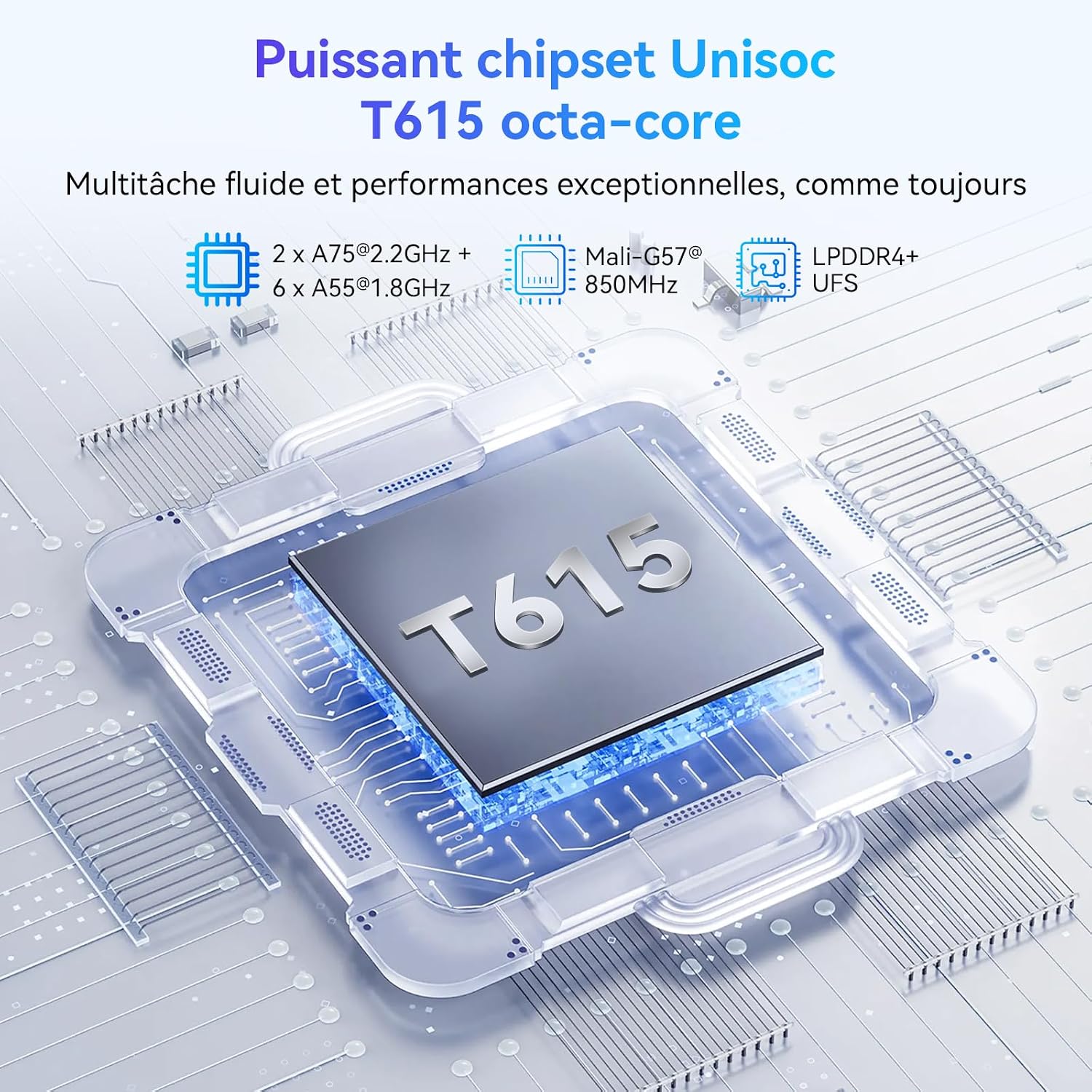
Image: Diagram illustrating the Unisoc T615 octa-core processor, emphasizing its components and capabilities for smooth multitasking and exceptional performance.
3.5 Camera Features
The TABWEE W90 features a 16MP rear camera and an 8MP front camera, allowing you to capture stunning photos and videos. Facial unlock combines convenience with enhanced security. With Google Lens integration, you can identify objects in real-time through the tablet's camera and get detailed information about them.

Image: Depiction of the TABWEE W90 tablet's 16MP rear and 8MP front AI cameras, along with features like facial unlock and Smart Google Lens for scanning and searching.

Image: Examples of AI photo magic features on the TABWEE W90 tablet, including AI magic eraser, photo blur, sky replacement, portrait blur, and portrait lighting, demonstrating image enhancement capabilities.
3.6 Connectivity
The TABWEE W90 Tablet offers comprehensive connectivity options:
- Dual 4G LTE: Supports dual SIM for calls, communications, and internet browsing anywhere.
- 5G Wi-Fi: Ensures ultra-fast browsing and uninterrupted connectivity for streaming and gaming.
- Bluetooth 5.0: Provides stable connection with your wireless devices.

Image: An illustration representing the ultra-fast 5G WiFi connectivity of the TABWEE W90 tablet, indicating seamless streaming and rapid downloads.

Image: A visual depicting the advanced Bluetooth 5.0 technology in the TABWEE W90 tablet, highlighting faster data transfer speeds.
3.7 Audio
The Smart-K Audio Box system provides a cinematic sound experience, enhancing your entertainment and productivity.
4. Maintenance
To ensure the longevity and optimal performance of your TABWEE W90 Tablet, follow these maintenance guidelines:
- Cleaning: Use a soft, lint-free cloth to clean the screen and body of the tablet. Avoid abrasive materials or harsh chemicals.
- Storage: Store the tablet in a cool, dry place away from direct sunlight and extreme temperatures.
- Protection: Consider using a protective case and screen protector to prevent scratches and damage from accidental drops.
- Software Updates: Regularly check for and install system updates to ensure your tablet has the latest features and security patches.
5. Troubleshooting
If you encounter any issues with your TABWEE W90 Tablet, refer to the following common troubleshooting tips:
- Device Not Turning On: Ensure the battery is charged. Connect the tablet to a charger and wait a few minutes before attempting to power it on again.
- Screen Unresponsive: Try restarting the tablet by holding down the power button for about 10-15 seconds until it powers off and then on again.
- Wi-Fi/Bluetooth Connectivity Issues: Turn Wi-Fi/Bluetooth off and then on again. If the issue persists, restart the tablet and your router/Bluetooth device.
- Apps Crashing/Freezing: Close the problematic app and reopen it. If it continues, clear the app's cache and data in Settings > Apps.
- Slow Performance: Close unnecessary background apps. Clear cache regularly. Consider uninstalling unused apps to free up storage.
For more complex issues, please contact customer support.
6. Specifications
| Feature | Specification |
|---|---|
| Brand | TABWEE |
| Model Number | W90 |
| Operating System | Gemini AI 2.0, Android 15 |
| Processor Brand | Unisoc |
| Processor Speed | 2.2 GHz |
| Screen Size | 11 Inches |
| Screen Resolution | 1920 x 1200 Pixels |
| RAM Size | 24 GB (8GB + 16GB Virtual) |
| Storage Capacity | 256 GB (Expandable up to 2TB via TF card) |
| Connectivity Type | Bluetooth, Wi-Fi (802.11a/b/g/n/ac), Cellular (4G LTE, 5G WIFI) |
| Interface | USB Type C, 3.5mm Audio, SIM Card Slot |
| Battery Capacity | 8000 mAh |
| Fast Charging | 18W |
| Rear Camera | 16 MP |
| Front Camera | 8 MP |
| Product Weight | 534 Grams |
| Dimensions (L x W x H) | 10 x 10 x 10 millimeters (approximate) |
7. Warranty and Support
TABWEE is committed to quality and customer satisfaction. The TABWEE W90 Android 15 Tablet comes with a two-year warranty and lifetime technical support.
- 24-Month Free Repair Warranty: Covers manufacturing defects for two years from the date of purchase.
- Lifetime Technical Support: Access to technical assistance for the lifespan of your product.
- Fast and Reliable Support: Available via the official TABWEE store and contact channels.

Image: An illustration detailing TABWEE's 2-year warranty and lifetime support, including 24/7 online and phone support, and an EU service center.
Contact Information:
For support inquiries, please use the following contact methods:
- Email: serviceplus.linda@gmail.com
- UK Phone: +44 7700 156388
- US Phone: +1 (717) 896-6060
- CA Phone: +1 (587) 841-0500
- DE Phone: +49 157 3598 0115
For more information regarding returns and refunds, please visit: https://www.aftersales.store/refund/
Related documentsW90


Ask a question about this manual
Ask about setup, troubleshooting, compatibility, parts, safety, or missing instructions. Manuals+ will review the question and use this page’s manual context to help answer it.