
ACE4U YG60
ACE4U YG60 60 Degree Gloss Meter Instruction Manual
Model: YG60
1. Introduction
This manual provides detailed instructions for the proper use, setup, operation, and maintenance of the ACE4U YG60 60 Degree Gloss Meter. Please read this manual thoroughly before operating the device to ensure accurate measurements and prolong its lifespan. The YG60 is designed for precise gloss measurement across various materials and surfaces.
2. Product Overview
The ACE4U YG60 Gloss Meter is a portable instrument used to measure the specular gloss of surfaces. It features accurate measurement capabilities, simple operation, and stable performance. It is widely applied in industries such as paints, coatings, plastics, ink, rubber, printing, paper, ceramics, marble, and more.

Figure 2.1: The ACE4U YG60 Gloss Meter device.
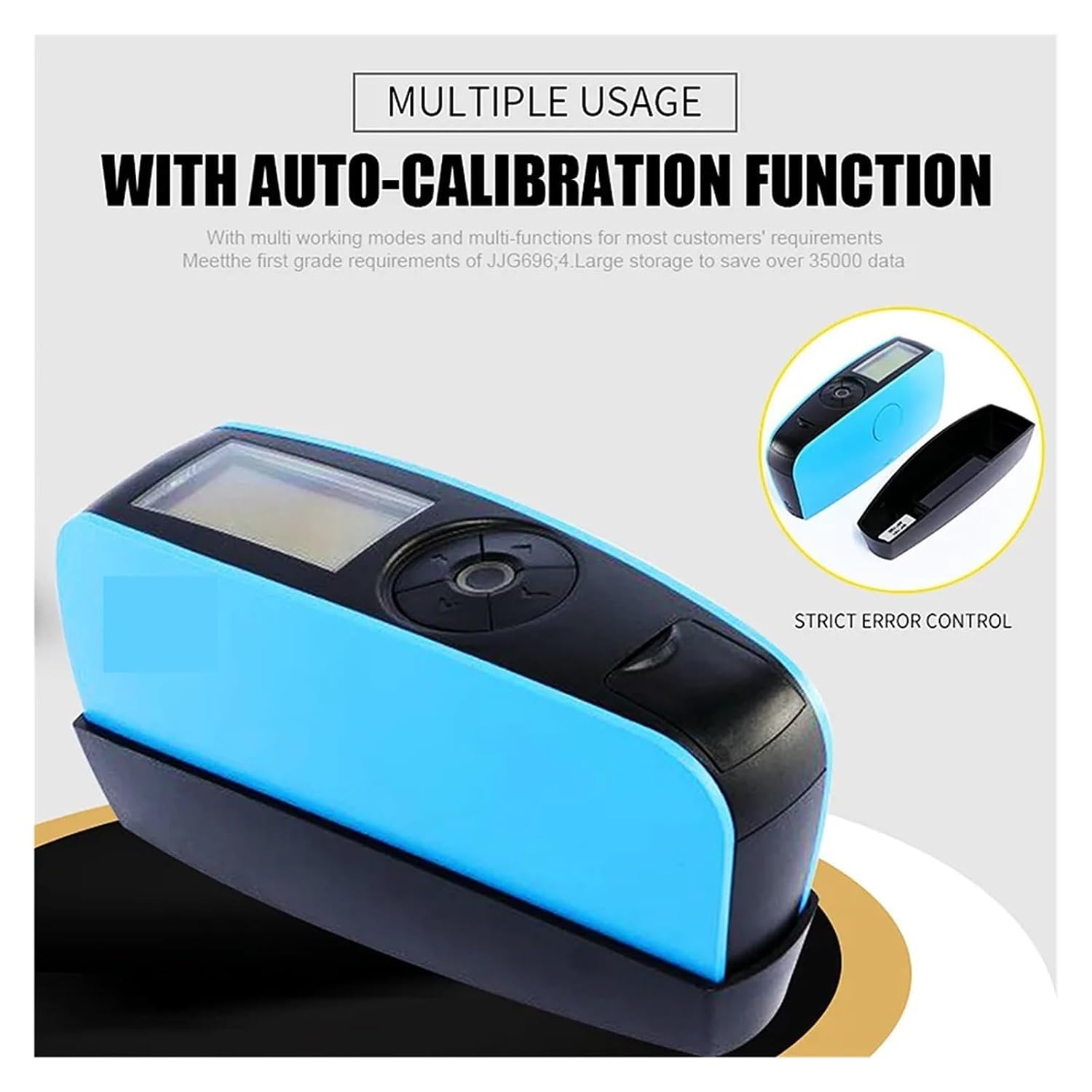
Figure 2.2: The YG60 Gloss Meter highlighting its auto-calibration function and multiple working modes.
3. Setup
3.1 Unpacking and Inspection
Upon receiving your YG60 Gloss Meter, carefully unpack all components and inspect for any damage. Retain the packaging for future storage or transport.
3.2 Package Contents
- YG60 Gloss Meter
- USB Cable
- User Manual (this document)
- Calibration Plate
- GQC6 QC Software (for PC)
3.3 Power Supply
The device operates on one dry-cell battery. Ensure the battery is correctly inserted according to the polarity markings. Alternatively, the device can be powered via a USB connection.
3.4 Initial Calibration
Before first use, and periodically thereafter, perform a calibration using the provided calibration plate. The device features an automatic calibration function. Refer to Section 4.2 for detailed calibration steps.

Figure 3.1: The YG60 Gloss Meter positioned on its red calibration plate.
4. Operating Instructions
4.1 Powering On/Off
- To power on: Press and hold the power button until the display illuminates.
- To power off: Press and hold the power button until the display turns off. The device also features an auto power-off function, typically within 30 to 120 seconds of inactivity.
4.2 Calibration Procedure
- Ensure the calibration plate is clean and free of dust or smudges.
- Place the gloss meter firmly on the calibration plate, ensuring the measurement aperture is fully covered.
- Initiate the calibration process via the device menu (refer to the on-screen prompts). The device will automatically check and perform the calibration.
- Once calibration is complete, a confirmation message will appear on the 2.3-inch display.
4.3 Basic Measurement
- Ensure the device is calibrated.
- Place the measurement aperture of the gloss meter firmly and flat against the surface to be measured.
- Press the measurement button. The measurement will take approximately 0.5 seconds.
- The gloss value will be displayed on the screen. Up to 5 groups of data can be displayed simultaneously for easy comparison.

Figure 4.1: The YG60 Gloss Meter displaying measurement data on its screen.
5. Measurement Modes
The YG60 Gloss Meter offers four distinct measurement modes to suit various application requirements:
5.1 Basic Mode
This is the simplest measurement mode, providing a direct gloss value for a single measurement. It is suitable for quick checks and individual readings.
5.2 Statistical Mode
In Statistical Mode, the device performs multiple measurements and calculates statistical data. This includes the average value, maximum value, minimum value, standard deviation, and differential value. It also provides a PASS/FAIL result based on user-defined criteria. This mode is useful for quality control and process monitoring.
5.3 Continuous Mode
Continuous Mode allows for automated, sequential measurements. Users can set the number of measurements and the time interval between them. Once activated, the instrument will operate according to these settings, making it ideal for scanning larger areas or monitoring changes over time.
5.4 QC Mode (Quality Control Mode)
QC Mode is specifically designed for quality control applications on production lines. It enables efficient and consistent checking of gloss levels against predefined standards, helping to maintain product quality.
6. Maintenance
6.1 Cleaning
- Keep the measurement aperture clean and free from dust, dirt, or fingerprints. Use a soft, lint-free cloth to gently wipe the surface.
- Clean the exterior of the device with a soft, dry cloth. Do not use abrasive cleaners or solvents.
- Ensure the calibration plate is always clean. Any dust or scratches on the plate can affect calibration accuracy.
6.2 Storage
- Store the gloss meter in its original packaging or a protective case when not in use.
- Store in a dry environment with a temperature range of -20°C to 50°C (-4°F to 122°F) and relative humidity below 85%, without condensation.
- Remove the battery if the device will not be used for an extended period to prevent leakage.
6.3 Software and Data Management
The included GQC6 QC software can be installed on a PC to manage and analyze measurement data. Connect the device via the provided USB cable to transfer data and generate testing reports. The device has a storage capacity of 35,000 basic mode readings, 1,500 statistical mode readings, 10,000 continuous mode readings, and 10,000 QC mode readings.
7. Troubleshooting
If you encounter issues with your YG60 Gloss Meter, refer to the following common problems and solutions:
- Device not powering on:
Check battery installation and ensure it has sufficient charge. If using USB power, verify the cable connection and power source. - Inaccurate readings:
Perform a calibration using the clean calibration plate. Ensure the measurement aperture is clean and free of obstructions. Verify the device is placed flat and firmly on the sample surface. - Display not working:
Check power supply. If the issue persists after checking power, contact customer support. - Data transfer issues:
Ensure the USB cable is securely connected to both the device and the PC. Verify that the GQC6 QC software is correctly installed and running. - Device freezes or becomes unresponsive:
Try restarting the device by powering it off and on. If a battery is installed, temporarily remove and reinsert it.
For issues not covered here, please contact ACE4U customer support.
8. Specifications
| Feature | Value |
|---|---|
| Model | YG60 |
| Item Model Number | 1232354346 |
| Measuring Angle | 60° |
| Measuring Area (60°) | 9 x 15 mm |
| Measuring Range (60°) | 0 ~ 1000 GU |
| Division Value | 0.1 GU |
| Measuring Time | 0.5 seconds |
| Repeatability (0~100GU) | ±0.2 GU |
| Repeatability (100~1000GU) | ±0.2% GU |
| Accuracy | Conforms with JJG696 first grade requirements |
| Auto Power-off Time | 30-120 seconds (adjustable) |
| Calibration | Automatic check and calibration |
| Language | Chinese & English |
| Storage Capacity | Basic: 35000, Statistic: 1500, Continuous: 10000, QC: 10000 |
| Display | 2.3 inch white and black screen |
| Size | 160 x 52 x 84 mm |
| Weight | Approx. 300g |
| Power Supply | 1x dry-cell battery (approx. 10000 measurements) or USB power |
| PC Interface | USB (with GQC6 QC software) |
| Operation Temperature Range | 0-40°C (32-104°F) |
| Storage Temperature Range | -20-50°C (-4-122°F) |
| Humidity | < 85% RH, non-condensing |
9. Warranty and Support
For information regarding product warranty, please refer to the warranty card included with your purchase or contact ACE4U customer support directly. Technical support is available for assistance with setup, operation, and troubleshooting. Please have your model number (YG60) and item model number (1232354346) ready when contacting support.
Ask a question about this manual
Ask about setup, troubleshooting, compatibility, parts, safety, or missing instructions. Manuals+ will review the question and use this page’s manual context to help answer it.