
Product Overview

Image: The Bennett Read Digital Pedestal Fan, showcasing its sleek design and integrated digital control panel.
This manual provides instructions for the safe operation, assembly, and maintenance of your Bennett Read Digital Pedestal Fan (Model HFN135). This fan is designed to deliver efficient cooling with features such as adjustable height, oscillation, multiple speed settings, and a convenient remote control. Please read this manual thoroughly before initial use and retain it for future reference.
Important Safety Instructions
To reduce the risk of fire, electric shock, or injury, always follow these basic safety precautions:
- Read all instructions before using this appliance.
- Do not operate any fan with a damaged cord or plug. Discard the fan or return it to an authorized service facility for examination and/or repair.
- Do not run the power cord under carpeting. Do not cover the cord with throw rugs, runners, or similar coverings. Arrange the cord away from traffic areas and where it will not be tripped over.
- Always unplug the fan from the power outlet before moving, cleaning, or performing any maintenance.
- Do not insert fingers or any objects through the grill when the fan is operating.
- Ensure the fan is placed on a stable, level surface to prevent tipping.
- This appliance is for household use only. Do not use outdoors.
- Keep children and pets away from the fan during operation.
- Do not use this fan near water, such as in a bathroom, laundry area, or swimming pool.
- Do not block air openings.
- Do not use the fan in areas where flammable liquids or gases are stored.
Package Contents
Please verify that all components are present in the packaging:
- Fan Motor Unit with Control Panel
- Front and Rear Grills
- Fan Blades
- Adjustable Pedestal Pole
- Base
- Remote Control
- Fasteners for Assembly
- Instruction Manual
Setup and Assembly
Follow these steps to assemble your pedestal fan:
- Assemble the Base: Attach the pedestal pole to the base using the provided fasteners. Ensure all connections are securely tightened.
- Attach the Rear Grill: Place the rear grill onto the motor unit, aligning the notches. Secure it firmly with the provided locking nut.
- Install the Fan Blades: Carefully slide the fan blades onto the motor shaft. Ensure they are correctly oriented and secured with the blade cap.
- Attach the Front Grill: Position the front grill over the rear grill, aligning the clips. Secure the two grills together using the clips or screws provided around the rim.
- Adjust Height: Loosen the height adjustment knob on the pedestal pole, extend or retract the pole to your desired height (up to 1.33 meters), and then tighten the knob securely.
Refer to the diagram below for visual guidance during assembly, particularly for height adjustment.

Image: The Bennett Read Digital Pedestal Fan demonstrating its adjustable height feature, showing both extended and compact configurations.
Operating Instructions
Your Bennett Read Digital Pedestal Fan can be operated using the digital control panel on the fan unit or the included remote control.
Control Panel Overview
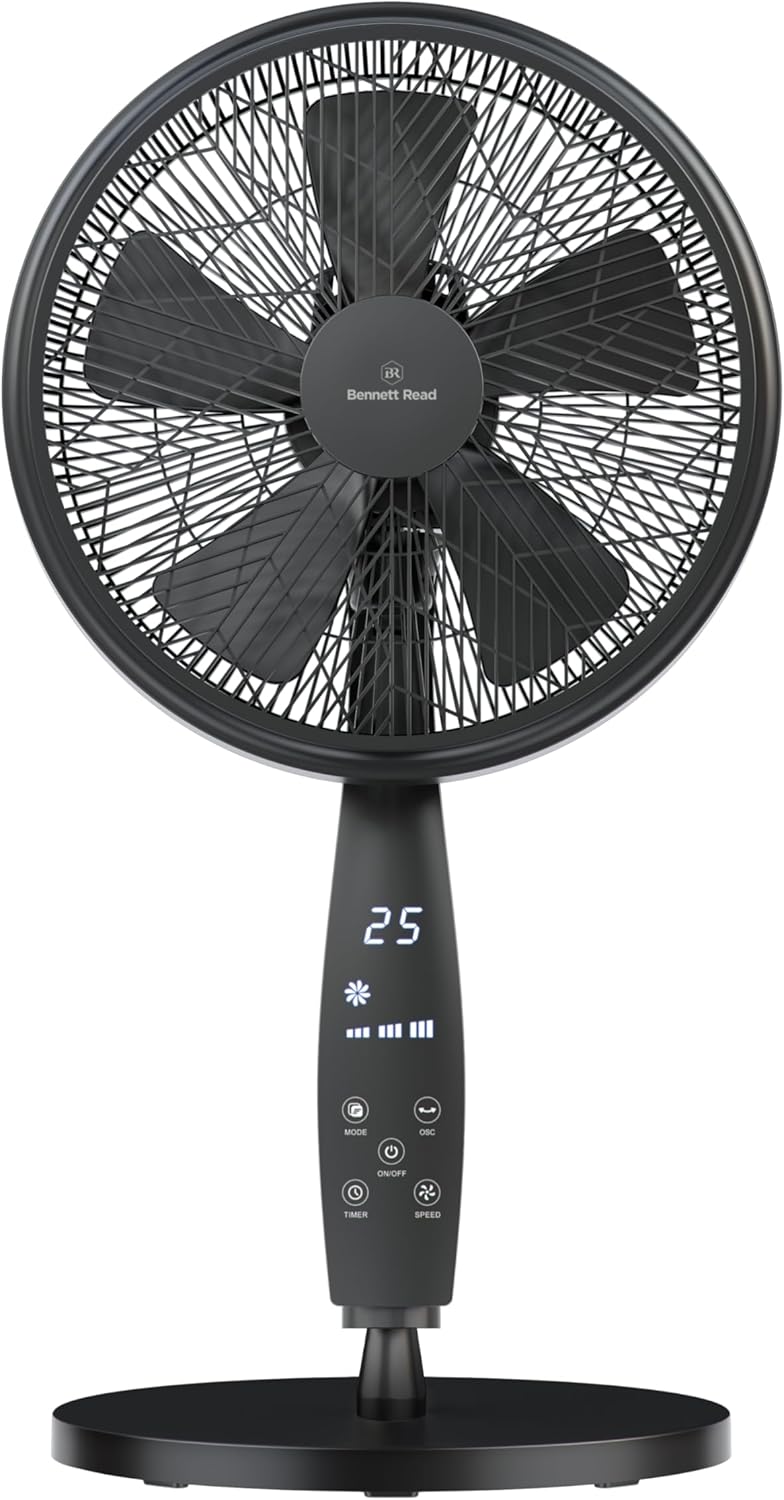
Image: Detailed view of the fan's digital control panel, highlighting the various function buttons and the LED display.
| Button/Indicator | Function |
|---|---|
| ON/OFF | Powers the fan on or off. |
| SPEED | Adjusts fan speed (Low, Medium, High). Press repeatedly to cycle through speeds. |
| MODE | Selects operating mode (e.g., Normal, Natural, Sleep). |
| OSC (Oscillation) | Activates or deactivates the automatic side-to-side oscillation feature. |
| TIMER | Sets the automatic shut-off timer (e.g., 1-12 hours). Press repeatedly to set desired duration. |
| Digital Display | Shows current settings such as speed, mode, timer, and room temperature. |
Remote Control
The remote control provides convenient access to all fan functions from a distance. Ensure batteries are correctly installed (not included).

Image: The fan with an illustration of its remote control, indicating ease of use for remote operation.
Adjusting Tilt
To adjust the vertical angle of the fan head, gently push the fan head up or down to the desired position. The fan head can be tilted to direct airflow precisely.
Maintenance and Cleaning
Regular cleaning helps maintain the fan's performance and extends its lifespan. Always ensure the fan is unplugged before cleaning.
- Always unplug the fan from the power outlet before cleaning.
- Exterior Cleaning: Wipe the exterior surfaces of the fan with a soft, damp cloth. Do not use abrasive cleaners, solvents, or harsh chemicals.
- Grill and Blades Cleaning: The front grill can be carefully removed for cleaning the blades. Use a soft cloth or a vacuum cleaner with a brush attachment to remove accumulated dust from the blades and grills. Ensure all parts are completely dry before reassembling and operating the fan.
- Do not immerse the fan motor unit in water or any other liquid.
- Store the fan in a cool, dry place when not in use for extended periods.
Troubleshooting
If you encounter any issues with your fan, refer to the table below for common problems and their solutions.
| Problem | Possible Cause | Solution |
|---|---|---|
| Fan does not turn on. | No power supply. Power button not pressed. | Ensure the fan is plugged into a working electrical outlet. Press the ON/OFF button on the control panel or remote. |
| Weak airflow. | Fan speed set too low. Grills or blades are dirty. | Increase the fan speed using the SPEED button. Clean the fan blades and grills as per the Maintenance section. |
| Fan is noisy. | Loose parts. Fan not on a level surface. | Check that all assembly screws and nuts are tightened. Place the fan on a stable, level surface. |
| Remote control not working. | Batteries are dead or incorrectly inserted. Obstruction between remote and fan. | Replace batteries with new ones, ensuring correct polarity. Remove any objects blocking the signal path. |
Specifications
Detailed technical specifications for the Bennett Read Digital Pedestal Fan (Model HFN135):
| Feature | Detail |
|---|---|
| Brand | Bennett Read |
| Model Number | HFN135 |
| Colour | Black |
| Blade Diameter | 36 cm |
| Motor Power | 50W |
| Power Source | Corded Electric |
| Fan Speeds | 3 (Low, Medium, High) |
| Max Height Adjustment | Up to 1.33 meters |
| Special Features | Digital Control Panel, Remote Control, Oscillation, Tilt Control, Timer, Air-Boost Grill Design, 5-Blade System, Weighted Base |
| Item Weight | 6.2 kg |
| Product Dimensions | 50D x 16W x 59H centimetres (Note: This refers to the base/motor unit dimensions, not overall adjustable height) |
Warranty and Support
For warranty information, technical support, or inquiries regarding spare parts, please contact Bennett Read customer service. Refer to the product packaging or the official Bennett Read website for the most current contact details and warranty terms.