
1. Introduction
This manual provides comprehensive instructions for the installation, operation, and maintenance of your Luna 2K AI Wired Home Security Camera System. Please read this manual thoroughly before using the product to ensure proper functionality and safety.
2. What's in the Box
- 1x Security Camera
- 1x Power Adapter
- 1x Magnetic Mount Kit
- 1x User Guide

Image: Contents of the Luna 2K AI Wired Home Security Camera System package.
3. Setup
3.1 Initial Power-On and App Installation
- Connect the camera to a power source using the provided power adapter.
- Download the Luna AI app from your device's app store.
- Follow the in-app instructions to create an account and add your camera. The camera supports 2.4GHz Wi-Fi and is compatible with Wi-Fi 6 routers for stable connectivity.
3.2 Mounting Options
The Luna camera offers flexible installation options:
- Magnetic Mount: The camera features a magnetic base for easy attachment to metallic surfaces.
- Wall Mount: Use the included magnetic mount kit for screw-in wall installation.
- Freestanding: The camera can be placed on shelves, tables, or other flat surfaces.
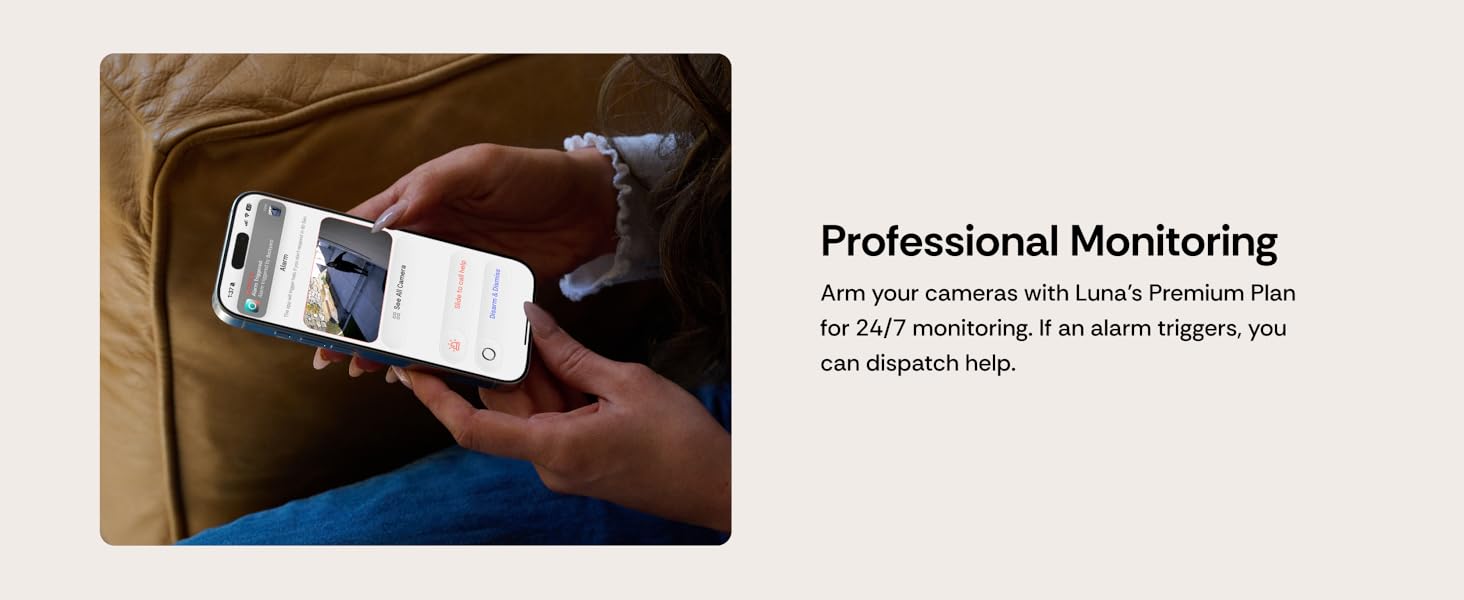
Image: Installation tips for securing the power cord to prevent accidental dislodgement.
Important: Secure the power cord with clips or mounts to prevent it from pulling the camera. Run it along walls or corners for stability.
4. Operating Instructions
4.1 AI Detection and Smart Alerts
The Luna camera utilizes AI to identify people, pets, and general activity. This enables descriptive real-time alerts, such as "Person near garage" or "Pet detected in backyard," reducing false notifications. A 7-day free trial for AI features is typically included, with a subscription required for continued use.

Image: Example of a smart alert notification and custom motion zones in the Luna app.
4.2 Custom Motion Zones
Define specific activity zones within the Luna AI app, such as your driveway, front porch, or yard. This feature allows you to focus monitoring on critical areas and minimize unnecessary notifications from irrelevant movements.
4.3 Two-Way Audio
The integrated microphone and speaker enable two-way communication. You can listen to audio from the camera's location and speak through the camera using the Luna AI app.

Image: The Luna camera's two-way audio feature allows communication with people or pets.
4.4 Color Night Vision
The camera features a smart night spotlight that provides clear, full-color vision even in low-light conditions, allowing for better identification of details compared to traditional black and white night vision.

Image: Comparison of traditional night vision versus Luna's color night vision.
5. Storage Options
The Luna camera offers two primary storage methods for your footage:
- Cloud Storage: Securely store your footage with encrypted, US-based cloud storage. A 7-day free trial is included, and a subscription is required for extended cloud storage.
- Local Storage: Use a microSD card (up to 256GB, not included) for Continuous Video Recording (CVR). Note that local storage does not support AI features or smart event filtering.
6. Professional Monitoring & Subscription
For enhanced protection, you can upgrade to Luna's professional monitoring plan. This service provides 24/7 monitoring, allowing for dispatch of assistance if an alarm is triggered.

Image: Luna AI features available with and without a subscription plan.
A Luna Subscription Plan unlocks additional features such as smart notifications, professional monitoring, 30 days of cloud video storage, and easy clip downloads and sharing. Subscription details are available on the Luna Home website.
7. Maintenance
To ensure optimal performance and longevity of your Luna camera:
- Cleaning: Gently wipe the camera lens and body with a soft, dry cloth. Avoid abrasive cleaners or solvents.
- Firmware Updates: Regularly check the Luna AI app for available firmware updates to ensure your camera has the latest features and security enhancements.
- Power Connection: Ensure the power adapter and cable are securely connected and free from damage.
- Environmental Conditions: While the camera is IP65 waterproof, avoid submerging it in water or exposing it to extreme temperatures beyond its operating range.
8. Troubleshooting
If you encounter issues with your Luna camera, refer to the following common solutions:
- No Power: Ensure the power adapter is correctly plugged into both the camera and a working electrical outlet. Try a different outlet if necessary.
- Wi-Fi Connection Issues: Verify your Wi-Fi network is 2.4GHz. Ensure the camera is within range of your Wi-Fi router. Restart your router and the camera. Re-pair the camera through the Luna AI app.
- Poor Video Quality: Check your internet connection speed. Ensure the camera lens is clean and free from obstructions.
- Motion Detection Not Working: Confirm that motion detection is enabled in the Luna AI app. Adjust motion sensitivity settings and check custom motion zones.
- No Audio/Two-Way Audio Issues: Check volume settings in the app. Ensure there are no obstructions blocking the camera's microphone or speaker.
- App Not Responding: Close and reopen the Luna AI app. If the issue persists, uninstall and reinstall the app.
For persistent issues, contact Luna Home customer support.
9. Specifications
| Feature | Specification |
|---|---|
| Model Name | Luna Magnet Cam (S7) |
| Indoor/Outdoor Usage | Indoor, Outdoor |
| Power Source | Corded Electric (5 Volts) |
| Connectivity Protocol | Wi-Fi (2.4GHz), Bluetooth |
| Video Capture Resolution | 4 MP (2K) |
| Frame Rate | 20fps |
| Viewing Angle | 106.3 Degrees |
| Night Vision Range | 33 Feet |
| Water Resistance Level | IP65 Waterproof |
| Dimensions (L x W x H) | 2.36 x 2 x 2.79 inches |
| Item Weight | 0.36 Pounds (5.8 ounces) |
| Material | Plastic |
| Special Features | 2-Way Audio, Built-In Light, HD Resolution, Motion Sensor, Weather Proof |
| Control Method | App |
| Compatible Devices | Smartphone, Tablet (Android) |
10. Warranty
For information regarding the product warranty, please refer to the official Luna Home website or contact customer support directly. Warranty terms and conditions may vary.
11. Support
For any questions, technical assistance, or support, please contact Luna Home:
- Phone: (855) 604-5862
- Website: lunahomeai.com
- Email: support@lunahome.com

Image: Luna Home customer support contact details.


