
Introduction
The Fuxtec FX-MH123ECO is a powerful and efficient thermal hedge trimmer designed for precise and effortless trimming of hedges and shrubs. Equipped with a 2-stroke 25.4 cm³ engine, it delivers 0.7 kW of power, capable of cutting branches up to 28 mm thick. Its 560 mm blade length allows for quick and accurate work on large areas. The centrifugal clutch ensures safe operation by stopping the blades automatically at idle. With an ergonomic design and reduced vibration levels (2.56 m/s²), it offers optimal comfort even during extended use. The large 650 ml fuel tank provides maximum autonomy without interruption. This manual provides essential information for the safe and effective operation, maintenance, and troubleshooting of your Fuxtec hedge trimmer.

Image: The Fuxtec FX-MH123ECO thermal hedge trimmer, showcasing its engine, handles, and long cutting blade.
Safety Information
Always prioritize safety when operating power tools. Read and understand all safety warnings and instructions before use.
- Personal Protective Equipment (PPE): Always wear safety glasses, hearing protection, gloves, and sturdy footwear. Long pants and sleeves are recommended.
- Fuel Handling: Handle fuel in a well-ventilated area, away from ignition sources. Do not smoke while refueling.
- Work Area: Keep the work area clear of bystanders, children, and pets. Ensure good footing and balance.
- Blade Safety: The blades are extremely sharp. Never touch the blades when the engine is running. Ensure the engine is off and the blade has stopped before performing any adjustments or maintenance.
- Vibration: Prolonged exposure to vibrations can cause injury. Take regular breaks and use anti-vibration gloves if available.
- Emergency Stop: Familiarize yourself with the location and operation of the emergency stop switch.
Components Overview
Familiarize yourself with the main components of your Fuxtec FX-MH123ECO hedge trimmer.

Image: Diagram illustrating key components including the 2-stroke engine, practical handle, flexible 90° pivoting handle, integrated blade protection, and precise cutting blade with 56cm cutting length.
- Engine Unit: The 2-stroke 25.4 cm³ engine provides power for cutting.
- Fuel Tank: 650 ml capacity for fuel mixture.
- Front Handle: Ergonomic handle for stable grip and control.
- Rear Handle (Pivoting): Flexible handle that pivots 90° to the left or right for comfortable cutting in various directions.
- Cutting Blade: 560 mm long, made of hardened steel for precise and clean cuts.
- Blade Protection: Integrated protection for safe transport and storage.
- Throttle Trigger: Controls engine speed and blade movement.
- Stop Switch: For immediate engine shutdown.
Setup
1. Fuel Mixture Preparation
The FX-MH123ECO uses a 2-stroke engine and requires a specific fuel mixture. Use unleaded gasoline mixed with high-quality 2-stroke engine oil at a ratio of 1:40 (1 part oil to 40 parts gasoline).
- Always mix fuel in a clean, approved fuel container.
- Shake the container well before filling the hedge trimmer's fuel tank.
- Do not store mixed fuel for extended periods.
2. Filling the Fuel Tank
- Ensure the engine is off and cool.
- Place the hedge trimmer on a flat, stable surface.
- Carefully open the fuel tank cap.
- Pour the prepared fuel mixture into the tank using a funnel to prevent spills. Do not overfill.
- Securely close the fuel tank cap. Wipe away any spilled fuel immediately.
Operating Instructions
1. Starting the Engine
- Place the hedge trimmer on a firm, flat surface. Ensure the blade is clear of any obstructions.
- Set the stop switch to the "ON" position.
- Engage the choke (if cold start).
- Press the primer bulb several times until fuel is visible.
- Pull the starter cord firmly and smoothly until the engine fires (usually 1-3 pulls).
- Once the engine fires, disengage the choke.
- Pull the starter cord again until the engine runs smoothly.
- Allow the engine to warm up for a few moments before engaging the throttle.
2. Cutting Operation
- Hold the hedge trimmer firmly with both hands.
- Maintain a stable stance and balance.
- Start cutting from the bottom of the hedge and work your way up for vertical cuts. For horizontal cuts, move the trimmer in a sweeping motion.
- Do not force the blade through thick branches. The maximum cutting capacity is 28 mm.
- Utilize the 90° pivoting rear handle for ergonomic cutting angles. Unlock, rotate, and lock the handle as needed.
3. Stopping the Engine
To stop the engine, simply move the stop switch to the "OFF" position. The centrifugal clutch will ensure the blades stop moving when the engine idles down.
Maintenance
Regular maintenance ensures the longevity and optimal performance of your hedge trimmer.
1. Blade Maintenance
- Cleaning: After each use, clean the blades of sap, debris, and resin. Use a stiff brush and a suitable cleaning agent.
- Lubrication: Apply a light coat of machine oil or blade lubricant to the blades after cleaning to prevent rust and ensure smooth operation.
- Sharpening: If the blades become dull, they can be sharpened by a qualified technician or with appropriate sharpening tools. Always ensure the engine is off and the spark plug cap is removed before handling blades for sharpening.
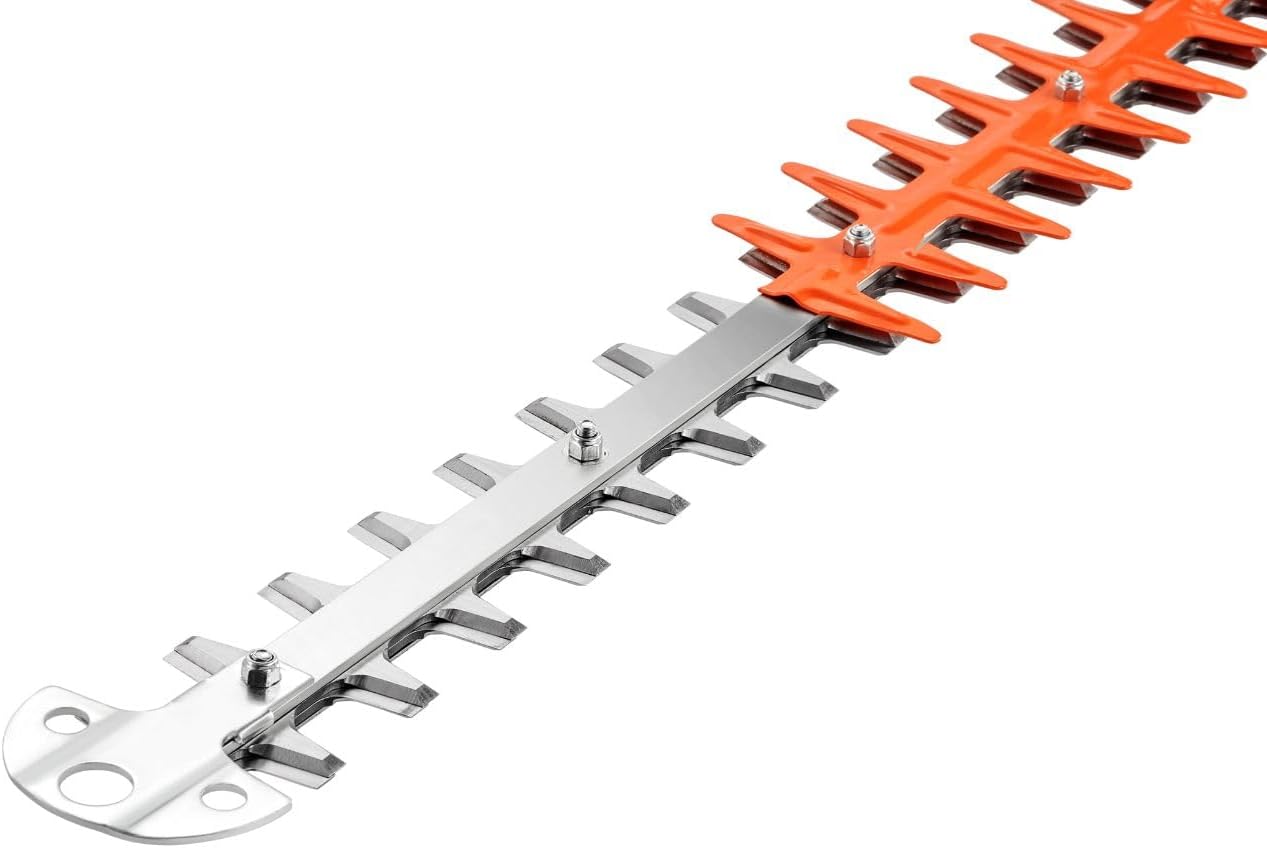
Image: A close-up view of the hardened steel cutting blades, highlighting their sharp edges and robust construction.
2. Air Filter
Check and clean the air filter regularly, especially in dusty conditions. A clogged air filter can reduce engine performance and increase fuel consumption. Clean with warm soapy water, rinse, and allow to dry completely before reinstallation, or replace if heavily soiled.
3. Spark Plug
Inspect the spark plug periodically. Clean any carbon deposits and adjust the gap if necessary. Replace the spark plug if it is worn or damaged.
4. Storage
When storing the hedge trimmer for an extended period:
- Drain the fuel tank completely or run the engine until it runs out of fuel.
- Clean the entire unit thoroughly.
- Apply a rust preventative to the blades.
- Store in a dry, well-ventilated area, out of reach of children.
Troubleshooting
| Problem | Possible Cause | Solution |
|---|---|---|
| Engine does not start | No fuel or incorrect fuel mixture Stop switch in "OFF" position Clogged fuel filter Dirty spark plug Choke not engaged (cold start) | Fill with correct fuel mixture Move stop switch to "ON" Clean/replace fuel filter Clean/replace spark plug Engage choke for cold start |
| Engine runs, but blades do not move | Engine idling too low (centrifugal clutch not engaging) Blade mechanism jammed | Increase throttle slightly Turn off engine, clear any obstructions from blades |
| Loss of power during operation | Clogged air filter Incorrect fuel mixture Dull blades | Clean/replace air filter Ensure correct 1:40 fuel mixture Sharpen or replace blades |
| Excessive vibration | Loose components Damaged blades | Check and tighten all fasteners Inspect blades for damage, replace if necessary |
Specifications
Technical specifications for the Fuxtec FX-MH123ECO Thermal Hedge Trimmer.

Image: Visual representation of key technical data including weight, fuel mixture, engine displacement, blade length, engine type, max cutting thickness, power, and starter type.
| Feature | Detail |
|---|---|
| Model | FX-MH123ECO |
| Engine Type | 2-stroke |
| Engine Displacement | 25.4 cm³ |
| Power Output | 0.7 kW |
| Blade Length | 560 mm (effective cutting length) |
| Max. Cutting Thickness | 28 mm |
| Fuel Tank Capacity | 650 ml |
| Fuel Mixture Ratio | 1:40 (Gasoline:2-stroke oil) |
| Vibration Level | 2.56 m/s² |
| Blade Material | Hardened Steel |
| Weight | Approx. 5.6 kg |
Warranty and Support
For warranty information, technical support, or spare parts, please contact Fuxtec customer service. Keep your purchase receipt as proof of purchase.
- Fuxtec Customer Service: Refer to the contact information provided with your product packaging or visit the official Fuxtec website.
- Spare Parts: Fuxtec aims to provide long-term availability of spare parts for their products.

