
Introduction
This manual provides detailed instructions for the safe and effective use of your ERAY Digital Psychrometer Thermometer Hygrometer. This device is designed to accurately measure temperature, humidity, dew point, and wet bulb temperature. Please read this manual thoroughly before operation and retain it for future reference.
Safety Information
- Do not expose the device to extreme temperatures, direct sunlight, or high humidity for prolonged periods.
- Avoid dropping the device or subjecting it to strong impacts.
- Keep the device away from water and other liquids.
- Do not attempt to disassemble or modify the device. Repairs should only be performed by qualified personnel.
- Dispose of batteries according to local regulations.
Package Contents
- ERAY Digital Psychrometer Thermometer Hygrometer (SR-Y86)
- 9V Battery
- Instruction Manual
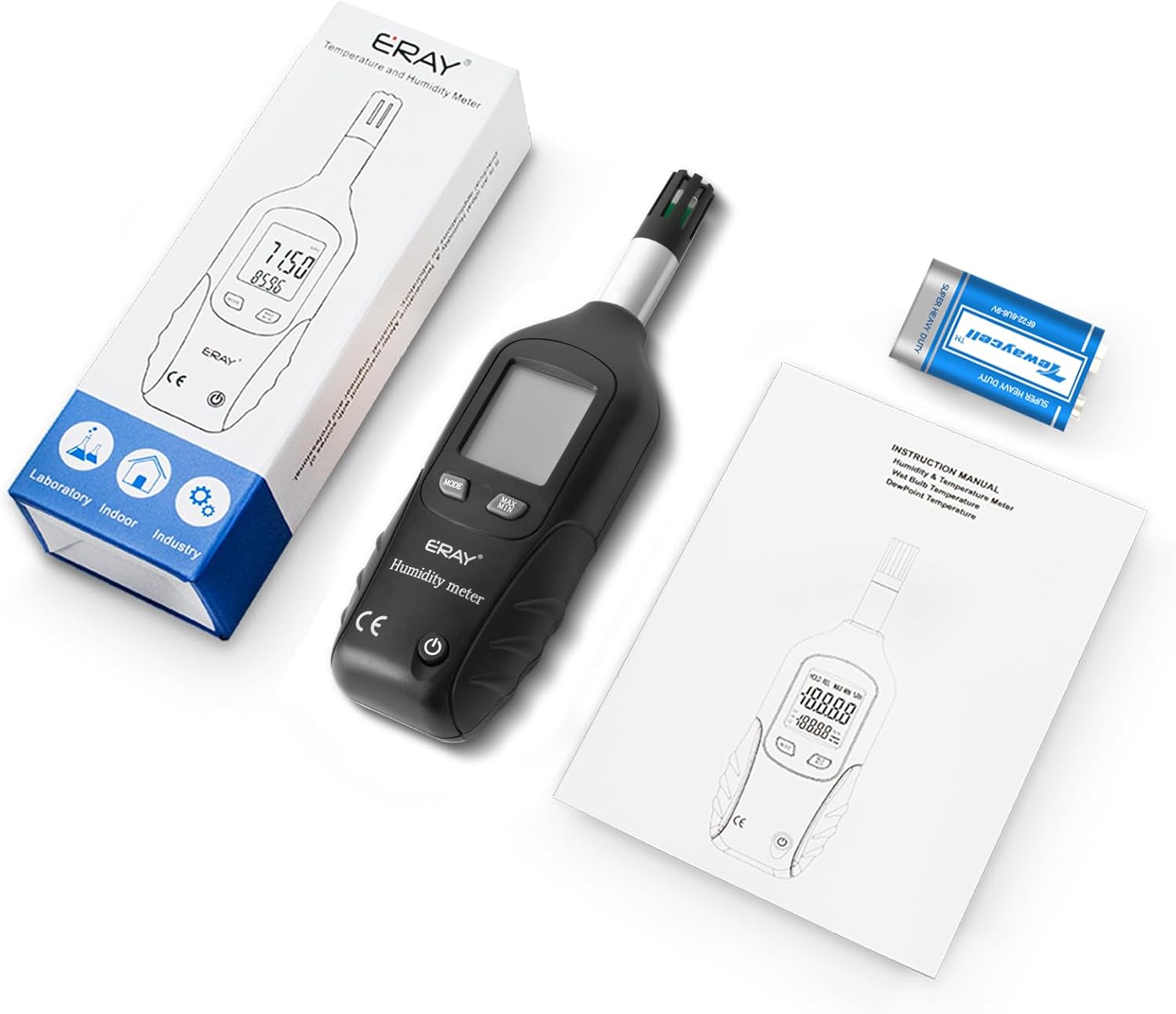
Image: Contents of the ERAY Digital Psychrometer package.
Product Overview
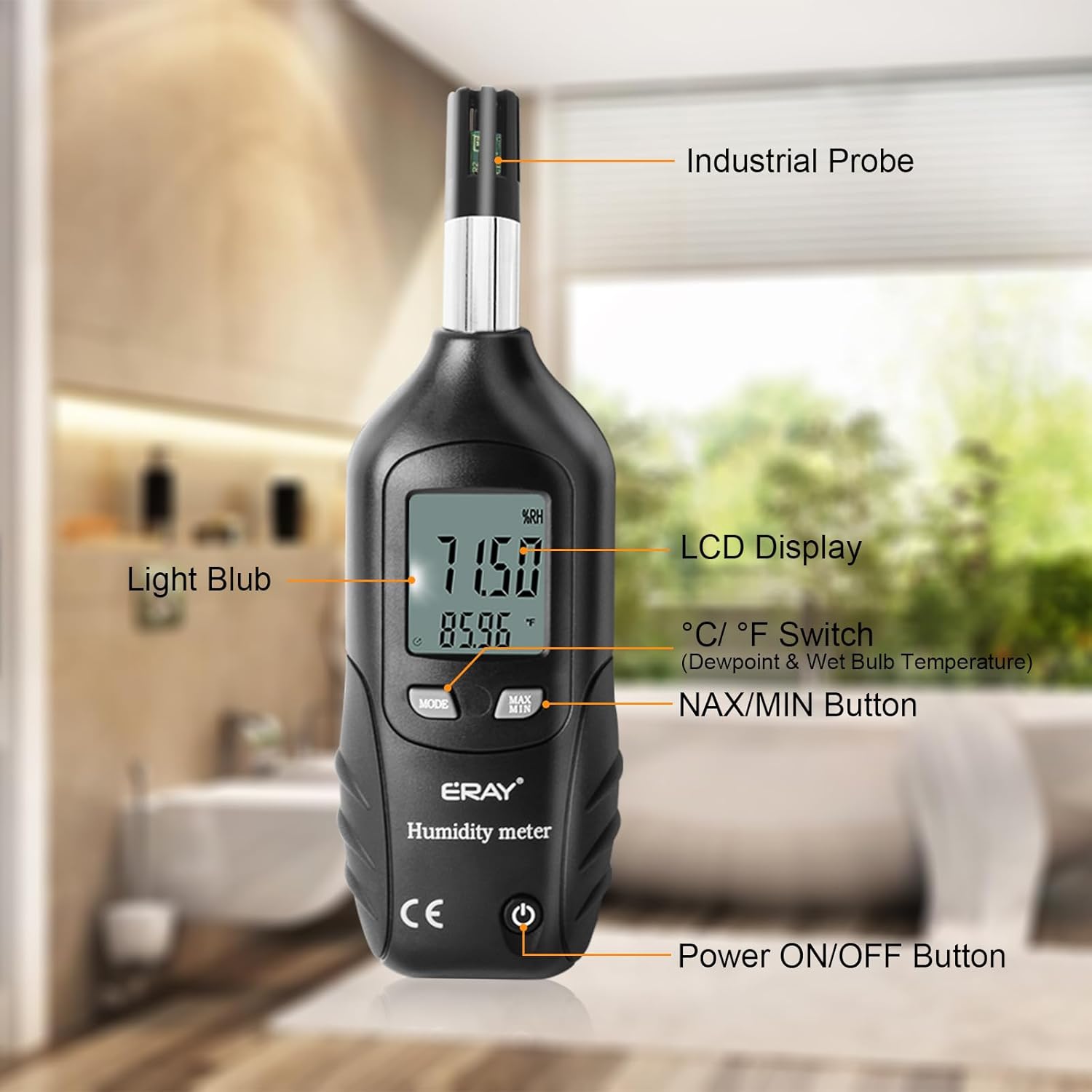
Image: Labeled components of the ERAY Digital Psychrometer.
- Industrial Probe: High-accuracy sensor for temperature and humidity measurements.
- LCD Display: Shows temperature, humidity, dew point, or wet bulb readings with backlight.
- Light Bulb: Activates the display backlight.
- °C/°F Switch (MODE Button): Toggles between Celsius and Fahrenheit temperature units. Also cycles through measurement modes (Normal, Dew Point, Wet Bulb).
- MAX/MIN Button: Displays the maximum or minimum recorded values.
- Power ON/OFF Button: Turns the device on or off.
Specifications
| Feature | Specification |
|---|---|
| Model | SR-Y86 |
| Temperature Range | -30°C to 60°C (-22°F to 140°F) |
| Humidity Range | 0% to 100% RH |
| Dew Point Temperature Range | -50°C to 60°C (-58°F to 140°F) |
| Wet Bulb Temperature Range | -50°C to 60°C (-58°F to 140°F) |
| Temperature Accuracy | ±0.5°C (±0.9°F) for 10-55°C; ±1.5°C (±3°F) for all other ranges |
| Humidity Accuracy | ±3% RH (at 25°C, 10%-90% RH); ±4.5% RH (at other ranges) |
| Response Time | 10 seconds |
| Power Source | 9V Battery |
| Auto Power-off | After 12 minutes of inactivity |
| Backlight Auto-off | After 40 seconds |
| Item Weight | 0.2 Grams |
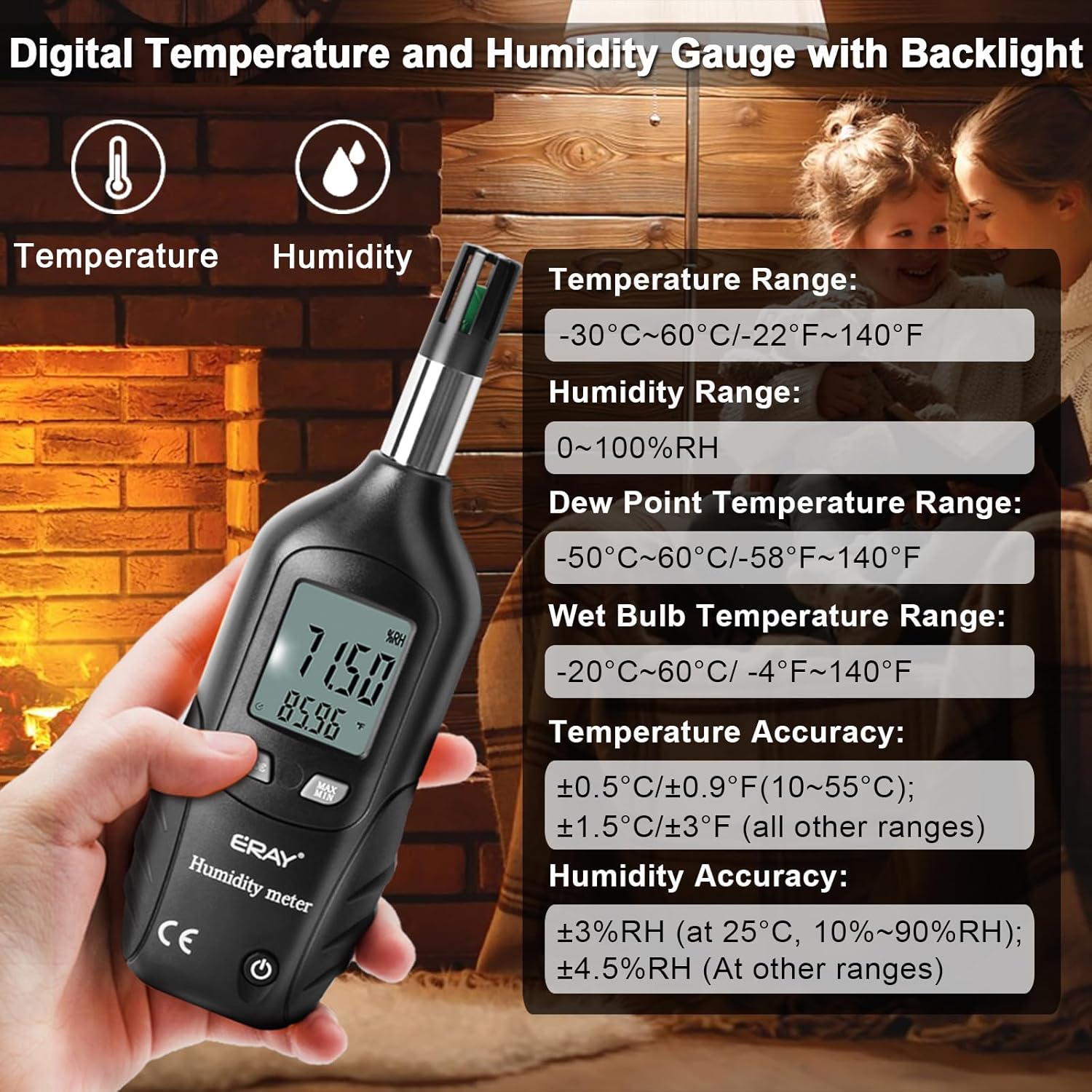
Image: Key specifications and measurement ranges of the ERAY Digital Psychrometer.
Setup
Battery Installation
- Locate the battery compartment cover on the back of the device.
- Slide or unclip the cover to open the compartment.
- Insert the provided 9V battery, ensuring correct polarity (+ and - terminals).
- Close the battery compartment cover securely.

Image: Rear view of the device with the battery compartment.
Operating Instructions
Power On/Off
- Press the Power ON/OFF button to turn the device on.
- Press and hold the Power ON/OFF button to turn the device off.
- The device will automatically shut down after 12 minutes of inactivity to conserve battery life.
Changing Temperature Units (°C/°F)
- With the device powered on, press the MODE button to toggle between Celsius (°C) and Fahrenheit (°F).
Selecting Measurement Mode (Normal, Dew Point, Wet Bulb)
- Press and hold the MODE button to cycle through the measurement modes: Normal Temperature/Humidity, Dew Point Temperature, and Wet Bulb Temperature.
Using MAX/MIN Hold Function
- Press the MAX/MIN button once to display the maximum recorded value.
- Press the MAX/MIN button again to display the minimum recorded value.
- Press the MAX/MIN button a third time to return to real-time measurements.
Backlight Operation
- The LCD display is equipped with a backlight for easy reading in low-light conditions.
- The backlight will automatically turn off after 40 seconds to conserve battery.
Video: Demonstration of the ERAY 2-in-1 Digital Temperature and Humidity Meter's functions.
Video: Overview of the ERAY Temperature and Humidity Reader Meter Thermo-Hygrometer.
Video: Detailed features of the Digital Psychrometer Thermometer Hygrometer with Backlight.
Applications
The ERAY Digital Psychrometer is a versatile tool suitable for various environments and professional fields:
- HVAC: For assessing air conditioning and ventilation system performance.
- Industry: Monitoring environmental conditions in manufacturing and storage.
- Agriculture: Managing greenhouse climates and crop storage conditions.
- Meteorology: Basic weather monitoring and atmospheric studies.
- Medical: Maintaining optimal conditions in sensitive medical environments.
- Daily Life: Home comfort, basement, attic, and general indoor air quality monitoring.
- Building Engineering: Evaluating building envelope performance and moisture control.
- Wine Cellars: Ensuring proper humidity and temperature for wine preservation.
- Data Storerooms: Protecting sensitive electronics and data from environmental damage.

Image: Examples of common applications for the ERAY Digital Psychrometer.
Maintenance
- Cleaning: Wipe the device with a soft, dry cloth. Do not use abrasive cleaners or solvents.
- Storage: When not in use for extended periods, remove the battery and store the device in a cool, dry place.
- Battery Replacement: Replace the 9V battery when the low battery indicator appears on the display. Follow the battery installation steps.
- Sensor Care: Keep the industrial probe clean and free from dust or debris to ensure accurate readings. Avoid touching the sensor directly.
Troubleshooting
| Problem | Possible Solution |
|---|---|
| Device does not power on | Check battery installation and ensure the battery has sufficient charge. Replace if necessary. |
| Inaccurate readings | Ensure the sensor probe is clean and unobstructed. Allow the device to stabilize in the environment for a few minutes before taking readings. Avoid placing the device near heat sources or direct airflow. |
| Display is dim or flickering | Replace the 9V battery. |
| Auto-shutdown occurs too quickly | The device has a fixed auto-shutdown time of 12 minutes of inactivity. This feature cannot be adjusted. |
Warranty and Support
ERAY provides a 30-day refund policy and a 12-month warranty for this humidity meter. For any issues or inquiries regarding your device, please contact ERAY customer service. Our support team is available 24 hours to assist you.
For customer service, please refer to the contact information provided with your purchase or visit the official ERAY website.