
Introduction
Welcome to the user manual for your SUUNY AK75 Smartwatch. This guide provides detailed instructions on how to set up, operate, and maintain your device, ensuring you get the most out of its advanced features. The AK75 Smartwatch combines a large 1.85-inch HD display with robust functionality, including an 800mAh battery, integrated LED flashlight, over 100 sport modes, and comprehensive health monitoring capabilities.
Setup
1. Charging the Smartwatch
Before first use, fully charge your AK75 Smartwatch. Connect the magnetic charging cable to the charging contacts on the back of the watch and plug the USB end into a standard USB power adapter (5V/1A recommended). The watch display will indicate charging status. A full charge typically takes approximately 2-3 hours.
2. Downloading the Companion App
To unlock all features and synchronize data, download the official companion app to your smartphone. Scan the QR code provided in the watch's packaging or search for "[App Name, if known, otherwise 'Smartwatch App']" in your smartphone's app store (Google Play Store for Android, Apple App Store for iOS).
3. Pairing with Your Smartphone
- Ensure Bluetooth is enabled on your smartphone.
- Open the companion app and follow the on-screen instructions to add a new device.
- The app will search for available devices. Select "AK75" or a similar device name from the list.
- Confirm the pairing request on both your smartphone and the smartwatch.
- Once paired, the watch will synchronize time and data with your phone.
Operating Instructions
Display and Navigation
The AK75 Smartwatch features a 1.85-inch HD full-touch display with a resolution of 360x360 pixels. Swipe across the screen to navigate through menus and functions. Tap to select items. The side button typically serves as a power button, back button, or to access the main menu.
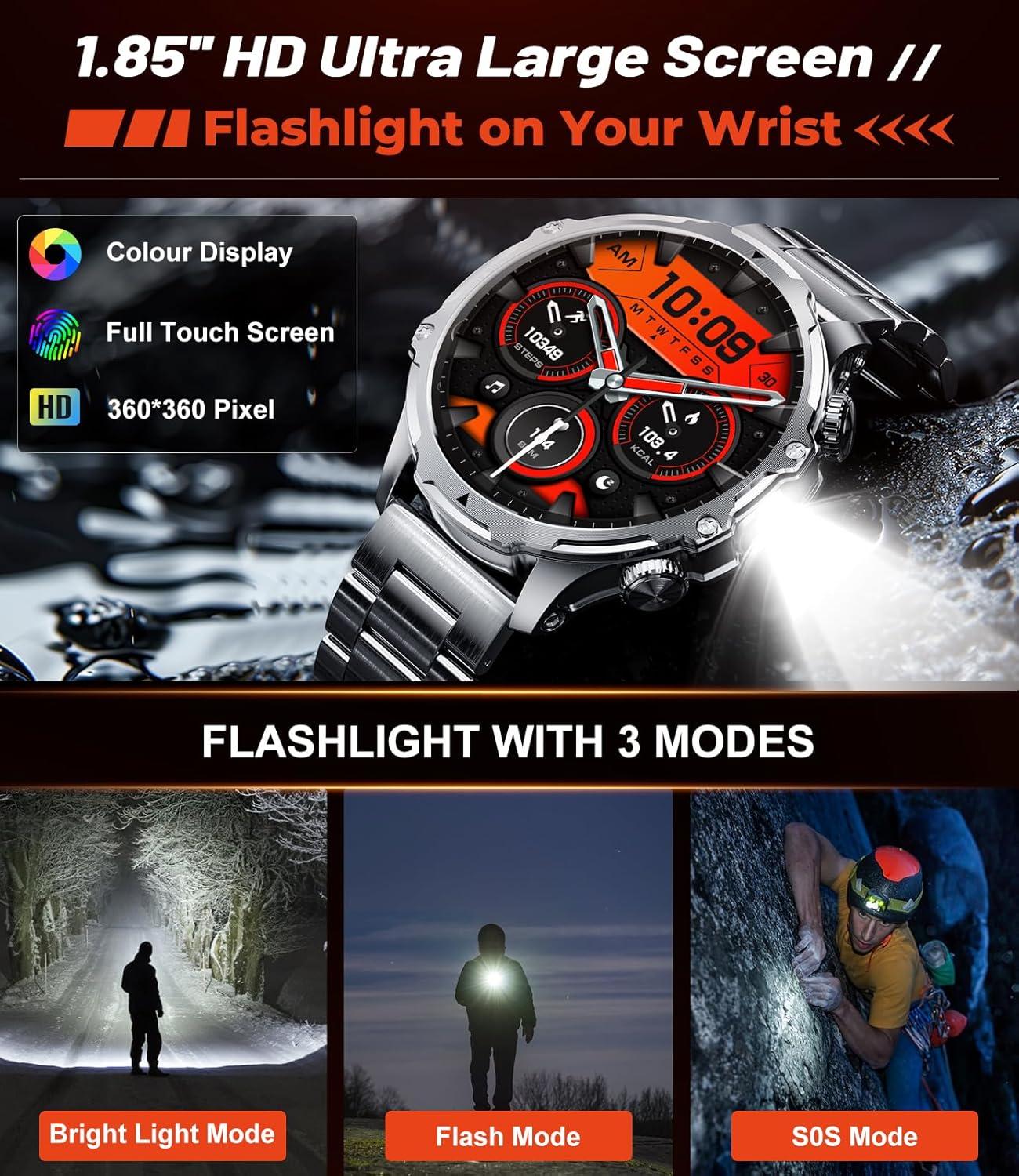
Image: The SUUNY AK75 Smartwatch showcasing its 1.85-inch HD color display and the integrated flashlight feature with three modes: Bright Light, Flash, and SOS.
Bluetooth Calls and Notifications
With Bluetooth 5.2 connectivity, the AK75 allows you to make and receive calls directly from your wrist. It features a 60-decibel speaker and a noise-canceling microphone for clear conversations. You can also receive notifications from various apps like SMS, Facebook, WhatsApp, and TikTok.

Image: The SUUNY AK75 Smartwatch demonstrating its Bluetooth phone call capabilities, including answering/making calls and displaying message alerts from various social media platforms.
Sport Modes and Water Resistance
The smartwatch supports over 100 sport modes, allowing you to track various activities like cycling, running, skiing, and more. It is 5ATM waterproof, making it suitable for swimming and other water-related activities, but not for diving or hot water exposure.

Image: The SUUNY AK75 Smartwatch displaying its extensive range of over 110 sport modes, including swimming, cycling, and treadmill, and highlighting its 5ATM waterproof rating.
Health Monitoring
The AK75 Smartwatch provides continuous health monitoring, including:
- Heart Rate: 24/7 heart rate tracking.
- Blood Oxygen: SpO2 level measurement.
- Blood Pressure: Blood pressure monitoring.
- Sleep Monitoring: Tracks sleep patterns and quality.

Image: The SUUNY AK75 Smartwatch showing its health monitoring capabilities, including real-time graphs for heart rate, blood oxygen, and blood pressure measurements.
Other Useful Functions
The AK75 Smartwatch integrates several additional features for daily convenience:
- LED Flashlight: A powerful integrated flashlight with Bright, Flash, and SOS modes, ideal for outdoor activities.
- AI Voice Assistant: Interact with your watch using voice commands.
- Music Control: Control music playback on your paired smartphone.
- Remote Camera Control: Use your watch as a remote shutter for your phone's camera.
- Weather Forecast: Get real-time weather updates.
- Sedentary Reminders: Alerts to encourage movement after periods of inactivity.
- Alarm, Stopwatch, Timer: Essential utility functions.
- Customizable Watch Dials: Choose from over 120 UI watch dials to personalize your device.

Image: The SUUNY AK75 Smartwatch showcasing various additional functions such as Bluetooth 5.2, remote camera control, weather forecast, music control, and a selection of over 120 customizable watch dials.
Maintenance
Cleaning Your Smartwatch
Regularly clean your smartwatch to ensure optimal performance and hygiene. Use a soft, lint-free cloth to wipe the screen and watch body. For stubborn dirt, slightly dampen the cloth with water. Avoid using harsh chemicals, abrasive materials, or strong detergents, as these can damage the device.
Water Resistance
The AK75 Smartwatch is rated 5ATM water-resistant, meaning it can withstand pressures equivalent to a depth of 50 meters. This makes it suitable for showering, swimming in shallow water, and everyday use. However, it is not recommended for diving, snorkeling, or high-pressure water activities. Avoid exposing the watch to hot water, steam, or corrosive liquids, as this can compromise the water seal.
Battery Care
The 800mAh battery provides excellent endurance: up to 7-12 days with heavy use, 14+ days with daily use, and over 60 days in energy-saving mode. To prolong battery life:
- Avoid extreme temperatures.
- Do not fully discharge the battery frequently.
- Charge the watch using the provided magnetic cable and a compatible 5V/1A adapter.

Image: The SUUNY AK75 Smartwatch highlighting its 800mAh ultra-large battery, demonstrating an excellent battery life of 7-12 days for heavy use, 14+ days for daily use, and 60+ days in energy-saving mode.
Troubleshooting
If you encounter issues with your SUUNY AK75 Smartwatch, refer to the following common problems and solutions:
- Watch not turning on:
Ensure the watch is fully charged. Connect it to the charger for at least 30 minutes. If it still doesn't turn on, try a different charging adapter or cable. - Cannot pair with smartphone:
Make sure Bluetooth is enabled on your phone and the watch. Ensure the watch is within range of your phone. Restart both the watch and your phone, then try pairing again through the companion app. Check if the app has necessary permissions. - Notifications not received:
Verify that the watch is successfully paired with your phone. Check notification settings in the companion app and on your phone (ensure app notifications are enabled and not blocked). Ensure the app is running in the background. - Inaccurate health data:
Ensure the watch is worn snugly on your wrist, not too tight or too loose. Clean the sensor on the back of the watch. Avoid excessive movement during measurements. Note that the watch is not a medical device and data is for reference only. - Short battery life:
Reduce screen brightness, disable unnecessary notifications, or use energy-saving mode. Close background apps on the watch if available. Ensure the watch is not constantly searching for Bluetooth connections. - Touch screen unresponsive:
Restart the watch. Ensure the screen is clean and dry. If the issue persists, contact customer support.
Specifications
| Feature | Specification |
|---|---|
| Brand | SUUNY |
| Model Number | SUUNY3uds |
| Display | 1.85-inch HD, 360x360 pixels, Full Touch Screen |
| Battery Capacity | 800 mAh |
| Battery Life | Up to 14+ days (daily use), 60+ days (energy-saving mode) |
| Bluetooth Version | 5.2 |
| Water Resistance | 5ATM |
| Health Monitoring | Heart Rate, Blood Oxygen, Blood Pressure, Sleep Tracking |
| Sport Modes | Over 100 |
| Special Features | Integrated LED Flashlight (3 modes), Bluetooth Calls, AI Voice Assistant, Music Control, Remote Camera |
| Watch Diameter | Approximately 55 mm |
Warranty and Support
For warranty information, please refer to the warranty card included with your product or contact your retailer. If you require technical support or have questions not covered in this manual, please reach out to SUUNY customer service through their official website or the contact information provided in your product packaging.