
GOBOULT Astra Neo
GOBOULT Astra Neo Bluetooth Earbuds User Manual
Model: Astra Neo
1. Introduction
This manual provides essential instructions for the safe and effective use of your GOBOULT Astra Neo Bluetooth Earbuds. Please read this manual thoroughly before using the product and retain it for future reference.

Image 1.1: GOBOULT Astra Neo Earbuds and Charging Case.
2. Package Contents
Verify that all items listed below are present in your product package:
- GOBOULT Astra Neo Bluetooth Earbuds (Left and Right)
- Charging Case
- Type-C Charging Cable
- User Manual
- Warranty Card
- Ear Cushions (various sizes)
3. Product Features
The GOBOULT Astra Neo earbuds are designed with advanced features for an enhanced audio experience:
- Extended Playtime: Up to 70 hours of total playtime with the charging case.
- Fast Charging: 10 minutes of charge provides approximately 100 minutes of playtime via Type-C port.
- Low Latency Gaming: 40ms ultra-low latency mode for synchronized audio during gaming.
- Powerful Drivers: Equipped with 13mm BoomX Drivers for deep bass and clear sound.
- Clear Calls: ZEN Quad Mic Environmental Noise Cancellation (ENC) for clear voice communication.
- Advanced Connectivity: Bluetooth 5.4 with Blink & Pair technology for stable and quick connections.
- Intuitive Controls: Touch controls for music, calls, and mode activation.
- Water Resistance: IPX5 rating, providing sweatproof, rainproof, and splashproof protection.
- Voice Assistant: Support for Google Assistant and Siri.
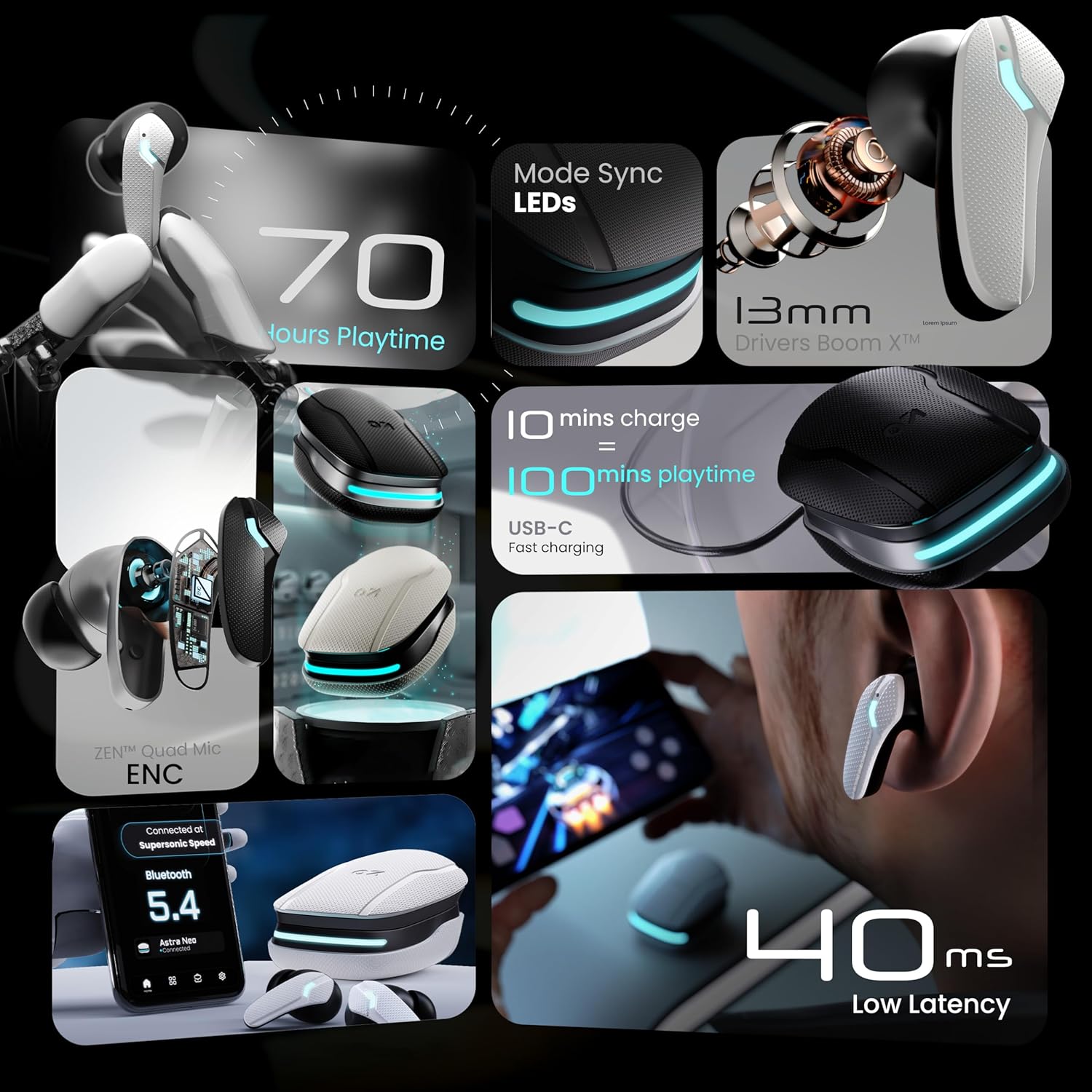
Image 3.1: Overview of GOBOULT Astra Neo key features.
4. Setup Guide
4.1. Charging the Earbuds and Case
Before first use, fully charge the earbuds and charging case.
- Connect the provided Type-C charging cable to the charging port on the case.
- Connect the other end of the cable to a USB power adapter (not included).
- The LED indicators on the case will show charging status. Once fully charged, the indicators will change or turn off.
- Place the earbuds into the charging case. They will begin charging automatically.
A 10-minute charge provides approximately 100 minutes of playtime.

Image 4.1: Charging and Playtime features.
4.2. Pairing with a Device
The Astra Neo earbuds utilize Bluetooth 5.4 with Blink & Pair for quick connection.
- Open the charging case. The earbuds will automatically enter pairing mode.
- On your device (smartphone, tablet, laptop), enable Bluetooth.
- Search for available Bluetooth devices and select "GOBOULT Astra Neo" from the list.
- Once connected, a confirmation sound will play, and the earbuds will be ready for use.
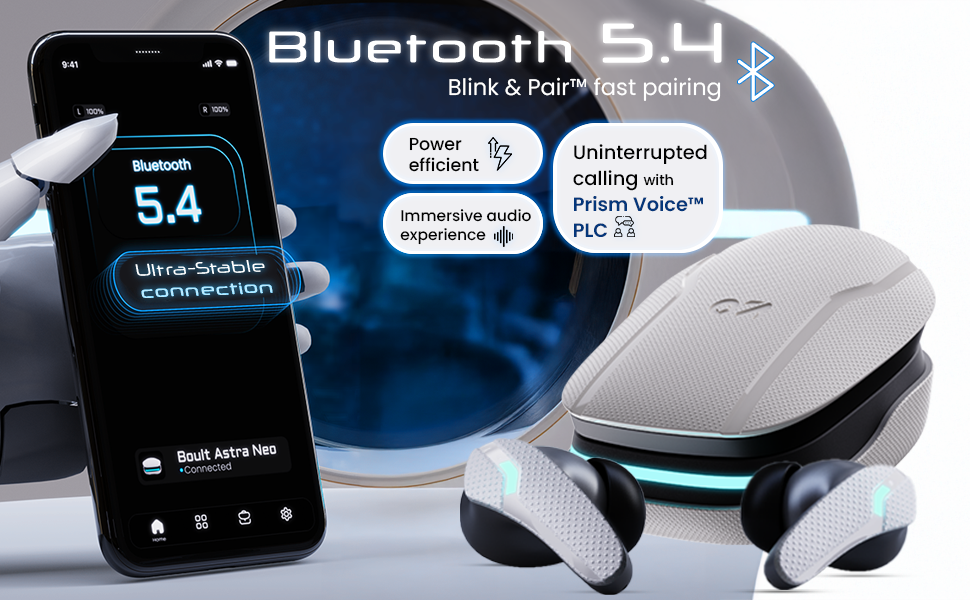
Image 4.2: Bluetooth 5.4 and Blink & Pair for stable connection.
5. Operating Instructions
5.1. Touch Controls
The earbuds feature intuitive touch controls on each earbud:
- Single Tap: Play/Pause music, Answer/End calls.
- Double Tap: Next track (Right earbud), Previous track (Left earbud).
- Three Tap: Volume Down (Left earbud), Volume Up (Right earbud).
- Four Tap: Activate Gaming Mode.
- Long Press: Activate Voice Assistant (Google Assistant/Siri).
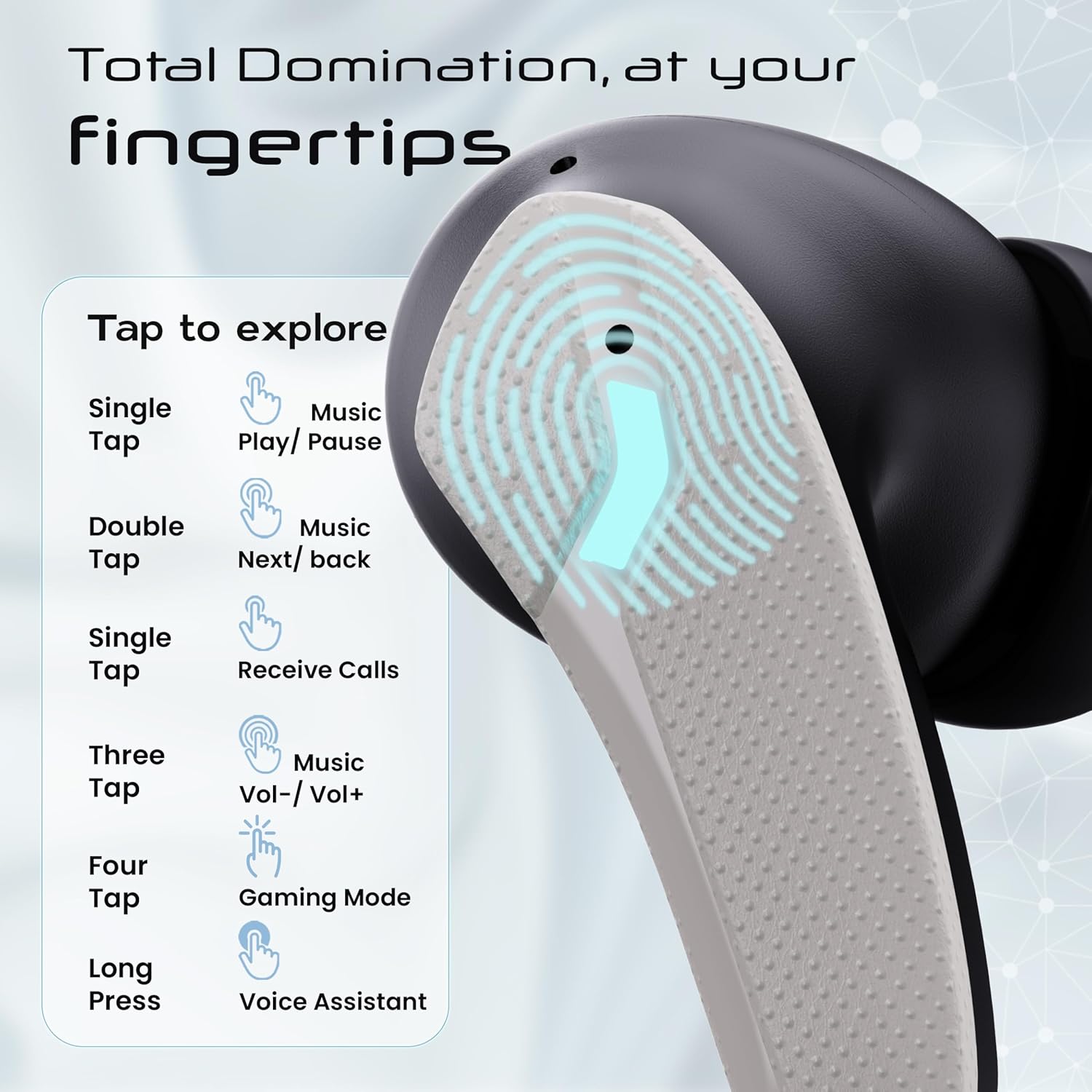
Image 5.1: Earbud Touch Control functions.
5.2. Gaming Mode
Activate the 40ms ultra-low latency Gaming Mode for a synchronized audio experience during gameplay. Tap either earbud four times to toggle Gaming Mode on or off.

Image 5.2: Activating Gaming Mode.
5.3. Environmental Noise Cancellation (ENC)
The ZEN Quad Mic ENC system reduces background noise during calls, ensuring clear communication. This feature is automatically active during phone calls.

Image 5.3: ZEN Quad Mic ENC for clear communication.
6. Maintenance
6.1. Cleaning
Regularly clean your earbuds and charging case to maintain optimal performance and hygiene.
- Use a soft, dry, lint-free cloth to wipe the earbuds and case.
- Gently remove any earwax or debris from the ear tips and speaker mesh using a small, soft brush or cotton swab.
- Avoid using abrasive materials, solvents, or harsh chemicals.
6.2. Water Resistance (IPX5)
The earbuds are rated IPX5 water resistant, meaning they are protected against sweat, rain, and splashes. They are not designed for submersion in water. Avoid exposing them to strong jets of water or swimming.

Image 6.1: IPX5 Water Resistance and Voice Assistant.
7. Troubleshooting
If you encounter issues with your GOBOULT Astra Neo earbuds, refer to the following common solutions:
| Problem | Possible Solution |
|---|---|
| Earbuds not pairing |
|
| No sound from one earbud |
|
| Charging issues |
|
| Poor call quality |
|
8. Specifications
| Feature | Detail |
|---|---|
| Model Name | Astra Neo |
| Item Model Number | Airbass |
| Connectivity Technology | Bluetooth 5.4, Wireless |
| Bluetooth Range | 10 Metres |
| Audio Driver Size | 13mm (BoomX Drivers) |
| Audio Latency | 40 Milliseconds (Gaming Mode) |
| Battery Life (Total) | Up to 70 Hours (with charging case) |
| Fast Charging | 10 mins charge = 100 mins playtime |
| Charging Port | Type-C |
| Microphone | ZEN Quad Mic ENC |
| Water Resistance | IPX5 (Sweatproof, Rainproof, Splashproof) |
| Voice Assistant | Google Assistant, Siri |
| Item Weight | 47 Grams |
| Dimensions | 6.2 x 5.3 x 3.2 cm |
| Battery Type | Lithium Polymer |
| Country of Origin | India |

Image 8.1: 13mm BoomX Driver technology.
9. Warranty and Support
Your GOBOULT Astra Neo earbuds come with a 1-Year Manufacturer Warranty from the date of purchase. This warranty covers manufacturing defects and ensures product reliability.
For warranty claims, technical support, or any product-related inquiries, please refer to the contact information provided on the Warranty Card included in your package or visit the official GOBOULT support website.
Ask a question about this manual
Ask about setup, troubleshooting, compatibility, parts, safety, or missing instructions. Manuals+ will review the question and use this page’s manual context to help answer it.