
1. Introduction
This manual provides detailed instructions for the installation, operation, and maintenance of the SOGTICPS 120A MPPT Solar Charge Controller. This device is designed to efficiently manage power flow from solar panels to various battery systems, ensuring optimal charging and system protection.
Key features of this controller include:
- High Efficiency: MPPT tracking efficiency up to 99.9%, with circuit energy conversion efficiency up to 98%.
- Wide Battery Compatibility: Supports 12V, 24V, 36V, 48V, 60V, 72V, 84V, and 96V lithium-ion and lead-acid batteries (GEL, LiFePO4, Li-ion, and user-defined types).
- Current Limiting Charging: Automatically reduces charging power when the solar panel output is too high, operating at the rated charging current.
- Over-Temperature Protection: Linearly decreases charging current to prevent damage when internal temperature exceeds set limits.
- Robust Design: Features a metal shell for enhanced heat dissipation and durability.
- 0V Charging Function: Supports charging of lithium batteries from 0V.
- High PV Input Voltage: Tolerates up to 230V PV input, reducing wiring specifications and system costs.
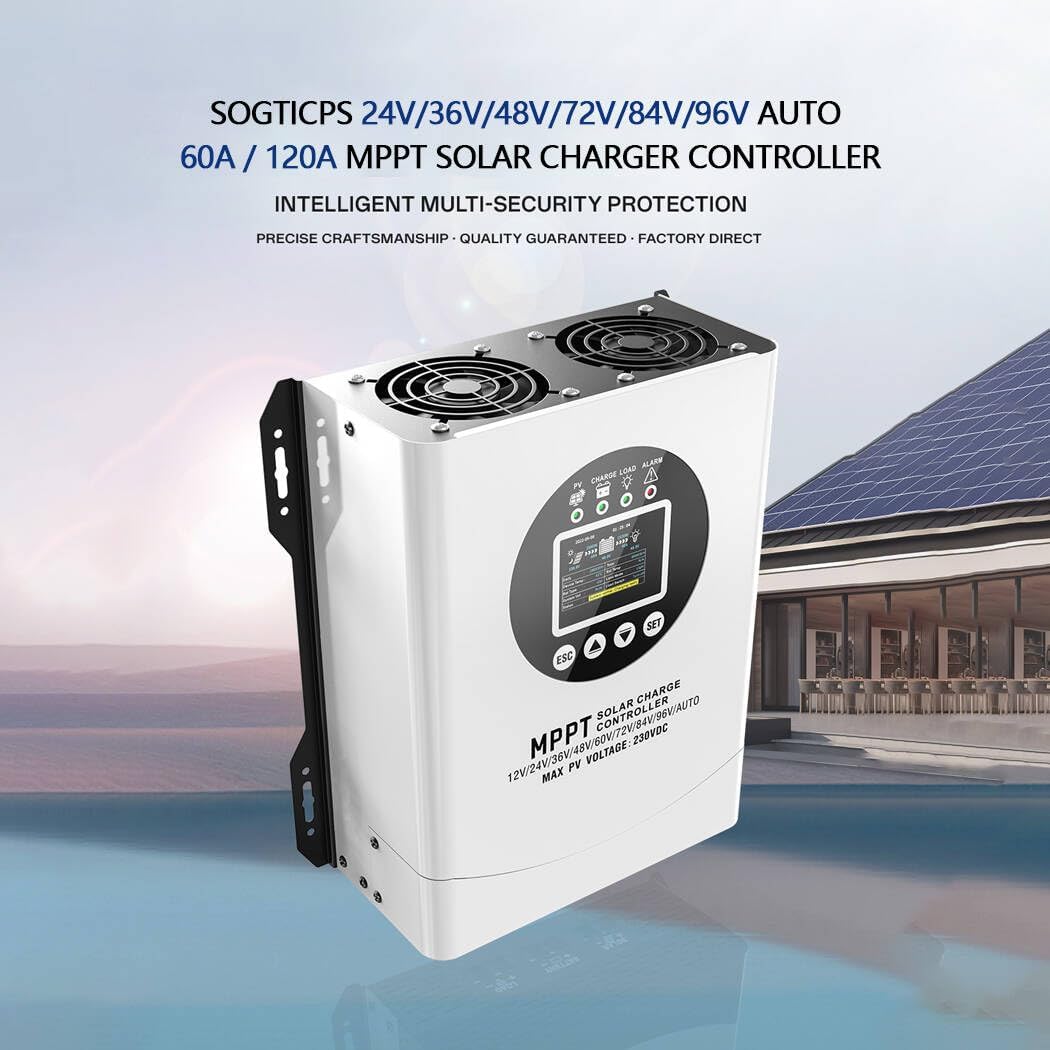
Figure 1: SOGTICPS 120A MPPT Solar Charge Controller.
2. Safety Instructions
Please read all safety instructions carefully before installation and operation. Failure to follow these instructions may result in personal injury, damage to the controller, or other equipment.
- Professional Installation: Installation should be performed by qualified personnel familiar with electrical systems and solar power.
- Proper Wiring: Ensure all wiring is correctly sized and securely connected. Incorrect wiring can cause damage or fire.
- Fuse Protection: Install appropriate fuses on the battery terminals as specified in the installation section.
- Ventilation: Ensure adequate ventilation around the controller to prevent overheating. Do not block cooling fans or vents.
- Avoid Moisture: Do not expose the controller to water or excessive humidity.
- High Voltage: Solar panels can produce high voltages. Exercise extreme caution during installation and maintenance.
- Battery Safety: Work with batteries carefully. Wear protective eyewear and clothing. Avoid short-circuiting battery terminals.
3. Product Overview
3.1 Exterior Design and Interface
The controller features an industrial-style exterior design, prioritizing simplicity and practicality for ease of operation. The front panel includes a color LCD display and feedback buttons for system monitoring and configuration.

Figure 2: Industrial-style exterior design with labeled controls.
- Color LCD Display: Provides clear and intuitive visual feedback for system status and settings.
- SET Button: Used to enter settings menus and confirm selections.
- SCROLL DOWN Button: Navigates downwards through menu options or decreases values.
- SCROLL UP Button: Navigates upwards through menu options or increases values.
- ESC Button: Exits menus or cancels operations.
- Connection Area: Located at the bottom, designed for concealed wiring.
3.2 Internal Components and Cooling
The controller incorporates a concealed wiring design for a clean installation. The bottom cover can be opened to access wiring terminals. High-efficiency cooling fans are integrated to manage heat, ensuring stable operation even in high-temperature environments.

Figure 3: Details of the LCD screen, concealed wiring, and high-efficiency cooling fans.
3.3 Operation Interface Display
The LCD display provides comprehensive real-time information about the solar charging system. The main interface typically shows the following parameters:

Figure 4: Detailed view of the operation interface and its parameters.
- Solar panel input voltage
- Battery charging current
- Daytime/photovoltaic panels status
- Real-time clock
- Battery charging power
- DC load output power
- DC load status
- DC load output current
- DC load output voltage
- Battery voltage
4. Setup & Installation
Follow these steps for proper installation of the solar charge controller. Ensure all connections are secure and correct before powering on the system.
4.1 Connection Sequence

Figure 5: Step-by-step guide for connecting the solar charge controller.
- Step 1: Connect the Battery
Connect the battery to the controller's battery terminals. Ensure the battery terminals are installed with fuse protection, and the installation distance does not exceed 150mm. - Step 2: Connect the Solar Panel
Connect the solar panel(s) to the controller's PV input terminals. - Step 3: Controller Power On
After connecting the battery, the controller should power on. Identify the voltage of the control system and observe if the display screen is lit. If it does not work or displays abnormally, refer to the troubleshooting guide. - Step 4: Connect the Load
Connect your DC load(s) to the controller's load terminals.
Note: If you need to connect a high-power inverter, please connect the inverter directly to the battery, not to the load terminals of the controller.
4.2 Wiring Diagram
The following diagram illustrates a typical wiring setup for the MPPT solar charge controller in a solar power system.

Figure 6: General wiring diagram for the MPPT solar charge controller.
5. Operation
Once installed, the controller operates automatically to optimize solar charging. You can monitor system status and adjust settings via the LCD display and buttons.
5.1 Display Navigation and Settings
Use the SET, SCROLL UP, SCROLL DOWN, and ESC buttons to navigate through the display menus. Specific settings such as battery type, charging parameters, and load control modes can be configured to match your system requirements. Refer to the on-screen prompts for detailed parameter adjustments.
5.2 Battery Compatibility and Charging Modes
The controller is compatible with a wide range of battery voltages (12V to 96V) and types, including GEL, LiFePO4, Li-ion, and user-defined settings. It features an intelligent current limiting charging mode to protect batteries and the controller from overcurrent conditions. The advanced MPPT technology ensures maximum power extraction from your solar panels, significantly outperforming traditional PWM controllers.

Figure 7: MPPT controllers offer significantly higher tracking efficiency compared to PWM controllers.
5.3 Protection Functions
The controller includes multiple built-in protection mechanisms to ensure stable and efficient operation of your solar system:

Figure 8: Visual representation of the controller's circuit protection functions.
- Overcurrent Protection
- Overvoltage Protection
- High-Temperature Protection
- Fault Alarm
6. Maintenance
Regular maintenance ensures the longevity and optimal performance of your solar charge controller.
- Cleaning: Periodically clean the exterior of the controller, especially the cooling fan vents, to prevent dust buildup that can impede heat dissipation. Use a soft, dry cloth.
- Connections: Annually check all electrical connections for tightness and corrosion. Loose connections can cause resistance and overheating.
- Ventilation: Ensure the area around the controller remains clear and well-ventilated. Do not place objects on or near the controller that could obstruct airflow.
- Environmental Conditions: Operate the controller within its specified temperature and humidity ranges.
7. Troubleshooting
If you encounter issues with your SOGTICPS 120A MPPT Solar Charge Controller, refer to the following general troubleshooting steps. For specific error codes or persistent problems, contact customer support.
- No Display/No Power:
- Check battery connections and ensure they are secure and correctly polarized.
- Verify battery voltage is within the controller's operating range.
- Check for blown fuses on the battery line.
- No Charging:
- Ensure solar panels are connected correctly and receiving sufficient sunlight.
- Check PV input voltage on the display; it should be higher than battery voltage for charging to occur.
- Verify battery type settings match the connected battery.
- Load Not Working:
- Check load connections and ensure they are secure.
- Verify load control settings on the controller (e.g., timer, manual on/off).
- Check for overcurrent or short-circuit conditions on the load output.
- Overheating:
- Ensure cooling fan vents are clear and unobstructed.
- Verify ambient temperature is within the controller's operating limits.
- Reduce load or PV input if possible, especially in high-temperature environments.
8. Specifications
Technical specifications for the SOGTICPS 120A MPPT Solar Charge Controller:
| Feature | Specification |
|---|---|
| Model Number | 120A |
| Brand | SOGTICPS |
| Battery System Voltage | 12V/24V/36V/48V/60V/72V/84V/96V Auto |
| Max PV Input Voltage | 230V |
| MPPT Tracking Efficiency | Up to 99.9% |
| Energy Conversion Efficiency | Up to 98% |
| Product Dimensions | 14 x 11 x 5.9 inches (35.56 x 27.94 x 14.99 cm) |
| Item Weight | 10.52 pounds (4.77 kg) |
| Material | Metal |
| Color | Black |
| Included Components | Solar Charger Controller |
| UPC | 704334808782 |
9. Warranty & Support
For warranty information, technical support, or service inquiries, please contact the manufacturer or your authorized dealer. Keep your purchase receipt as proof of purchase for warranty claims.
Manufacturer: SOGTICPS
