
1. Introduction
This manual provides detailed instructions for the setup, operation, and maintenance of your ELUKHT F01 Fingerprint Attendance Machine. Please read this manual carefully before using the device to ensure proper functionality and to maximize its lifespan. This device is designed to efficiently track employee attendance using advanced fingerprint recognition technology.
2. Product Features
The ELUKHT F01 Fingerprint Attendance Machine offers a range of features designed for efficient time management:
- Efficient Time Tracking: Accurately records employee attendance, working hours, and shifts to simplify time management.
- High User Capacity: Capable of storing a large number of user fingerprints and attendance data records.
- Fast Identification: Utilizes advanced technology for quick and accurate fingerprint recognition, ensuring rapid clock-in and clock-out times.
- Reliable Performance: Engineered for consistent reliability and minimal maintenance, meeting daily attendance demands.
- Versatile Application: Suitable for various environments including offices, factories, schools, and retail stores, enhancing operational efficiency.

Figure 2.1: Overview of the ELUKHT F01 Fingerprint Attendance Machine highlighting key features like fingerprint collection, report generation, T9 input, voice function, USB export, and record capacity.
3. Setup
3.1 Unpacking and Inspection
Carefully unpack the attendance machine and all accessories. Inspect the device for any signs of damage. If any components are missing or damaged, contact customer support immediately.
3.2 Power Connection
- Connect the provided power adapter to the DC IN port on the attendance machine.
- Plug the power adapter into a standard electrical outlet.
- The device will power on automatically.
3.3 Initial Configuration
Upon first power-on, the device may prompt you to set the date, time, and language. Follow the on-screen instructions to complete these initial settings.
4. Operating Instructions
4.1 Enrolling Fingerprints
To enroll a new user's fingerprint:
- Press the MENU button to access the main menu.
- Navigate to "User Management" or "Enroll User" using the arrow keys and press OK.
- Select "Enroll Fingerprint" and follow the on-screen prompts.
- Place the user's finger on the fingerprint sensor. The device will prompt you to lift and place the finger multiple times for accurate registration.
- Once successfully enrolled, assign a user ID and other relevant information.
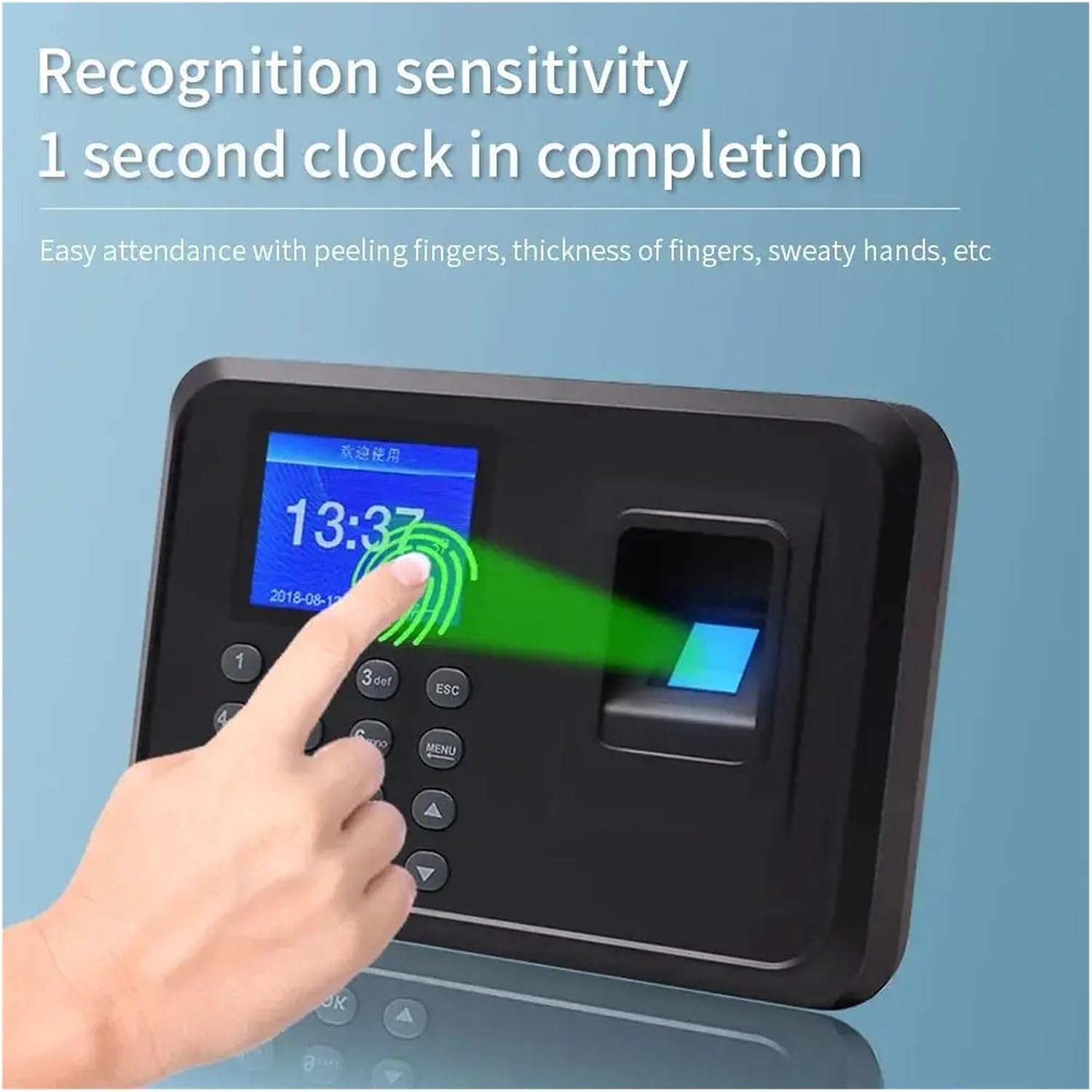
Figure 4.1: Demonstrating the fast 1-second fingerprint recognition process. The device is designed for high sensitivity, accommodating various finger conditions.
4.2 Recording Attendance (Clock-in/Clock-out)
To record attendance, users simply place their registered finger on the fingerprint sensor. The device will confirm successful recognition with a visual and/or audio prompt. The time will be automatically recorded.
4.3 System Settings
Access the system settings via the MENU button to configure options such as:
- Date and Time
- Language
- Voice Prompts
- Attendance Rules (e.g., early/late settings, shift management)
- Data Management (e.g., export, delete)
5. Data Management
5.1 USB Data Export
The ELUKHT F01 supports offline attendance data export via USB. To export attendance records:
- Insert a USB flash drive into the USB port on the side of the device.
- Press the MENU button and navigate to "Data Management" or "USB Data".
- Select "Download Attendance Data" or "Export Report".
- The device will save the attendance report (typically in Excel format) to the USB drive.
- Safely remove the USB drive and open the report directly on your computer.

Figure 5.1: Illustrating the USB data export function, allowing for intelligent report generation and offline data transfer without direct computer connection.
5.2 Record Capacity
The device has a substantial capacity for storing attendance data and user fingerprints:
- Record Capacity: Up to 100,000 attendance records.
- Fingerprint Capacity: Up to 1,000 unique fingerprints.

Figure 5.2: Visual representation of the device's large memory capacity, capable of storing 100,000 attendance records and 1,000 fingerprints, suitable for various enterprise sizes.
6. Maintenance
6.1 Cleaning the Device
To ensure optimal performance and longevity, regularly clean the device:
- Use a soft, dry cloth to wipe the exterior of the machine.
- For the fingerprint sensor, use a lint-free cloth lightly dampened with isopropyl alcohol. Avoid excessive moisture.
- Do not use abrasive cleaners or solvents.
6.2 Software Updates
Check the manufacturer's website periodically for any available firmware updates. Follow the provided instructions carefully when performing updates.
7. Troubleshooting
| Problem | Possible Cause | Solution |
|---|---|---|
| Device does not power on. | No power supply; faulty adapter. | Check power connection and outlet. Ensure the power adapter is functioning correctly. |
| Fingerprint not recognized. | Finger placement incorrect; sensor dirty; fingerprint not enrolled. | Ensure finger is placed flat and covers the sensor. Clean the sensor. Re-enroll fingerprint if necessary. |
| USB data export fails. | USB drive incompatible; drive full; incorrect menu selection. | Try a different USB drive (FAT32 format recommended). Ensure enough space. Follow data export steps carefully. |
| Incorrect date/time. | Settings not saved; internal battery issue. | Adjust date and time in system settings and ensure they are saved. If the issue persists, contact support. |
8. Specifications
- Model: F01
- Brand: ELUKHT
- Identification Method: Fingerprint
- Fingerprint Capacity: 1,000
- Record Capacity: 100,000
- Data Output: USB Flash Drive
- Offline Attendance: Supported
- Manufacturer: ELUKHT
- ASIN: B0DYXFXDZ8
9. Warranty and Support
For warranty information and technical support, please refer to the warranty card included with your product or visit the official ELUKHT website. Keep your purchase receipt as proof of purchase for warranty claims.
If you encounter any issues not covered in this manual, please contact ELUKHT customer service for assistance.