
Introduction
The OPPO Enco Buds3 Pro are true wireless earbuds designed to deliver a high-fidelity audio experience. Featuring an innovative 12.4mm dynamic driver, they provide accurate and detailed sound reproduction with deep, immersive bass and natural, crisp highs. Their ergonomic design ensures maximum stability and comfort, even during intense workouts. With Bluetooth 5.4 binaural low-latency technology, the earbuds maintain a stable connection and can connect to two devices simultaneously, allowing for quick switching. The IP55 rating provides resistance against sweat, water splashes, and dust, making them suitable for various environments.

Figure 1: OPPO Enco Buds3 Pro Earbuds and Charging Case.
What's in the Box
Your OPPO Enco Buds3 Pro package includes the following items:
- OPPO Enco Buds3 Pro Earbuds (Left and Right)
- Charging Case
- USB Charging Cable
- Three sizes of Silicone Ear Tips (S/M/L)
- User Guide
- Safety and Warranty Information

Figure 2: Package Contents.
Setup
1. Charging the Earbuds and Case
Before first use, fully charge the earbuds and the charging case. Place the earbuds into the charging case and close the lid. Connect the charging case to a power source using the provided USB cable.
- Earbuds: Approximately 65 minutes for a full charge.
- Charging Case: Approximately 120 minutes for a full charge.

Figure 3: Charging and Battery Life.
2. Pairing with Your Device
- Ensure the earbuds are in the charging case and the lid is open.
- On your smartphone or device, enable Bluetooth.
- Search for "OPPO Enco Buds3 Pro" in the list of available Bluetooth devices and select it to pair.
- Once paired, the earbuds will automatically connect to your device when taken out of the case.
The earbuds support Bluetooth 5.4 and can be paired with two devices simultaneously, allowing for seamless switching between them.
3. Selecting the Right Ear Tips
For optimal sound quality and comfort, choose the ear tips that best fit your ears. Experiment with the different sizes (S, M, L) provided to find the most secure and comfortable seal.
Operating Instructions
Touch Controls
The OPPO Enco Buds3 Pro feature intuitive touch controls on each earbud. The specific functions can often be customized via the companion app (if available).
| Action | Function |
|---|---|
| Single Tap | Play/Pause music, Answer/End call |
| Double Tap | Next track, Decline call |
| Triple Tap | Previous track (customizable) |
| Press and Hold (Left Earbud) | Volume Down (customizable) |
| Press and Hold (Right Earbud) | Volume Up (customizable) |
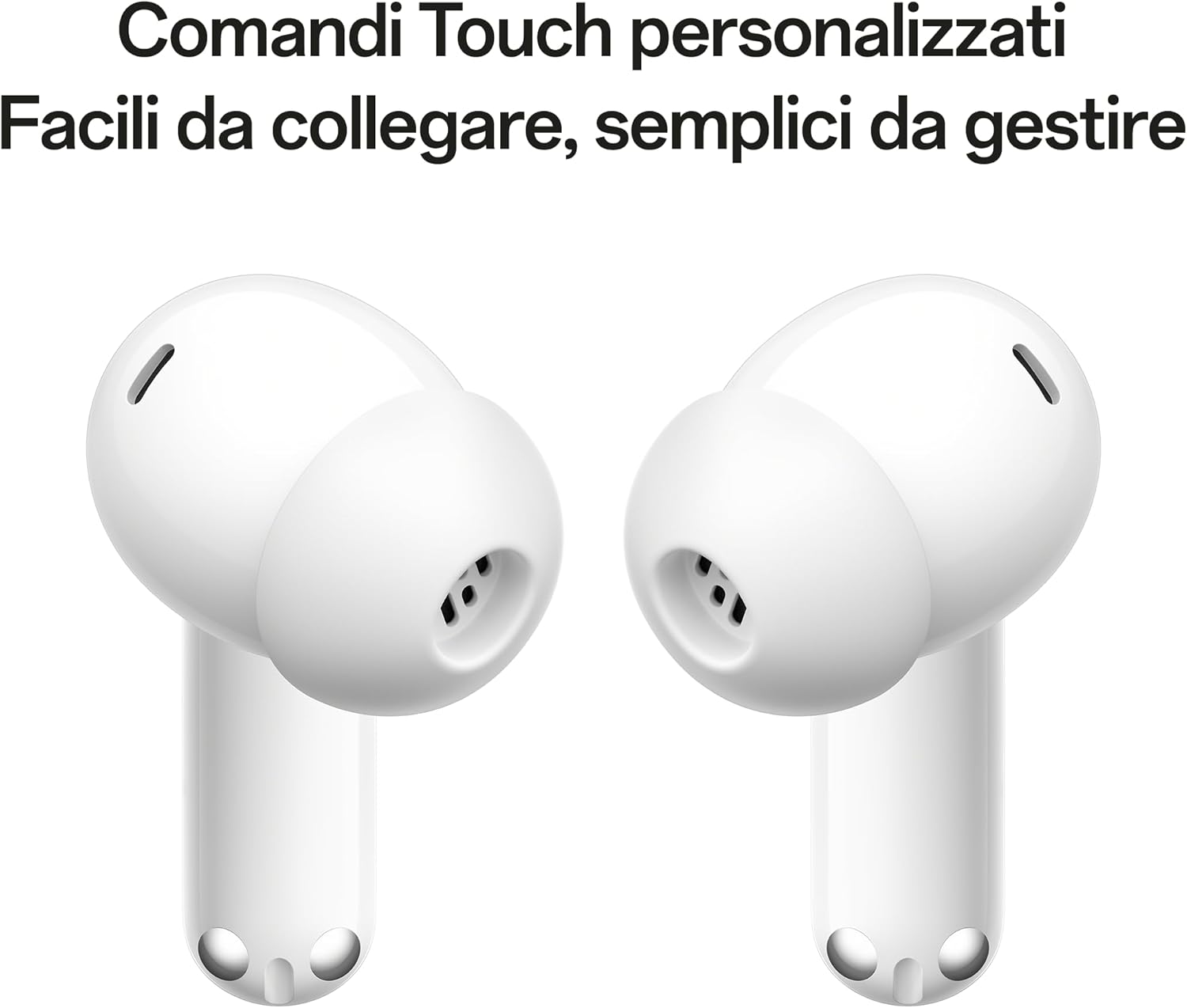
Figure 4: Earbud Touch Control Areas.
Call Management
The earbuds feature active noise reduction for calls, ensuring clear communication.
- Answering a Call: Single tap either earbud.
- Ending a Call: Single tap either earbud.
- Declining a Call: Double tap either earbud.
Maintenance
Cleaning Your Earbuds
To maintain optimal performance and hygiene, regularly clean your earbuds and charging case. Use a soft, dry, lint-free cloth. For stubborn dirt, a slightly damp cloth can be used, but ensure no moisture enters the speaker grilles or charging ports. Remove ear tips and clean them separately with water and mild soap, then dry thoroughly before reattaching.
Water and Dust Resistance (IP55)
The OPPO Enco Buds3 Pro are rated IP55, meaning they are resistant to sweat, water splashes, and dust. This makes them suitable for workouts and light rain. However, they are not waterproof and should not be submerged in water or exposed to high-pressure water jets. Always ensure the earbuds and charging case are dry before charging.

Figure 5: IP55 Protection.
Troubleshooting
If you encounter issues with your OPPO Enco Buds3 Pro, try the following solutions:
- No Sound:
- Ensure earbuds are charged.
- Check Bluetooth connection on your device.
- Increase volume on both earbuds and device.
- Earbuds Not Pairing:
- Ensure earbuds are in pairing mode (lid open).
- Turn off and on Bluetooth on your device.
- Forget the device in your Bluetooth settings and re-pair.
- Ensure earbuds are sufficiently charged.
- Intermittent Connection:
- Move closer to your device.
- Avoid strong electromagnetic interference.
- Ensure earbuds are fully charged.
- One Earbud Not Working:
- Place both earbuds back in the case, close the lid, wait a few seconds, then open and try again.
- Ensure both earbuds are charged.
Specifications
| Feature | Detail |
|---|---|
| Model Name | Enco Buds3 Pro |
| Model Number | 110070830024 |
| Driver | 12.4 mm Dynamic Driver |
| Speaker Sensitivity | 114 ± 3 dB |
| Noise Reduction | Active Noise Reduction for calls, Passive Noise Reduction for music |
| Bluetooth Version | 5.4 (Binaural, Low Latency, Multi-device) |
| Earbud Battery Capacity | 58 mAh |
| Charging Case Battery Capacity | 560 mAh |
| Earbud Charging Time | Approx. 65 minutes (100%) |
| Case Charging Time | Approx. 120 minutes (100%) |
| Water Resistance Rating | IP55 (Sweat, Splash, Dust Resistant) |
| Compatibility | Android and iOS |
| Weight | 42 Grams |
Warranty and Support
Your OPPO Enco Buds3 Pro are covered by a limited warranty. Please refer to the warranty card included in your package for detailed terms and conditions. For technical support, troubleshooting assistance, or warranty claims, please visit the official OPPO support website or contact their customer service.
For the most up-to-date information and support resources, please visit: OPPO Official Support


