
Introduction
Thank you for purchasing the GODOX Litemons C30R RGB LED Video Panel Light. This compact and versatile lighting solution is designed for photographers, videographers, and vloggers, offering a wide range of color temperatures, full RGB control, and various special effects. Please read this manual carefully before use to ensure proper operation and optimal performance.
What's in the Box
- Light body *1
- Collapsible Diffusion Dome *1
- Charging Cable *1

Key Features
- Full Color RGB Video Light: 360° Hue adjustment, 2500-9000K color temperature control, Dimmable Brightness 0 to 100%.
- CCT/HSI/FX Lighting Modes: The Godox C30R RGB video light offers HSI Color Mode, CCT Mode for white light adjustment, and Scenes Mode for various effects.
- 3350mAh Large Capacity Battery: Provides 45 minutes of full-power runtime and supports charging while in use (276 minutes at 50% brightness output).
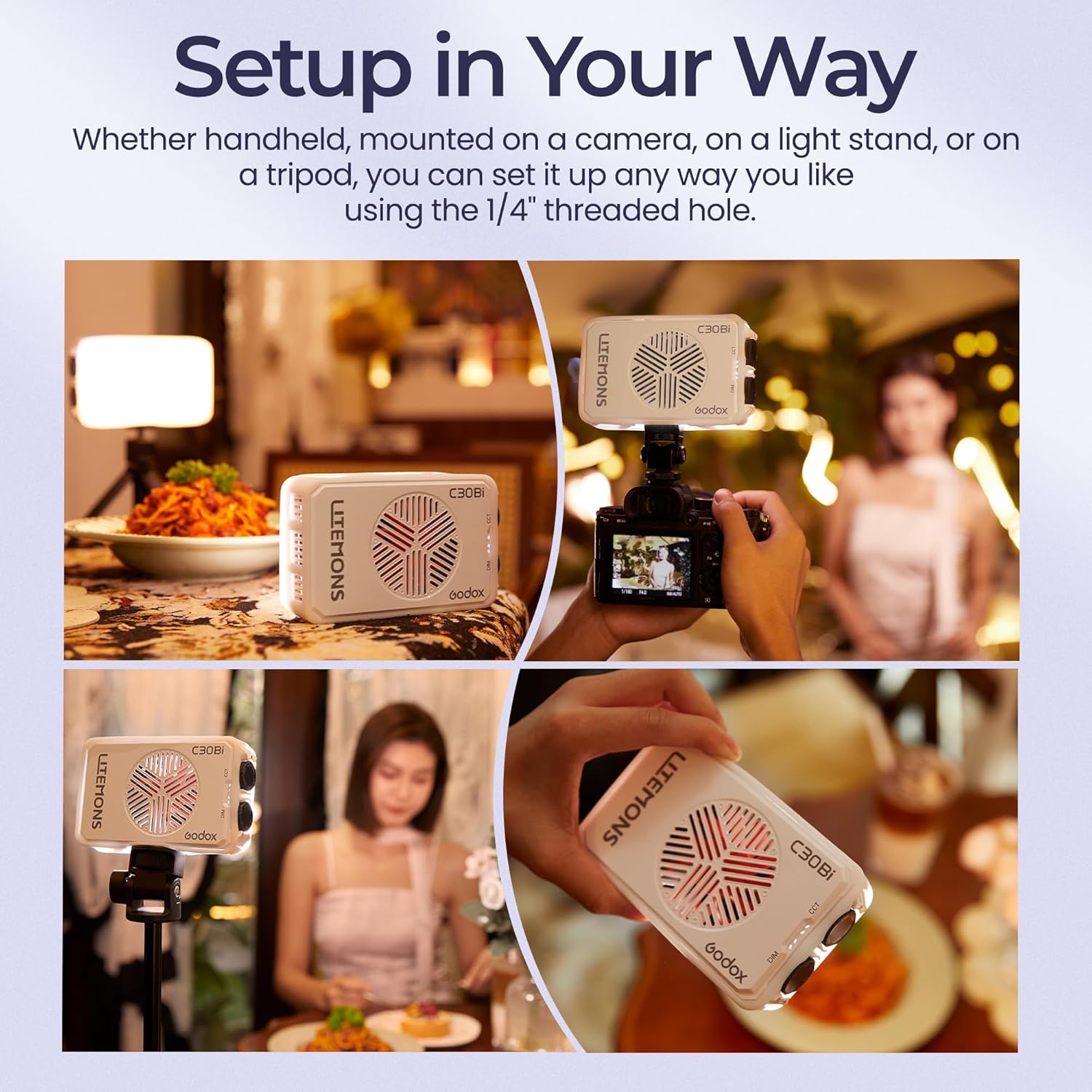
- Small Size & Standard 1/4 Screw: Weighing just 248g and palm-sized, it's highly portable. The 1/4" screw allows mounting on cameras, light stands, or tripods.

Setup
- Powering On/Off: Locate the power button on the device. Press and hold for 3 seconds to turn the light on or off.
- Mounting: The C30R features a standard 1/4" threaded hole at the bottom. Attach it to a camera hot shoe adapter, light stand, or tripod as needed.
- Attaching Diffuser: Gently stretch the collapsible diffusion dome over the front edge of the light panel for a softer light output.

Operating Instructions
The GODOX Litemons C30R offers intuitive controls for various lighting modes.
- General Controls: The device features control dials/buttons for adjusting brightness, color temperature, and cycling through modes. Refer to the on-screen display for current settings.
- CCT Mode: Adjust the color temperature from 1,800K (warm) to 10,000K (cool) to match ambient light or create desired moods.
- HSI Mode: Provides full control over Hue (360°), Saturation, and Intensity (brightness) for precise color selection.
- FX Mode (Special Effects): Access a variety of pre-programmed lighting effects to enhance your creative projects.
- Brightness Adjustment: The brightness can be dimmed from 0% to 100% in any mode.


Charging and Battery
The GODOX Litemons C30R is equipped with a 3350mAh battery, providing approximately 45 minutes of runtime at full power. It can operate for up to 276 minutes at 50% brightness. The device supports USB-C charging and can be used simultaneously while charging, ensuring continuous operation for longer sessions.
Maintenance
- Keep the device dry. Do not handle with wet hands.
- Clean the light panel with a soft, dry cloth. Avoid using harsh chemicals or abrasive materials.
- Ensure proper ventilation during extended use to prevent overheating. The built-in fan helps with heat dissipation.
- Store the light in a cool, dry place away from direct sunlight and extreme temperatures.
Troubleshooting
- Light not turning on: Ensure the battery is charged. Connect to a USB-C power source.
- Short battery life: Reduce brightness settings. Ensure the device is fully charged before use.
- Controls unresponsive: Power off the device and restart. If issues persist, contact customer support.
- Overheating: The device has a built-in fan for cooling. If it feels excessively hot, reduce brightness or allow it to cool down.
Specifications
| Product Dimensions | 5.12 x 3.03 x 1.57 inches |
| Item Weight | 8.7 ounces |
| Item Model Number | C30R |
| Battery Life (Full Power) | 45 minutes |
| Connectivity Technology | Bluetooth |
| Color Temperature Range | 1,800K-10,000K |
| UPC | 850071741513 |
Warranty and Support
For warranty information, technical support, or any inquiries regarding your GODOX Litemons C30R, please refer to the official GODOX website or contact their customer service directly. Keep your purchase receipt for warranty claims.