
Introduction
Thank you for choosing the UGREEN 12000mAh 100W Fast Charging Power Bank. This device is designed to provide portable, high-speed charging for a wide range of electronic devices, including laptops, smartphones, and tablets. Please read this manual carefully to ensure safe and optimal use of your power bank.
Product Overview
The UGREEN 100W Power Bank features a compact design with a digital display for battery status and charging information. It includes multiple ports for versatile charging options.

Image Description: A front view of the UGREEN 12000mAh 100W Fast Charging Power Bank, showcasing its sleek grey design and digital display.

Image Description: A close-up view of the UGREEN Power Bank's top, highlighting the USB-C (IN/OUT 1) and USB-A (OUT 2) ports, along with the 100W power indicator.

Image Description: The UGREEN Power Bank being held, illustrating its compact size and lightweight design, suitable for portability.
Setup
- Initial Charge: Before first use, fully charge the power bank. Connect a USB-C cable to the IN/OUT 1 port and connect the other end to a suitable power adapter (not included). The digital display will show the charging progress.
- Check Battery Level: Briefly press the power button to view the current battery percentage on the digital display.
Operating Instructions
Charging the Power Bank
To recharge your UGREEN Power Bank, connect a USB-C cable to the IN/OUT 1 port. The power bank supports fast charging input, allowing for quick replenishment of its internal battery.
Charging Your Devices
- Connect Device: Use a compatible charging cable to connect your device to either the USB-C (IN/OUT 1) or USB-A (OUT 2) port on the power bank.
- Start Charging: The power bank will automatically detect the connected device and begin charging. The digital display will show the output power.
- High-Speed Charging: The USB-C port supports up to 100W Power Delivery (PD) for fast charging compatible laptops and other devices.
- Multiple Devices: You can charge up to two devices simultaneously using both output ports.

Image Description: The UGREEN Power Bank simultaneously charging a laptop via USB-C and another device via USB-A, demonstrating its multi-device charging capability.
Low Current Charging Mode
For small devices like smartwatches, Bluetooth earbuds, or fitness trackers that require lower charging currents, activate the low current charging mode:
- Activate: Double-press the power button to enter low current charging mode. An indicator on the display may appear.
- Connect: Connect your low-power device to the power bank.
- Deactivate: Double-press the power button again to exit low current charging mode, or it will automatically turn off after a period of inactivity.
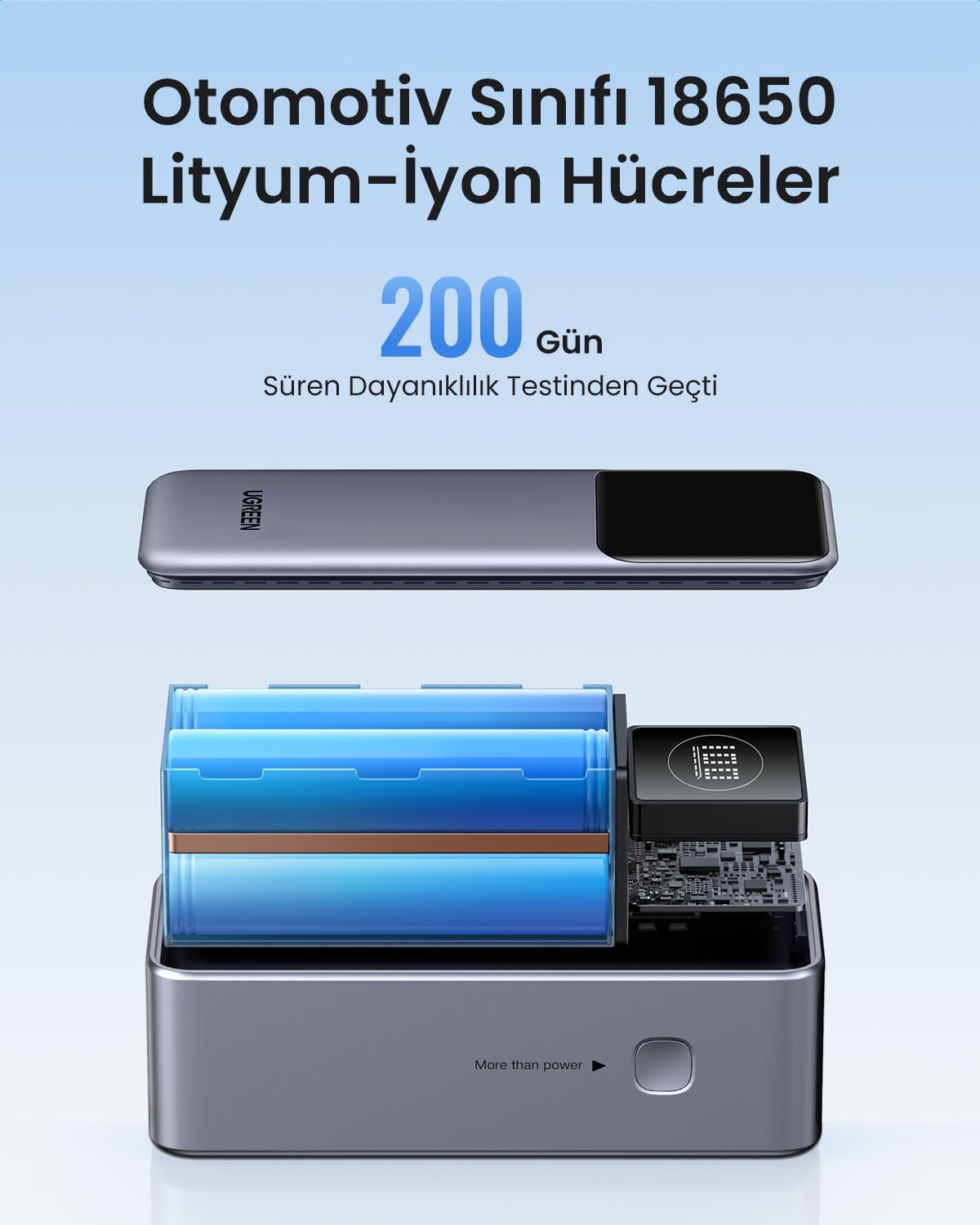
Image Description: The UGREEN Power Bank connected to a smartwatch and wireless earbuds, illustrating its low current charging mode for small electronic accessories.
Maintenance
- Cleaning: Use a soft, dry cloth to clean the power bank. Do not use liquid cleaners or aerosols.
- Storage: Store the power bank in a cool, dry place away from direct sunlight and extreme temperatures.
- Battery Care: To prolong battery life, fully charge the power bank at least once every three months if not in regular use.
Troubleshooting
- Power Bank Not Charging:
- Ensure the charging cable and power adapter are working correctly.
- Check if the cable is securely connected to the IN/OUT 1 port.
- Device Not Charging from Power Bank:
- Verify the power bank has sufficient charge.
- Ensure the charging cable is compatible with your device and securely connected.
- Try a different port or cable.
- If charging a low-power device, ensure low current charging mode is activated.
- Slow Charging:
- Ensure your cable and device support fast charging protocols (e.g., Power Delivery for 100W output).
- Charging multiple devices simultaneously may reduce individual port output.
Specifications

Image Description: An exploded view of the UGREEN Power Bank, revealing its internal structure and the automotive-grade 18650 lithium-ion battery cells.
| Feature | Detail |
|---|---|
| Brand | UGREEN |
| Model Number | 35526B / AFNUGRNW28 |
| Battery Capacity | 12000mAh |
| Max Power Output | 100W |
| Number of Ports | 3 (1x USB-C In/Out, 1x USB-A Out) |
| Battery Type | Automotive Grade 18650 Lithium-ion Cells |
| Dimensions | 45.5 x 46 x 115 mm (approx.) |
| Weight | 309g (approx.) |
Safety Information
- Do not expose the power bank to extreme temperatures, direct sunlight, or fire.
- Avoid dropping, puncturing, or disassembling the device.
- Keep out of reach of children.
- Do not use if the power bank is damaged or swollen.
- Dispose of the product responsibly according to local regulations.
Warranty and Support
This UGREEN Power Bank comes with a 90-day warranty from the date of purchase, covering manufacturing defects. Please retain your proof of purchase for warranty claims.
For technical support, warranty inquiries, or further assistance, please contact UGREEN customer service through the official UGREEN website or your retailer's support channels.
UGREEN Official Website: www.ugreen.com


