
Introduction
This manual provides comprehensive instructions for the safe and efficient operation of your Renogy Rover 40A MPPT Solar Charge Controller. The Rover 40A is designed to optimize solar energy harvest with 99.9% multi-peak tracking efficiency and 98% conversion efficiency, ensuring maximum power even under challenging conditions. It is compatible with 12V/24V systems and various battery types, including gel, sealed, flooded, and lithium batteries. This controller features advanced protection mechanisms and an LCD display for real-time monitoring.

Figure 1: Renogy Rover 40A MPPT Solar Charge Controller.
Setup
Package Contents
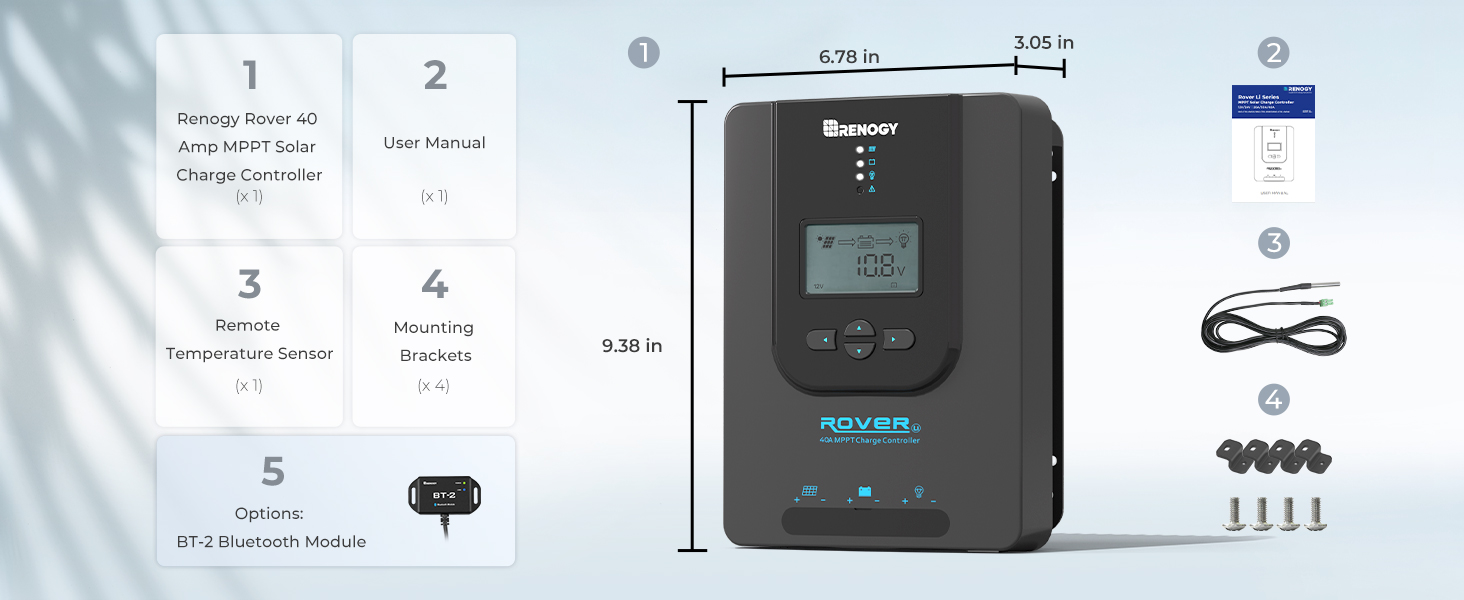
Figure 2: Included components with the Renogy Rover 40A MPPT Solar Charge Controller.
Upon unboxing, verify that all components are present:
- Renogy Rover 40A MPPT Solar Charge Controller
- User Manual
- Remote Temperature Sensor
- Mounting Brackets (x4)
- BT-2 Bluetooth Module (included)
Mounting Location
Place the Rover 40A on a vertical surface protected from direct sunlight, high temperatures, and water. Ensure there is good ventilation. The unit requires at least 6 inches (150mm) of clearance above and below for proper airflow. Ventilation is highly recommended if mounted in an enclosure.
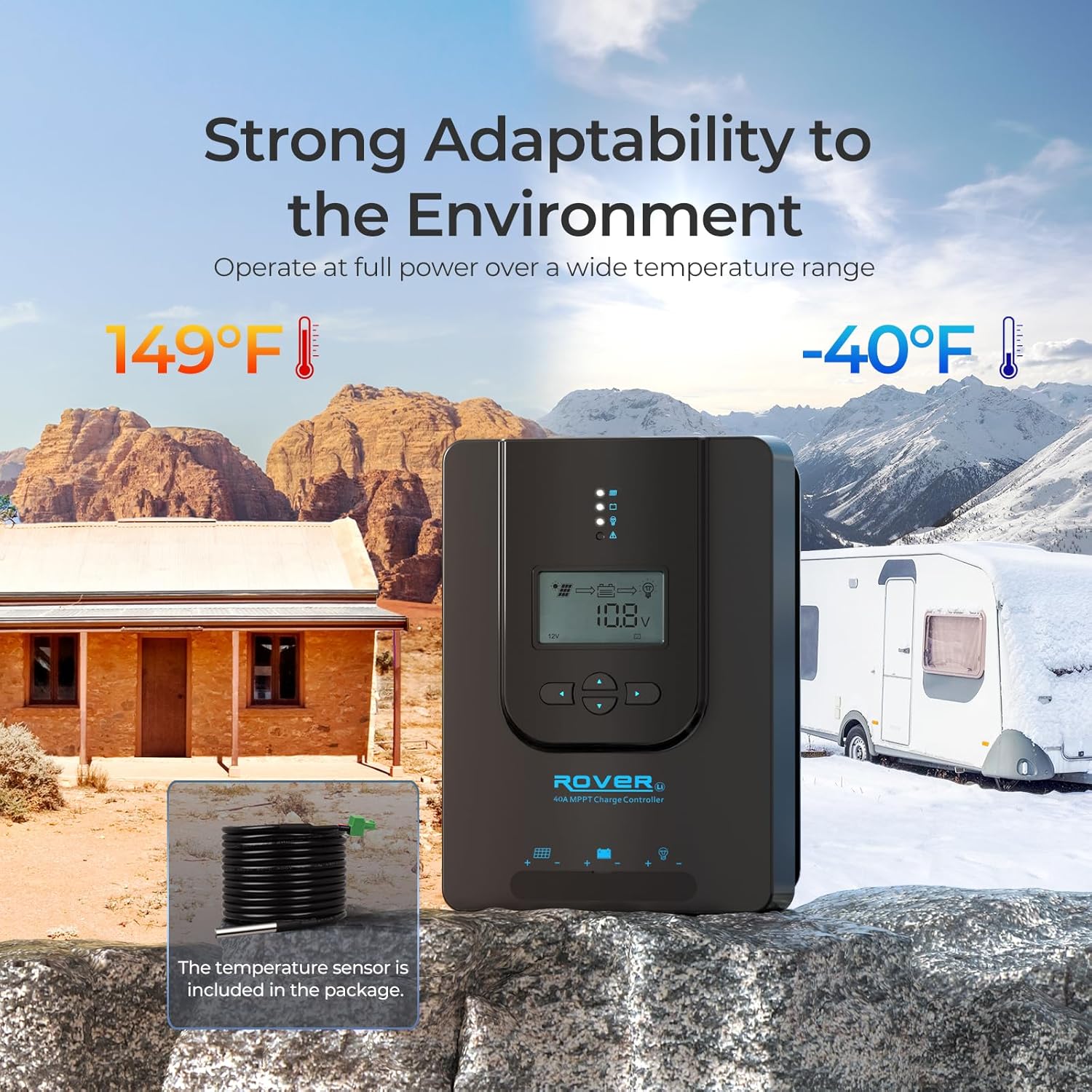
Figure 3: The Rover 40A is designed for operation in a wide temperature range (-40°F to 149°F).
Wiring Connections
The Rover 40A features clearly labeled terminals for solar panel, battery, and load connections. Always ensure all connections are tight and secure. It is crucial to identify the positive and negative polarity on the cables used for batteries and solar panels. Incorrect polarity can damage the controller.
- Solar Input: Connect your solar panels to the designated terminals. For a 12V battery system, the maximum input power of solar energy should be ≤520W. For a 24V battery system, the maximum input power of solar energy should be ≤1040W.
- Battery Connection: Connect your battery to the battery terminals. The controller automatically detects 12V or 24V DC system voltages for non-lithium batteries. For lithium batteries, manually adjust the battery voltage before charging.
- Load Output: The controller provides DC load terminals for directly powering DC appliances such as fans, lights, or USB outlets. You can schedule loads via the timer for efficiency.
- Temperature Sensor: Connect the included remote temperature sensor to the 'Temp' terminals. This is recommended for lead-acid batteries to ensure accurate charging voltage compensation. For lithium-ion phosphate batteries with a Battery Management System (BMS), this connection is not strictly necessary.
- RS485 Port: This port is used to connect the BT-2 Bluetooth Module (included) for remote monitoring and control via the Renogy DC Home App.

Figure 4: The Rover 40A is compatible with various battery types, automatically detecting voltage for non-lithium batteries.

Figure 5: Example of a typical installation setup for the Renogy Rover 40A.
Operating
LCD Display and Buttons
The integrated LCD display provides real-time information on voltage, current, and error codes. Use the navigation buttons to cycle through different display screens and access settings.
Battery Type and System Voltage Selection
After proper installation, it is essential to preset the correct battery type to avoid damage and void the warranty. The manual provides detailed steps on how to select the desired battery type (Gel, Sealed, Flooded, Lithium) and system voltage (12V/24V) using the controller's interface.

Figure 6: The Renogy DC Home App interface showing lithium activation settings.
For lithium batteries, the controller offers an exclusive lithium reactivation technology to safely revive deeply discharged batteries. This feature can be turned ON or OFF based on your needs to prevent over-activation or unnecessary activation.
Remote Monitoring with Renogy DC Home App
Connect the BT-2 Bluetooth module to the RS485 port on the controller. Download the "Renogy DC Home" app from Renogy.com, Google Play Store, or Apple App Store. The app allows you to monitor solar performance, receive real-time battery/panel alerts, and optimize settings for your RV or remote solar farms.
Maintenance
Regular maintenance ensures the longevity and optimal performance of your Renogy Rover 40A MPPT Solar Charge Controller.
- Connection Integrity: Periodically check all wiring connections to ensure they remain tight and secure. Loose connections can lead to power loss or overheating.
- Ventilation: Ensure the heat sink fins on the back of the controller are free from dust and debris to allow for proper heat dissipation. The die-cast design acts as a heat sink to distribute heat effectively.
- Environmental Conditions: While the controller is designed for wide temperature ranges, avoid prolonged exposure to extreme conditions beyond its specified operating limits (-40°F to 149°F).
- Firmware Updates: Check the Renogy website or DC Home App for any available firmware updates to ensure your controller has the latest features and bug fixes.

Figure 7: The heat sink design on the back of the controller aids in efficient heat dissipation.
Troubleshooting
If you encounter issues with your Renogy Rover 40A, refer to the following common troubleshooting tips. For more detailed solutions, consult the full user manual available on Renogy.com.
- LCD Does Not Light Up: Ensure all cables are correctly connected and the battery voltage is sufficient. Check for loose connections or reversed polarity.
- Battery Voltage Not Displayed: Verify the battery connections are secure and that the battery itself has a charge.
- Solar LED Indicator Not Lighting Up: Confirm that solar panels are connected correctly and receiving adequate sunlight. Check for any shading or damage to the panels.
- Warning Lights: If a warning light illuminates, refer to the specific error codes in the user manual for diagnostic steps. The controller includes protections against overcharging, over-discharging, short-circuits, overload, high/low temperature, and reverse polarity.

Figure 8: The Rover 40A is equipped with multiple protection features for safe operation.
Specifications
| Feature | Specification |
|---|---|
| Display Type | LCD |
| UPC | 840315237469 |
| Manufacturer | RENOGY |
| Package Dimensions | 11.1 x 8.7 x 5.28 inches |
| Item Weight | 4.41 pounds |
| Item Model Number | Rover 40A |
| Voltage | 24 Volts (DC) |
| Material | Acrylonitrile Butadiene Styrene (ABS), Plastic |
Warranty and Support
Renogy offers a 3-Year After-Sales Service for the Rover 40A MPPT Solar Charge Controller. To register your product for warranty and access support, please refer to the e-warranty card included in the package or visit the official Renogy website.
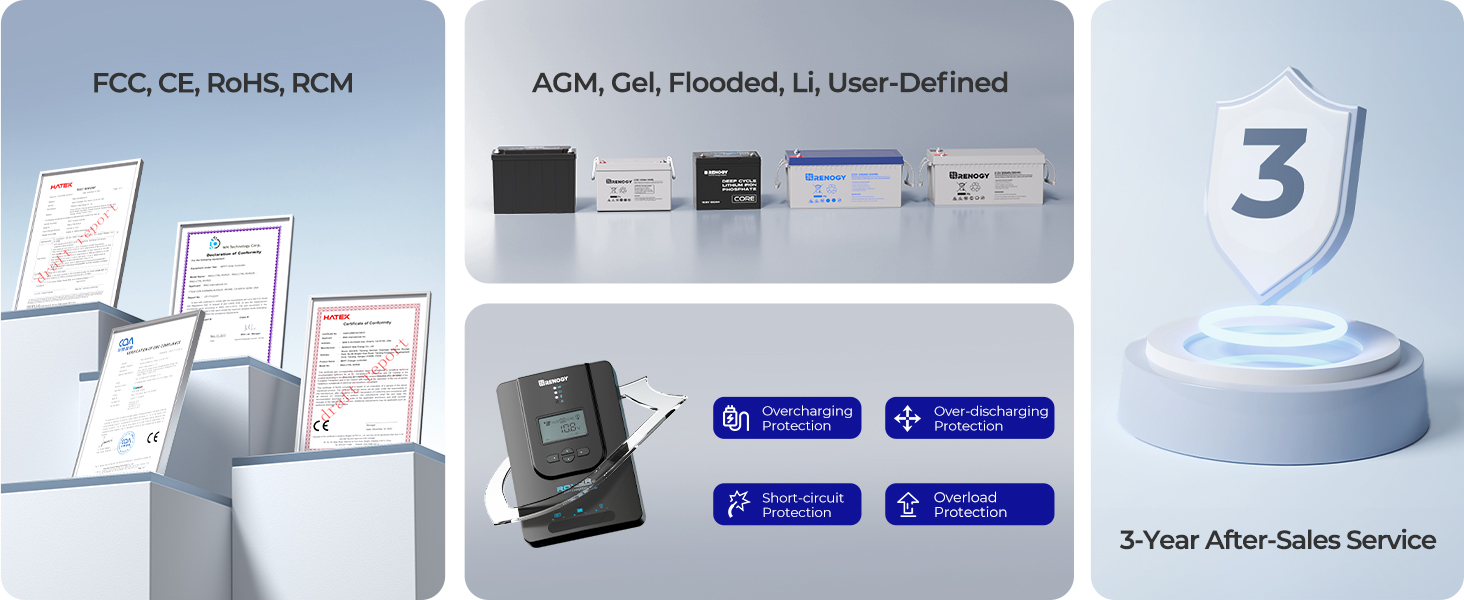
Figure 9: Renogy product certifications and warranty information.
For further assistance, technical support, or to explore other Renogy products, please visit the Renogy Store on Amazon or the official Renogy website.


