
JINSERTA YF-1131
JINSERTA Pocket FM Radio Mini Wireless Bluetooth Speaker User Manual
Model: YF-1131
Introduction
This user manual provides detailed instructions for the operation and maintenance of your JINSERTA Pocket FM Radio Mini Wireless Bluetooth Speaker. Please read this manual thoroughly before using the device to ensure proper function and longevity.
Safety Information
- Do not expose the device to extreme temperatures, direct sunlight, or high humidity.
- Avoid dropping or subjecting the device to strong impacts.
- Do not disassemble or attempt to repair the device yourself. Contact qualified service personnel.
- Keep out of reach of children.
- Use only the specified charging cable (Type-C) and power adapter.
Product Overview
Key Features
- 4-in-1 Functionality: FM Radio, Bluetooth Speaker, TF Card Player, USB Disk Player.
- 5W High Power Output for clear and powerful sound.
- Digital song/station selection for easy navigation.
- Compact and portable design.
- High-definition recording function.
- Timer shutdown support.
- Built-in 1200mAh removable Li-ion battery.
- Type-C fast charging.
Package Contents
- 1 x JINSERTA Pocket FM Radio Mini Wireless Bluetooth Speaker
- 1 x User Manual
- 1 x Type-C Charging Cable
Device Layout

Figure 1: Front view of the JINSERTA Pocket FM Radio, showing the LED display, numeric keypad, control buttons, and speaker grille.

Figure 2: Side view of the JINSERTA Pocket FM Radio, highlighting the TF card slot, USB port, and Type-C charging port.
Setup
Initial Charging
Before first use, fully charge the device. Connect the provided Type-C charging cable to the charging port on the side of the radio and the other end to a USB power adapter (not included) or a computer USB port. The LED indicator will show charging status and turn off when fully charged.
Power On/Off
- To power on: Slide the power switch (usually located on the side or top) to the "ON" position. The display will light up.
- To power off: Slide the power switch to the "OFF" position.
Operating Instructions
Basic Controls
| Button/Control | Function |
|---|---|
| M (Mode) | Switches between FM Radio, Bluetooth, TF Card, and USB Disk modes. |
| Play/Pause (►▮▮) | Plays or pauses audio playback. In FM mode, long press for auto-scan. |
| Microphone (🎤) | Initiates recording (requires TF card/USB disk). Short press to save recording. |
| Numeric Keypad (0-9) | Directly input station frequency (FM) or track number (MP3). |
| Previous/Next (◀◀ / ▶▶) | Short press to change track/station. Long press for fast forward/rewind. |
| Volume Knob | Rotates to adjust volume. |
| Antenna | Extend for better FM radio reception. |
FM Radio Operation
- Extend the telescopic antenna for optimal reception.
- Press the M button until "FM" is displayed.
- Auto-Scan: Long press the Play/Pause button (►▮▮). The radio will automatically scan and save available stations.
- Manual Tuning: Use the Previous/Next buttons (◀◀ / ▶▶) to fine-tune frequencies.
- Direct Frequency Input: Use the numeric keypad to enter the desired FM frequency (e.g., 87.5).
Bluetooth Mode
- Press the M button until "BLUE" or "Bluetooth" is displayed. The device will enter pairing mode.
- On your mobile device, enable Bluetooth and search for "JINSERTA" or a similar device name.
- Select the device to pair. Once connected, you will hear a confirmation sound.
- You can now play audio from your connected device through the speaker.
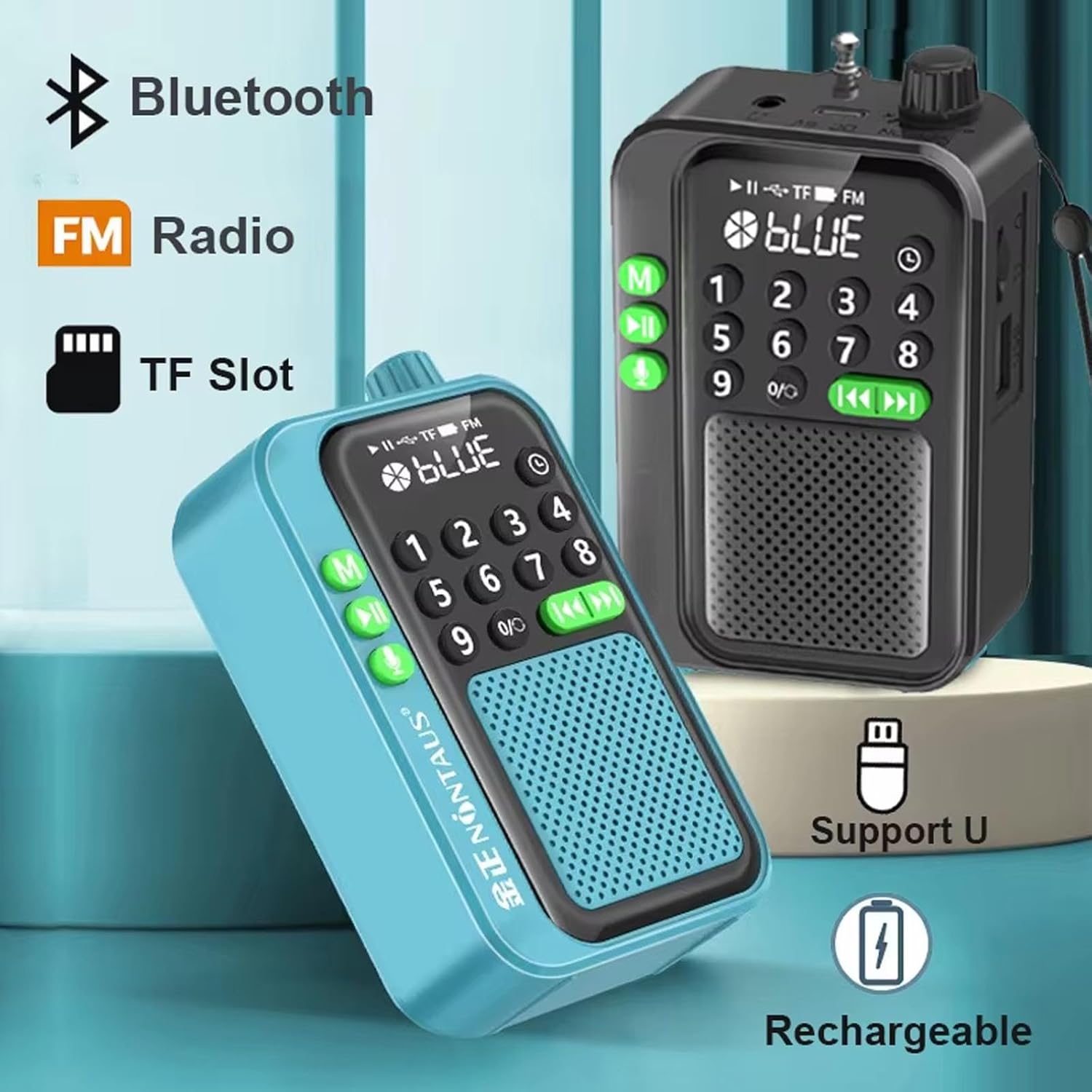
Figure 3: The radio highlighting its Bluetooth, FM Radio, and TF Card slot capabilities.
TF Card / USB Disk Playback
- Insert a TF card into the TF card slot or a USB flash drive into the USB port.
- The device will automatically switch to TF card or USB disk mode and begin playing audio files (MP3 format recommended). If not, press the M button to select the correct mode.
- Use the Previous/Next buttons (◀◀ / ▶▶) to navigate between tracks.
- Use the numeric keypad to directly select a track number.
Figure 4: The radio demonstrating multiple connection options, including TF card and USB disk playback.
Recording Function
The recording function requires a TF card or USB disk with sufficient storage space inserted into the device.
- Press the Microphone button (🎤) to start recording. The display may indicate "REC".
- To stop and save the recording, short press the Microphone button again.
- To delete a recording, navigate to the recording file and follow the on-screen prompts or refer to the specific deletion instructions in the device's menu (if available).

Figure 5: The radio illustrating its high-definition recording capability and the option to delete recordings.
Timer Shutdown
The timer shutdown function allows you to set a specific time after which the device will automatically power off.
- Press the Timer button (often indicated by a clock icon or a dedicated button, if available, otherwise check the 'M' button for long press options).
- Use the numeric keypad or Previous/Next buttons to select the desired shutdown time (e.g., 30, 60, 90, 120, 150, 180 minutes).
- Confirm your selection. The device will power off automatically after the set duration.
Maintenance
Cleaning
- Wipe the device with a soft, dry cloth.
- Do not use abrasive cleaners, alcohol, or solvents.
Battery Care
- Charge the battery regularly, even if the device is not used for extended periods, to maintain battery health.
- Avoid fully discharging the battery frequently.
- If the battery is removable, ensure it is inserted correctly.

Figure 6: The radio showcasing its built-in 1200mAh removable Li-ion battery.
Troubleshooting
| Problem | Solution |
|---|---|
| No power/Device won't turn on. | Ensure the battery is charged. Check if the power switch is in the "ON" position. |
| Poor FM reception. | Fully extend the telescopic antenna. Try repositioning the radio. Perform an auto-scan. |
| Cannot connect via Bluetooth. | Ensure the radio is in Bluetooth mode and discoverable. Turn off and on Bluetooth on your mobile device. Make sure no other device is currently connected. |
| TF card/USB disk not recognized. | Ensure the card/disk is inserted correctly. Check if the files are in a supported format (e.g., MP3). Try reformatting the card/disk (this will erase data). |
| Recording not working. | Ensure a TF card or USB disk is inserted and has sufficient free space. |
Specifications
| Parameter | Value |
|---|---|
| Product Name | Portable radio bluetooth speaker |
| Model Number | YF-1131 |
| Product Dimensions | 106mm x 36mm x 65mm (4.17 x 1.42 x 2.56 inches) |
| Product Weight | 130g |
| Receiving Frequency | FM 87.5-108MHz |
| Playback Modes | Bluetooth, TF card, U disk, FM radio |
| Speaker Category | Full-range speaker |
| Output Power | 5W |
| Function Support | Record & Delete, Loop Play |
| Timer Shutdown Settings | 30, 60, 90, 120, 150, 180 minutes |
| Battery Capacity | 1200mAh Li-ion |
| Charging Cable | TYPE-C fast charging cable |
| Color | Red (for this variant) |
| Material | Plastic |
Warranty and Support
JINSERTA products typically come with a standard manufacturer's warranty. Please refer to the warranty card included in your package or contact JINSERTA customer support for specific warranty terms and conditions.
For technical support, troubleshooting assistance, or inquiries about replacement parts, please visit the official JINSERTA website or contact their customer service department. Contact information can usually be found on the product packaging or the brand's official online presence.
Related documentsYF-1131

Ask a question about this manual
Ask about setup, troubleshooting, compatibility, parts, safety, or missing instructions. Manuals+ will review the question and use this page’s manual context to help answer it.