
1. Introduction
This manual provides essential information for the setup, operation, maintenance, and troubleshooting of your MSI Titan 18 HX Dragon Edition Norse Myth Gaming Laptop. Designed for high-performance computing and immersive gaming, this laptop features an Intel Core Ultra 9 processor, NVIDIA GeForce RTX 5090 graphics, and an 18-inch 4K UHD MiniLED display. Please read this manual thoroughly to ensure optimal performance and longevity of your device.

Figure 1.1: Front view of the MSI Titan 18 HX laptop, showcasing its large display and keyboard.
2. Package Contents
Before proceeding with the setup, please verify that all items listed below are present in your product packaging:
- MSI Titan 18 HX Dragon Edition Norse Myth Gaming Laptop
- Power Adapter and Cable
- Webcam
- RGB Lighting (integrated)
- Mouse
- Quick Start Guide
- Warranty Card
If any items are missing or damaged, please contact your retailer or MSI customer support.
3. Setup
3.1 Initial Power-On
- Connect Power: Plug the power adapter into the laptop's DC-in port and then into a wall outlet.
- Open Display: Carefully open the laptop display to a comfortable viewing angle.
- Power On: Press the power button, typically located above the keyboard or on the side, to turn on the laptop.
- Initial Setup: Follow the on-screen instructions to complete the Windows 11 Pro setup, including language selection, network connection, and user account creation.
3.2 Connecting Peripherals
Your laptop is equipped with various ports for connecting external devices:
- USB Ports: Connect USB devices such as external hard drives, keyboards, or mice to the available USB 3.2 Gen2 Type-A ports.
- Thunderbolt 5: Utilize the Thunderbolt 5 port for high-speed data transfer, display output, and power delivery.
- HDMI 2.1: Connect an external monitor or TV using the HDMI 2.1 port for 4K@120Hz or 8K@60Hz output.
- Audio Jack: Use the audio combo jack for headphones or external speakers.
- Ethernet (RJ45): For a stable wired network connection, plug an Ethernet cable into the RJ45 port.
- SD Card Reader: Insert an SD card to access media files.
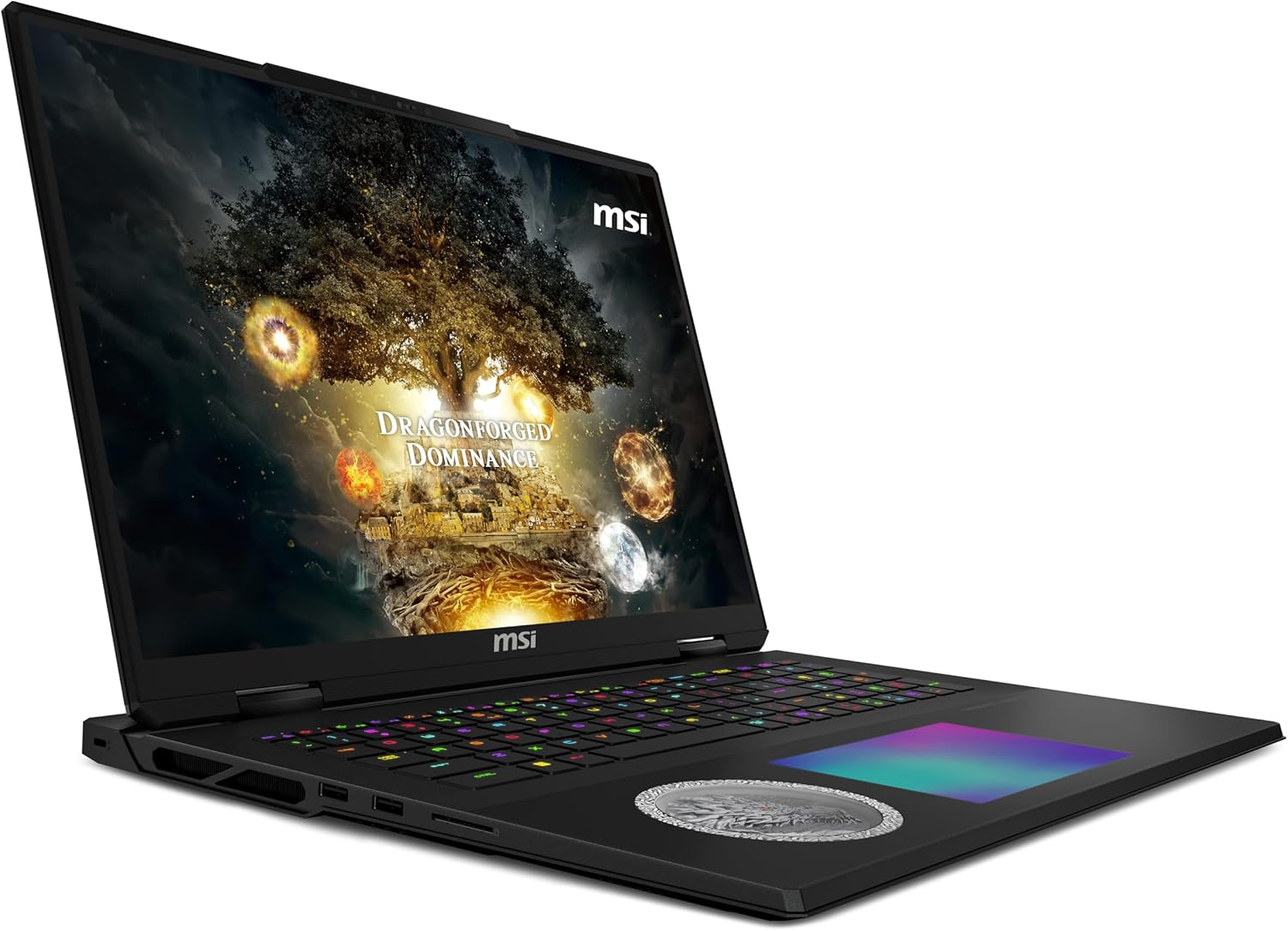
Figure 3.1: Angled side view of the laptop, highlighting the various connectivity ports.

Figure 3.2: Opposite angled side view of the laptop, showing additional ports and cooling vents.
4. Operating Instructions
4.1 Performance Features
- AI-Powered Performance: The Intel Core Ultra 9 processor is designed to handle demanding tasks efficiently, providing powerful and reliable performance.
- NVIDIA GeForce RTX 5090: Experience superior graphics performance for gaming and creative applications with the dedicated NVIDIA GeForce RTX 5090 Laptop GPU.
- Windows 11 Pro: Navigate intuitively and enhance productivity with the pre-installed Windows 11 Pro operating system.
4.2 Display and Audio
- 4K UHD MiniLED Display: The 18-inch 4K UHD MiniLED display offers a wide color gamut, vibrant colors, and a fast 120Hz refresh rate for an immersive visual experience.
- Audio System: The integrated audio system provides high-quality sound for gaming, movies, and music.
4.3 Input Devices
- Keyboard: The laptop features a backlit keyboard, allowing for comfortable typing in various lighting conditions.
- Touchpad: Use the integrated touchpad for cursor control and multi-touch gestures.
- Fingerprint Reader: For enhanced security, utilize the integrated fingerprint reader for quick and secure login.
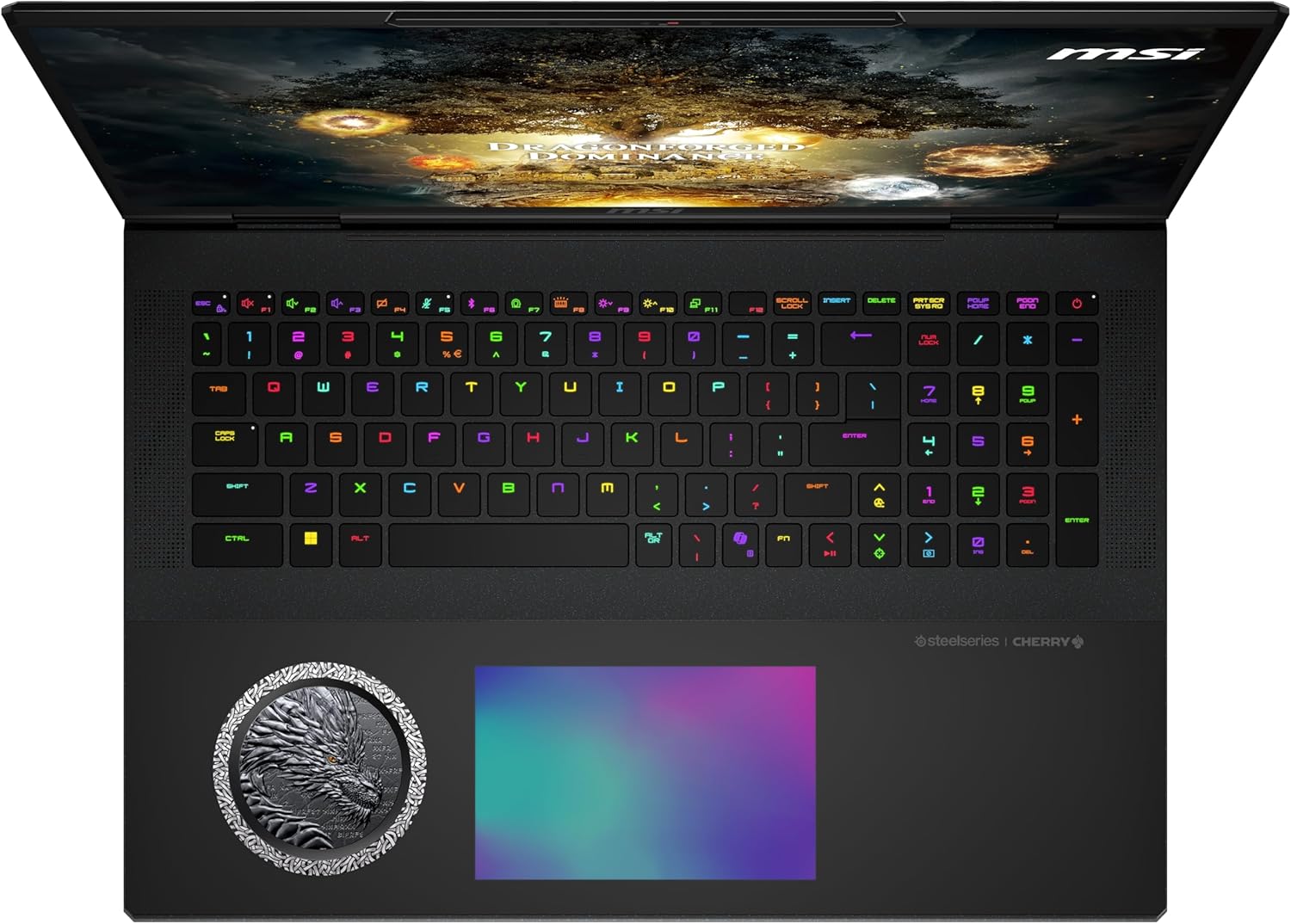
Figure 4.1: Top-down view of the laptop's keyboard and trackpad, featuring customizable RGB lighting.
5. Maintenance
5.1 Cleaning
- Screen: Use a soft, lint-free cloth specifically designed for electronics to clean the display. Avoid harsh chemicals.
- Keyboard and Chassis: Use a soft brush or compressed air to remove dust from the keyboard. Wipe the chassis with a slightly damp, soft cloth. Ensure the laptop is powered off and unplugged before cleaning.
5.2 Software Updates
Regularly update your operating system, drivers, and applications to ensure optimal performance, security, and compatibility.
- Windows Updates: Check for Windows updates through the Settings app.
- Driver Updates: Visit the official MSI support website for the latest drivers for your specific model. NVIDIA graphics drivers should also be updated regularly.
5.3 Battery Care
To prolong battery life:
- Avoid extreme temperatures.
- Do not fully discharge the battery frequently.
- If storing the laptop for an extended period, ensure the battery is charged to about 50-60%.
6. Troubleshooting
6.1 Common Issues and Solutions
| Problem | Possible Cause | Solution |
|---|---|---|
| Laptop does not power on. | No power, discharged battery, or power adapter issue. | Ensure power adapter is securely connected. Check wall outlet. Allow battery to charge for at least 30 minutes before attempting to power on. |
| Display is blank or black. | Laptop is off, sleep mode, or external display issue. | Press the power button to ensure it's on. Press any key or move the mouse to wake from sleep. Disconnect external displays. Try pressing Fn + F2 (or similar display toggle key) to cycle display modes. |
| Slow performance. | Too many applications running, low disk space, or outdated drivers. | Close unnecessary applications. Free up disk space. Update Windows and graphics drivers. Check for malware. |
| Wi-Fi connection issues. | Incorrect password, router issue, or driver problem. | Verify Wi-Fi password. Restart your router. Update Wi-Fi drivers. Ensure Wi-Fi is enabled (check Fn + F10 or similar wireless toggle key). |
For more complex issues, please refer to the online support resources or contact MSI customer service.
7. Specifications
| Feature | Detail |
|---|---|
| Brand | MSI |
| Model Name | Titan 18 HX Dragon Edition Norse Myth A2XWJG-440US |
| Item Model Number | TITAN18HXA2440 |
| Operating System | Windows 11 Pro |
| Screen Size | 18 Inches |
| Screen Resolution | 3840 x 2160 pixels (4K UHD MiniLED) |
| Max Screen Resolution | 3840x2400 Pixels |
| Processor | Intel Core Ultra 9 (2.1 GHz intel_core_i9) |
| RAM | 96 GB DDR5 (6400 MHz Memory Speed) |
| Hard Drive | 6 TB SSD |
| Graphics Card | NVIDIA GeForce RTX 5090 (24 GB GDDR6) |
| Wireless Type | Wi-Fi 7 (802.11ax), Bluetooth |
| USB Ports | Multiple USB 3.2 Gen2 Type-A, Thunderbolt 5 |
| Color | Black |
| Item Weight | 7.93 pounds |
| Product Dimensions | 15.9 x 1.26 x 12.11 inches |
| Batteries | 1 Lithium Polymer battery (included) |
| Special Features | Backlit Keyboard, Fingerprint Reader |
Note: Specifications are subject to change without notice. For the most up-to-date information, please refer to the official MSI product page.
8. Warranty and Support
Your MSI Titan 18 HX Dragon Edition Norse Myth Gaming Laptop comes with a manufacturer's warranty. Please refer to the warranty card included in your package for detailed terms and conditions, including warranty period and coverage.
For technical support, driver downloads, FAQs, and service inquiries, please visit the official MSI support website or contact their customer service hotline. Keep your product's serial number handy when seeking support.
MSI Official Website: https://us.msi.com/support


