
1. Product Overview
The SOLIMPIA HT-629 is a professional-grade cordless hair clipper designed for precise and efficient hair grooming. It features a digital display, a powerful motor, and a long-lasting Li-ion battery, making it suitable for both professional and home use.
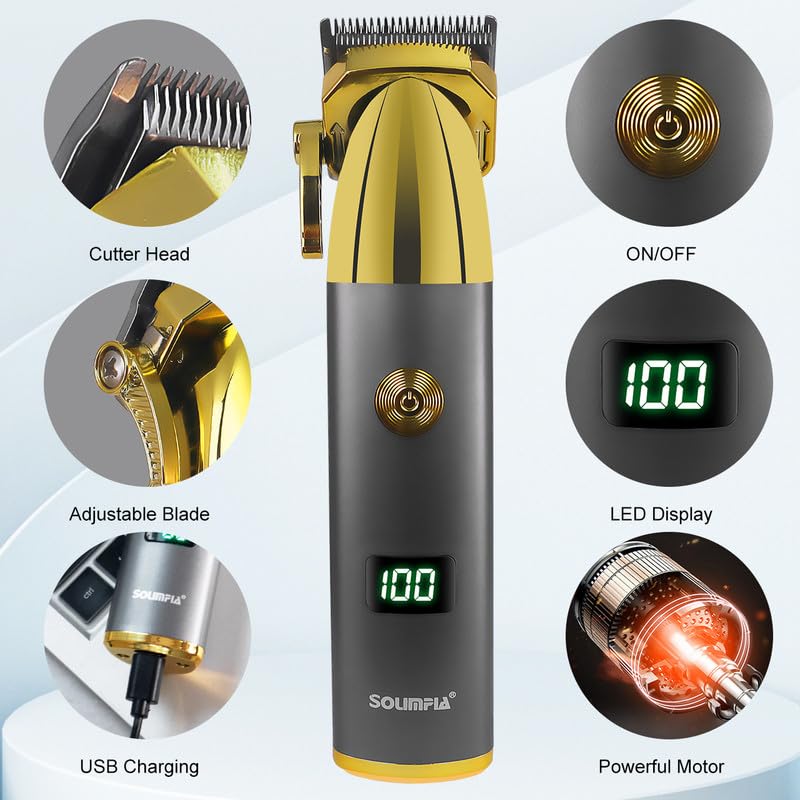
Figure 1: Overview of the SOLIMPIA HT-629 Hair Clipper and its key components.
Package Contents:
- SOLIMPIA HT-629 Hair Clipper
- Charging Cable (USB Type-C)
- Cleaning Brush
- Lubricating Oil
- Four Guide Combs (1.5mm, 3mm, 4.5mm, 6mm)
2. Setup and Charging
2.1 Initial Charging
Before first use, fully charge the clipper. The device is equipped with a 1200mAh Li-ion battery, providing up to 180 minutes of runtime after approximately 3 hours of charging.
- Connect the charging cable to the USB charging port on the clipper.
- Plug the other end of the USB cable into a compatible USB power source (e.g., laptop, car charger, power bank, or a USB wall adapter).
- The LED digital display will show the charging status and battery percentage. Ensure the clipper is fully charged before its initial use.
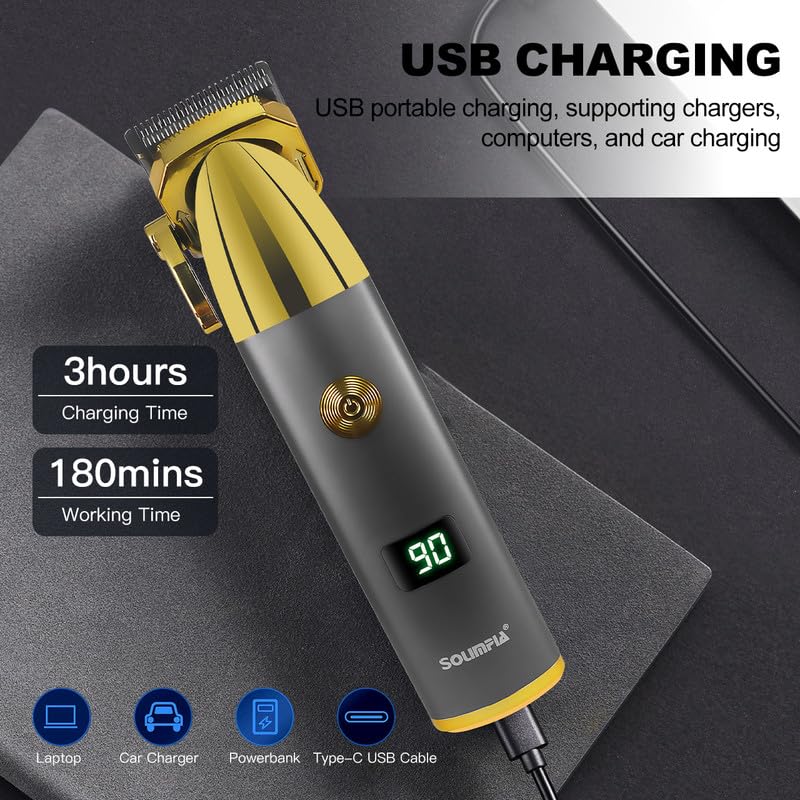
Figure 2: USB charging process for the hair clipper.
2.2 Attaching Guide Combs
Select the desired guide comb for your preferred hair length. The kit includes 1.5mm, 3mm, 4.5mm, and 6mm combs.
- Ensure the clipper is turned off.
- Align the guide comb with the clipper blade and push it firmly until it clicks into place.
- To remove, gently pull the comb away from the blade.
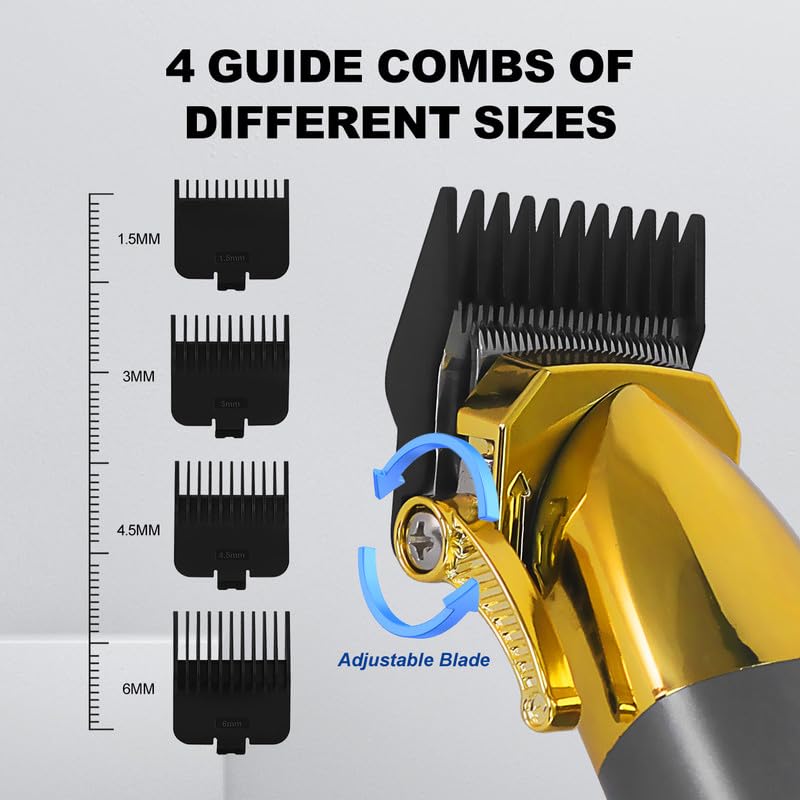
Figure 3: Guide combs and adjustable blade mechanism.
3. Operating Instructions
3.1 Powering On/Off
Press the ON/OFF button located on the front of the clipper to turn the device on or off. The LED display will illuminate when the clipper is active.
3.2 Adjusting Blade Length
The clipper features an adjustable taper lever, allowing for customization of cutting lengths without a guide comb, or for fine-tuning with a comb attached. Move the lever up or down to adjust the blade position.
3.3 Using the Clipper
- Ensure hair is clean and dry before clipping.
- Hold the clipper with the blade facing downwards.
- Start clipping from the bottom of the head, moving upwards against the direction of hair growth.
- Use smooth, even strokes.
- For detailed work or outlining, remove the guide comb and use the adjustable blade. The R-angle processing on the blades helps protect the skin.
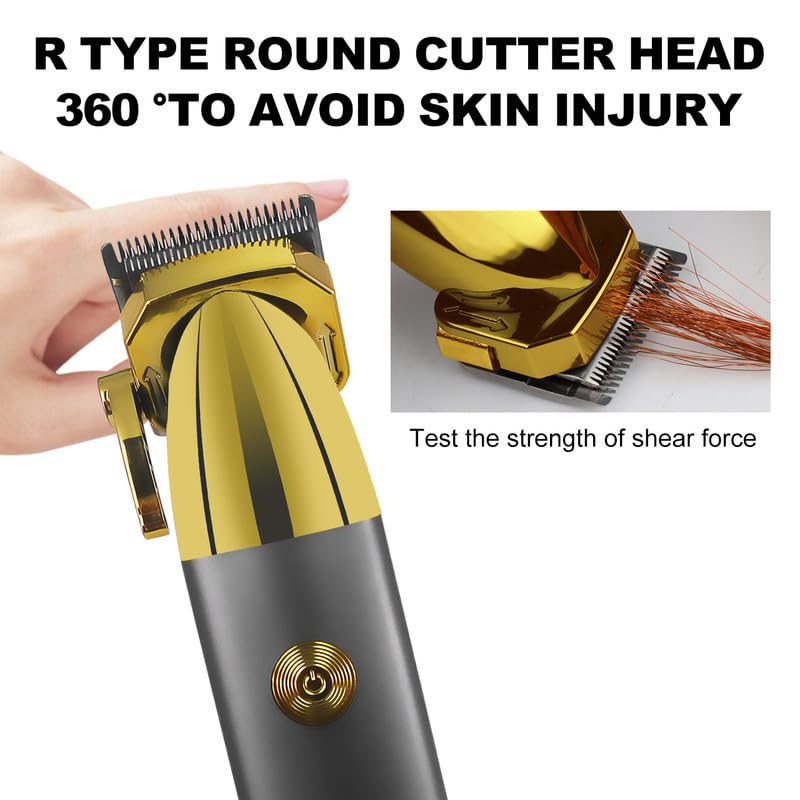
Figure 4: R-type round cutter head for skin protection.
3.4 Turbo Power Function
The clipper includes a two-speed motor with a Turbo function. Activate the Turbo mode for increased power when cutting thicker or denser hair. Refer to the product's specific button layout for Turbo activation, usually a second press of the power button or a dedicated button.
3.5 Digital Display
The LED digital display shows the current battery charge level, allowing you to monitor remaining power during use. It also indicates charging status and features over-charge protection.
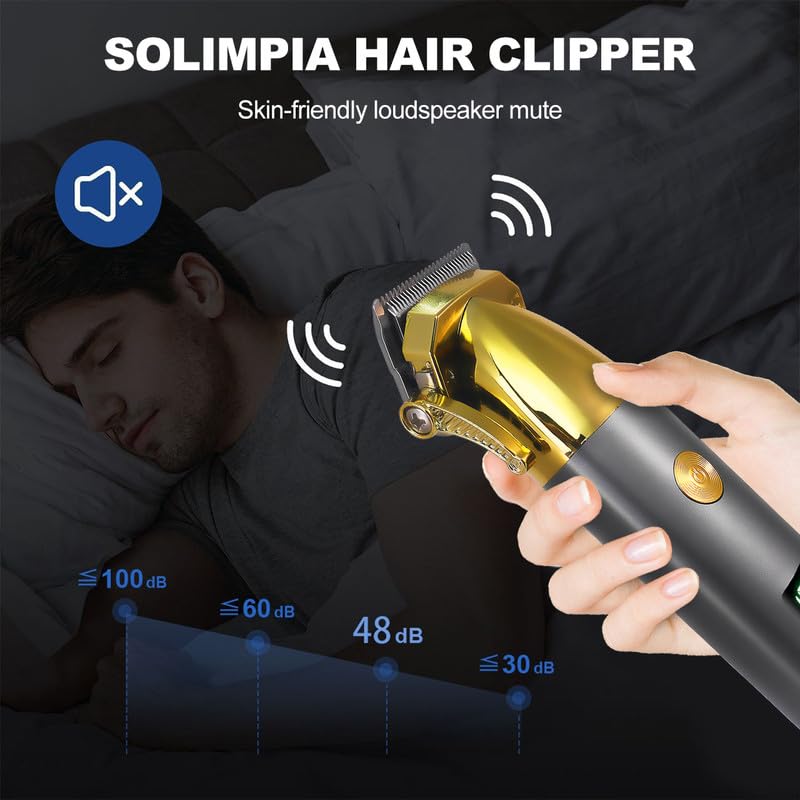
Figure 5: Illustration of the clipper's quiet operation.
4. Maintenance
4.1 Cleaning the Blades
Regular cleaning ensures optimal performance and extends the life of your clipper.
- Turn off the clipper and disconnect it from any power source.
- Remove the guide comb.
- Use the provided cleaning brush to remove loose hairs from the blades and the clipper body.
- For a more thorough clean, the blades can often be detached (refer to specific instructions if provided in a physical manual for blade removal).
- Do not rinse the clipper body under water unless explicitly stated as waterproof.
4.2 Lubricating the Blades
Apply a few drops of the provided lubricating oil to the blades after every few uses, or if the clipper starts to pull hair.
- Ensure the blades are clean and dry.
- Apply 1-2 drops of lubricating oil evenly across the top of the blades.
- Turn on the clipper for a few seconds to allow the oil to distribute.
- Wipe off any excess oil with a soft cloth.
4.3 Storage
Store the clipper in a cool, dry place, away from direct sunlight and moisture. Keep it out of reach of children.
5. Troubleshooting
If you encounter issues with your SOLIMPIA HT-629 clipper, refer to the following common solutions:
| Problem | Possible Cause | Solution |
|---|---|---|
| Clipper does not turn on. | Battery is depleted. | Charge the clipper for at least 3 hours. |
| Clipper pulls hair or cuts poorly. | Blades are dull, dirty, or not lubricated. | Clean the blades thoroughly and apply lubricating oil. If issues persist, blades may need replacement. |
| Clipper makes unusual noise. | Blades are not properly aligned or lubricated. | Ensure blades are clean and lubricated. Check for any obstructions. |
| Battery runtime is shorter than expected. | Battery not fully charged or aging battery. | Ensure full charge cycle. Battery performance may degrade over time. |
6. Specifications
| Feature | Detail |
|---|---|
| Model Number | HT-629 |
| Brand | Solimpia |
| Blade Material | Stainless Steel |
| Battery Type | Li-ion (1 included) |
| Battery Capacity | 1200mAh |
| Charging Time | Approx. 3 hours |
| Runtime | Up to 180 minutes |
| Power Source | Battery Powered (Rechargeable, USB Charging) |
| Motor | Dual Motor with Turbo Power Function |
| Guide Combs Included | 1.5mm, 3mm, 4.5mm, 6mm |
| Product Dimensions (LxWxH) | 19.5 x 9.5 x 5 Centimeters |
| Item Weight | 310 Grams |
| Country of Origin | China |
7. Warranty and Support
7.1 Warranty Information
The SOLIMPIA HT-629 Hair Clipper comes with a 12-month quality warranty from the date of purchase. This warranty covers manufacturing defects and issues arising from normal use. It does not cover damage caused by misuse, accidents, or unauthorized repairs.
Please retain your proof of purchase for warranty claims.
7.2 Customer Support
For any questions, concerns, or warranty claims regarding your SOLIMPIA HT-629 Hair Clipper, please contact our customer service. Our team aims to respond within 24 hours to provide a satisfactory resolution.
Contact details are typically found on the product packaging or the retailer's website.