
1. Introduction
Thank you for choosing the ECOROAD EC6 Electric Scooter. This manual provides essential information for the safe operation, assembly, maintenance, and troubleshooting of your scooter. Please read it thoroughly before your first ride and keep it for future reference.
The ECOROAD EC6 is designed for efficient urban commuting, offering a blend of speed, portability, and safety features. It is equipped with a 350W motor, capable of reaching speeds up to 30 KM/H, and a 36V 187.2Wh battery providing a range of up to 20 KM on a single charge. Its lightweight and foldable design makes it convenient for daily travel.

Image: Two individuals riding ECOROAD electric scooters in an urban setting, highlighting the scooter's suitability for city travel.
2. Safety Information
Your safety is paramount. Always wear a helmet and appropriate protective gear (knee pads, elbow pads) when riding. Familiarize yourself with local traffic laws and regulations regarding electric scooters. Do not ride under the influence of alcohol or drugs.
- Weight Limit: The maximum load capacity for the EC6 is 100 kg (220 lbs). Exceeding this limit can affect performance and safety.
- Braking System: The scooter features a dual braking system (rear disc brake + electronic brake) for effective stopping power. Always test brakes before riding.
- Visibility: Equipped with a bright headlight, flashing brake taillights, and turn signals to enhance visibility, especially during night rides. Always use lights and signals when necessary.
- Tires: The 8.5-inch pneumatic tires provide comfort and stability. Ensure tires are properly inflated before each ride.
- Environmental Conditions: Avoid riding in heavy rain, snow, or icy conditions. Wet surfaces can reduce traction and braking effectiveness.

Image: An ECOROAD electric scooter with visual cues emphasizing its safety features like lighting and braking.
3. Package Contents
Upon unpacking your ECOROAD EC6 Electric Scooter, please verify that all components are present and in good condition:
- 1 x ECOROAD EC6 Electric Scooter
- 1 x Charger
- 1 x Tool Set (includes 1 User Manual, 1 Pump Extender, 1 Allen Wrench, 4 M5 Screws)
4. Assembly and Initial Setup
The ECOROAD EC6 is largely pre-assembled. Follow these steps for final assembly and initial preparation:
- Unfolding the Scooter: Carefully lift the handlebar stem until it locks into place. Ensure the folding mechanism is securely latched.
- Attaching Handlebars: Use the provided Allen wrench and M5 screws from the tool kit to securely attach the handlebars to the stem. Ensure all connections are tight.
- Initial Charge: Before first use, fully charge the scooter's battery. Connect the charger to the charging port and then to a power outlet. The indicator light on the charger will change (e.g., from red to green) when fully charged (approximately 4 hours).
- Tire Pressure Check: Verify that the pneumatic tires are inflated to the recommended pressure. Use the pump extender if needed.
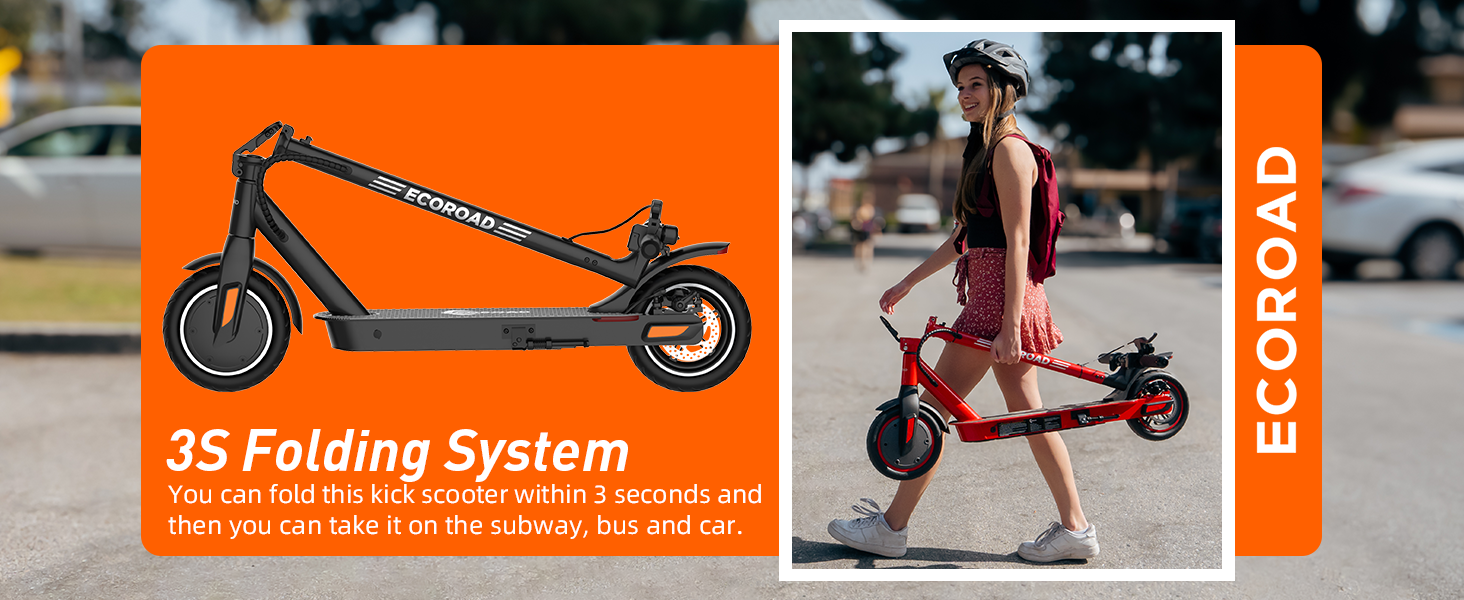
Image: An ECOROAD electric scooter shown in both unfolded and folded states, illustrating its 3-second folding system for portability.

Image: A person carrying a folded ECOROAD electric scooter up a set of stairs, demonstrating its lightweight and portable design.
5. Operating Instructions
- Power On/Off: Press and hold the power button on the display to turn the scooter on or off.
- Speed Modes: The scooter offers multiple speed modes (Eco, Regular, Sport). Cycle through these modes by pressing the power button briefly after the scooter is on.
- Acceleration: Use the thumb throttle on the right handlebar to accelerate.
- Braking: Use the brake lever on the left handlebar to engage the dual braking system.
- Lights and Turn Signals: Activate the headlight and taillight for improved visibility. Use the integrated turn signals to indicate your direction to others.
- Cruise Control: To activate cruise control, press the on/off button four times and maintain a fixed speed for 5 seconds. The scooter will then maintain this speed until you apply the brake or throttle.
- LED Display: The multifunctional LED console displays current speed, battery life, and other relevant information.

Image: A detailed view of the scooter's handlebar and LED display, showing operational information like speed and battery status.

Image: An ECOROAD electric scooter with an internal view graphic highlighting its 350W brushless motor.

Image: An ECOROAD electric scooter with an internal view graphic highlighting its long-range battery pack.
6. Maintenance
Regular maintenance ensures the longevity and safe operation of your ECOROAD EC6 scooter:
- Cleaning: Wipe down the scooter with a damp cloth after use. Avoid using high-pressure water jets directly on electronic components.
- Tire Care: Regularly check tire pressure and inflate as needed. Inspect tires for wear and tear, and replace if damaged.
- Brake System: Periodically inspect the brake levers, cables, and disc brake for proper function and wear. Adjust or replace components as necessary.
- Battery Care: Charge the battery fully after each use. If storing for an extended period, charge the battery to approximately 50-70% and store in a cool, dry place. Recharge every 30-60 days to prevent deep discharge.
- Fasteners: Check all screws and bolts regularly to ensure they are tight.
7. Troubleshooting
If you encounter issues with your ECOROAD EC6, refer to the following common problems and solutions:
| Problem | Possible Cause | Solution |
|---|---|---|
| Scooter does not power on | Low battery; loose connections; power button malfunction | Charge the battery; check all visible connections; contact support if issue persists. |
| Reduced speed or range | Low battery; heavy load; uphill riding; low tire pressure; cold weather | Ensure battery is fully charged; check tire pressure; consider riding conditions. |
| Brakes feel weak | Worn brake pads; loose brake cable; air in hydraulic system (if applicable) | Inspect brake pads and cables; adjust brake tension; seek professional service if needed. |
| Unusual noises during operation | Loose components; debris in wheels; motor issue | Inspect for loose parts and tighten; clear any debris; contact support if noise persists. |
For issues not listed here or if troubleshooting steps do not resolve the problem, please contact ECOROAD customer support.
8. Specifications
| Feature | Detail |
|---|---|
| Model | EC6 |
| Motor Power | 350W |
| Max Speed | 30 KM/H (19 MPH) |
| Max Range | Up to 20 KM (12-15 Miles) |
| Battery | 36V 187.2Wh |
| Charging Time | Approximately 4 hours |
| Weight Limit | 100 kg (220 lbs) |
| Net Weight | 11.5 kg (25.4 lbs) |
| Tire Type | 8.5-inch Pneumatic Tires |
| Braking System | Dual Braking (Rear Disc Brake + Electronic Brake) |
| Dimensions (L x W x H) | 106 x 49 x 106 cm |
| Frame Material | Aluminum |
| Special Features | Cruise Control, Foldable, Headlight, Taillight, Turn Signals, Lightweight |
Note: Speed and range may vary based on rider weight, terrain, temperature, battery level, and riding style.
9. Warranty and Support
ECOROAD is committed to providing high-quality and reliable products. The EC6 Electric Scooter comes with a warranty:
- Warranty Period: 12-month or 180-day warranty for different parts. Please refer to your purchase documentation for specific details.
For technical assistance, warranty claims, or any other inquiries, please contact our customer support team:
- Email: support-ca@ecoroad.com
- Service Hotline: +1 (877) 787 0069

Image: A team of ECOROAD customer service representatives, symbolizing readiness to provide support.
10. Product Video
Watch this official video for a visual overview of the ECOROAD electric scooter's features and operation:
Video: An official seller video showcasing the features and usage of an ECOROAD electric scooter. Note: This video may feature a similar model (A11-T) but demonstrates general ECOROAD scooter functionality.


