
Baseus PPNMS-1045C
Baseus Enercore 10000mAh 45W Power Bank User Manual
Model: PPNMS-1045C
1. Introduction
Thank you for choosing the Baseus Enercore 10000mAh 45W Power Bank. This portable charger is designed to provide fast and reliable power for your mobile devices, featuring a convenient built-in retractable USB-C cable. Please read this manual carefully before use to ensure proper operation and to maximize the lifespan of your device.
2. Product Overview
2.1 Key Features
- Built-in Retractable USB-C Cable: A 2ft (60cm) USB-C cable that extends and retracts for convenient, tangle-free charging.
- 45W Ultra-Fast Charging: Delivers up to 45W Power Delivery (PD) for rapid charging of compatible devices.
- 10,000mAh High Capacity: Provides multiple charges for smartphones and other small electronics.
- Smart Digital Display: Shows the exact battery percentage for easy monitoring.
- Triple-Loop Cooling System: Incorporates graphene material, aerospace-grade aerogel, and an AI chip for efficient heat dissipation and safe charging.
- Low Current Mode: Safely charges low-power devices like earbuds and smartwatches.
- Compact and Portable Design: Ergonomic curved design for comfortable grip and easy portability.
2.2 Package Contents
- 1 x Baseus Enercore 45W 10000mAh USB-C Power Bank
- 1 x User Manual
2.3 Product Diagram

Figure 1: Front view of the Baseus Enercore Power Bank.

Figure 2: Detailed view of the integrated smart digital display.
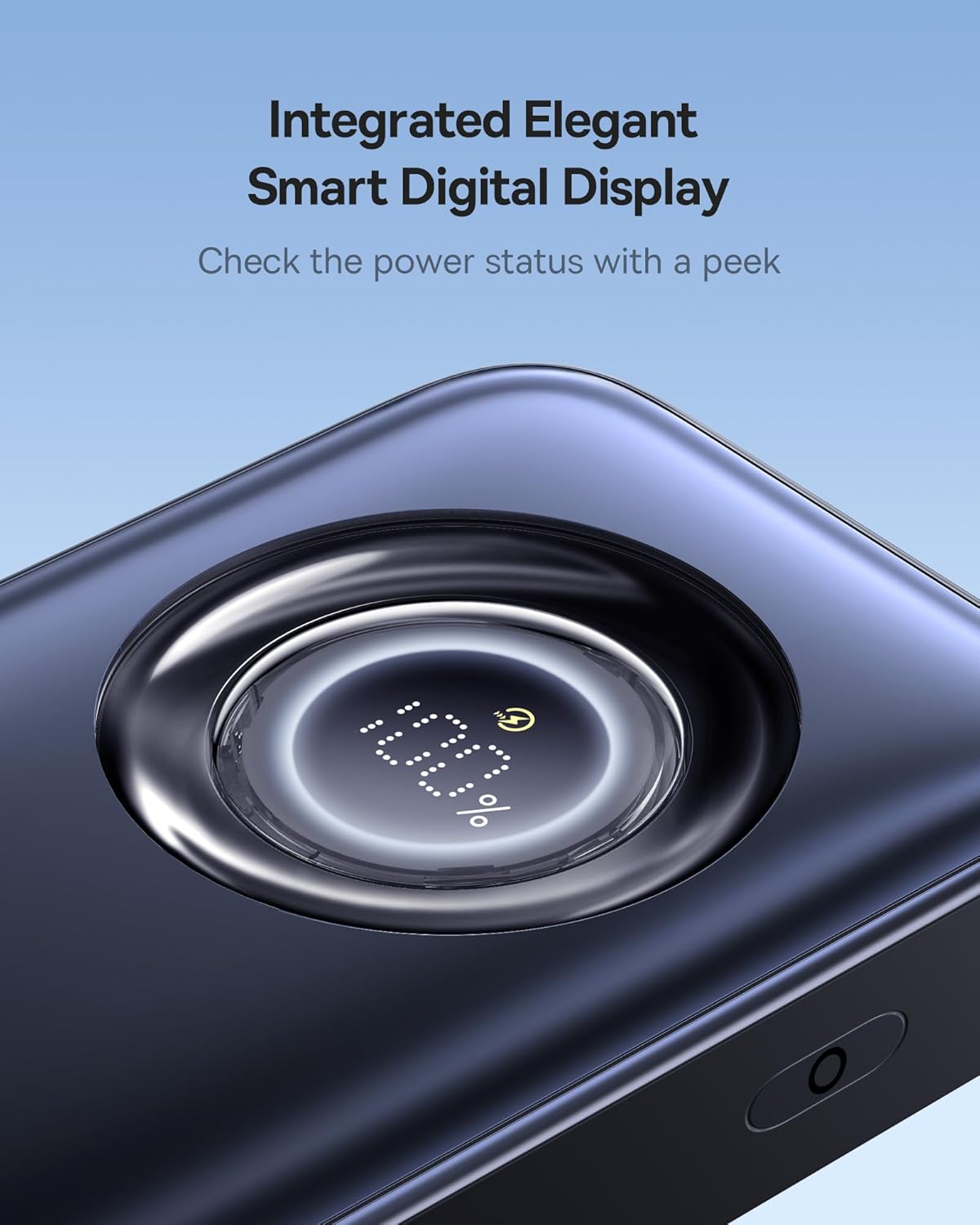
Figure 3: Internal structure and compact size comparison.

Figure 4: Triple-Loop Cooling System for enhanced safety.
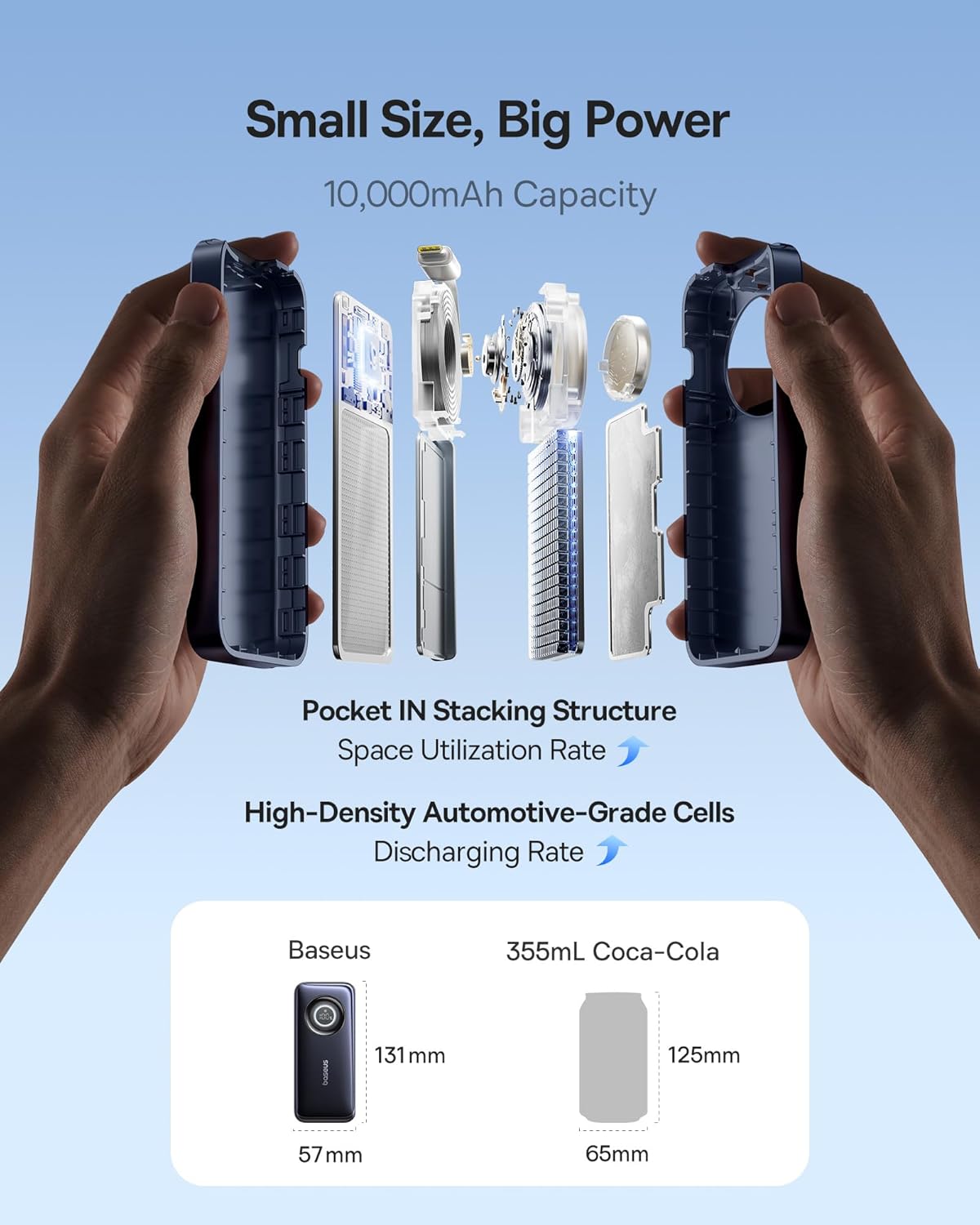
Figure 5: Durability features of the retractable cable.
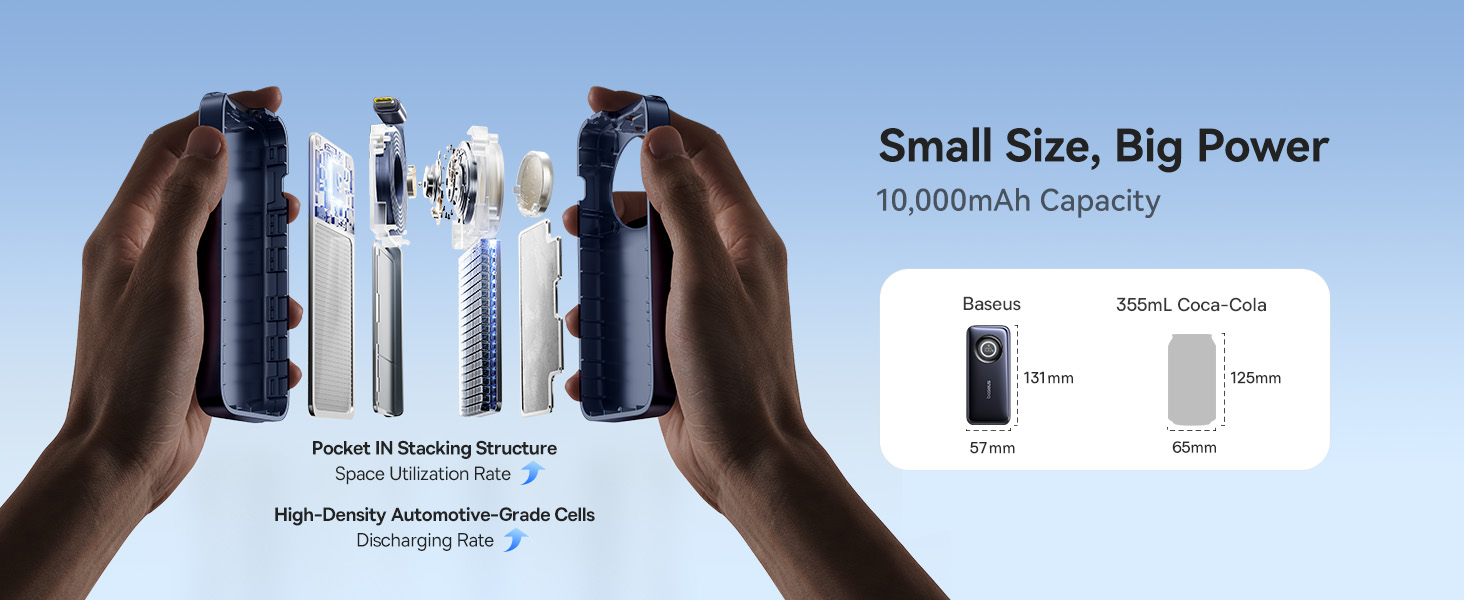
Figure 6: Universal USB-C compatibility with various devices.
3. Setup
3.1 Initial Charging of the Power Bank
Before first use, it is recommended to fully charge your Baseus Enercore Power Bank. This ensures optimal battery performance and accuracy of the digital display.
- Extend the built-in USB-C cable from the power bank.
- Connect the USB-C end of the cable to a compatible USB-C wall charger (not included).
- Plug the wall charger into a power outlet.
- The digital display on the power bank will show the charging progress. Charge until the display shows 100%.
- Once fully charged, disconnect the power bank from the charger and retract the cable.
The power bank supports 30W USB-C input for fast recharging.
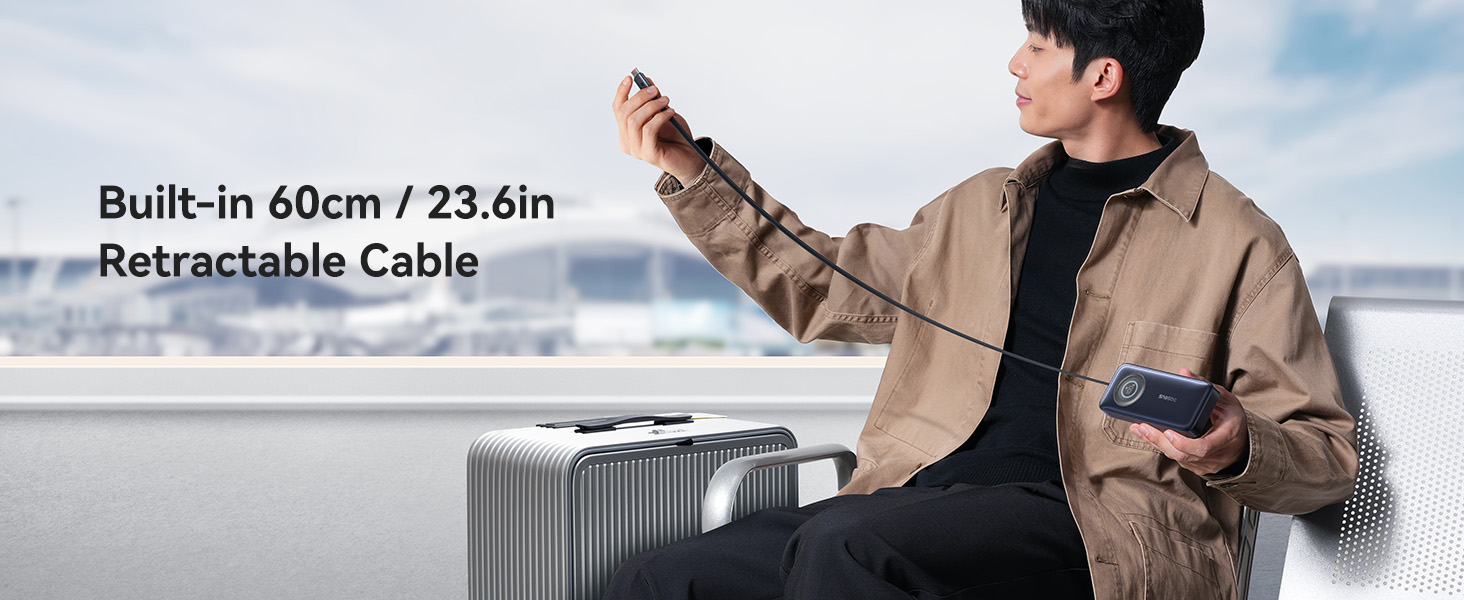
Figure 7: Recharging the power bank.
4. Operating Instructions
4.1 Charging Your Devices
The Baseus Enercore Power Bank can charge a wide range of devices using its built-in USB-C cable.
- Extend the built-in USB-C cable from the power bank.
- Connect the USB-C end of the cable to your device's charging port.
- The power bank will automatically begin charging your device. The digital display will show the remaining battery percentage.
- Once charging is complete, disconnect your device and retract the cable into the power bank.
The power bank delivers up to 45W PD fast charging, capable of charging an iPhone 16 Pro to 60% in approximately 30 minutes.
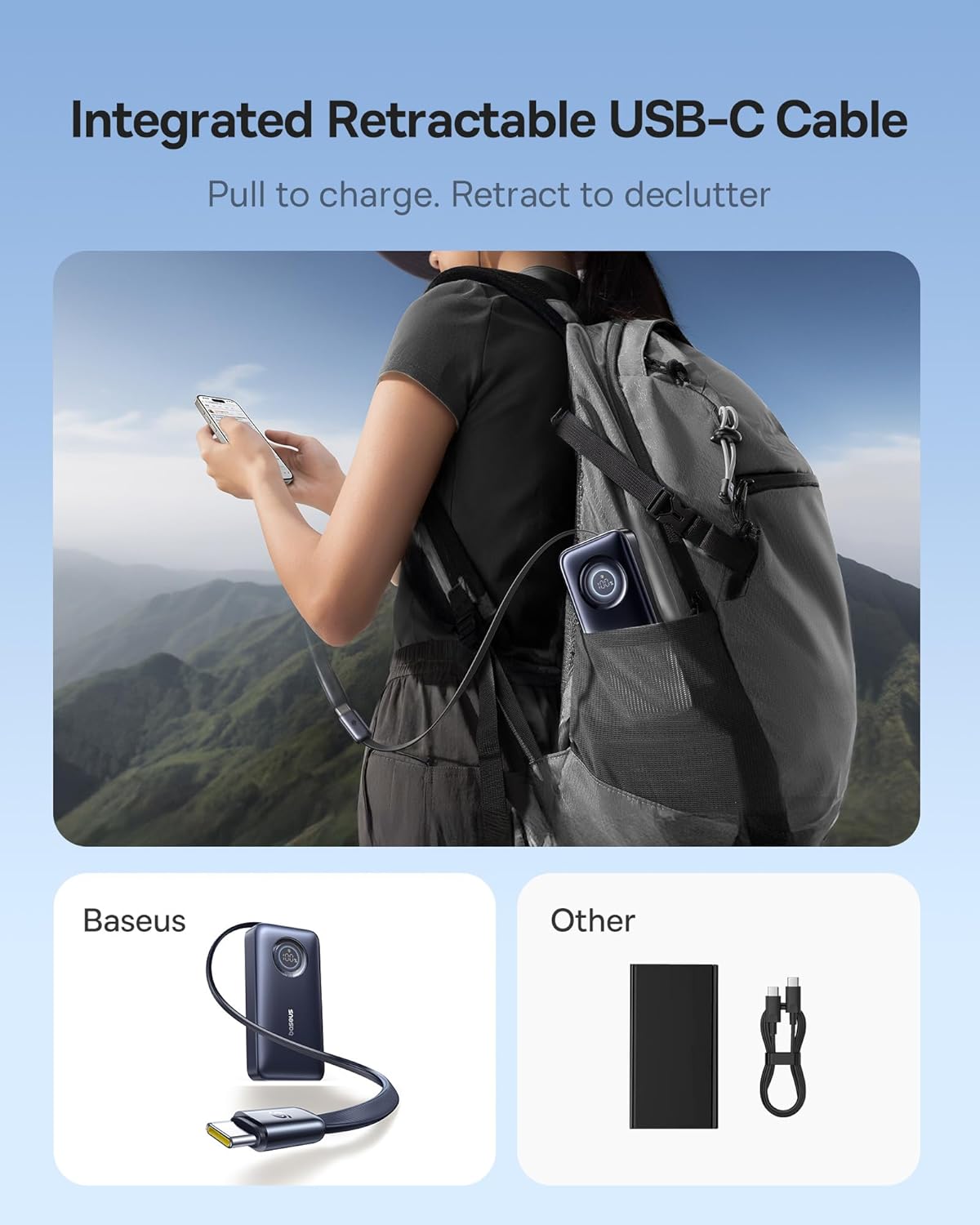
Figure 8: Charging a device on the go.
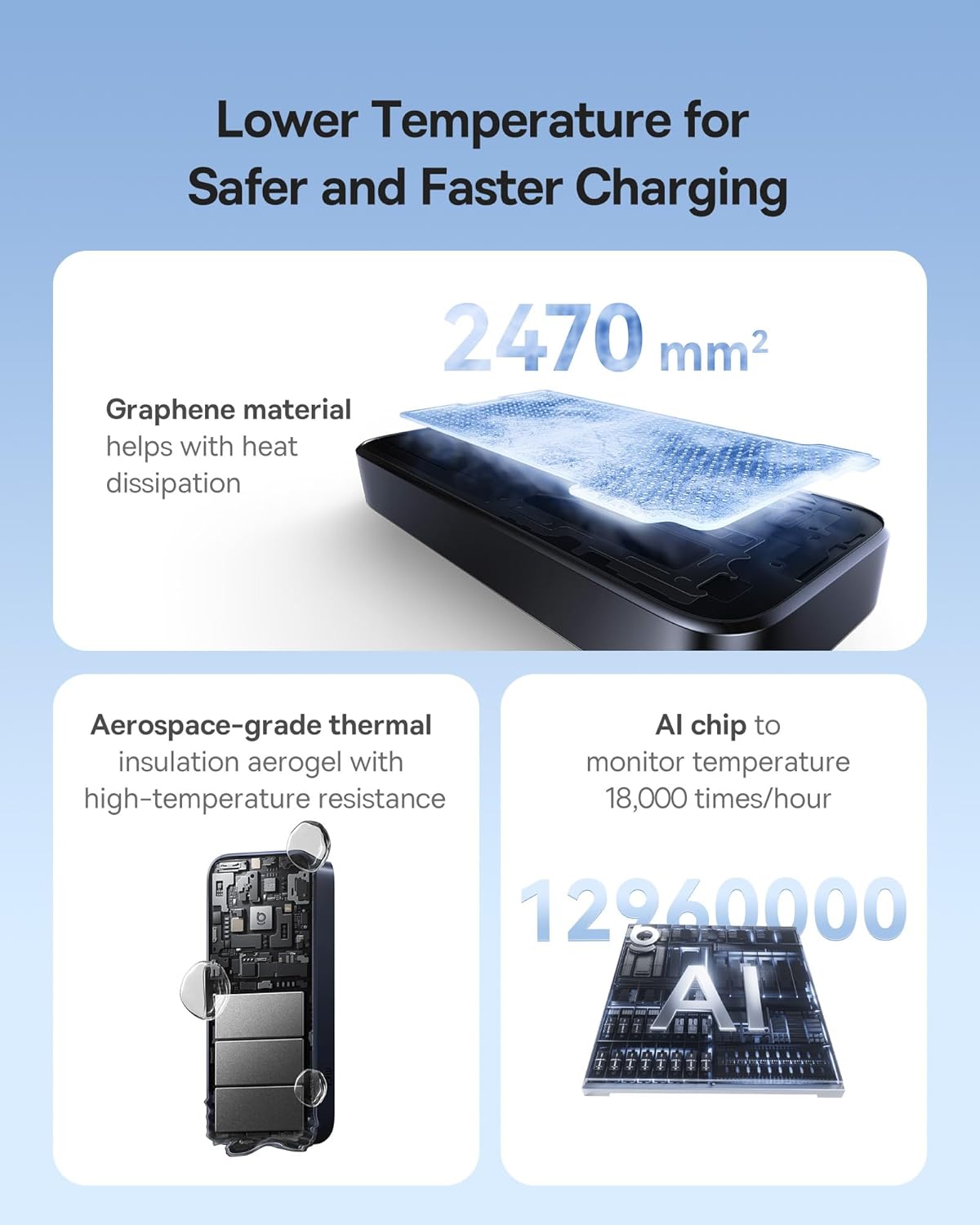
Figure 9: Example of 45W fast charging performance.
4.2 Low Current Mode
For charging low-power devices such as Bluetooth earbuds, smartwatches, or fitness trackers, activate the low current mode to prevent overcharging and ensure stable power delivery.
- To activate low current mode, press the power button twice in quick succession.
- The digital display may indicate a specific icon or change in behavior to confirm low current mode is active.
- Connect your low-power device to the power bank.
- To exit low current mode, press the power button twice again, or the mode will automatically deactivate after a period of time or when the power bank is disconnected.
4.3 Usage Scenarios
The compact design and built-in cable make the Baseus Enercore Power Bank ideal for various situations:
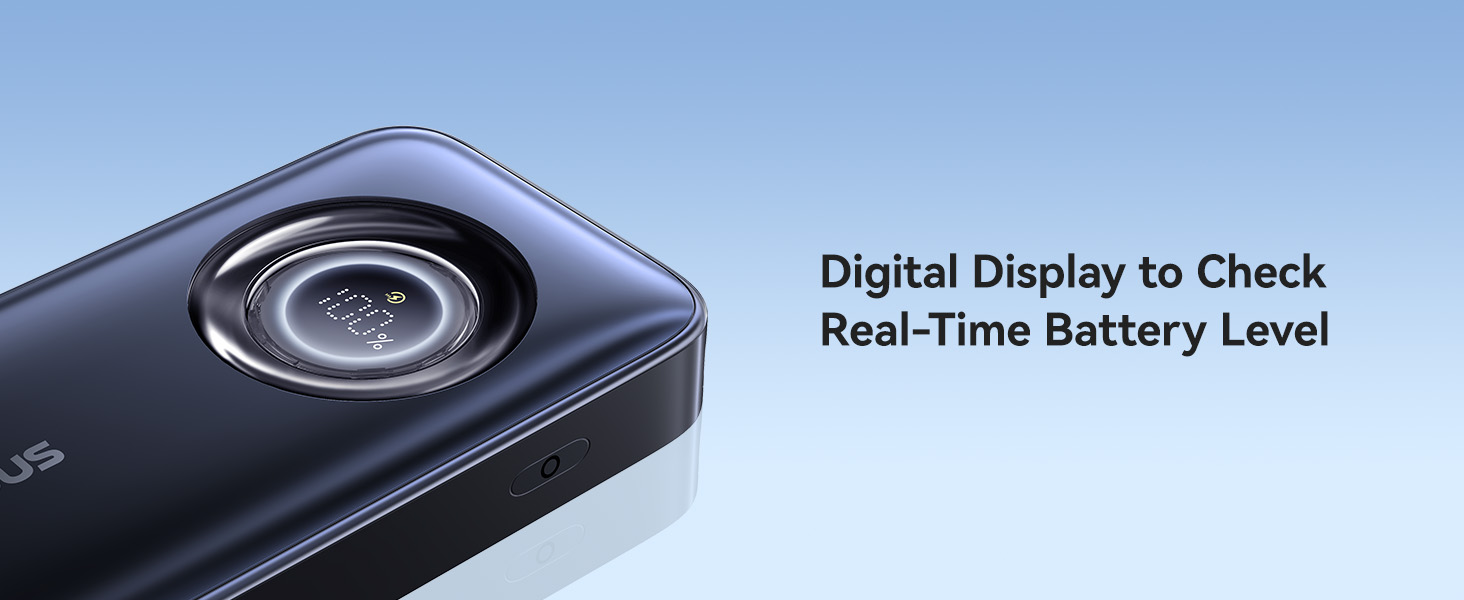
Exploration: Always be prepared for anything along the journey.

Outdoor Filming: Never miss one magic moment.

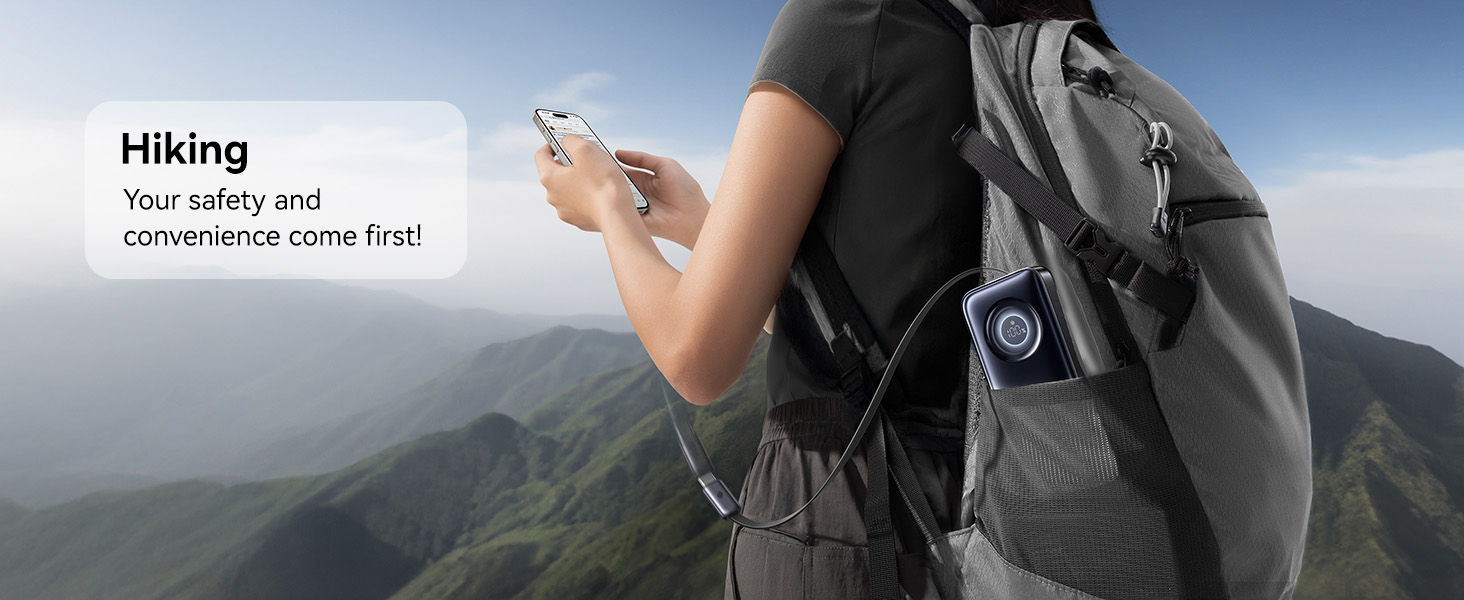
Hiking: Your safety and convenience come first!
Camping: Keep the fun going.
5. Maintenance
- Cleaning: Use a soft, dry cloth to clean the surface of the power bank. Do not use liquid cleaners or aerosols.
- Storage: Store the power bank in a cool, dry place away from direct sunlight, extreme temperatures, and humidity.
- Battery Care: To prolong battery life, fully charge and discharge the power bank at least once every three months if not in regular use.
- Cable Care: Ensure the retractable cable is fully retracted when not in use to prevent damage. Avoid pulling the cable excessively or at sharp angles.
6. Troubleshooting
| Problem | Possible Cause | Solution |
|---|---|---|
| Power bank not charging. | Charging cable or adapter faulty; power bank battery depleted; charging port dirty. | Try a different USB-C cable and wall adapter. Ensure the power bank's charging port is clean and free of debris. |
| Device not charging from power bank. | Power bank battery depleted; cable not fully connected; device incompatible; low current mode not activated for small devices. | Ensure power bank is charged. Reconnect the cable firmly. Check device compatibility. Activate low current mode for small devices. |
| Slow charging. | Cable or adapter not supporting fast charging; device not supporting fast charging; multiple devices charging simultaneously. | Use a PD-compatible wall adapter and cable for recharging the power bank. Ensure your device supports 45W PD. Charging multiple devices may reduce individual charging speeds. |
| Digital display not working. | Power bank off; internal malfunction. | Press the power button to activate the display. If it remains off, contact customer support. |
| Retractable cable not retracting smoothly. | Debris in mechanism; cable twisted. | Gently pull the cable out fully and then try retracting it again. Ensure no foreign objects are obstructing the mechanism. Avoid twisting the cable. |
7. Specifications
| Feature | Detail |
|---|---|
| Model Number | PPNMS-1045C |
| Battery Capacity | 10000 mAh |
| Output Power | Max 45W (USB-C) |
| Input Power | Max 30W (USB-C) |
| Built-in Cable Length | 60 cm (2 ft) |
| Product Dimensions | 5.1 x 1 x 2.2 inches |
| Item Weight | 8.8 ounces |
| Special Features | Built-in Retractable USB-C Cable, 45W Fast Charging, Digital Display, Cooling System, Low Current Mode |
8. Safety Information
- Do not expose the power bank to extreme temperatures, direct sunlight, or high humidity.
- Do not disassemble, modify, or repair the device yourself. This will void the warranty and may cause damage or injury.
- Keep out of reach of children.
- Avoid dropping, hitting, or subjecting the power bank to strong impacts.
- Do not use the power bank if it is visibly damaged, swollen, or leaking.
- Dispose of the power bank responsibly according to local regulations. Do not dispose of it with household waste.
9. Warranty and Support
Baseus provides a 24-month warranty for worry-free ownership and lifelong 24/7 professional support for the Enercore Power Bank.
For technical assistance, product guidance, or warranty claims, please contact Baseus customer support through their official channels or visit the Baseus Brand Store on Amazon.
You can also refer to the official product video for a visual guide:
Video: Baseus Enercore 45W 10000mAh Power Bank. This video demonstrates the key features and usage of the Baseus Enercore 45W 10000mAh Power Bank, including its retractable USB-C cable and fast charging capabilities.
Related documentsPPNMS-1045C


Ask a question about this manual
Ask about setup, troubleshooting, compatibility, parts, safety, or missing instructions. Manuals+ will review the question and use this page’s manual context to help answer it.