
1. Introduction
This manual provides essential instructions for the safe and effective use of your Kircuit 12V AC/DC Adapter. Please read this manual thoroughly before installation and operation, and retain it for future reference. This adapter is designed to power compatible Arcade1Up electronic gaming devices.
2. Safety Information
- Input Voltage: The adapter supports a wide input voltage range of 100-240VAC, 50/60Hz, making it suitable for worldwide use.
- Protection Features: The adapter is equipped with OVP (Over Voltage output Protection), OCP (Over Current output Protection), and SCP (Short Circuit output Protection) to ensure the safety of your device and the adapter itself.
- Compatibility: This adapter is specifically designed for 12V devices. It is NOT compatible with 5V versions of Arcade1Up devices. Please verify your device's voltage requirements before connecting.
- Indoor Use Only: This adapter is intended for indoor use in dry locations. Do not expose to water, moisture, or high humidity.
- Ventilation: Ensure adequate ventilation around the adapter during use. Do not cover it or place it in an enclosed space.
- Handling: Do not drop, disassemble, or attempt to repair the adapter. Refer all servicing to qualified personnel.
- Cord Care: Avoid placing heavy objects on the power cord or subjecting it to sharp bends.
3. Product Overview
The Kircuit 12V AC/DC Adapter serves as a reliable power source for your compatible Arcade1Up electronic gaming machines. It converts standard alternating current (AC) from a wall outlet into the direct current (DC) required by your device, ensuring stable and consistent power delivery.

Image: The Kircuit 12V AC/DC Adapter, showcasing its compact design and the barrel connector for device input.
This adapter is compatible with the following Arcade1Up models:
- MID-P-10190 (William Virtual Pinball Machine Bally Attack From Mars)
- STW-P-10192 (Star Wars Virtual Pinball)
- 8120 (Marvel Digital Pinball II)
4. Setup
Follow these steps to properly connect your Kircuit 12V AC/DC Adapter to your Arcade1Up device:
- Power Off Device: Ensure your Arcade1Up device is completely powered off before connecting the adapter.
- Connect to Device: Insert the barrel connector of the Kircuit 12V AC/DC Adapter firmly into the DC input port on your Arcade1Up device.
- Connect to Power Outlet: Plug the AC prongs of the adapter into a standard 100-240VAC wall outlet. Ensure the connection is secure.
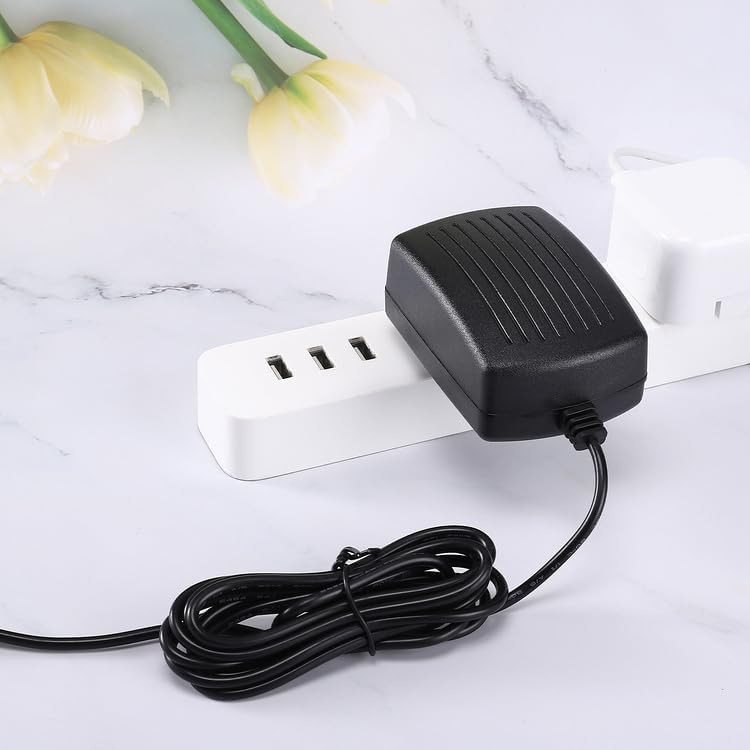
Image: The Kircuit 12V AC/DC Adapter connected to a power strip, demonstrating a typical setup.
5. Operating Instructions
Once the Kircuit 12V AC/DC Adapter is securely connected to both your Arcade1Up device and a functional power outlet, you may proceed to power on your Arcade1Up unit using its designated power switch. The adapter will continuously supply the necessary 12V DC power for operation.
6. Maintenance
Proper maintenance ensures the longevity and optimal performance of your adapter:
- Cleaning: Disconnect the adapter from all power sources before cleaning. Use a dry, soft cloth to wipe away dust or debris. Do not use liquid cleaners or abrasive materials.
- Storage: When not in use, store the adapter in a cool, dry place, away from direct sunlight and extreme temperatures. Avoid tightly coiling the power cord.
- Inspection: Periodically inspect the adapter and its cord for any signs of damage, such as cuts, fraying, or bent prongs. If damage is found, discontinue use immediately.
7. Troubleshooting
If you encounter issues with your Kircuit 12V AC/DC Adapter, refer to the following troubleshooting steps:
- Device Not Powering On:
- Ensure the adapter's barrel connector is fully inserted into the Arcade1Up device's DC input.
- Verify that the adapter's AC prongs are securely plugged into a functional wall outlet. Test the outlet with another device if necessary.
- Confirm that your Arcade1Up device requires 12V DC power. This adapter is not for 5V devices.
- Check the power cord for any visible damage.
- Intermittent Power:
- Ensure all connections are tight and stable.
- Avoid placing the adapter in areas where it might be jostled or disconnected.
If the problem persists after attempting these steps, please contact customer support.
8. Specifications
| Brand | Kircuit |
| Input Voltage | 100-240VAC, 50/60Hz |
| Output Voltage | 12V DC |
| Protection Features | OVP, OCP, SCP |
| Connector Type | Barrel |
| Cord Length | Approximately 6.5 ft (2 meters) |
| Color | Black |
| Manufacturer | Shenzhen Waweis Technology Co., Ltd |
| Compatible Devices | Arcade1Up MID-P-10190, STW-P-10192, 8120 Marvel Digital Pinball II |

Image: The Kircuit 12V AC/DC Adapter, highlighting its cord length of approximately 6.5 feet.
9. Warranty and Support
For technical assistance, product inquiries, or information regarding warranty coverage, please refer to your purchase documentation or contact Kircuit customer service directly. Please have your product model number and purchase date available when contacting support.