
WAMPAT TV Stand Cabinets
WAMPAT TV Stand Cabinets for 110+ Inch TVs, Natural Oak User Manual
Model: TV Stand Cabinets
Brand: WAMPAT
Introduction
This manual provides detailed instructions for the assembly, operation, maintenance, and troubleshooting of your WAMPAT TV Stand Cabinets. Please read this manual thoroughly before assembly and use to ensure proper function and safety.
Safety Information
To prevent serious injury or death from furniture tip-over, this product must be permanently attached to the wall with the anti-tip kit provided. Always ensure the TV stand is placed on a level and stable surface. Do not allow children to climb on or play with the TV stand.

Image: Illustration demonstrating the installation of anti-tipping furniture straps to secure the TV stand to a wall, preventing accidental tip-overs. The diagram shows a secured cabinet and an unsecured cabinet tipping over.
Package Contents
Before beginning assembly, verify that all parts are present and undamaged. This product is shipped in two packages.
- 6-drawer Dresser
- Set of 2 Cabinets
- Anti-tip Kits
- Assembly Manual
- Hardware Packs
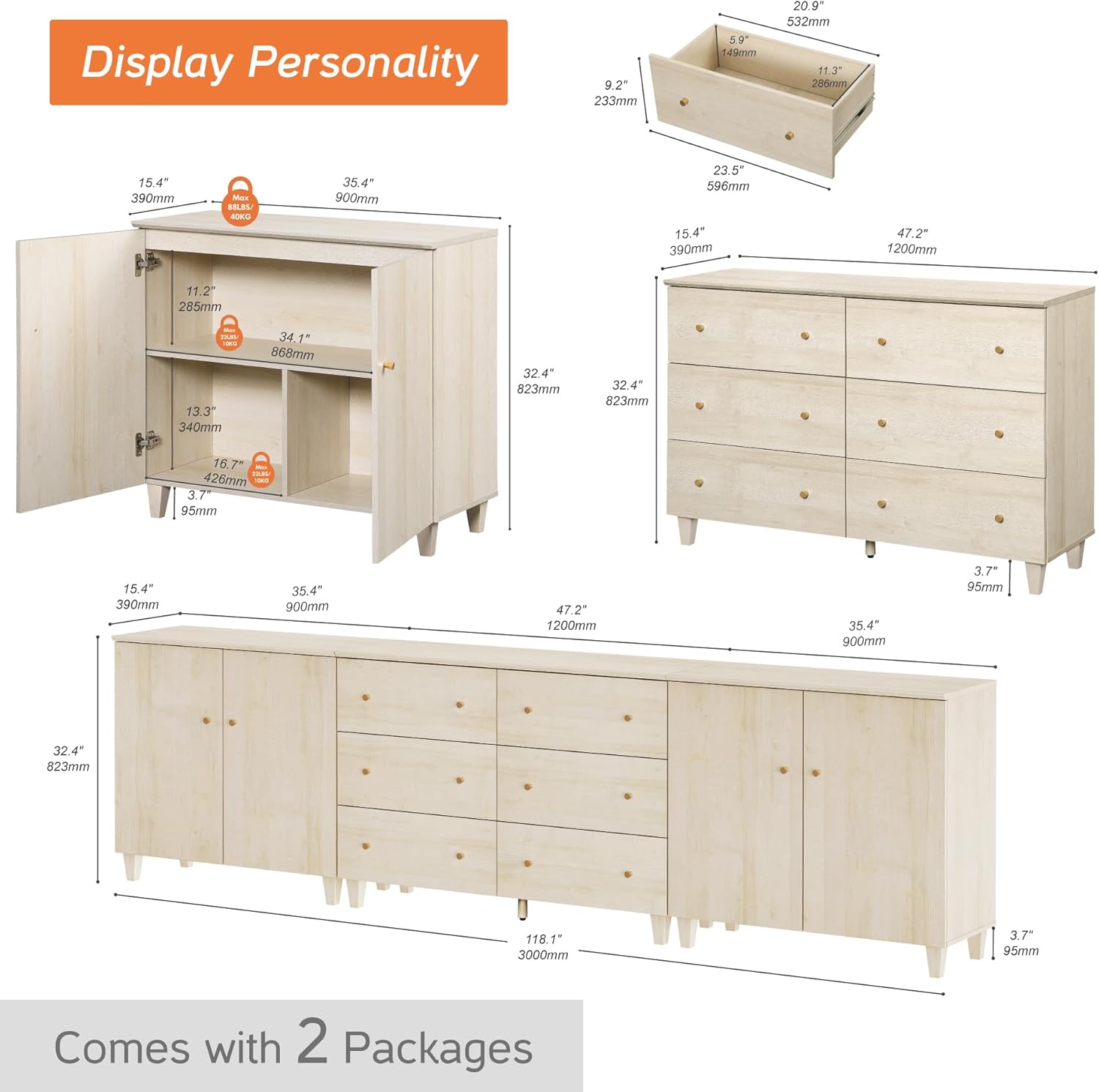
Image: A detailed diagram illustrating the dimensions of the TV stand's components, including the two side cabinets and the central six-drawer dresser. It also indicates that the product comes in two packages.
Setup and Assembly
The WAMPAT TV Stand Cabinets require assembly. Please follow the clear instructions provided in the included assembly manual. Each screw, pin, and panel is coded for easy identification and assembly progress.
- Unpack all components and verify against the parts list in the assembly manual.
- Identify all hardware using the provided codes.
- Assemble the main frame of the 6-drawer dresser according to the manual's diagrams.
- Assemble the two side cabinets, ensuring all panels are securely fastened.
- Attach the solid wood legs to all three units.
- Install the drawers and cabinet doors. Refer to the 'Troubleshooting' section for door adjustment if needed.
- Secure the entire unit to the wall using the anti-tip kit as described in the 'Safety Information' section.
For optimal stability and to prevent scratches, each leg is equipped with non-slip pads.
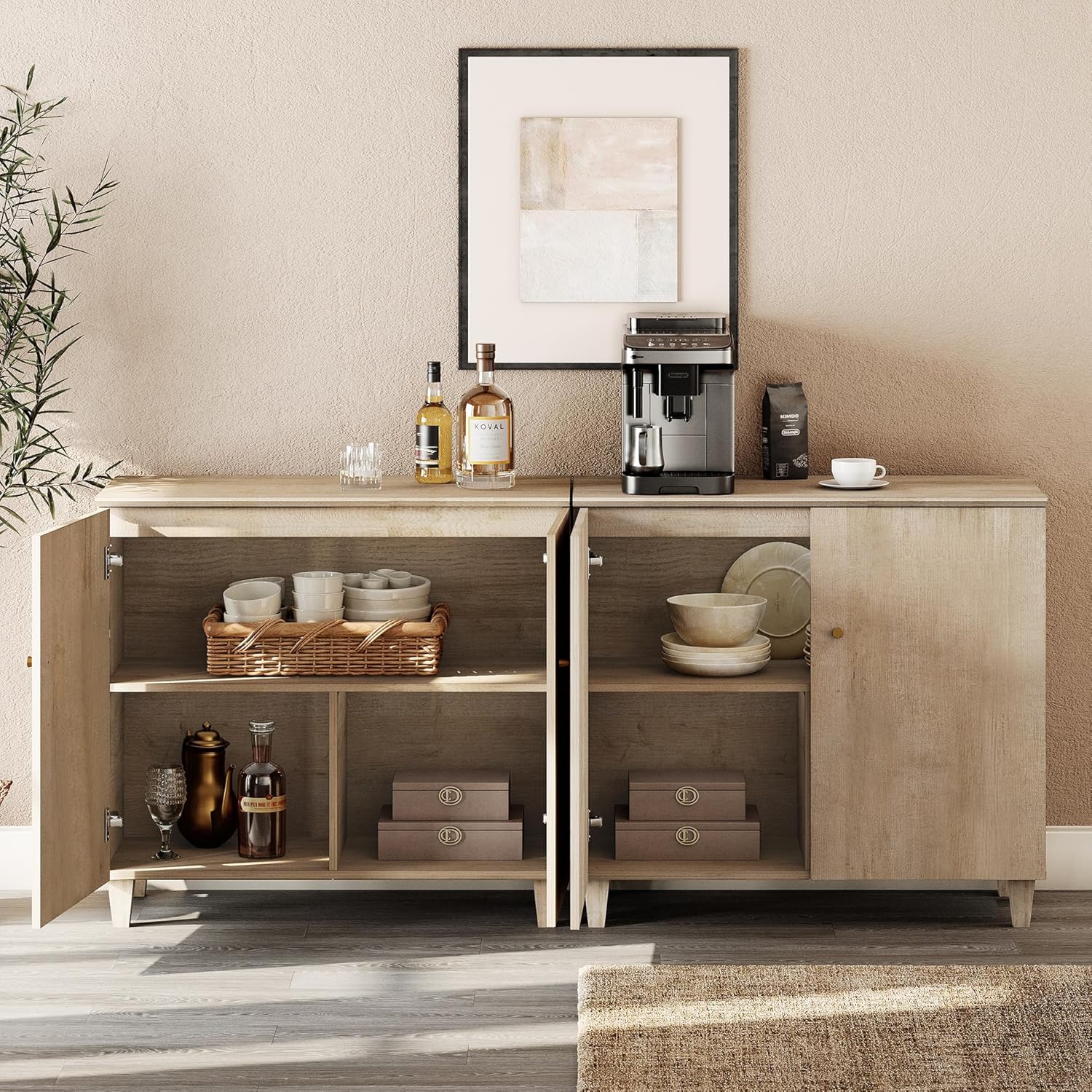
Image: A composite image highlighting key construction details: smooth metal drawer slides for easy operation, a curved edge tabletop for safety and aesthetics, and sturdy solid wood legs providing stable support for the TV stand.
Operating Instructions
Your WAMPAT TV Stand is designed for versatile storage and display. It features a spacious tabletop, two side cabinets with six storage compartments, and a middle wide dresser with six sliding drawers.
- Cabinet Use: Open and close cabinet doors using the gold-coated knobs. The internal shelves can be used to store media, electronics, or other items.
- Drawer Use: The six sliding drawers provide ample storage. Note that for anti-tip safety, drawers can be pulled out approximately 7.48 inches (19 cm) at most.
- TV Placement: The tabletop is designed to accommodate flat-screen TVs up to 110+ inches wide. Ensure the TV's base is centered and stable on the stand.

Image: An overhead view of the dresser section of the TV stand with several drawers open, revealing neatly folded clothing and other items, demonstrating the storage capacity.

Image: The side cabinets of the TV stand with doors open, showcasing various dishes, bowls, and kitchenware stored on the internal shelves, highlighting the versatile storage options.
Maintenance
- Cleaning: Wipe surfaces with a soft, damp cloth. Avoid harsh chemicals or abrasive cleaners that may damage the finish.
- Dusting: Regularly dust the surfaces to prevent buildup.
- Hardware Check: Periodically check all screws and fasteners to ensure they are tight. Retighten if necessary.
- Avoid Moisture: Protect the wood finish from excessive moisture and direct sunlight to prevent warping or fading.
Troubleshooting
This section addresses common issues you might encounter with your TV stand's cabinet doors.
Issue 1: Cabinet doors do not close correctly or are horizontally misaligned.
If the two doors cannot close properly or are misaligned horizontally:
- Locate Screw A on the hinge (typically the screw closest to the cabinet frame).
- To adjust the door's position to the left or right horizontally, turn Screw A counterclockwise or clockwise.
- Once the door is correctly aligned and closes smoothly, tighten Screw A to secure the door in place.
Issue 2: The door is tilted, or the gap between two doors is uneven.
If the door appears tilted or the vertical gap between two doors is inconsistent:
- Locate Screw A on both the top and bottom hinges.
- Turn both Screw A counterclockwise or clockwise on each hinge to make the door properly aligned with an even gap. Adjust incrementally until desired alignment is achieved.
Issue 3: The gap between the two doors is too large.
If there is an excessive gap between the two cabinet doors when closed:
- Locate Screw A on each hinge.
- Turn Screw A counterclockwise or clockwise on each hinge so the doors can move to the middle position, thereby reducing the gap. Adjust both hinges equally for best results.
Issue 4: The hinges fall apart.
If a hinge detaches or becomes loose from the door or cabinet frame:
- Push the hinges back into their correct position, ensuring they are properly seated.
- Tighten Screw B (the screw that secures the hinge plate to the cabinet frame) to prevent the door from falling down.
Specifications
| Brand | WAMPAT |
| Model | TV Stand Cabinets |
| Color | Natural Oak |
| Material | Engineered Wood |
| Special Feature | Anti-Tipping, Space Saving |
| Mounting Type | Floor Mount |
| Room Type | Bedroom, Home Office, Living Room, Playroom |
| Door Style | Flat Panel |
| Included Components | 6-drawer Dresser, Anti-tip Kits, Assembly Manual, Hardware Packs, Set of 2 Cabinets |
| Finish Type | Wood |
| Shape | Rectangular |
| Number of Shelves | 3 |
| Number of Pieces | 3 |
| Base Type | Legs |
| Assembly Required | Yes |
| Number of Compartments | 6 |
| Item Weight | 246 pounds |
| Product Dimensions (L x W x H) | 118 x 15.4 x 32.4 inches |
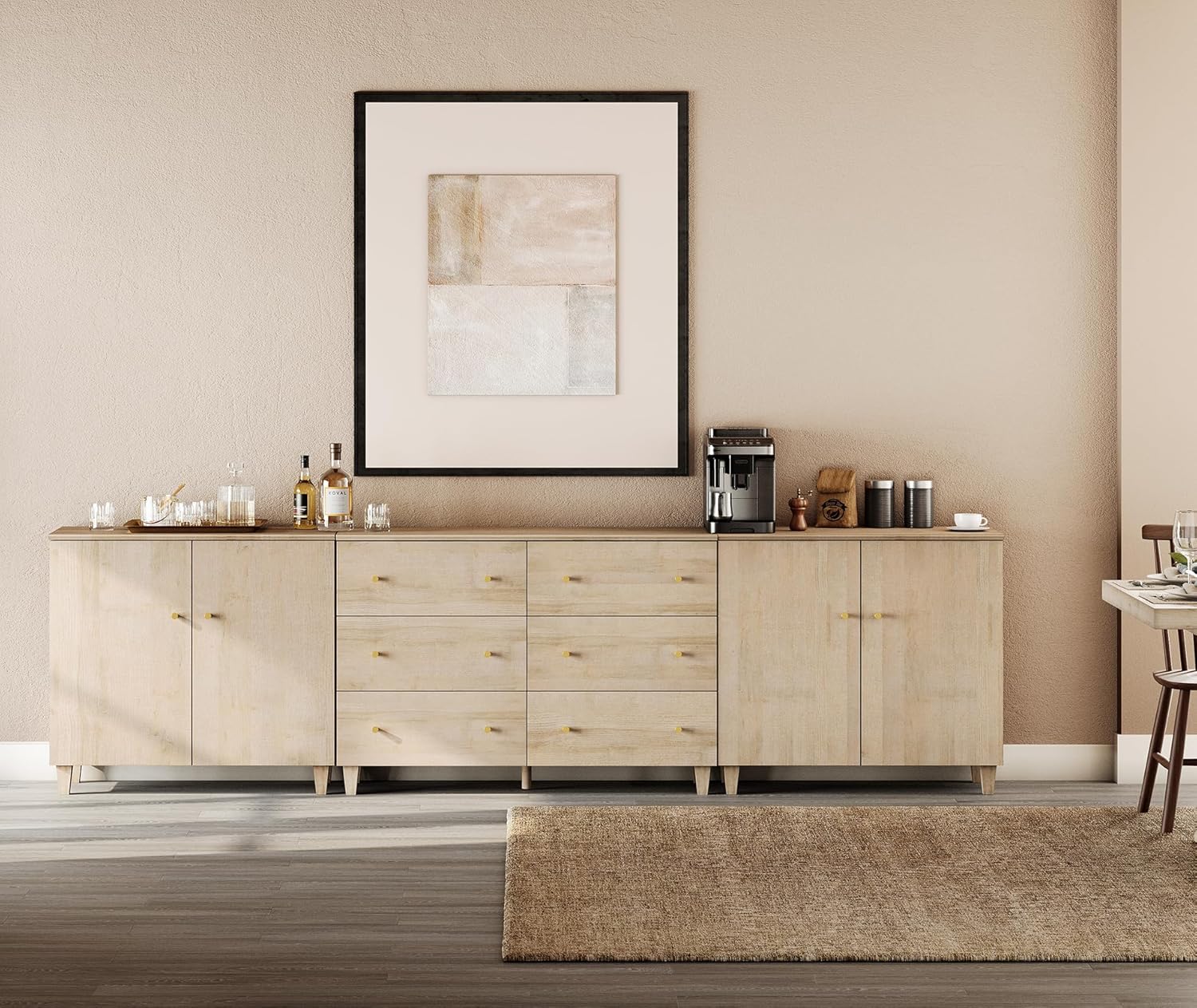
Image: A wide shot of the WAMPAT TV stand in a living room, featuring a large television mounted on the wall above it. The stand is adorned with decorative items, showcasing its aesthetic appeal and functionality.

Image: The WAMPAT TV stand repurposed as a sideboard in a dining or kitchen area, displaying a coffee machine, bottles, and glasses, demonstrating its versatility beyond just a TV console.
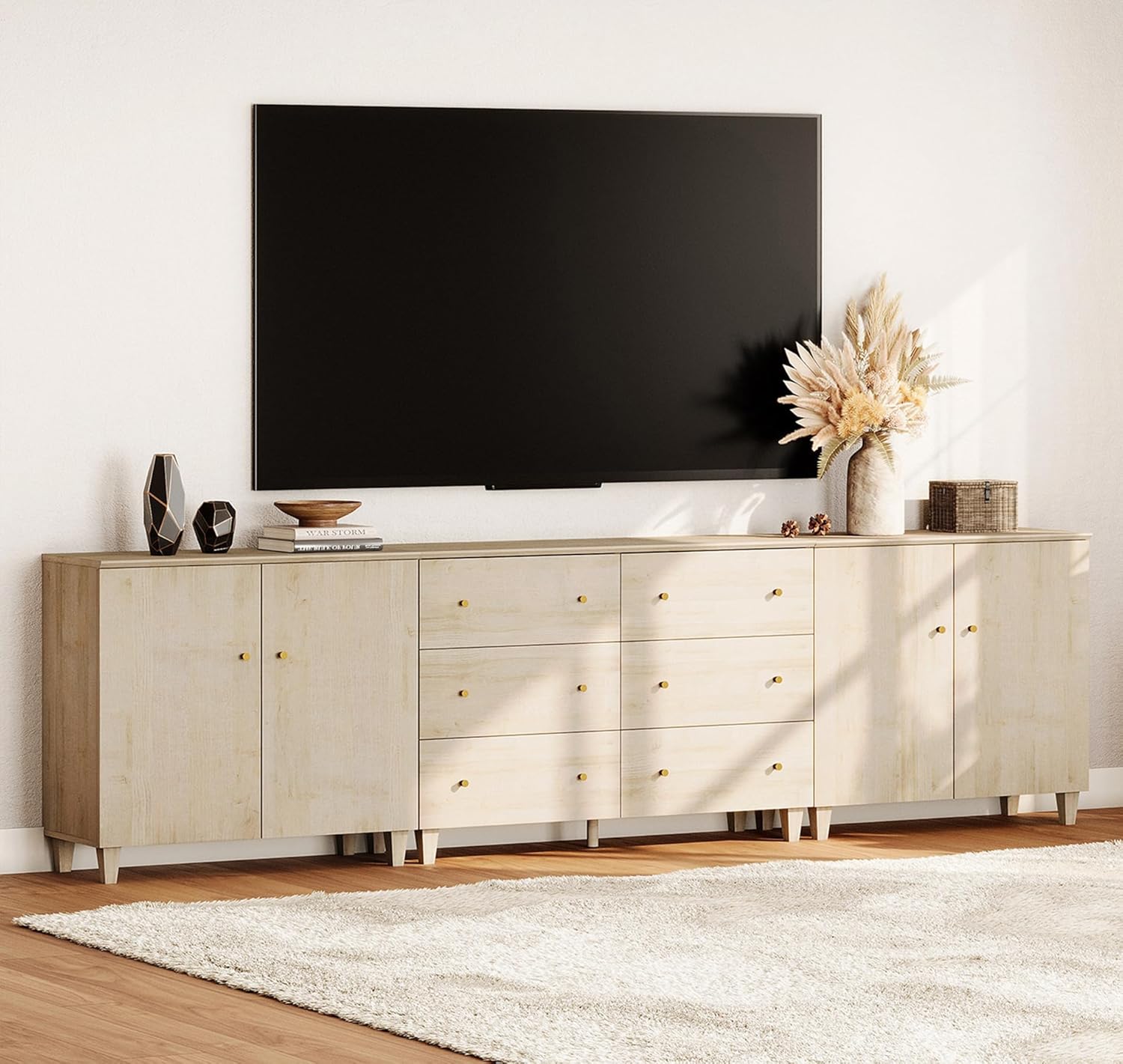
Image: The WAMPAT TV stand in a modern living room, positioned beneath a large wall-mounted television. The stand is decorated with vases and books, illustrating its role as a central entertainment and display unit.
Warranty and Support
For any questions, concerns, or assistance with your WAMPAT TV Stand, please contact customer support. Refer to your purchase documentation for specific warranty details and contact information.
You may also visit the official WAMPAT store for additional product information and support: WAMPAT Store
Related Documents - TV Stand Cabinets
 |
Wampat TV Stand Assembly Instructions | Models BTS211801WB, BTS211803WW, BTS211804WE Comprehensive assembly guide for the Wampat TV Stand, featuring models BTS211801WB, BTS211803WW, and BTS211804WE. This manual provides a detailed parts list, required tools, and step-by-step instructions with textual descriptions of diagrams to ensure a smooth assembly process for your media console. |
 |
Wampat W15A1184B TV Stand Assembly Instructions Comprehensive guide for assembling the Wampat W15A1184B TV stand. Includes a detailed parts list, instructions for wall mounting (wood stud and brick/concrete), and step-by-step assembly for both floating TV stand and fireplace configurations. Features multilingual introductions and important safety warnings. |
 |
Wampat MTS31502 TV Stand Use and Care Guide Comprehensive use and care guide for the Wampat MTS31502 TV Stand, including safety precautions, a detailed parts list, and step-by-step assembly instructions for models B-LA1501W and B-LA1502G. Learn how to properly install and care for your new TV stand. |
 |
WAMPAT Union Rustic Reeded TV Stand Assembly Instructions Comprehensive assembly guide for the WAMPAT Union Rustic 31.5" Modern Reeded TV Stand, detailing parts, tools, and step-by-step instructions for proper setup and safety. |
 |
Wampat TV Stand Assembly Instructions - Models W01A3181B, W01A3183R, W01A3184E Comprehensive assembly guide for Wampat TV stands, including parts list, tools required, and step-by-step instructions for models W01A3181B, W01A3183R, and W01A3184E. |
 |
Wampat W01E3157R/W01E3158W/W01E315QD Assembly Instructions Detailed assembly instructions for the Wampat W01E3157R, W01E3158W, and W01E315QD TV Stand/Entertainment Center. Includes parts list, step-by-step guidance, and safety warnings. |
Ask a question about this manual
Ask about setup, troubleshooting, compatibility, parts, safety, or missing instructions. Manuals+ will review the question and use this page’s manual context to help answer it.