
1. Introduction
Thank you for choosing the PZP 15-Amp 12V/24V Smart Battery Charger. This device is designed to efficiently charge and maintain various 12V and 24V battery types, including LiFePO4, AGM, GEL, SLA, and Flooded lead-acid batteries. Its intelligent 9-stage charging process and advanced safety features ensure optimal battery performance and longevity. This manual provides essential information for safe and effective use of your charger.
2. Safety Information
Please read all safety instructions carefully before using the charger. Failure to follow these instructions may result in electric shock, fire, or serious injury.
- Ventilation: Ensure adequate ventilation when charging. Batteries can produce explosive gases.
- Eye Protection: Always wear eye protection when working with batteries.
- Avoid Sparks: Do not smoke or allow sparks or flames in the vicinity of the battery or charger.
- Connection Order: Connect the charger to the battery before plugging it into the AC power outlet. Disconnect from AC power before disconnecting from the battery.
- Polarity: Ensure correct polarity. Connect the red (+) clamp to the positive terminal and the black (-) clamp to the negative terminal. Reverse polarity protection is built-in, but correct connection is always recommended.
- Temperature: Do not expose the charger to rain, snow, or excessive moisture. Operate within the specified temperature range of 14°F to 82°F (-10°C to 28°C).
- Damaged Cables: Do not operate the charger with damaged cords or clamps. Replace immediately.
- Not a Jump Starter: This device is a battery charger and maintainer, not a jump starter. Do not attempt to use it for jump-starting vehicles.
- Children: Keep out of reach of children.

Image: The PZP Smart Battery Charger features multiple safety protections, including smart control, reverse polarity, temperature compensation, reverse protection, a cooling system, overcurrent protection, overheat/cool protection, low voltage protection, fireproof materials, and short circuit prevention.
3. Product Overview
The PZP Smart Battery Charger is a versatile and intelligent device designed for various battery charging and maintenance needs. It features a large color screen for real-time monitoring and multiple charging modes.
Key Features:
- Output: 12V 15-Amp and 24V 8-Amp.
- Compatibility: Charges 12V and 24V LiFePO4, AGM, GEL, SLA, and Flooded lead-acid batteries.
- 9-Stage Charging: Advanced charging process for optimal battery health.
- Large Color Screen: Displays charging voltage, current, internal temperature (°F/°C), charge percentage, and selected modes.
- Temperature Compensation: Automatically adjusts charging voltage based on ambient temperature.
- Pulse Repair: Technology to restore lost battery performance by detecting and addressing sulfation and acid stratification.
- Safety Protections: Includes smart controls, reverse polarity, overcurrent, overvoltage, short-circuit, and fireproof materials.

Image: The charger's large color screen provides real-time monitoring of charging voltage, current, internal temperature, and charge percentage, along with indicators for various modes.

Image: An internal view diagram illustrating the multi-functional design of the charger, emphasizing its ultra-compact nature, auto-repair capabilities, desulfurization function, improved performance, and dynamic battery tracking.

Image: The charger is compatible with a wide range of vehicle batteries, including those found in motorcycles, cars, boats, lawnmowers, ATVs, trucks, and RVs.
Product Video Overview:
Video: A general overview of the PZP 15-Amp 12V/24V Smart Battery Charger, showcasing its design and features.
4. Setup
Follow these steps to set up your PZP Smart Battery Charger:
- Inspect Charger: Before use, inspect the charger, cables, and clamps for any damage. Do not use if damaged.
- Connect to Battery: Ensure the charger is unplugged from the AC power outlet. Connect the red (+) positive clamp to the positive terminal of the battery. Connect the black (-) negative clamp to the negative terminal of the battery.
- Connect to Power: Plug the charger's AC power cord into a standard 120V AC wall outlet. The charger will power on and begin its initial battery detection.
- Select Mode: Once connected and powered, the charger will display battery information. Press the 'MODE' button to select the appropriate charging mode for your battery type (e.g., Standard, AGM/LiFePO4, Motorcycle, Trickle, Repair).
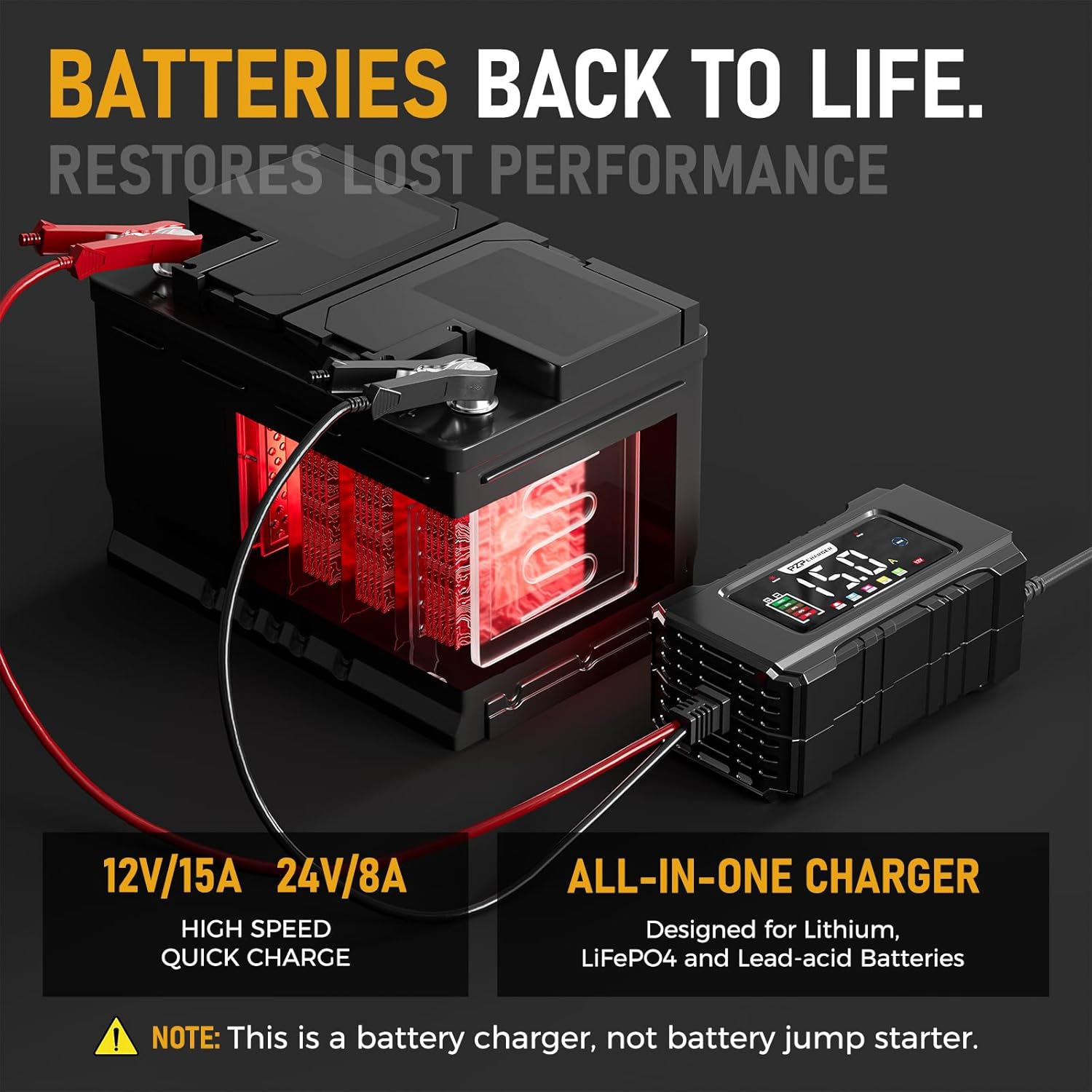
Image: The charger connected to a battery, showing the red clamp on the positive terminal and the black clamp on the negative terminal, ready for charging.
Unboxing and Usage Video:
Video: A detailed video demonstrating the unboxing and initial usage of the 15-Amp 12V/24V Smart Battery Charger, including connection steps.
5. Operating Instructions
The PZP Smart Battery Charger utilizes an intelligent 9-stage charging process and offers various modes for different battery types and conditions.
Charging Modes:
Press the 'MODE' button to cycle through the available charging modes:
- Standard: For conventional lead-acid batteries.
- AGM/LiFePO4: Optimized for AGM and Lithium Iron Phosphate batteries.
- Motorcycle: Lower current charging for smaller motorcycle batteries.
- Trickle (TKL): Maintenance mode for long-term connection, keeping the battery fully charged.
- Repair: Pulse repair mode for desulfation and reconditioning of aged batteries.

Image: The charger's interface displaying the five selectable charging modes: Standard, AGM/LiFePO4, Motorcycle, Trickle, and Repair.
9-Stage Charging Process:
The charger automatically progresses through these stages to ensure efficient and safe charging:
- Battery Detection: Analyzes battery condition.
- Desulphation: Applies pulse voltage to break down lead sulfate crystals.
- Soft Start Charging: Gradually increases current to prevent damage to deeply discharged batteries.
- Bulk Charging: Charges the battery to approximately 80% capacity at maximum current.
- Absorption Charging: Charges the battery to 100% capacity at a decreasing current.
- Battery Test: Checks battery health and charge retention.
- Recondition Charging: Optional stage for deeply discharged or sulfated batteries.
- Float & Maintenance Charging (TKL): Maintains the battery at full charge.
- Monitoring Stage: Continuously monitors battery voltage and restarts charging if needed.

Image: A visual representation of the 9-stage charging process, detailing each step from initial battery detection to the final monitoring stage, ensuring comprehensive battery care.

Image: This graphic illustrates the charging progress, showing how the battery icon and percentage display on the screen as the battery charges from 20% to 100%.
Temperature Compensation:
The charger automatically adjusts the charging voltage based on the ambient temperature to prevent overcharging in hot conditions (Summer Mode) and undercharging in cold conditions (Winter Mode).

Image: The charger's temperature compensation feature automatically adjusts charging based on ambient temperature, preventing overcharging in summer (82°F/28°C) and undercharging in winter (14°F/10°C).
Automatic Lock Feature:
After charging for 25 seconds, the charger will automatically lock. To unlock, remove any clip or disconnect the power supply.
6. Maintenance
Proper maintenance ensures the longevity and reliable operation of your battery charger.
- Cleaning: Disconnect the charger from both the AC power and the battery before cleaning. Wipe the exterior with a soft, damp cloth. Do not use harsh chemicals or abrasives.
- Cable Inspection: Regularly inspect the charging cables and clamps for any signs of wear, cuts, or corrosion. Replace damaged components immediately.
- Storage: Store the charger in a cool, dry place when not in use. Keep it away from direct sunlight, moisture, and extreme temperatures.
- Ventilation: Ensure the charger's ventilation openings are clear of dust and debris to prevent overheating.
7. Troubleshooting
If you encounter issues with your PZP Smart Battery Charger, refer to the following common problems and solutions:
| Problem | Possible Cause | Solution |
|---|---|---|
| Charger does not turn on. | No AC power; Faulty power outlet; Damaged power cord. | Check AC power connection; Try a different outlet; Inspect power cord for damage. |
| Charger displays an error or does not start charging. | Incorrect battery connection (reverse polarity); Battery voltage too low; Battery is completely dead; Incorrect mode selected. | Verify correct clamp connection (red to +, black to -); Note: Charger cannot activate or charge totally dead batteries; Select appropriate charging mode. |
| Charging is slow or incomplete. | Battery capacity is very large; Battery is sulfated; Incorrect mode selected; Extreme ambient temperature. | Allow more time for charging; Use 'Repair' mode for sulfated batteries; Ensure correct mode for battery type; Charger adjusts for temperature, but extreme conditions can affect speed. |
| Charger gets hot during operation. | Normal operation during bulk charging; Poor ventilation. | Some heat is normal. Ensure adequate ventilation around the charger. If excessively hot or an overheat warning appears, disconnect and allow to cool. |
Important Note: This charger cannot activate or charge batteries that are completely dead (i.e., batteries with voltage below a certain threshold, typically around 2V for 12V batteries).
8. Specifications
| Specification | Value |
|---|---|
| Brand | PZ.P |
| Model Number | 215 |
| Input Voltage | 120 Volts (AC) |
| Output Voltage | 12 Volts (DC) / 24 Volts (DC) |
| Current Rating (12V) | 15 Amps |
| Current Rating (24V) | 8 Amps |
| Compatible Devices | 12V and 24V LiFePO4, Lead-Acid (AGM, GEL, SLA, Flooded) batteries |
| Connector Type | Battery Clamp/Alligator Clips |
| Product Dimensions | 7.88"D x 3.74"W x 3.55"H |
| Operating Temperature | 14°F to 82°F (-10°C to 28°C) |
| Certifications | CE, FCC, UL |
9. Warranty and Support
PZ.P stands behind the quality of its products.
- Warranty: This product comes with an 18-month warranty from the date of purchase, covering manufacturing defects.
- Customer Support: For any questions, technical assistance, or warranty claims, please contact PZ.P customer support. Refer to the product packaging or the official PZ.P website for contact information.


