
SASKATE SASKATEw2ph94of8a-11
SASKATE Smart Pulse Battery Charger User Manual
Model: SASKATEw2ph94of8a-11
1. Introduction
This manual provides essential instructions for the safe and effective operation of your SASKATE Smart Pulse Battery Charger. This device is designed for charging and maintaining 4AH-100AH VRLA batteries, utilizing high and low frequency pulse technology for activation and recovery of batteries with undervoltage or prolonged idle periods. Please read this manual thoroughly before use and retain it for future reference.
2. Safety Information
WARNING: Failure to follow these safety instructions may result in electric shock, fire, or serious injury.
- Always connect the charger to the battery terminals correctly (positive to positive, negative to negative) before plugging into a power outlet.
- Disconnect the power supply before disconnecting the battery terminals.
- Ensure adequate ventilation during charging to prevent gas accumulation.
- Do not charge frozen batteries. Allow them to warm up to room temperature first.
- This charger is suitable for 4AH-100AH VRLA batteries ONLY. Do not attempt to charge lithium batteries or other battery types, as this may cause damage to the battery or charger, and pose a fire risk.
- Keep the charger away from water, moisture, and flammable materials.
- Do not operate the charger if it has been dropped, damaged, or exposed to excessive moisture.
- Keep out of reach of children.
- Wear eye protection and gloves when working with batteries.
3. Package Contents
Verify that all items are present in the package:
- 1 x SASKATE Smart Pulse Battery Charger
- 1 x User Manual (this document)
4. Product Features

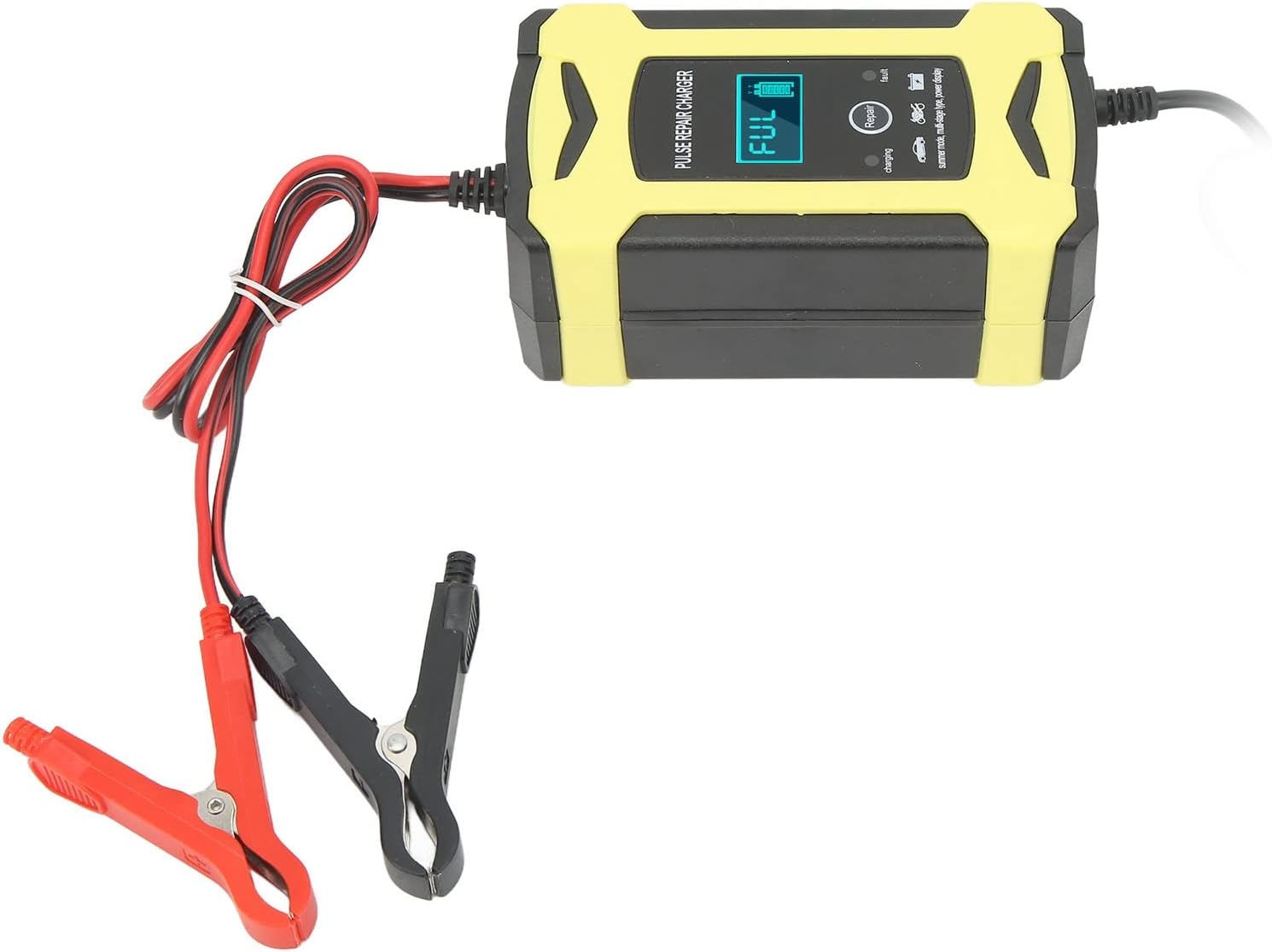
This image shows the SASKATE Smart Pulse Battery Charger from a top-front angle, displaying its yellow and black casing, the digital display, control buttons, and the attached red and black alligator clips for battery connection.
- Pulse Technology: Utilizes high and low frequency pulse technology for effective activation and recovery of VRLA batteries that are undervoltage or have been idle for extended periods.
- Battery Detection: Capable of detecting battery voltage and remaining power without being connected to a power supply, providing immediate battery status.
- Efficient Cooling: Equipped with an energy-saving cooling fan and an aluminum radiator, ensuring optimal heat dissipation during operation for enhanced durability and performance.
- Wide Compatibility: Designed for 4AH-100AH VRLA batteries. Not suitable for lithium batteries.
- Stable Output: Provides a stable output voltage of 13.8-15.5V, ensuring efficient and safe charging.
5. Setup
- Prepare the Battery: Ensure the battery is clean and free from corrosion on its terminals. If necessary, clean the terminals with a wire brush.
- Connect to Battery:
- Connect the red positive (+) alligator clip to the positive (+) terminal of the battery.
- Connect the black negative (-) alligator clip to the negative (-) terminal of the battery.
Ensure a secure connection. Incorrect polarity connection will trigger a fault indicator on the charger.
- Verify Battery Status: Once connected to the battery, the charger's display will show the current battery voltage and remaining power percentage, even before plugging into an AC outlet. This allows for a quick check of the battery's initial state.
- Connect to Power: Plug the charger's AC power cord into a standard 110-240V AC electrical outlet.
This image highlights the digital display of the SASKATE Smart Pulse Battery Charger, showing a "FUL" indicator and a full battery icon, indicating a fully charged battery or the battery's current state upon connection.
6. Operating Instructions
- Start Charging: After connecting the battery and plugging in the power cord, the charger will automatically begin the charging process. The display will show "charging" and the battery icon will animate to indicate charging progress.
- Repair Mode: If the battery is deeply discharged or has been idle for a long time, the charger may automatically enter "Repair" mode, indicated on the display. This mode uses pulse technology to attempt to activate and recover the battery.
- Charging Completion: Once the battery is fully charged, the display will show "FUL" and the battery icon will be solid. The charger will then switch to a maintenance (trickle charge) mode to prevent overcharging.
- Disconnecting:
- First, unplug the charger from the AC power outlet.
- Then, disconnect the black negative (-) alligator clip from the battery.
- Finally, disconnect the red positive (+) alligator clip from the battery.
7. Maintenance
- Cleaning: Disconnect the charger from both the power outlet and the battery before cleaning. Wipe the exterior with a soft, dry cloth. Do not use harsh chemicals or abrasives.
- Storage: Store the charger in a cool, dry place when not in use. Keep the cables neatly coiled to prevent damage.
- Cable Inspection: Regularly inspect the power cord and battery clips for any signs of damage, fraying, or corrosion. Do not use the charger if any part is damaged.
8. Troubleshooting
| Problem | Possible Cause | Solution |
|---|---|---|
| Charger not turning on / No display | No AC power; Faulty power outlet; Damaged charger. | Check AC power connection. Try a different outlet. If still no power, contact support. |
| "Fault" indicator or error message | Incorrect battery connection (reverse polarity); Battery fault (short circuit, open circuit); Battery type incompatibility. | Verify positive and negative connections. Ensure battery is a 4AH-100AH VRLA type. If fault persists, the battery may be unrecoverable. |
| Charging process is very slow or not progressing | Battery is deeply discharged; Battery capacity is very high; Battery is old/damaged. | Allow more time for charging, especially for large or deeply discharged batteries. The "Repair" mode may take longer. If no progress after extended time, battery may be faulty. |
| Charger gets warm during operation | Normal operation; Insufficient ventilation. | Some warmth is normal. Ensure the charger is in a well-ventilated area and its cooling fan is not obstructed. The built-in cooling fan and aluminum radiator are designed for heat dissipation. |
9. Specifications
| Feature | Detail |
|---|---|
| Model | SASKATEw2ph94of8a-11 |
| Input Voltage | 110-240V AC (US Plug) |
| Output Voltage | 13.8-15.5V DC |
| Applicable Battery Type | 4AH-100AH VRLA Battery (Not for Lithium Batteries) |
| Cooling System | Energy Saving Cooling Fan, Aluminium Radiator |
| Dimensions | 8.66 x 4.33 x 2.36 inches |
| Item Weight | 1.03 pounds |
| Manufacturer | SASKATE |
10. Warranty and Support
For warranty information or technical support, please contact the manufacturer or your point of purchase. Retain your proof of purchase for any warranty claims.
Ask a question about this manual
Ask about setup, troubleshooting, compatibility, parts, safety, or missing instructions. Manuals+ will review the question and use this page’s manual context to help answer it.