
1. Product Overview
The ZWP 99198 K6266 Replacement Remote Control is designed to operate compatible Casablanca and Hunter ceiling fans. This remote utilizes advanced infrared technology for stable and responsive control of your fan's light and speed settings.

Image 1.1: This image illustrates the compatible ZWP K6266 remote control (center) and a similar-looking but incompatible remote (right). The remote on the left is the one being replaced. Ensure your original remote matches the compatible model shown.
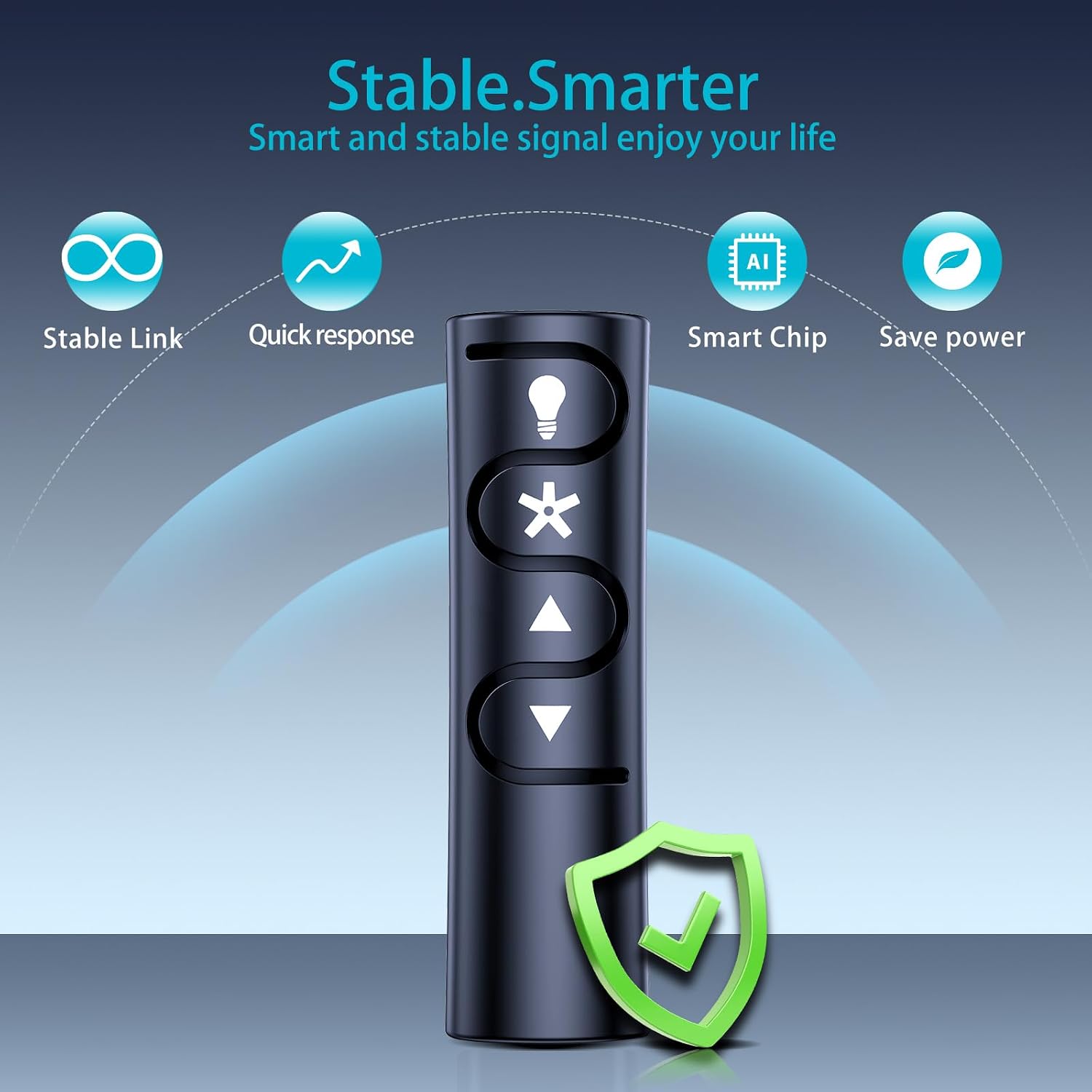
Image 1.2: This graphic highlights key features of the remote, including stable link, quick response, smart chip technology, and power saving capabilities, contributing to a reliable user experience.
2. Setup and Pairing
2.1. Battery Installation
Before pairing, ensure batteries are correctly installed. The remote requires 2 AAA batteries (not included).

Image 2.1: This image shows the battery compartment of the remote control and indicates the location of the pairing button, which is typically recessed and requires a small tool like a pen or needle to press.
2.2. Pairing Instructions
Follow these steps to pair your ZWP K6266 remote control with your ceiling fan:
- Turn off the fan power: Locate the wall switch, circuit breaker, or fan pull chain and turn off the power to the ceiling fan.
- Wait: Allow approximately 5 seconds for the fan's receiver to reset.
- Restore power: Turn the fan power back on at the wall switch or circuit breaker.
- Press the "PAIR" button: Within 3 minutes of restoring power, press and release the "PAIR" button located on the back of the remote control. Do not hold the button down. A small tool like a pen or needle may be needed to press the recessed button.
- Confirmation: The fan light may blink or the fan may briefly turn on to indicate successful pairing.
Important Notes for Pairing:
- To prevent faulty operation, ensure all other ceiling fans within range are turned off at their respective wall switches or breakers during the pairing process.
- If you wish to operate multiple fans with a single remote control, you must repeat the pairing process for each additional fan's receiver.
- If pairing fails, try placing the remote control as close to the fan as possible before attempting to pair again.
3. Operating the Remote Control
The ZWP K6266 remote control provides intuitive control over your ceiling fan's functions.

Image 3.1: This image shows a hand holding the ZWP K6266 remote control, demonstrating its ergonomic design and button layout for easy access to fan and light functions.
3.1. Button Functions
- Light Button (Bulb icon): Press to turn the fan light ON or OFF.
- Fan ON/OFF/Speed Button (Asterisk icon): Press to turn the fan ON or OFF, and cycle through available fan speeds (e.g., Low, Medium, High).
- Fan Speed Up Button (Up arrow): Press to increase the fan speed.
- Fan Speed Down Button (Down arrow): Press to decrease the fan speed.
3.2. Advanced Infrared Technology
This remote control utilizes advanced infrared (IR) technology, providing a strong and stable signal. It offers a long transmission distance and a quick 0.2-second response time, allowing you to control your ceiling fan from various angles without obstruction.

Image 3.2: This image illustrates the remote control's effective operational distance, which is approximately 8 meters, ensuring reliable long-distance control of your ceiling fan.
4. Maintenance
Proper maintenance ensures the longevity and optimal performance of your remote control.
- Battery Replacement: Replace batteries when the remote's range decreases or it becomes unresponsive. Always use new AAA batteries and dispose of old batteries responsibly.
- Cleaning: Wipe the remote control with a soft, dry cloth. Do not use liquid cleaners or abrasive materials, as they may damage the surface or internal components.
- Storage: Store the remote in a dry place, away from extreme temperatures and direct sunlight. If storing for extended periods, remove the batteries to prevent leakage.
- Material Quality: The remote is made of high-quality ABS material, which is resistant to falling and free from peculiar odors, ensuring durability and safety.

Image 4.1: This image emphasizes the comfortable feel and durable, environmentally friendly ABS material used in the remote's construction, contributing to its long lifespan and quality assurance.
5. Troubleshooting
If you encounter issues with your remote control, refer to the following common problems and solutions:
| Problem | Possible Cause | Solution |
|---|---|---|
| Remote not responding | Dead or incorrectly installed batteries. Obstruction between remote and fan receiver. Remote out of range. | Replace batteries with new ones, ensuring correct polarity. Remove any obstructions. Move closer to the fan (within 10 meters). |
| Fan not pairing with remote | Incorrect pairing procedure. Other fans interfering. Fan power not cycled correctly. | Review and repeat the pairing instructions carefully (Section 2.2). Ensure all other fans in range are powered off during pairing. Try pairing with the remote closer to the fan. |
| Limited range or intermittent control | Low batteries. Interference from other devices. Remote sensor blocked. | Replace batteries. Ensure a clear line of sight between the remote and the fan. Minimize other electronic interference. |
| Remote is not compatible with my fan | The fan model is not supported by this specific remote (K6266). | Verify your fan's model number against the compatible models listed (99198 K6266). This remote is specifically for K6266 and not compatible with models like 59453, 59454, 59452, K5579. |
6. Specifications
| Brand | ZWP |
| Model Name/Number | K6266 |
| Compatible Models | 99198 K6266 (4-Speed). Not compatible with 59453, 59454, 59452, K5579. |
| Connectivity Technology | Infrared (IR) |
| Maximum Range | 10 meters (approx. 33 feet) |
| Controller Type | Button Control |
| Special Feature | Ergonomic design |
| Material | High-Quality ABS |
| Item Weight | 0.04 kg (approx. 0.09 lbs) |
7. Warranty and Support
7.1. Warranty Information
This ZWP remote control comes with a 1-year warranty from the date of purchase. This warranty covers manufacturing defects under normal use. Please retain your proof of purchase for warranty claims.
The warranty does not cover damage caused by misuse, accidents, unauthorized modifications, or normal wear and tear.
7.2. Customer Support
For further assistance, technical support, or warranty inquiries, please contact the seller or manufacturer through the platform where the product was purchased. Provide your product model number (K6266) and a detailed description of the issue for efficient support.