
Introduction
Thank you for choosing the BESIA Glow in the Dark Replacement Remote Control for Roku TVs. This infrared remote is designed to provide seamless control for a wide range of Roku TV models without the need for complex pairing or programming. Simply insert batteries, and it's ready for use. This manual will guide you through the setup, operation, and maintenance of your new remote control.
Setup
Battery Installation
- Locate the battery compartment on the back of the remote control.
- Slide the battery compartment cover downwards or outwards to open it.
- Insert two (2) AAA batteries, ensuring the positive (+) and negative (-) terminals align correctly with the indicators inside the compartment.
- Replace the battery compartment cover by sliding it back into place until it clicks securely.

Image: Side view of the remote control, illustrating the location for battery insertion and volume controls.
Initial Use
This infrared remote control requires no pairing or programming. Once the batteries are correctly installed, the remote is ready for immediate use with compatible Roku TVs.
Operating Instructions
The BESIA replacement remote control features standard Roku TV buttons and dedicated shortcut buttons for popular streaming services.
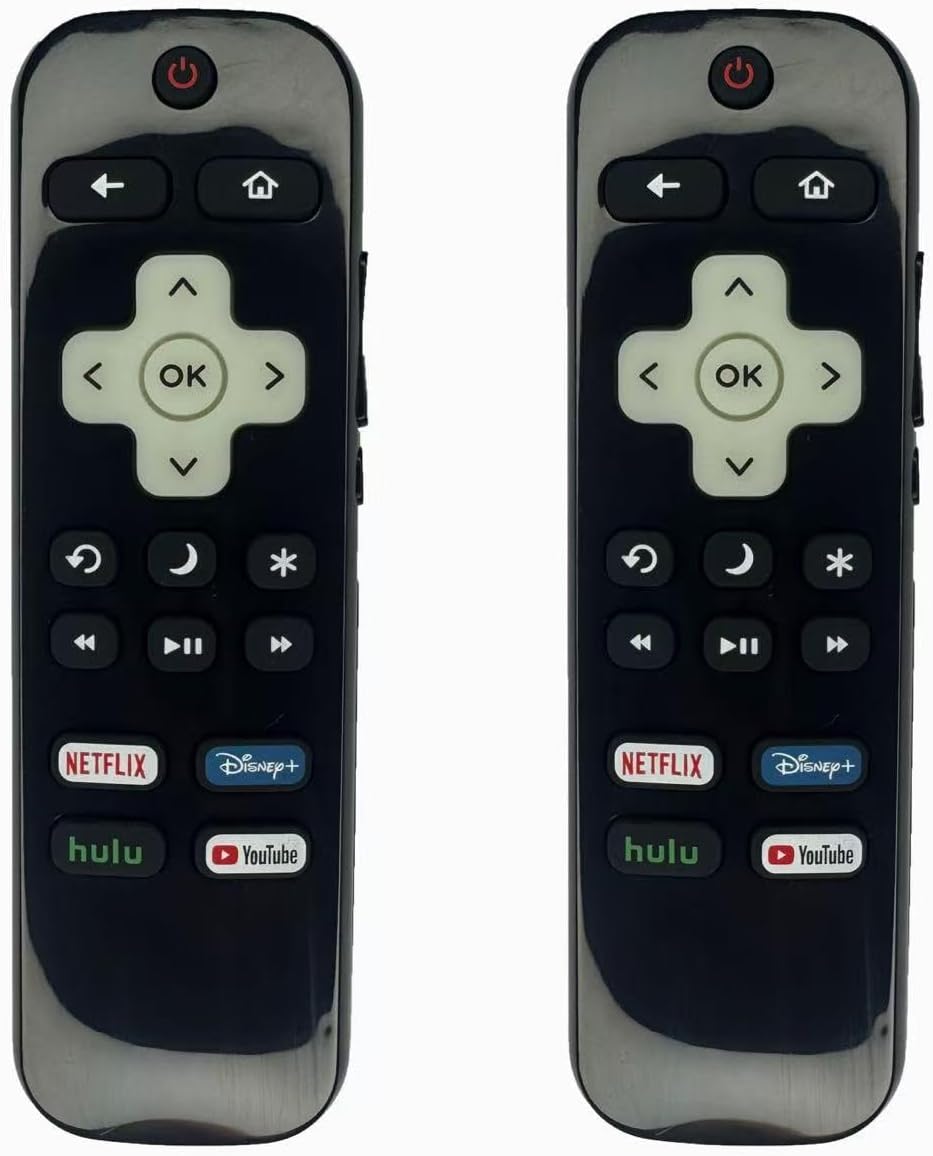
Image: Front view of the remote control, displaying all buttons including app shortcuts.
Button Functions
- Power Button (O): Turns your Roku TV on or off.
- Home Button (🏠): Returns to the Roku TV home screen.
- Navigation Pad (Up, Down, Left, Right): Navigates through menus and content.
- OK Button: Selects an item or confirms an action.
- Back Button (↩): Returns to the previous screen or menu.
- Volume Up/Down: Adjusts the TV volume.
- Mute: Mutes or unmutes the TV audio.
- Instant Replay (↺): Jumps back a few seconds during video playback.
- Options/Star Button (✱): Accesses additional options within certain apps or menus.
- Play/Pause, Fast Forward, Rewind: Controls media playback.
- Shortcut Buttons (Netflix, YouTube, Prime Video, HABOMAX): Provides direct access to these streaming applications.
Operating Range
The remote control operates effectively up to 10 meters (30 feet) from your Roku TV, provided there is a clear line of sight between the remote and the TV's infrared receiver.
Compatibility
Compatible Roku TV Models
This remote control is compatible with the following Roku TV series:
- TCL Roku TVs
- Hisense Roku TVs
- Onn Roku TVs
- Sharp Roku TVs
- Element Roku TVs
- Westinghouse Roku TVs
- Philips Roku TVs
- Insignia Roku TVs
- JVC Roku TVs
- RCA Roku TVs
- Sanyo Roku TVs
Not Applicable / Incompatible Devices
This remote control is NOT compatible with the following devices:
- Roku Stick
- Roku Streaming Stick
- Roku Box 1/2/3/4 (HD/LT/XS/XD)
- Roku Ultra
- Roku Express
- Roku Premiere
- Roku Player
It is also NOT compatible with non-Roku branded TVs from manufacturers such as TCL, Hisense, Onn, Sharp, Element, Westinghouse, Philips, Insignia, JVC, RCA, Hitachi, and Sanyo, unless they are specifically Roku TV models.
Maintenance
Battery Replacement
Replace batteries when the remote's responsiveness decreases or it stops functioning. Always replace both AAA batteries at the same time with new ones. Do not mix old and new batteries or different types of batteries.
Cleaning
To clean the remote control, gently wipe it with a soft, dry cloth. Avoid using liquid cleaners, solvents, or abrasive materials, as these can damage the remote's surface or internal components.
Troubleshooting
- Remote not responding:
- Ensure batteries are inserted correctly with the correct polarity.
- Replace old batteries with new AAA batteries.
- Check for any obstructions between the remote and the TV's infrared sensor.
- Ensure you are within the effective operating range (up to 10 meters/30 feet).
- Specific buttons not working:
- If only certain buttons are unresponsive, try replacing the batteries.
- Ensure the remote is pointed directly at the TV.
- Glow in the Dark feature not visible:
- The glow feature requires exposure to light to charge. Expose the remote to ambient light for a period to activate the glow effect in the dark.
Specifications
| Feature | Detail |
|---|---|
| Brand | Besia |
| Connectivity Technology | Infrared (IR) |
| Special Feature | Glow in the Dark, No Programming Required |
| Compatible Devices | Roku Series Televisions |
| Controller Type | Button Control |
| Maximum Range | 10 meters (30 feet) |
| Power Source | 2 x AAA Batteries (not included) |
| Estimated Button Clicks | Over 160,000 |
Warranty and Support
Warranty Information
BESIA remote controls come with an unlimited return and refund service for 60 days from the date of purchase. This policy covers manufacturing defects and performance issues under normal use.
Customer Support
If you have any questions, concerns, or require assistance with your BESIA remote control, please do not hesitate to reach out to our customer support team. Contact information can typically be found on your purchase receipt or the retailer's website where the product was acquired.