
1. Introduction
Welcome to your new ROYAL AUDIO RAS01 Wireless Portable Bluetooth Speaker. This manual provides detailed instructions for setting up, operating, and maintaining your speaker to ensure optimal performance and longevity. Please read this manual thoroughly before using the product.
2. Important Safety Information
To prevent damage to your speaker or injury to yourself, please observe the following safety precautions:
- Do not expose the speaker to extreme temperatures, direct sunlight, or open flames.
- Avoid dropping or subjecting the speaker to strong impacts.
- Do not disassemble, repair, or modify the speaker yourself. Contact qualified service personnel for assistance.
- Keep the speaker away from water and liquids, despite its IPX5 rating, to prevent damage to internal components.
- Use only the provided charging cable or a certified equivalent.
- Clean the speaker with a soft, dry cloth. Do not use abrasive cleaners or solvents.
3. Package Contents
Verify that all items are present in your package:
- ROYAL AUDIO RAS01 Wireless Portable Bluetooth Speaker
- Carry Strap
- USB Charging Cable (Type-C)
- Auxiliary Audio Cable (3.5mm)
- User Manual (this document)
4. Product Overview
Familiarize yourself with the components and features of your RAS01 speaker.
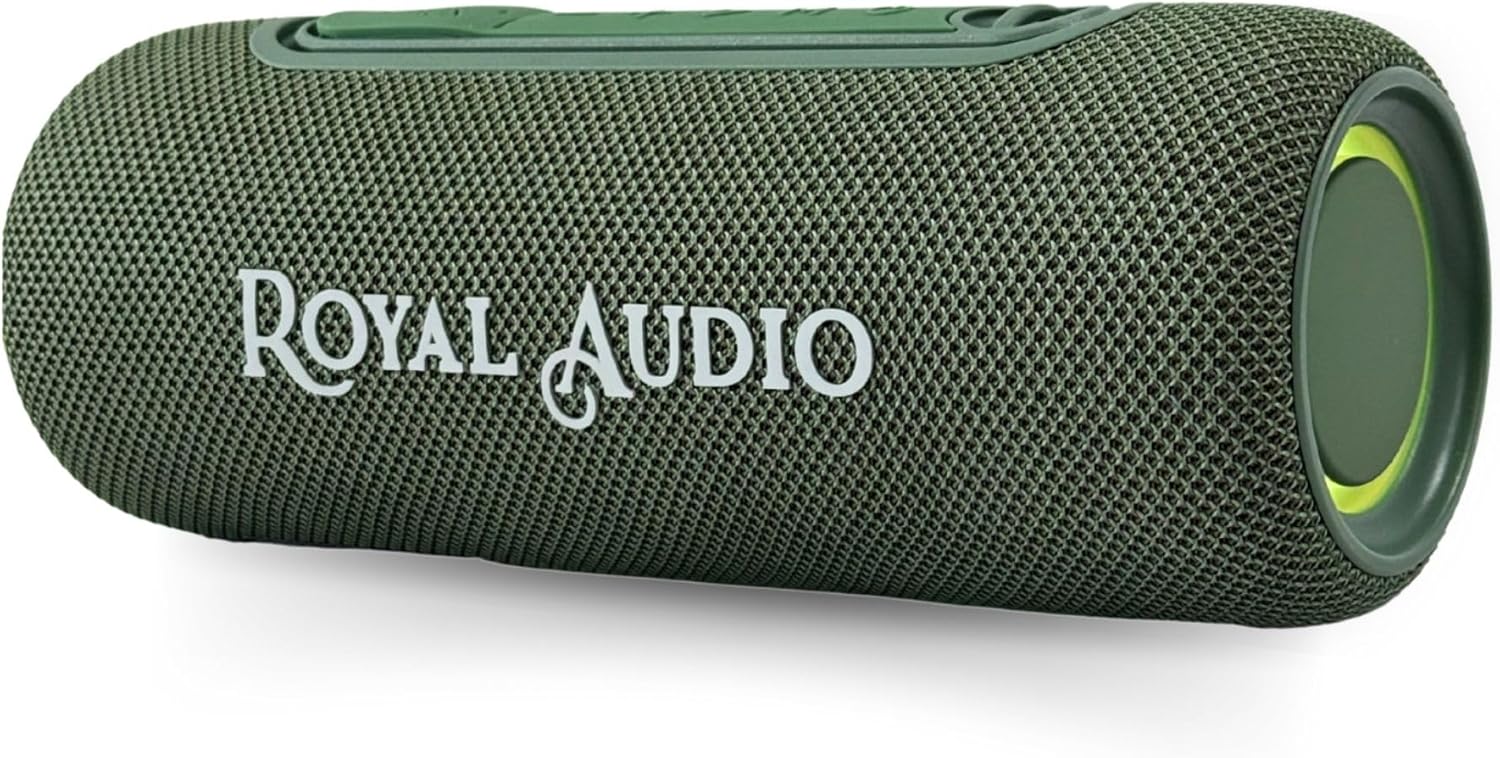
Image 1: Front view of the ROYAL AUDIO RAS01 Wireless Portable Bluetooth Speaker in green.

Image 2: Overview of RAS01 speaker features, including Type C and USB ports, Line In, Power LED, 8 hours playback, 10 RMS output, Bluetooth 5.3, a hanging strap, and IPX5 water resistance.

Image 3: Side view of the RAS01 speaker, detailing the control panel with buttons for USB/AUX mode, volume adjustment, track navigation, and power.
Key Features:
- Bassboom Stereo Sound: Delivers rich, deep sound with powerful volume.
- TWS Pairing: Connect two RAS01 speakers for true wireless stereo sound.
- 8 Hours Playtime: Extended battery life for continuous music playback.
- IPX5 Waterproof: Splash-proof design suitable for outdoor use.
- RGB Lights: Dynamic lighting effects to enhance your listening experience.
- FM Radio: Built-in radio tuner for listening to local stations.
- Multiple Connectivity: Bluetooth 5.3, USB, and AUX (Line In) options.
5. Setup
5.1 Charging the Speaker
- Connect the USB Type-C charging cable to the speaker's charging port.
- Connect the other end of the cable to a USB power adapter (not included) or a computer's USB port.
- The Power LED indicator will illuminate during charging and turn off when fully charged.
- A full charge typically takes approximately 3-4 hours.
5.2 Powering On/Off
- To Power On: Press and hold the Power button (usually marked with Ⓘ) for 2-3 seconds until you hear an audible prompt and the indicator lights turn on.
- To Power Off: Press and hold the Power button for 2-3 seconds until you hear an audible prompt and the indicator lights turn off.
5.3 Bluetooth Pairing
- Ensure the speaker is powered on and in Bluetooth mode (indicated by a flashing blue LED). If not, press the Mode button to switch to Bluetooth.
- On your mobile device (smartphone, tablet, laptop), enable Bluetooth and search for available devices.
- Select "RAS01" from the list of devices.
- Once paired, you will hear a confirmation sound, and the blue LED will stop flashing and remain solid.
- The speaker will automatically reconnect to the last paired device when powered on, if the device is within range and Bluetooth is enabled.
5.4 TWS (True Wireless Stereo) Pairing
To achieve a true stereo sound experience, you can pair two RAS01 speakers together:
- Ensure both RAS01 speakers are powered on and in Bluetooth mode, but not yet connected to any device.
- On one of the speakers (this will be the primary speaker), press and hold the TWS button (often combined with the Play/Pause button or a dedicated TWS icon) for 2-3 seconds.
- The speakers will search for each other and automatically pair. You will hear a confirmation sound when TWS pairing is successful.
- Now, connect your mobile device to the primary speaker via Bluetooth as described in section 5.3. Both speakers will play audio in stereo.
- To disconnect TWS, press and hold the TWS button on either speaker again.
6. Operation
6.1 Basic Controls
- Play/Pause: Press the Play/Pause button (▶‖) once to play or pause music.
- Volume Up: Press the "+" button to increase volume. Press and hold to continuously increase volume.
- Volume Down: Press the "-" button to decrease volume. Press and hold to continuously decrease volume.
- Next Track: Press and hold the "+" button (or a dedicated next track button) for 1-2 seconds.
- Previous Track: Press and hold the "-" button (or a dedicated previous track button) for 1-2 seconds.
- Mode Button (M): Press to cycle through available modes: Bluetooth, FM Radio, AUX, USB.
6.2 FM Radio Mode
- Press the Mode button (M) until you hear the FM radio prompt.
- Press the Play/Pause button once to automatically scan and save available FM stations.
- Use the "+" and "-" buttons to navigate between saved stations.
6.3 RGB Light Modes
The RAS01 speaker features dynamic RGB lighting. Refer to your speaker's specific button layout for light control. Typically, a dedicated light button or a long press on the Mode button cycles through light modes or turns them off.
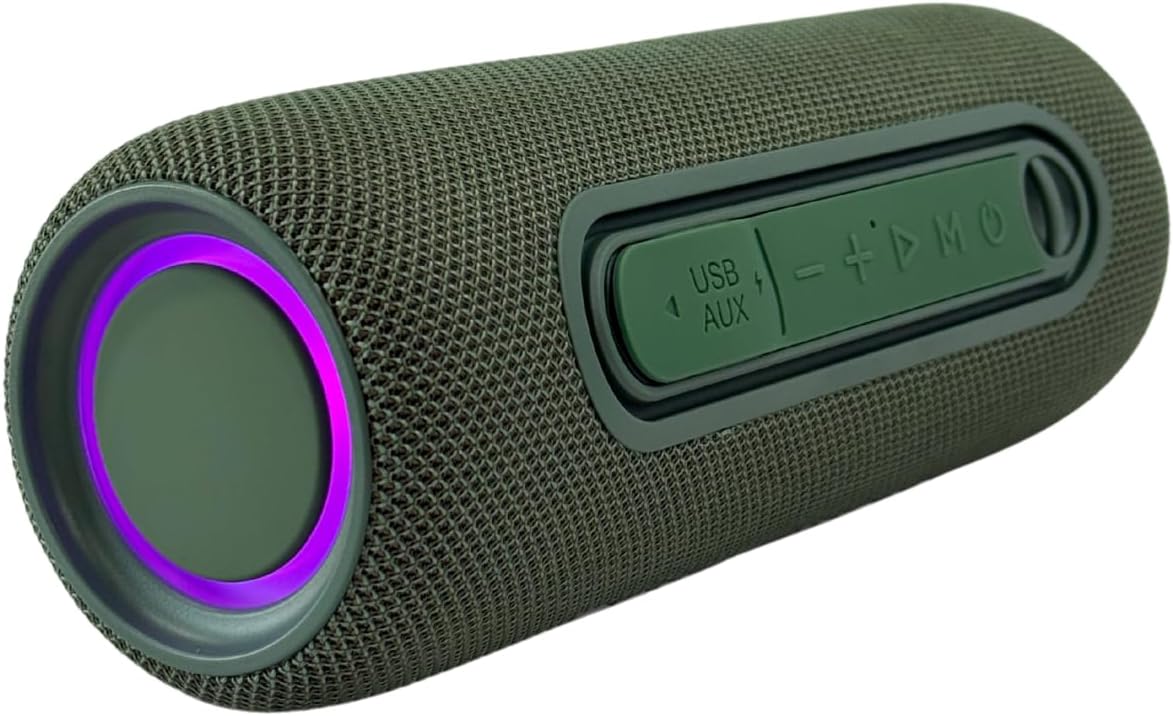
Image 4: End view of the RAS01 speaker, showcasing the illuminated RGB lights.
6.4 Auxiliary (AUX) Input
To play audio from a device without Bluetooth:
- Connect one end of the 3.5mm auxiliary cable to the speaker's AUX port.
- Connect the other end to the headphone jack of your audio device.
- Press the Mode button (M) until the speaker enters AUX mode.
- Control playback and volume from your connected audio device.
6.5 USB Playback
To play music directly from a USB flash drive:
- Insert a USB flash drive containing MP3 audio files into the speaker's USB port.
- Press the Mode button (M) until the speaker enters USB mode.
- The speaker will automatically begin playing music from the USB drive. Use the "+" and "-" buttons for track navigation and volume control.
7. Maintenance
Proper care ensures the longevity of your speaker:
- Cleaning: Wipe the speaker with a soft, dry, lint-free cloth. Do not use liquid cleaners, aerosols, or solvents.
- Storage: When not in use for extended periods, store the speaker in a cool, dry place away from direct sunlight and extreme temperatures.
- Battery Care: To maintain battery health, avoid fully discharging the battery frequently. Charge the speaker regularly, even if not in use.
8. Troubleshooting
If you encounter issues with your speaker, refer to the following table for common problems and solutions:
| Problem | Possible Cause | Solution |
|---|---|---|
| Speaker does not power on. | Low battery; Power button not pressed correctly. | Charge the speaker fully; Press and hold the Power button for 2-3 seconds. |
| Cannot pair via Bluetooth. | Speaker not in pairing mode; Device Bluetooth off; Speaker already connected to another device. | Ensure speaker is in Bluetooth pairing mode (flashing blue LED); Enable Bluetooth on your device; Disconnect from other devices. |
| No sound or low volume. | Volume too low on speaker or device; Incorrect mode selected; Cable not fully inserted (AUX/USB). | Increase volume on both speaker and device; Press Mode button to select correct input; Ensure cables are securely connected. |
| TWS pairing fails. | Speakers too far apart; One speaker already paired to a device. | Ensure speakers are within close proximity; Disconnect both speakers from any Bluetooth devices before TWS pairing. |
| FM radio reception is poor. | Weak signal; Environmental interference. | Move the speaker to a location with better reception; Extend the antenna if available (or use the charging cable as an antenna if supported). |
9. Specifications
Detailed technical specifications for the ROYAL AUDIO RAS01 speaker:
| Feature | Specification |
|---|---|
| Model Name | RAS01 |
| Speaker Type | Portable Speaker |
| Connectivity Technology | Bluetooth 5.3 |
| Speaker Maximum Output Power | 13 Watts (RMS) |
| Special Features | Bassboom Technology, Bass Boost, FM Radio, Portable, USB Port, RGB Lights, TWS Pairing, IPX5 Waterproof |
| Playtime | Up to 8 Hours |
| Product Dimensions | 8"D x 3"W x 3"H (approximately) |
| Item Weight | 1.93 pounds |
| Included Components | Carry Strap |
| Mounting Type | Tabletop Mount |

Image 5: Dimensions of the RAS01 speaker (approximately 10.5 inches tall, 5 inches diameter) and its compatibility with iOS, Android, and Windows operating systems.
10. Warranty and Support
ROYAL AUDIO products are designed for reliability and performance. This product comes with a standard manufacturer's warranty against defects in materials and workmanship. For specific warranty terms, please refer to the warranty card included with your purchase or contact ROYAL AUDIO customer support.
If you require technical assistance or have questions about your RAS01 speaker, please visit the ROYAL AUDIO official website or contact their customer service department for support.