
Introduction
The VicoSafe DB2 Wireless Doorbell Camera is designed to enhance your home security by providing high-definition video surveillance and two-way communication at your doorstep. This battery-powered device features 2K video resolution, AI human detection, infrared night vision, and smart alerts, all managed through the VicoHome app. Its weatherproof design ensures reliable performance in various environmental conditions.
What's in the Box
- Doorbell Camera
- Chime (with 16 melodies)
- Mounting accessories (screws, anchors, adhesive)
- USB charging cable
- User Manual

Image: Front view of the VicoSafe DB2 Wireless Doorbell Camera.
Setup Guide
- Charge the Doorbell: Before initial use, fully charge the doorbell camera using the provided USB cable. The LED indicator will show charging status.
- Download the VicoHome App: Search for "VicoHome" in your smartphone's app store (iOS or Android) and download the application.
- Create an Account: Open the VicoHome app and follow the on-screen instructions to create a new user account.
- Add Device: In the app, tap the "+" icon to add a new device. Select your DB2 Doorbell Camera from the list.
- Connect to Wi-Fi: Follow the app's instructions to connect your doorbell camera to your 2.4GHz Wi-Fi network. Ensure your phone is connected to the same Wi-Fi network during setup.
- Pair the Chime: Plug the wireless chime into a power outlet. Follow the app's instructions to pair it with your doorbell camera. You can select from 16 different melodies.
- Mount the Doorbell: Choose a suitable location near your door. Use the provided screws and anchors for a secure installation, or the self-adhesive option for temporary placement. Ensure the camera has a clear view of your entrance.

Image: Side view of the VicoSafe DB2 Wireless Doorbell Camera, showing its slim profile.
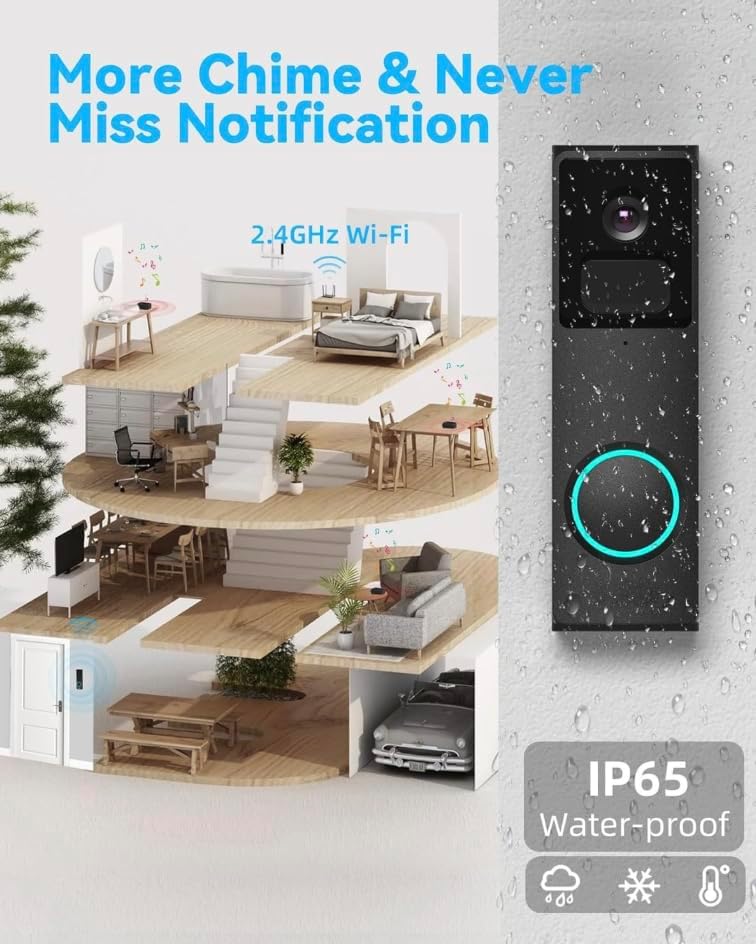
Image: The VicoSafe doorbell chime plugged into a wall outlet, illustrating its compact design.
Operating Instructions
Real-time Video and Two-Way Audio
When a visitor presses the doorbell, you will receive an instant video call notification on your smartphone via the VicoHome app. You can then view live footage and engage in two-way audio communication with the visitor from anywhere.
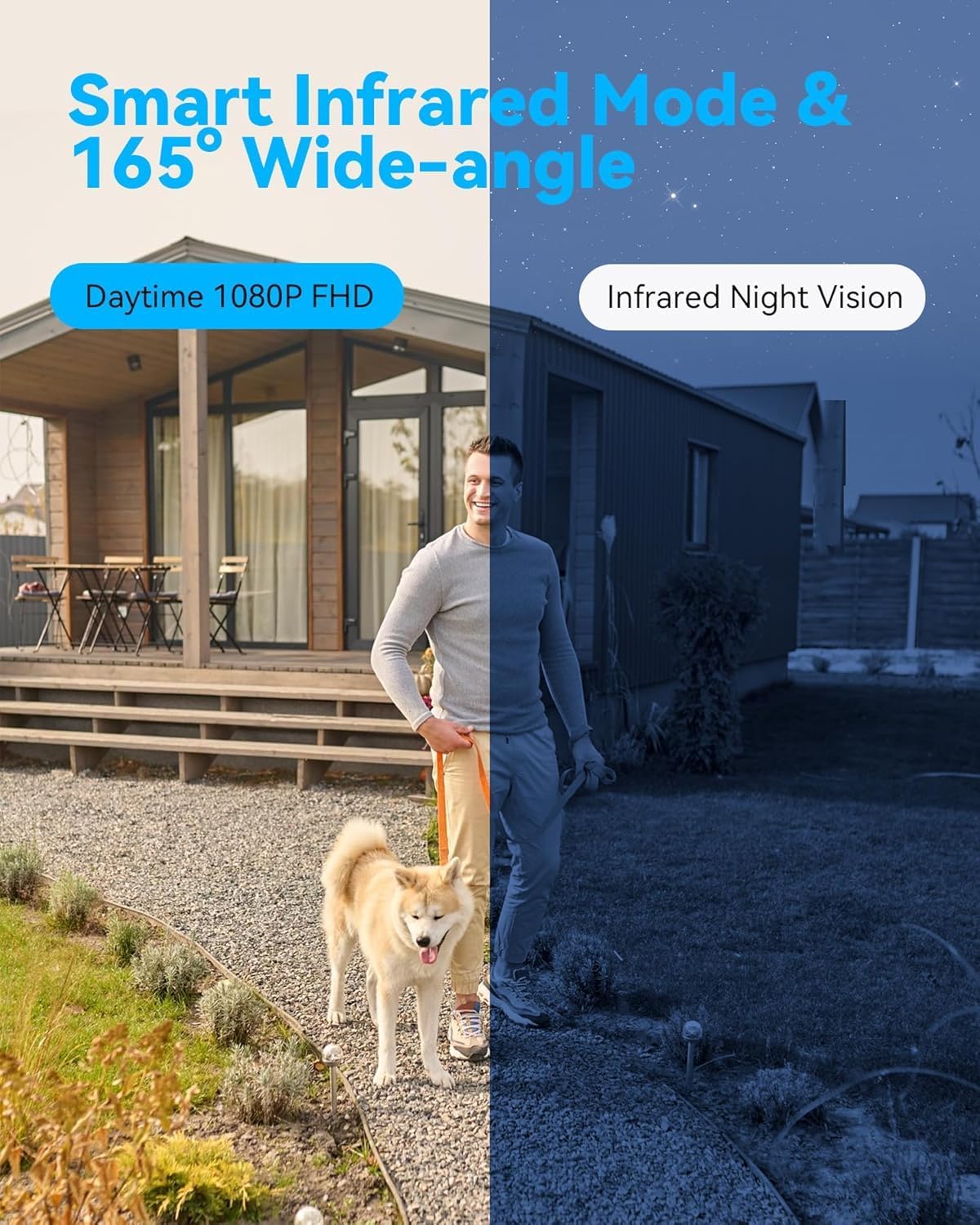
Image: A smartphone screen showing the live video feed from the VicoSafe doorbell camera, demonstrating remote interaction.
Motion Detection and Smart Alerts
The doorbell camera features AI human detection to minimize false alarms. When motion is detected, you will receive smart alerts on your phone. The camera automatically records footage of these events, which can be reviewed later in the app's video history.

Image: Illustration of the AI function recognizing multiple scenarios such as a person, animal, car, and package, with corresponding alerts.
Night Vision
The DB2 doorbell camera automatically switches to infrared night vision mode in low-light conditions, providing clear and detailed images up to 33 feet (10 meters) even in complete darkness.
Multi-User Sharing
You can share access to your doorbell camera with family members through the VicoHome app, allowing multiple users to view the live feed and receive alerts simultaneously.
Alexa Compatibility
The VicoSafe DB2 is compatible with Alexa. You can integrate it with your Alexa-enabled devices to view the doorbell feed on smart displays by issuing voice commands like "Alexa, show me the front door."

Image: An Amazon Echo Show device displaying the live feed from the VicoSafe doorbell camera, demonstrating Alexa compatibility.
Maintenance
- Battery Charging: The doorbell is battery-powered. Monitor the battery level in the VicoHome app and recharge the device when prompted. Battery life varies based on usage and settings.
- Cleaning: Periodically clean the camera lens and the doorbell surface with a soft, damp cloth to ensure optimal video quality and functionality. Avoid using harsh chemicals.
- Firmware Updates: Keep your doorbell's firmware updated through the VicoHome app to ensure the best performance and access to new features.
Troubleshooting
- Doorbell not connecting to Wi-Fi:
- Ensure your Wi-Fi network is 2.4GHz. Check that the doorbell is within range of your Wi-Fi router. Restart your router and the doorbell, then attempt to reconnect through the VicoHome app.
- Poor video quality:
- Check your Wi-Fi signal strength in the app. A weak signal can affect video quality. Ensure the camera lens is clean and free from obstructions. Adjust the camera's position if necessary.
- Battery draining quickly:
- Frequent motion detections and live view access can consume battery faster. Adjust motion detection sensitivity in the app. Ensure the doorbell is fully charged after each cycle.
- No notifications:
- Verify that app notifications are enabled in your smartphone settings and within the VicoHome app. Check your internet connection.
- Anti-theft alert not working:
- Ensure the anti-theft function is enabled in the VicoHome app settings. The doorbell is designed with a concealed disassembly method and will trigger a siren if tampered with while this feature is active.

Image: An illustration highlighting the anti-theft features of the VicoSafe DB2 doorbell, including its concealed disassembly method and alert system.
Specifications
| Feature | Detail |
|---|---|
| Model Name | Video Doorbell DB2 - VicoHome |
| Brand | VicoSafe |
| Indoor/Outdoor Usage | Outdoor |
| Power Source | Battery Powered (5000 mAh) |
| Connectivity Technology | Wireless (Wi-Fi) |
| Video Capture Resolution | 1080p (2K Video) |
| Viewing Angle | 148 Degrees |
| Night Vision Range | 33 Feet |
| International Protection Rating | IP65 (Water Resistant) |
| Special Features | 2-Way Audio, AI Analysis, Instant Alerts, Motion Sensor, Weather Proof |
| Compatible Devices | Smartphone (VicoHome App), Alexa |
| Flash Memory Supported Size Maximum | 128 GB |
| Product Dimensions | 1.22 x 1.81 x 5.98 inches |
| Item Weight | 1 pounds |
Warranty Information
For detailed warranty information regarding your VicoSafe DB2 Wireless Doorbell Camera, please refer to the warranty card included in your product packaging or visit the official VicoSafe website. Protection plans may be available for extended coverage.
Customer Support
If you encounter any issues or have questions about your VicoSafe DB2 Wireless Doorbell Camera, please contact VicoSafe customer support through the VicoHome app or visit the official VicoSafe website for assistance and frequently asked questions.