1. Introduction
Thank you for choosing the HOMCOM Double Media Storage Cabinet, Model 836-603V00BK. This 8-tier media shelf is designed to organize your CD, DVD, and Blu-ray collections efficiently. With 6 adjustable shelves and 8 compartments, it offers versatile storage solutions while saving space. This manual provides detailed instructions for safe assembly, proper use, and maintenance of your new media cabinet.

Image 1.1: The HOMCOM Double Media Storage Cabinet in a home environment, showcasing its capacity for media storage.
2. Safety Information
Please read and understand all safety instructions before assembling and using this product. Failure to follow these instructions may result in injury or product damage.
- Weight Capacity: Do not exceed the maximum weight capacity of 33 lbs (15 kg) for the overall unit and 4.4 lbs (2 kg) per compartment. Overloading can cause the unit to tip or collapse.
- Anti-Tipping Strap: Always install the provided anti-tipping strap to secure the cabinet to a wall. This is crucial to prevent accidental tipping, especially in households with children or pets.
- Stable Surface: Place the cabinet on a flat, level, and stable surface to ensure proper balance and prevent wobbling.
- Assembly: Assemble the unit according to the instructions. Ensure all fasteners are securely tightened before use.
- Children Safety: Keep small parts and packaging materials away from children during assembly. Do not allow children to climb on or play with the cabinet.
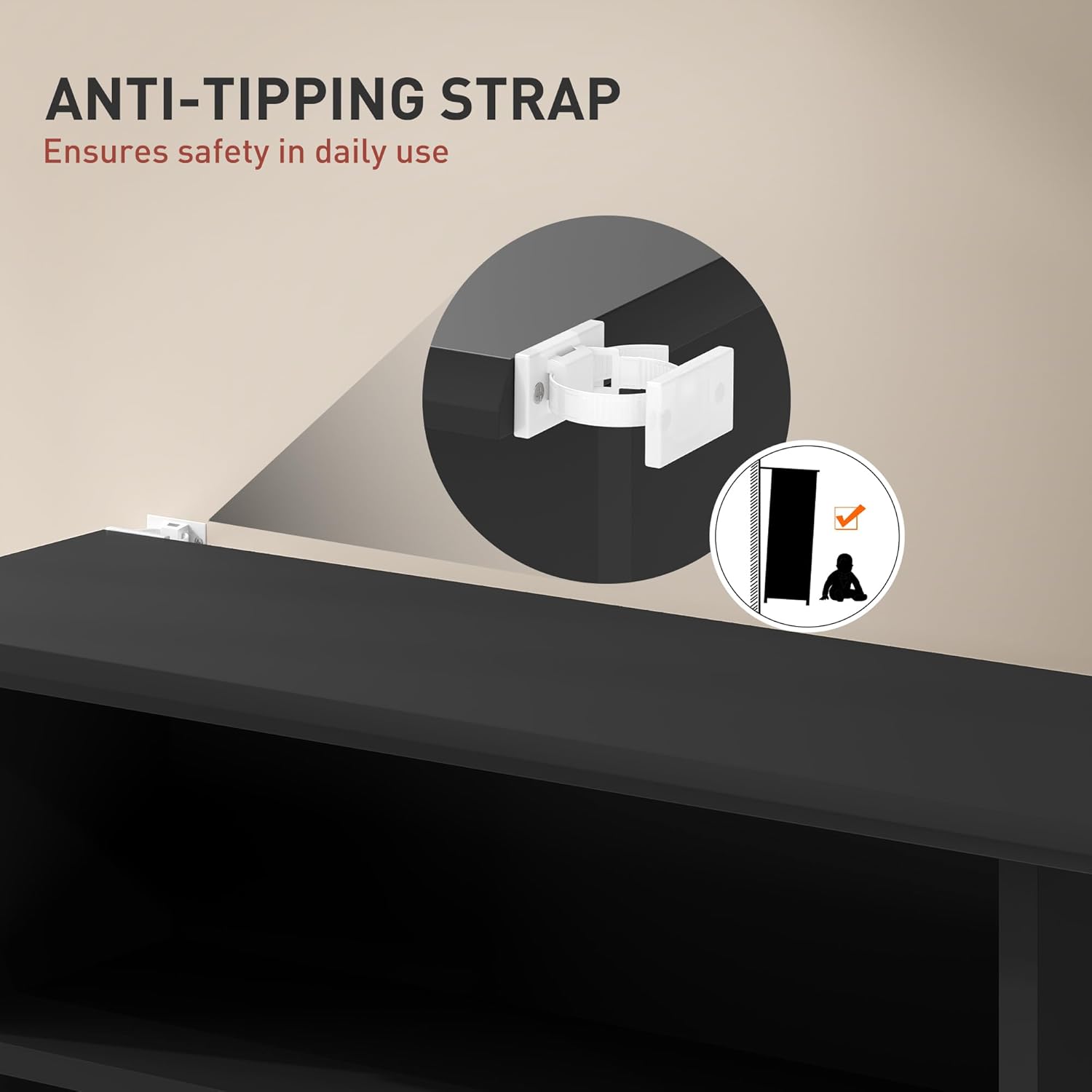
Image 2.1: Illustration of the anti-tipping strap installation, emphasizing its role in securing the cabinet to the wall for safety.
3. Package Contents
Before beginning assembly, verify that all parts listed below are present and undamaged. If any parts are missing or damaged, please contact customer support.
- 1 x DVD Shelf (main unit components)
- 1 x Manual (this document)
- Hardware pack (screws, dowels, anti-tipping strap, etc.)
4. Setup and Assembly
The HOMCOM Double Media Storage Cabinet is designed for simple assembly. Follow the numbered parts and clear instructions provided in the included assembly guide.
- Unpack Components: Carefully remove all parts from the packaging and lay them out on a clean, soft surface to prevent scratches.
- Identify Parts: Refer to the assembly diagram to identify each numbered component (e.g., side panels, top/bottom panels, shelves).
- Assemble Frame: Begin by attaching the side panels to the base and top panels using the provided hardware. Ensure all connections are snug.
- Install Fixed Shelves: Secure any fixed shelves as indicated in the assembly guide.
- Insert Adjustable Shelf Pins: Place the metal pins into the desired holes for the adjustable shelves.
- Place Adjustable Shelves: Carefully place the adjustable shelves onto the pins.
- Install Anti-Tipping Strap: Attach the anti-tipping strap to the top rear of the cabinet and secure it to a wall stud using appropriate hardware (not always included, depending on wall type). This step is critical for safety.

Image 4.1: Exploded diagram illustrating the numbered components and their arrangement for assembly.
5. Operating Instructions
This media storage cabinet features adjustable shelves to accommodate various media sizes.
5.1 Adjusting Shelves
The cabinet includes 6 adjustable shelves, allowing for 7 different height configurations. Each adjustment point is approximately 2 inches (5.1 cm).
- Empty Shelf: Ensure the shelf you wish to adjust is empty.
- Remove Shelf: Carefully lift the shelf off its support pins.
- Relocate Pins: Remove the metal support pins from their current holes and insert them into the desired new holes. Ensure the pins are level on both sides.
- Replace Shelf: Place the shelf back onto the newly positioned support pins.

Image 5.1: Visual guide demonstrating the adjustable shelf feature and various height settings.
5.2 Media Storage Capacity
The cabinet is designed to hold a significant collection of media:
- Up to 360 CDs
- Up to 185 DVDs
- Up to 185 Blu-rays
You can configure the shelves to optimize space for your specific collection, whether it's primarily CDs, DVDs, or a mix.
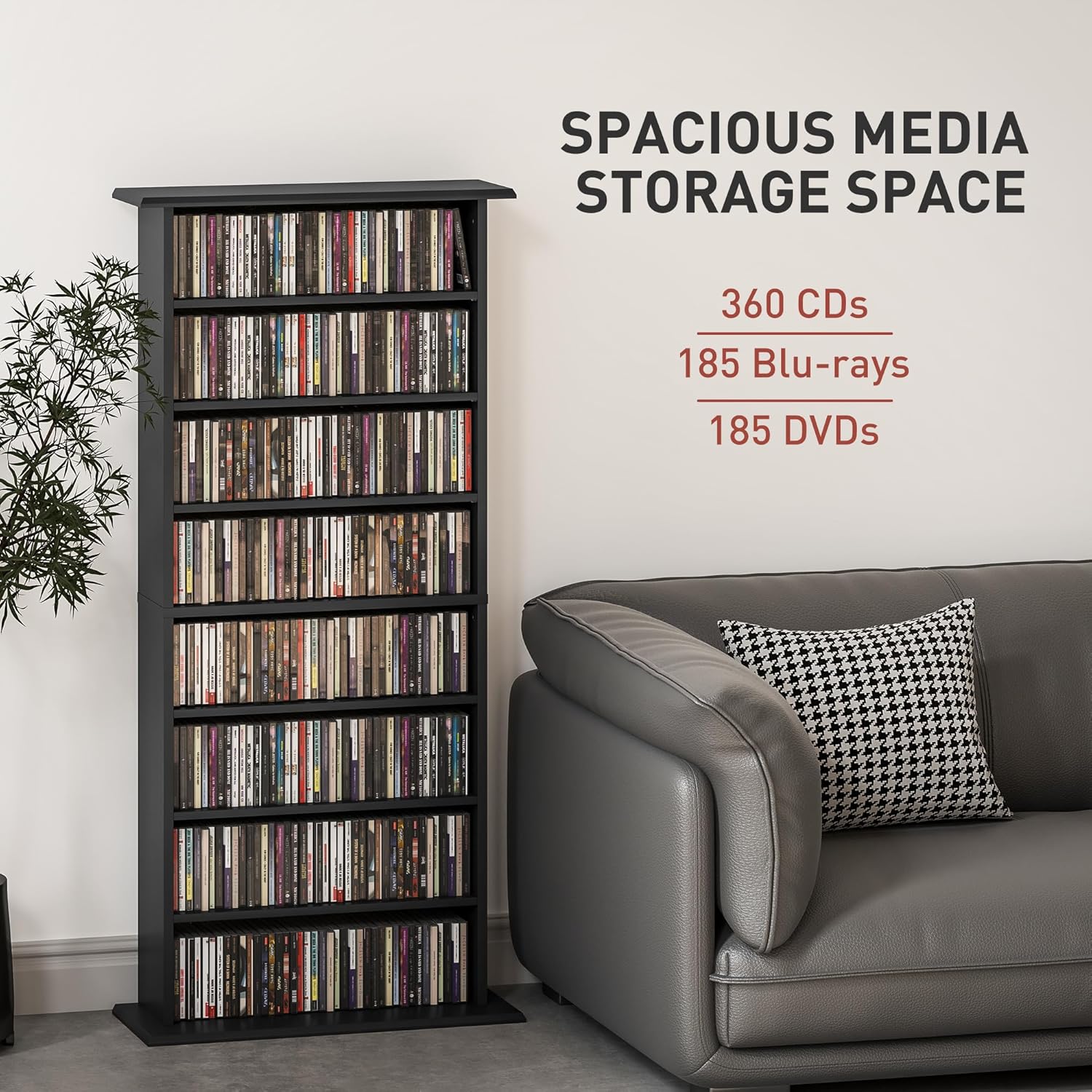
Image 5.2: The media cabinet displaying its spacious storage for various media types.

Image 5.3: Example configurations for storing CDs and Blu-ray/DVDs on different shelves.
Video 5.1: An official HOMCOM video demonstrating the media cabinet's features and how it can organize various media collections in a living space.
6. Maintenance
To ensure the longevity and appearance of your HOMCOM Media Storage Cabinet, follow these simple maintenance guidelines:
- Cleaning: Wipe the surface with a soft, damp cloth. Avoid using harsh chemicals or abrasive cleaners, as they can damage the melamine finish.
- Spills: Clean up spills immediately to prevent moisture damage to the particleboard.
- Inspection: Periodically check all fasteners and connections to ensure they remain tight. Retighten if necessary.
- Sunlight Exposure: Avoid prolonged exposure to direct sunlight, which can cause fading or discoloration of the finish.
7. Troubleshooting
If you encounter any issues with your media storage cabinet, refer to the following common solutions:
- Wobbling/Instability:
- Ensure the cabinet is placed on a level surface.
- Check that all assembly screws and bolts are securely tightened.
- Verify the anti-tipping strap is correctly installed and taut.
- Shelves Not Level:
- Ensure the shelf support pins are fully inserted into the corresponding holes on both sides.
- Confirm that the pins are placed in matching holes to maintain levelness.
- Missing Parts:
- Double-check the packaging and all corners for small components.
- If parts are genuinely missing, contact HOMCOM customer support with your product model number and a description of the missing items.
8. Specifications
| Brand | HOMCOM |
| Model Number | 836-603V00BK |
| Material | Engineered Wood (Particleboard with Melamine finish) |
| Color | Black |
| Overall Dimensions (W x D x H) | 22.8" x 9.4" x 49.7" (58 x 24 x 126.3 cm) |
| Each Compartment Size (W x D x H) | 18.5" x 5.9" x 5.5" (47 x 15 x 14 cm) |
| Number of Shelves | 8 (6 adjustable) |
| Storage Capacity (CDs) | Up to 360 |
| Storage Capacity (DVDs/Blu-rays) | Up to 185 each |
| Overall Weight Capacity | 33 lbs (15 kg) |
| Each Compartment Weight Capacity | 4.4 lbs (2 kg) |
| Assembly Required | Yes |
| Mounting Type | Floor Mount (with anti-tipping strap) |

Image 8.1: Detailed dimensions of the media storage cabinet.
9. Warranty Information
For warranty details, please refer to the specific terms and conditions provided with your purchase documentation or contact HOMCOM customer support directly. Warranty coverage typically includes manufacturing defects and material flaws for a specified period from the date of purchase.
10. Customer Support
If you have any questions, require assistance with assembly, or need to report missing/damaged parts, please contact HOMCOM customer support:
- Manufacturer: Aosom Canada
- Phone: 1-416-792-6088
- Location: Markham, Ontario, CA
Please have your product model number (836-603V00BK) and purchase information ready when contacting support.